
We have rolled out several new features and important updates in TrackoField this December. These include AI dashboard, manager bot, travel history (path + playback) experience on mobile, and updated expense rules.
Our field force automation software is set to make your field operations smoother, more efficient and more productive.
Major Updates & Features Introduced in TrackoField in December 2025
Feature 1: AI Dashboard & Manager Bot (Beta)
We are excited to have launched the AI dashboard and manager chatbot in TrackoField. This beta release is game-changing, designed to enhance decision-making and improve overall productivity with AI-powered assistance.
Instead of downloading and manually scouring reports for answers, now managers can simply raise queries and get instant results.
- Who missed attendance this week?
- Which field tasks are overdue?
- Who were the top 10 performers in December 2025?
The manager bot answers these questions related to tasks, distance, and attendance instantly.
The AI dashboard also allows managers to compare employee data across various KPIs at once. They get AI-based insights and individual performance reports to analyse data faster and more intuitively.
The AI dashboard and manager bot are a smarter and more efficient way for managers to access insights, streamline field operations, and get real-time answers.
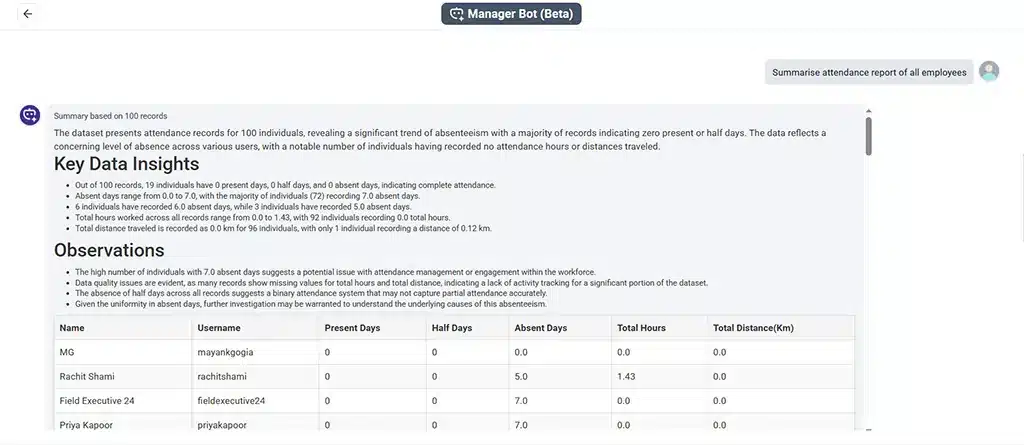
Get Instant Insights With Manager Bot
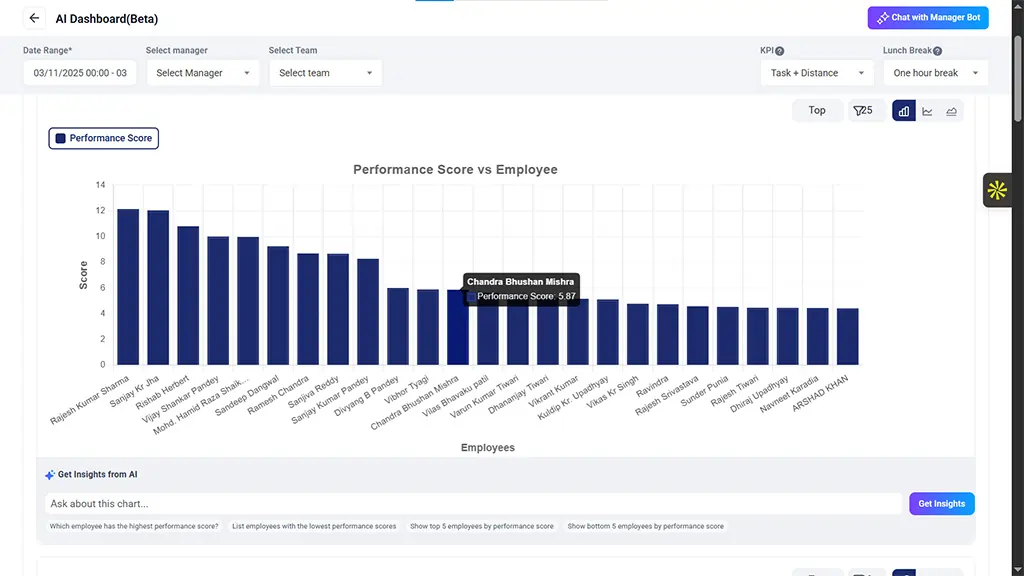
AI Dashboard in TrackoField
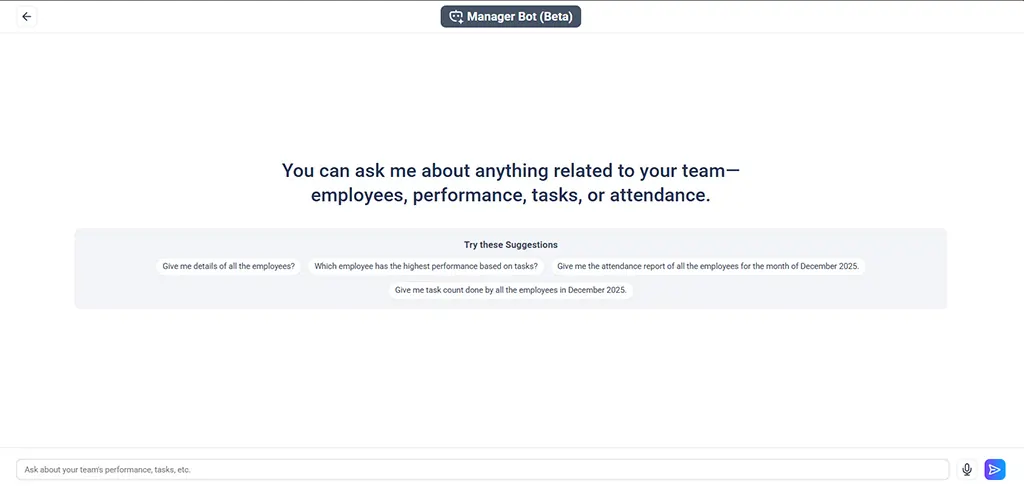
Manager Bot in TrackoField
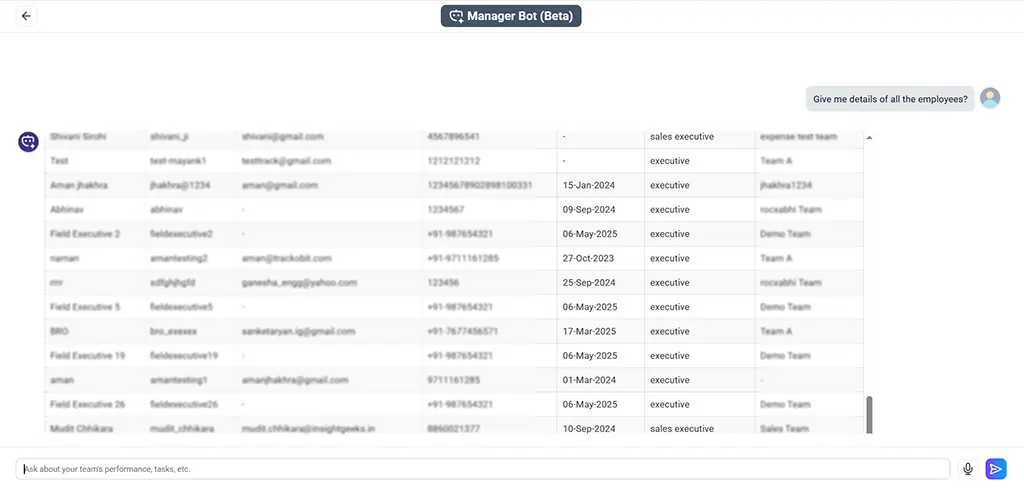
Get Employee Details With Text or Verbal Queries
Feature 2: Travel History Experience
We have launched a new Travel History experience in the TrackoField mobile app. It comes with calendar-based date selection, map playback, timeline controls, task trail view, and numbered route points for clear journey visualisation.
We’ve also added stoppage points visualisation in Travel History and Task Trail. It’s configurable via company settings and will help managers better analyse travel behaviour between and within tasks.
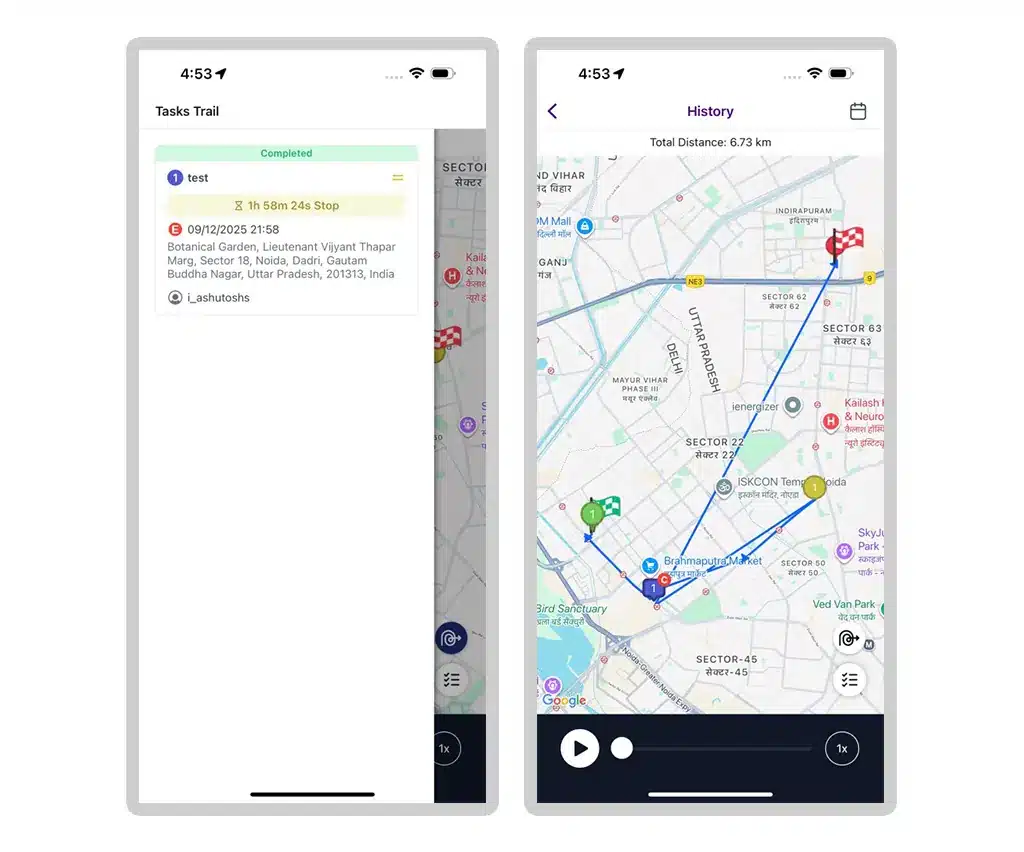
Employee Travel History in TrackoField FE App
What’s New in Reports & Notifications?
- We introduced a filter button visible only after report data loads. It enables managers to refine Expense, Leave, and Distance reports using contextual keywords and make data analysis much faster and easier.
- Two new columns: Created By and Action have been added in Leave and Override reports. They allow managers to identify request initiators and cancel approved leaves where allowed on the TF mobile app.
- We’ve shifted all Field Executive (FE)-related notifications (leave, expense, overtime, override, SOS, Fake GPS, GPS Disabled, Customer Approval) from the now defunct admin app to the FE app. It ensures managers and employees receive timely alerts within the correct application.
- We introduced multi-level approval notifications across modules such as Leave, Expense, Override, Overtime, Customer, Orders, and Device approvals to ensure managers are notified at the correct approval stage.
What’s New in the Expense Module?
- We added employee-entered description/remark field into the expense approval modal. It gives managers full context for each expense request and ensures informed decision making.
- We added a downloadable Expense Approval report with multi-sheet Excel export (Claims, Requests, Audit Trail).
- Standard attributes (Expense From & To date, etc) are displayed for each expense category across approval modal, report modal, and Excel export. It ensures consistent visibility of mandatory attributes.
- We introduced Bulk Pay for Expense Claims, allowing managers to pay multiple eligible claims in a single action. This functionality significantly reduces manual effort and makes payouts faster.
- We improved Expense Approval by displaying odometer images and readings for mileage claims where configured, ensuring better audit and validation.
- In the TF mobile app, we’ve further enhanced the Expense module. It now has quick filters, total claimed amount visibility, and Excel downloads aligned with the web format.
- We have updated Mileage category rules to enforce zero future limit and added “Allow same-day expense raise” with a recommendation, ensuring mileage claims follow correct policy logic. (Also known as T-1 Restriction)
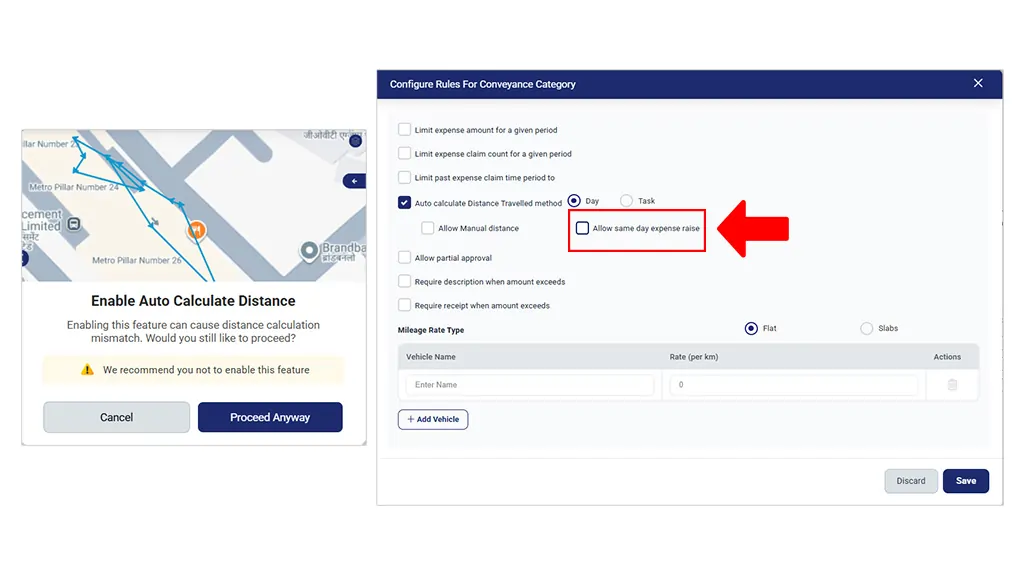
Same Day Expense Raise Rule & Auto-Calculate Distance Recommendation
What’s New in Sales Order and Customer Approval?
- We revamped the Sales Order UI in the TF mobile app. A Product Description field and enhanced detail screen have been added. Users now get clearer product understanding through detailed listing, improved detail pages, and an extended view for all attributes.
- We’ve fixed the issue where non-default customers appeared in executive task lists, ensuring cleaner task creation and eliminating the risk of selecting unrelated customers.
- Customer Approval UI on FE app is now improved. It displays customer type and geofence names instead of IDs.
What’s More?
- We have added a Customer Type filter in Advanced Filters (equals / not equals + multi-select) in Quick Filter.
- We added a Bulk Action module under Organization Settings with role-based access. It makes bulk operations easier to manage and control in Public Holidays, Products, Geofence, FO settings & Tasks.
- We revamped the Leave Request UI (Compliance → Leave) to allow managers to apply leave on behalf of employees using a simplified and modern interface.
- We added USA date-time format option under Company Profile, allowing organizations to standardise date display as per regional preferences.
TrackoField evolves every month with powerful updates that boost productivity and performance on the field.
So, keep an eye out for what’s coming next.
Catch Up On -> What’s New in TrackoField for November 2025 | New Launches