
Quick Summary

- A unified field workforce dashboard integrates real-time task management, attendance tracking, and expense monitoring for enhanced operational efficiency.
- It simplifies attendance verification using AI-powered facial recognition and geofencing, ensuring accurate records.
- The dashboard streamlines expense and order management, providing transparency and reducing fraudulent claims.
- With compliance tracking and performance monitoring, managers can make informed decisions and maintain accountability across their field workforce.
Bring full clarity to field operations with a single, real-time field workforce dashboard.
Managing a field workforce might not be easy when teams are spread across cities, villages, and remote customer locations. Most businesses still juggle multiple tools and a fragmented tech stack. They rely on WhatsApp updates for location check-ins, calls for clarifications, and spreadsheets for task listing and reporting. What they do not realize is the efficiency they lose simply due to such scattered data.
As a result, managers end up struggling with poor workforce visibility, inaccurate attendance, and high operational expenses. But what if you could check where your field agents are, what they’re doing, and how they’re performing, in one integrated field workforce dashboard?
Unified dashboards in field force management software can make it possible. They allow managers to eliminate the above-mentioned friction points and verify attendance, review expense and orders, and view live task status. Keep reading this blog to discover the potential of centralised dashboards.
What Is a Unified Field Workforce Dashboard?
A unified field force management dashboard is a screen that displays all on-ground field operations like:
- Real-Time employee locations
- Task status (completed, in progress, rescheduled)
- Attendance status (present, absent, unreachable)
- Daily expense amount
- Daily order count and value
- Pending approval requests
In addition, managers can track compliance issues like disabled GPS, app not installed, etc.
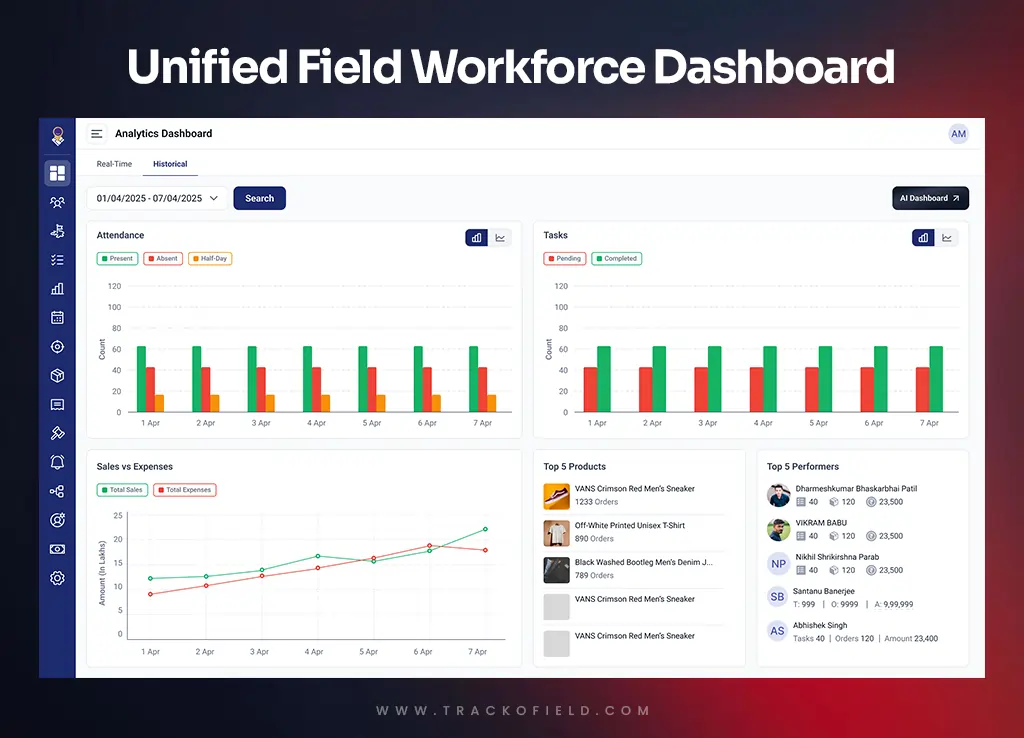
Unified Field Workforce Dashboard
Benefits of a Unified Dashboard in Field Force Management Software
Here are the ways a single, centralised dashboard in field force automation software can help you better manage your field teams.
1. Seamless Task Management
A single field workforce dashboard helps managers assign tasks with complete clarity. Instead of juggling different tools, emails or WhatsApp messages, you can check the dashboard to know how your employees are faring in the field.
Managers can check which employee is overworked, busy or available. You can also view their existing workload and location to optimally assign or reassign tasks. This way, your workflow remains uninterrupted, and you ensure faster decision making.
Further, you can monitor how many tasks are in progress, completed, rescheduled, cancelled, or pending – all at once. This helps ensure no task is intentionally cancelled or pending for too long.
Such level of visibility ensures better accountability, fewer delays and a noticeable improvement in productivity across field teams.
2. Simplify Attendance Tracking
Attendance is the starting point for every field activity. A unified dashboard makes it simple and reliable. With AI-powered facial recognition, geofencing and location verification under one roof, managers can ensure all parameters are ticked off and only genuine attendance is recorded.
Check-ins and check-outs appear on the dashboard instantly and all attendance records, shifts and weekly offs are captured automatically. You can view which employee is:
- On Duty
- Off Duty
- On Leave
- Not In Yet
- Unreachable
Thus, managers get complete transparency into the comings and goings of their field teams. The result is improved staff productivity and lower attendance-related discrepancies.
3. Streamline Expense & Order Management
A unified dashboard brings structure and simplicity to expense & order management. This is especially useful for businesses in sales-heavy industries like agri-input, BTL advertising, etc.
Managers can get an overview of bills and reimbursement requests. If anything seems out of place, perhaps the order quantity seems suspiciously low or high, managers can take action immediately rather than wait until the end of day to check daily sales reports on different platforms.
The result is complete transparency, accurate order and expense reporting, and a reduction in fraudulent claims.
4. Maintain Compliance
If you manage a field workforce of 1000 employees and one of them is using a GPS spoofing app, how would you tell?
Well, the main dashboard of field employee tracking software like TrackoField makes it super easy. Any compliance issue is instantly flagged, be it using GPS spoofing app, disabling the GPS, putting phone on airplane mode, etc.
5. Check Targets Status and Request Approvals
Managers often have to check targets, sales quota and team goals separately. But with a unified dashboard, they can easily check how their field teams are performing in one place.
You can remind them of speeding up their activity in case they are lagging behind on their targets.
You can also check the pending requests approvals with you and their purpose – leave, expense, customer creation or new task.
Why a Single Unified Dashboard Matters
A centralised field force automation dashboard removes the need to switch between multiple apps and spreadsheets. It reduces manual admin work and gives managers a clear view of everything in one place.
A general overview of daily field activities helps maintain a smooth workflow and catch discrepancies as they happen. You can capitalise on trends and spot suspicious data patterns early. This greatly improves decision-making.
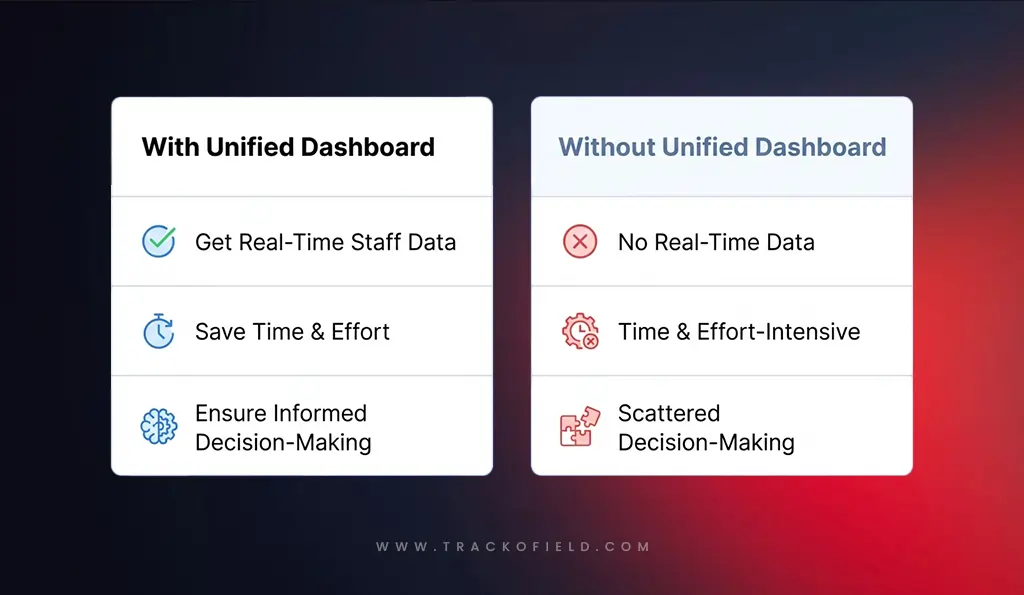
The Impact of Switching to a Unified Dashboard
Must-Have Features in a Good Field Workforce Dashboard
When choosing a field force management tool, look for these essential features in the dashboard:
- A mobile app and a web dashboard for complete flexibility
- Offline functionality so work continues even without internet
- Smart alerts and reminders to keep tasks on track
- Customisation facility and custom reports
- Easy integrations with HRMS, CRM, payroll and other tools
- Scalability to support growing teams and new business locations
How TrackoField’s Unified Dashboard Makes Field Management Effortless
TrackoField brings every field activity together on a unified interface. Managers can view task progress, attendance, expenses and more on a single dashboard.
Plus, the intuitive interface makes it easy to use. Managers can view all the metrics in the form of line graphs, bar charts, donut charts, etc.
TrackoField also offers AI insights and a manager bot that makes it easy to check progress, targets and ROI. Thus, managers can analyse and compare both real-time and historical data to be proactive and make informed decisions.
AI Dashboard – The Next-Gen Solution For Managing Field Employees
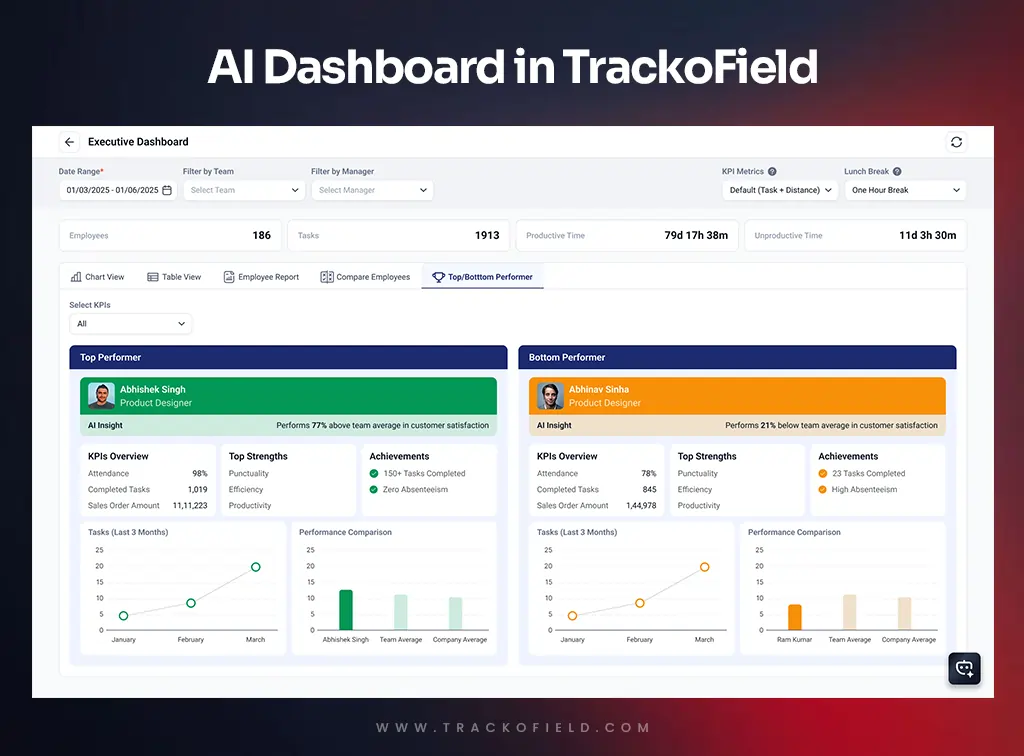
TrackoField is set to transform field force management with its AI-powered dashboard. It lets managers use an in-built AI knowledge bot to enter prompts and get instant results. Using the AI dashboard, managers can:
- Get prompt-based information
- Generate detailed reports of specific employees, managers or teams
- Compare performance of two or more employees
- Download custom reports
- View historical data
- Check productive and unproductive hours easily
- Analyse data easily via insightful charts
This way, you can quickly view important information without going through long excel reports. All you have to do is ask a query!
Wrapping Up
A unified dashboard brings together everything your field workforce needs, from task updates to attendance verification and expense management.
By replacing scattered tools and manual tracking with a single, real-time platform, managers gain clearer visibility, faster decision making and stronger control over daily operations.
Field teams also benefit from smoother workflows, quicker reporting and fewer administrative burdens.
With all your data in one place, your organisation can operate with greater accuracy, transparency and productivity. A field workforce dashboard is no longer a convenience but a necessity for modern field operations.
Ready to simplify your field management? Book a TrackoField demo or learn more today.

FAQs
-
What is a field workforce dashboard?
A unified dashboard is a screen where managers can see everything happening in the field. This includes employee locations, tasks, attendance and daily expenses. Instead of switching between many tools, managers get all information in one place. This makes it easier to understand what the team is doing and where support is needed.
-
How does one dashboard improve productivity?
When all information is in one place, managers can assign work faster, check progress instantly and solve issues without delays. Field teams also know what to do next and can complete tasks without waiting for calls or manual updates. This reduces confusion and helps everyone work more efficiently.
-
How does a unified dashboard reduce operational costs?
A unified dashboard cuts down on manual work, improves task planning and boosts staff visibility. With clearer insights, businesses can:
– Utilise resources more efficiently
– Optimise travel routes
– Spot issues instantly
– Make informed data-driven decisions
-
How does a unified dashboard improve task management?
Managers can assign tasks, set deadlines and track progress in real time. They can see who is free, who is travelling and who has completed their work. This reduces confusion and delays. Field employees also know what to do next, which helps them finish tasks faster and stay organised.
-
Can I track the distance travelled by field employees?
Yes. A field workforce dashboard shows daily routes, distance travelled, travel time, idle time, and more. This helps managers check if employees are following planned routes and using time and fuel efficiently.

Mudit is a seasoned content specialist working for TrackoField. He is an expert in crafting technical, high-impact content for Field force manage... Read More


Related Blog
Face Recognition: What It Is, How It Works & Benefits for Field Teams
Facial recognition is a way of identifying or confirming an individual’s identity using their facial features. Read this guide to…
Field Operations Manager: Roles, Challenges & How to Optimize Performance
Field operations managers handle on-ground activities with challenges like visibility, control, and coordination. This blog covers their roles, key challenges,…
What is Face Recognition Attendance Software & How Does It Work?
This blog explains the concept of face recognition attendance software. We will also explore how it enhances attendance monitoring for…
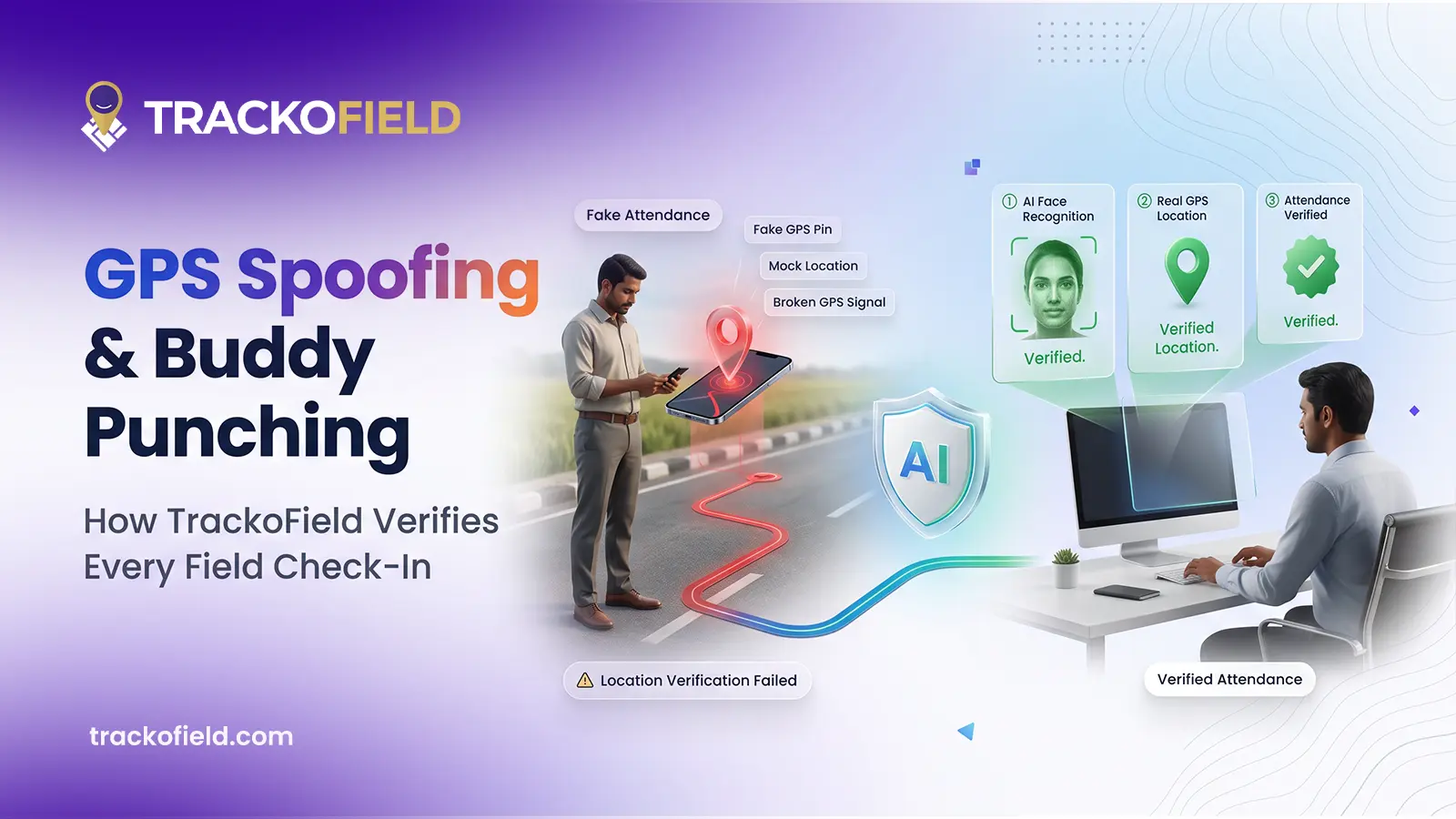
How TrackoField Stops GPS Spoofing and Buddy Punching in Field Teams
Your field team’s attendance data looks clean. The question worth asking is whether it’s real. Here’s how GPS spoofing actually…


Your inbox awaits a welcome email. Stay tuned for the latest blog updates & expert insights.
"While you're here, dive into some more reads or grab quick bites from our social platforms!"Stay Updated on tech, telematics and mobility. Don't miss out on the latest in the industry.