
Quick Summary

- Discover the top 10 expense management software options for 2026 to simplify expense tracking and reimbursement.
- TrackoField offers intuitive features for field staff, including geospatial data validation and quick approval processes.
- Zoho Expense automates expense tracking with receipt scanning and offline capabilities, enhancing user experience.
- Choose the right expense management software that goes beyond basic functions to improve financial control and reporting.
Manage your finances with these top 10 expense management software picks. Simplify expense tracking, management, and reimbursement to empower financial control.
Expense management is a complex process, especially for businesses with large field teams. Yet, many companies rely on manual methods to manage field expenses. Managing expenses with paper receipts, spreadsheets and verbal reporting is not practical in today’s digital world. Manual process is error prone which leads to wrong payroll calculation and wrong reimbursement.
That’s the gap field expense management closes. In this detailed guide, we break down how to choose the best expense management software for your business, what features to look for, and which are the top platforms in the industry currently.
What to Look for in Field Expense Management Software in 2026? 8 Key Features
Easy expense submission, GPS-based validation, flexible approvals and custom categories are essential features of any good expense management software. Read on to know more about all essential features in detail.
1. Easy Expense Submission
Field employees should be able to submit expenses from their phones. The process should be short and easy to learn. They should be able to upload bills, select categories, add details, and submit claims while they are still in the field. A simple process improves adoption. It also reduces delays caused by paper bills and manual forms.
2. GPS-Based Expense Validation
Location data can add another layer of control for managers. GPS data and timestamps serve as confirmation the field agent was actually at the location where the claimed expense happened or travelled the actual distance stated in mileage claims.
3. Flexible Approvals
Different expenses may need different approval levels. A small travel claim may need one manager’s approval. A large expense may require the finance team’s review as well. Look for configurable approval workflows based on amount, territory, department, role, location, or expense type. Expense management module of TrackoField also offer automated reimbursement for expenses below a limit. There is no need to collect evidence or wait for the manager to hand over the request.
4. Custom Policy & Spending Controls
Software should help enforce company expense policies before claims reach finance teams. Businesses can define separate claim rules and spending limits for fuel, travel, meals, or other categories. This prevents scope of exceptions in expense reporting and undue reimbursements. In fact, the system stops taking inputs once the pre-decided spending limit is met.
5. Real-Time Visibility & Alerts
Managers need a clear view of pending, approved, rejected, and reimbursed expenses. Real-time dashboards help managers spot unusual spending and approval delays.
Employees also need to know the status of their expense claims. Expense management software ensures all approvals, rejections and reimbursements are timely notified to the recipients.
6. Expense Analytics
Reports should show more than total expenses. Look for insights by employees, teams, location, expense category, and time period. These reports can help identify spending trends, identify gaps, and help conduct smooth audits. Expense management platform like TrackoField even offer AI-powered dashboards and manager bot. It lets managers get all expense insights with just a text or voice query.
7. Offline Support
Field teams may work in areas with weak connectivity. Expense software should allow employees to record claims offline and sync them once the connection returns.
8. Integration Capabilities
Since expense data flows into payroll, it’s essential the software is readily integrated with payroll systems, HRMS, and accounting software. Good integrations reduce manual data syncing, duplicate entries, and help keep financial records aligned.
10 Best Expense Management Software in 2026
The top expense management software in 2026 includes TrackoField, Zoho Expense, expensify and Airbase. We have created the following in-depth list to help you simplify expense tracking and management. Read on!
| Software | Pricing | Key Features |
| TrackoField | Custom pricing |
|
| Zoho Expense | From ₹79/user/month |
|
| Expensify | From $5/user/month |
|
| Rydoo | From €8/user/month |
|
| Happay | Custom pricing |
|
| SAP Concur | Custom pricing |
|
| Mesh Payments | From $13/user/month |
|
| Ramp | Free plan available |
|
| Airbase | Custom pricing |
|
| Pleo | From £9.50/month |
|
1. TrackoField Expense Management Software
TrackoField is an intuitive and easy-to-use expense management software, suited to businesses with field staff or service needs. The platform makes it effortless for field employees to submit their expenses with valid invoices.
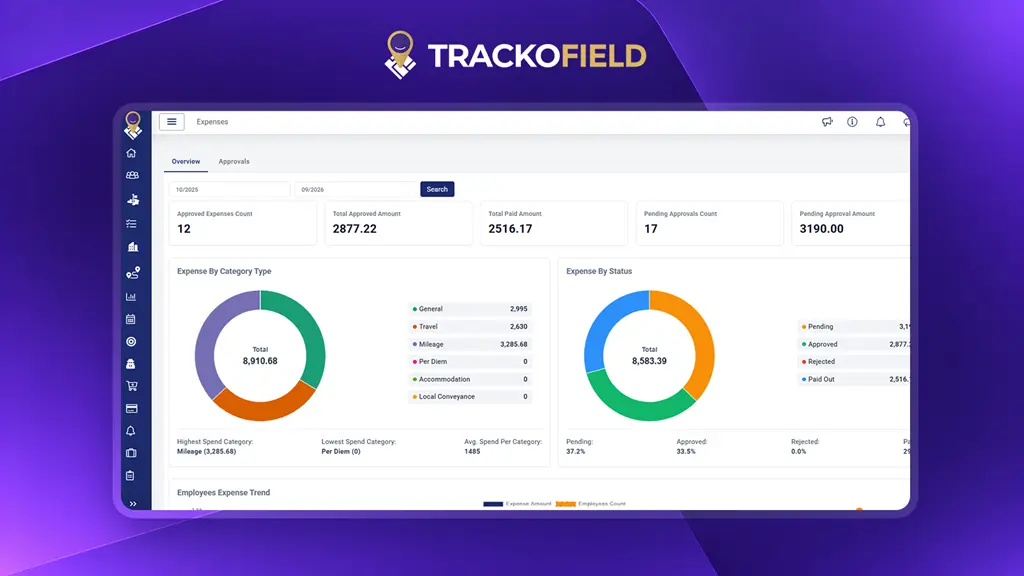
A central view of field expense activity
In parallel, no matter how many approval managers are on the line, the software simplifies the hierarchy and aids in quick approval. Executives receive notifications on every step of the way.
The best part? It takes into account locational data. This means you can validate their submitted invoices with their presence on the expense site.
Why Choose TrackoField as Your “Partner in Expense Management”?
Among the chaos to choose the best expense management software, we aim to simplify that for you. Explore what capabilities and functionalities you get.
- Customised expense tracking solution with editable modules and settings.
- Easily define the fuel spending limit for every mile or km before dispatching your field staff.
- Enjoy a transparent expense trail with complete visibility.
- Confine the long process of distance calculation and mileage reimbursement with a few clicks.
- Enjoy insightful reports based on categories, teams, designations, or individuals. (helps in audit)
- Receive alerts and notifications for the progress of the application.
- Use manager bot to get quick AI-powered insights and expense reports.
2. Zoho Expense
Zoho Expense is another leading platform that lets you plan travel itineraries for business and automate expense tracking. Integrated with an Autoscan receipt scanner, it makes scanning receipts or invoices effortless. Its Autoscan feature as a part of Zoho expense free trial software is now offering 20 free scans/calendar month to support small businesses and freelancers.
Moreover, it gives options to create and submit reports in a jiffy. It lets managers approve reports and trips with a click of a button.
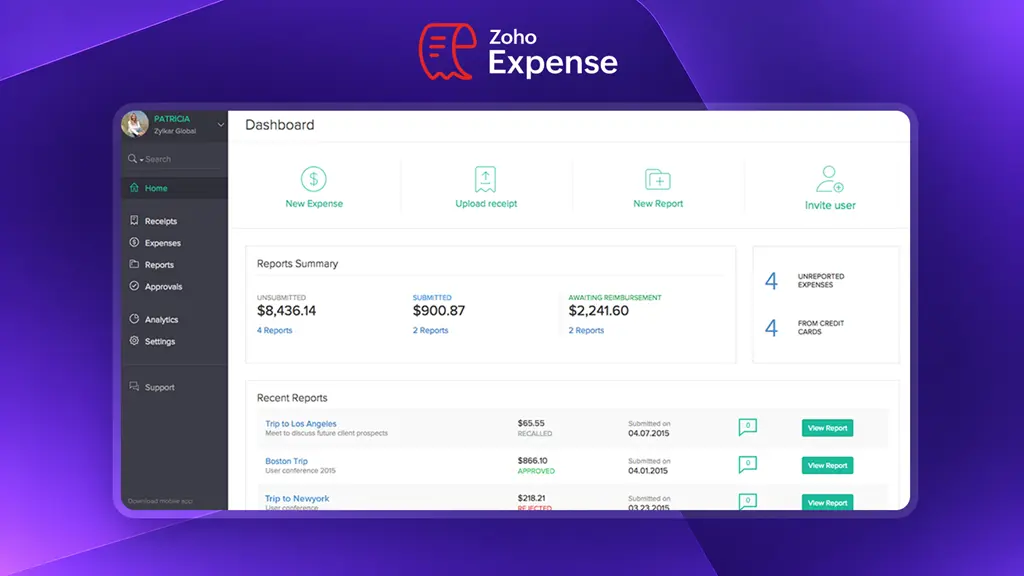
A dashboard for tracking and managing expense reports
3. Expensify
Expensify is another popular expense tracking and management software that helps streamline travel receipts. It compiles all the receipts through its easy-to-use scanner.
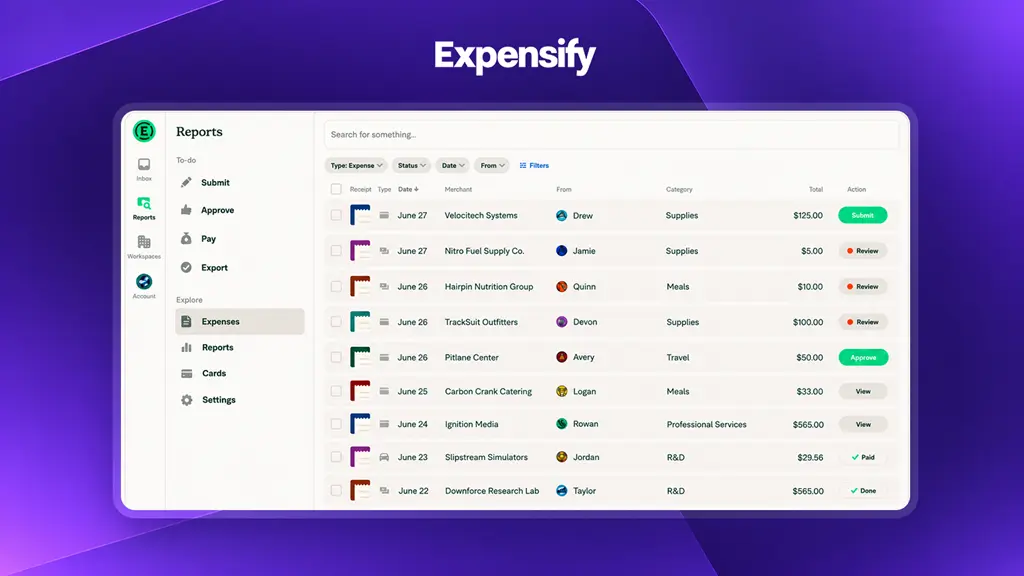
Expense reports organised for faster review.
A very helpful tool for personal finances or businesses wanting to track business expenses. In the app, you just have to take photos of the receipts and upload them, and further, its automatic expense categorization feature will easily segregate the expenses. It lets you customize categories as per your needs or liking. Mainly, you can track and manage expenses related to:
- Flights
- Hotels
- Rental cars
- And other miscellaneous expenses
This best expense management tool is easy to sync with the internal accounting and finance tools you use. It also has multi-currency support, making it easy to manage expenses across the world.
The best part? You can integrate Expensify seamlessly with popular work management tools like NetSuite, Xero, Quickbooks, Uber Xero, etc.
4. Rydoo
Rydoo is a breakthrough expense management tool that lets you automate expense flows and streamline reimbursement cycles – without any headache.
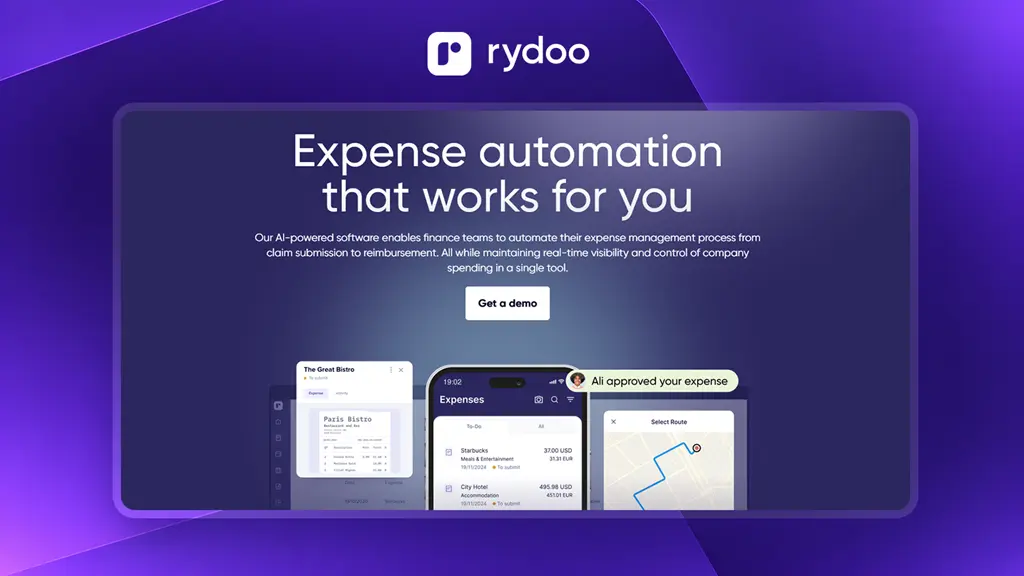
Automated expense flows from submission to approval
Your employees can effortlessly snap pictures of receipts through its exclusive Rydoo mobile app. The same is easy to forward via e-mail to the managers on the receiving end.
The best part? This AI-powered app reads the receipt date, amount, and merchant and turns it into an expense in digital format. Cool right? It doesn’t let the expense get stuck in an endless loop, managers receive the claim as soon as it’s initiated — to further approve and reject (as they prefer).
5. Happay
Happay is another renowned expense tracking platform that makes it easy for staff or executives to report & submit expenses while additionally enjoying:
- Detailed travel reports
- Options to request advance money
- Track employee mileage digitally (at any hour)
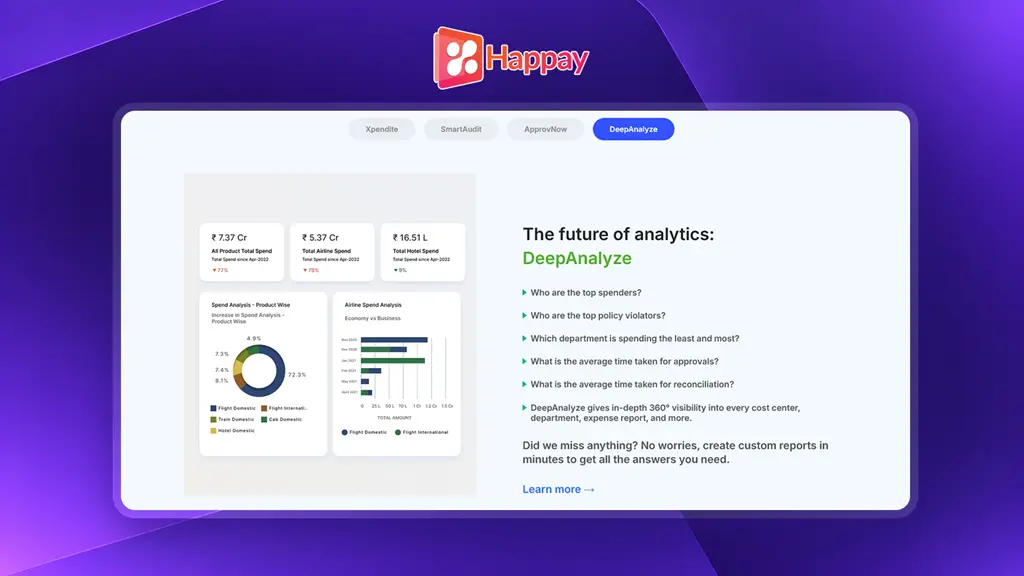
Expense reporting with travel and reimbursement visibility
This app has options to auto-create expenses by reading invoice-based messages or capturing bill receipts.
6. SAP Concur
SAP Concur lets organisations and individuals automate spending processes efficiently from anywhere and anytime, that too under any circumstances.
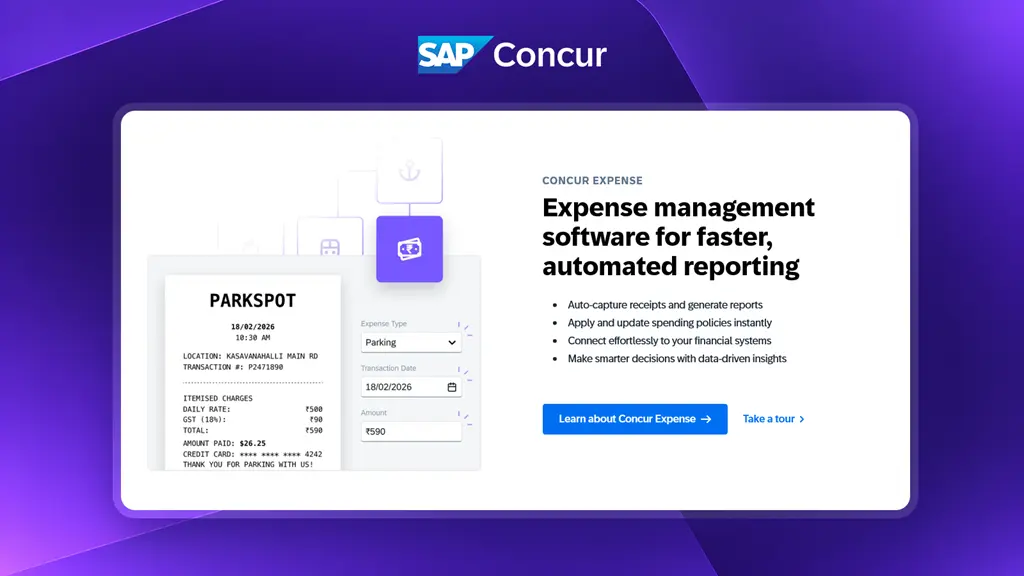
A unified view of organisational expense management
This tool is the best pick for organisations looking to:
- Automate expense reporting
- Fast-track approval processes
- Get visibility of spending habits
SAP also boasts of a user-friendly interface, unmatched mobile capabilities, and seamless integration with internal accounting systems. The tool is known for simplifying and letting businesses enjoy comprehensive control with insights into their finances.
7. Mesh Payments
Mesh is one of the leading expense management software for sorting travel expenses for
- Individual travellers
- Travel managers
- Accountants
- Executives
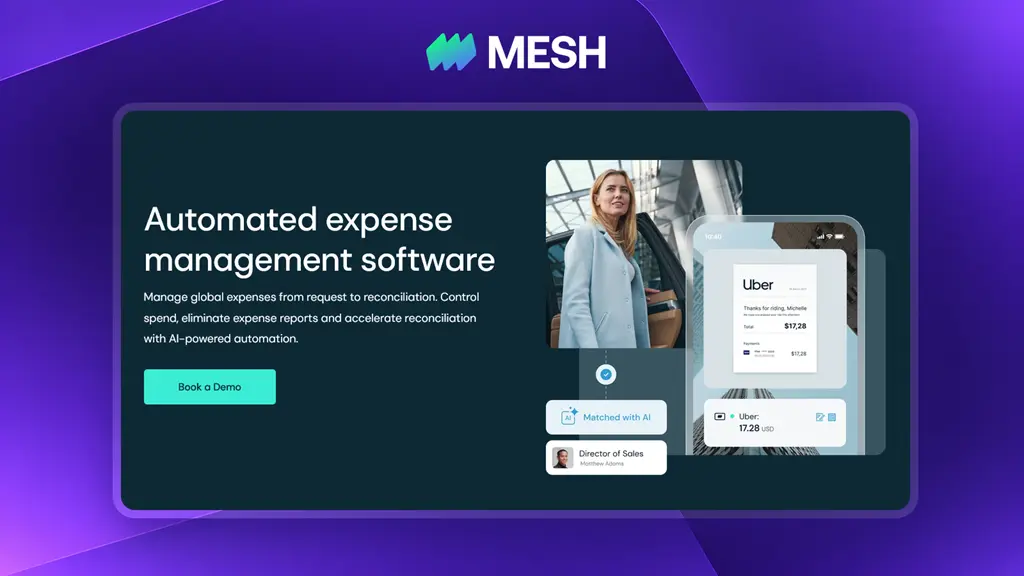
Expense controls across travel and business spending
The software offers a streamlined and automated receipt collection module to make reconciliation fast and efficient. It’s very useful to record expenses around travel, office supplies, vendor payments, and other miscellaneous expenses.
Moreover, it effortlessly supports multi-ERP integration, making expense claiming and reconciliation quick and headache-free. It also offers a plug-and-play card to manage spending and check the balance.
8. Ramp
Ramp is another best-in-market expense management software that lets you promptly collect and match receipts via SMS, and mobile app. Plus, it is easy to integrate with platforms like Gmail, Lyft, and more.
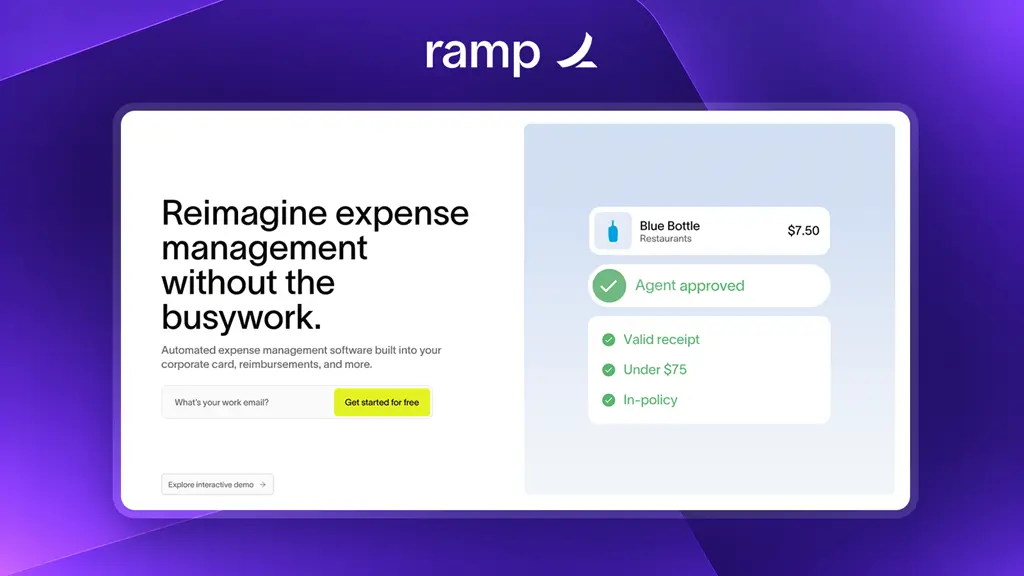
Automated controls for everyday business spending
Ramp makes it effortless to compile expenses by routing transactions to the right limits, generating receipts for purchases, and saving recurring memos.
9. AirBase
The Airbase expense management tool amalgamates three important processes of expense management, bill payments, and accounting – all in one place. It amazes users with its intuitive controls, real-time insights, and customizable workflows.
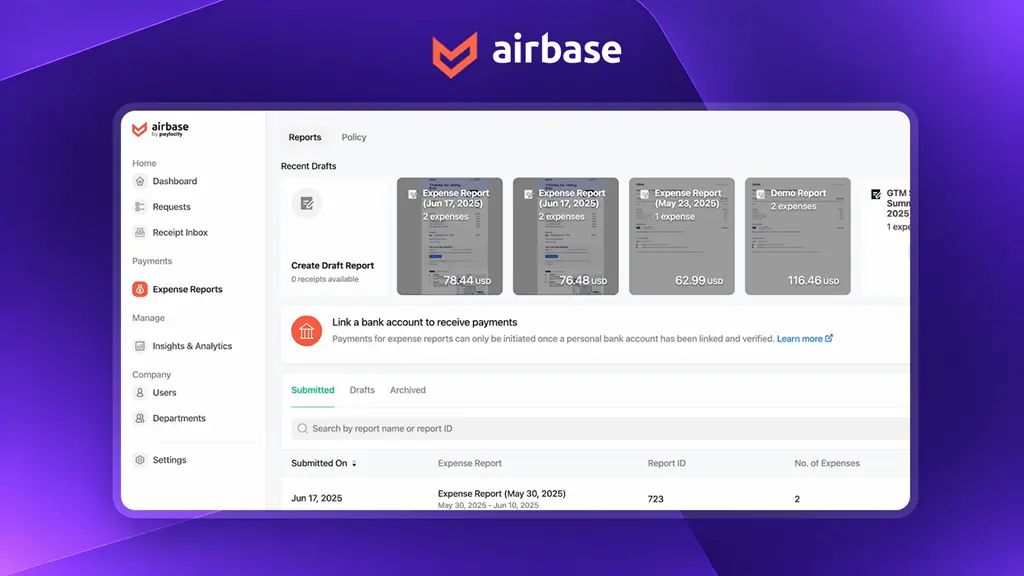
Expense, payments and accounting in one workspace
A perfect match for businesses that want to simplify their finance-related admin tasks, right from expense claiming to reimbursement. It’s suitable for businesses that want to ensure great transparency and compliance in their routines.
10. Pleo
Pleo helps forward-thinking organisations and teams effortlessly manage and control their expenses. It gives them a 360° view of their company’s spending. Pleo offers physical and virtual cards on which you can set spending limits and freeze these cards from a distance (in case of suspicion).
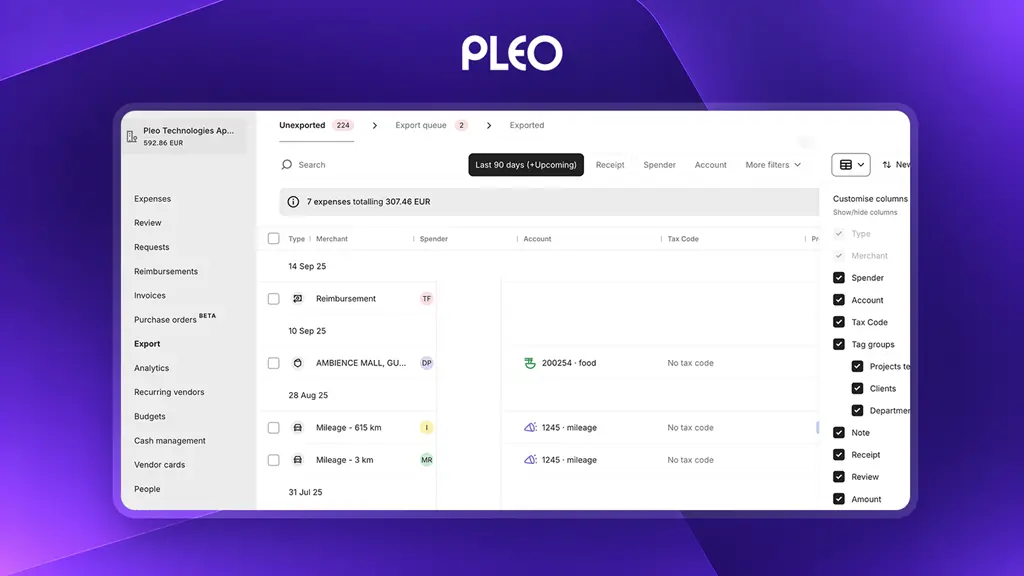
A centralised view of company spending
Whenever a team member makes any purchases for organizational purposes, they can snap the receipt, and managers will get notified about the same in a jiffy. Which will further help to proceed with the reimbursement process.
This tool reduces manual efforts and frees admins from tedious, red-tape expense reporting and management tasks. Best part? Pleo can seamlessly integrate with accounting software that you use daily, like Quickbooks, Sage, Xero, etc.
How to Choose the Right Field Expense Management Software?
Choosing the right field expense management software involves understanding your business model, checking approval flexibility and prioritising mobile access. Scalability and total costs are also factors businesses should consider while purchasing a platform.
1. Match With Your Business Model
Before picking an expense management platform, understand your business operations, list pain points and features required.
- Map the current expense process
- Look at how employees submit claims
- See how managers approve them
- Check the finance teams’ process reimbursements
- This exercise helps identify the gaps that software must solve.
Pick the tool that makes your expense reporting process smooth instead of overcomplicated. Check whether it supports mobile claims, GPS validation, mileage tracking, offline access, and other critical features.
2. Check Approval Flexibility
Approval structures can become complex as businesses grow. Different teams, regions, expense types, and spending limits may need different workflows. Choose the software that lets you customise approval rules and hierarchy easily.
3. Prioritise Mobile-Friendly Experience
Employees are more likely to use software that is simple, fast, and easy to use. Test for any lags, performance with weak internet, and one-handed access. A complicated expense claiming process and complex mobile app can lead to delayed submissions and incomplete records.
Test the software in the field with real data. Create sample claims for fuel, travel, meals, and customer visits. You should also be able to create custom categories. Now, check how long submissions and approval take and get feedback from field teams.
4. Assess Scalability & Total Cost
Your expense process may become more complex as the business expands. More employees usually mean more locations, approval levels, expense categories, and claims. Ensure the software is built to scale with your business and doesn’t require additional costs or backend support. Also confirm per-user fees, base fees, onboarding costs or any other hidden charges beforehand.
The other aspects to check are user reviews and post deployment support to be able to pick the most appropriate expense software.
Conclusion
When choosing an expense management software, it’s important to go for the one that does more than just log expenses.
You need software that lets you segregate expenses, manage approval from multiple managers, ensures transparent reimbursements, and lets you define a spending limit.
This doesn’t mean you blindly pick the software with the longest feature list. Not only will it be pricier but also make your operations complex. It’s important to choose the right software based that fits your business model and is easy to use for your field agents. After all, they are the main beneficiaries of field expense reporting.
We have listed the 10 top expense management software in the industry above. Shortlist a couple of platforms and try to run a demo with real data and actual field staff before onboarding the platform.
If you prefer to skip the trial-and-error, you can proceed to take a free trial of TrackoField. It’s built specifically for field teams, with geo-verified expense submissions and hierarchy-based approvals.

Frequently Asked Questions
-
What is field expense management software?
Field expense management software helps businesses track, verify, and reimburse expenses employees submit while working outside the office. It captures receipts, checks location, and manages approvals in real time.
-
How is field expense management different from regular expense management software?
Field expense software includes GPS verification, mobile app, and auto mileage tracking. It’s built purely to simplify the expense claiming tasks for employees who work away in the field. Regular expense management tools need steady internet and computer access to file claims
-
How does field expense tracking work for on-ground employees?
Field expense software connects field activity with spending data. This helps businesses see what was spent, where it was spent, and whether the expense was valid.
-
Can field expense management software work offline?
Yes. Most top field expense reporting tools work without internet access. They let employees log expenses and complete other field tasks. The app saves entries on the phone and syncs them automatically once connectivity is regained.
-
How much does field expense management software cost?
Most field expense management software costs $3 to $15 per user each month, based on features like GPS tracking and approvals. Free plans exist for small teams. Larger teams often need custom pricing.

Mudit is a seasoned content specialist working for TrackoField. He is an expert in crafting technical, high-impact content for Field force management software With years of experience rooted in the me... Read More



Related Blog

TrackoField’s Manager Bot: Bringing the Future of Field Force Intelligence to You Today
TrackoField’s AI Manager Bot transforms field force management into field force intelligence by turning operational data into instant AI-powered insights.

Face Recognition: What It Is, How It Works & Benefits for Field Teams
Facial recognition is a way of identifying or confirming an individual’s identity using their facial features. Read this guide to…
Field Operations Manager: Roles, Challenges & How to Optimize Performance
Field operations managers handle on-ground activities with challenges like visibility, control, and coordination. This blog covers their roles, key challenges,…

What is Face Recognition Attendance Software & How Does It Work?
This blog explains the concept of face recognition attendance software. We will also explore how it enhances attendance monitoring for…


Your inbox awaits a welcome email. Stay tuned for the latest blog updates & expert insights.
"While you're here, dive into some more reads or grab quick bites from our social platforms!"Stay Updated on tech, telematics and mobility. Don't miss out on the latest in the industry.