
#1 Driver App for On-Road Fleet Control
TrackoBit’s driver app connects drivers directly with your fleet management system, enabling structured trip execution, real-time updates, and complete operational visibility without manual coordination.
- Eliminate manual trip coordination
- Standardize driver workflows across fleets
- Capture real-time updates with proof
- Reduce delays and execution gaps
- Improve visibility across every trip
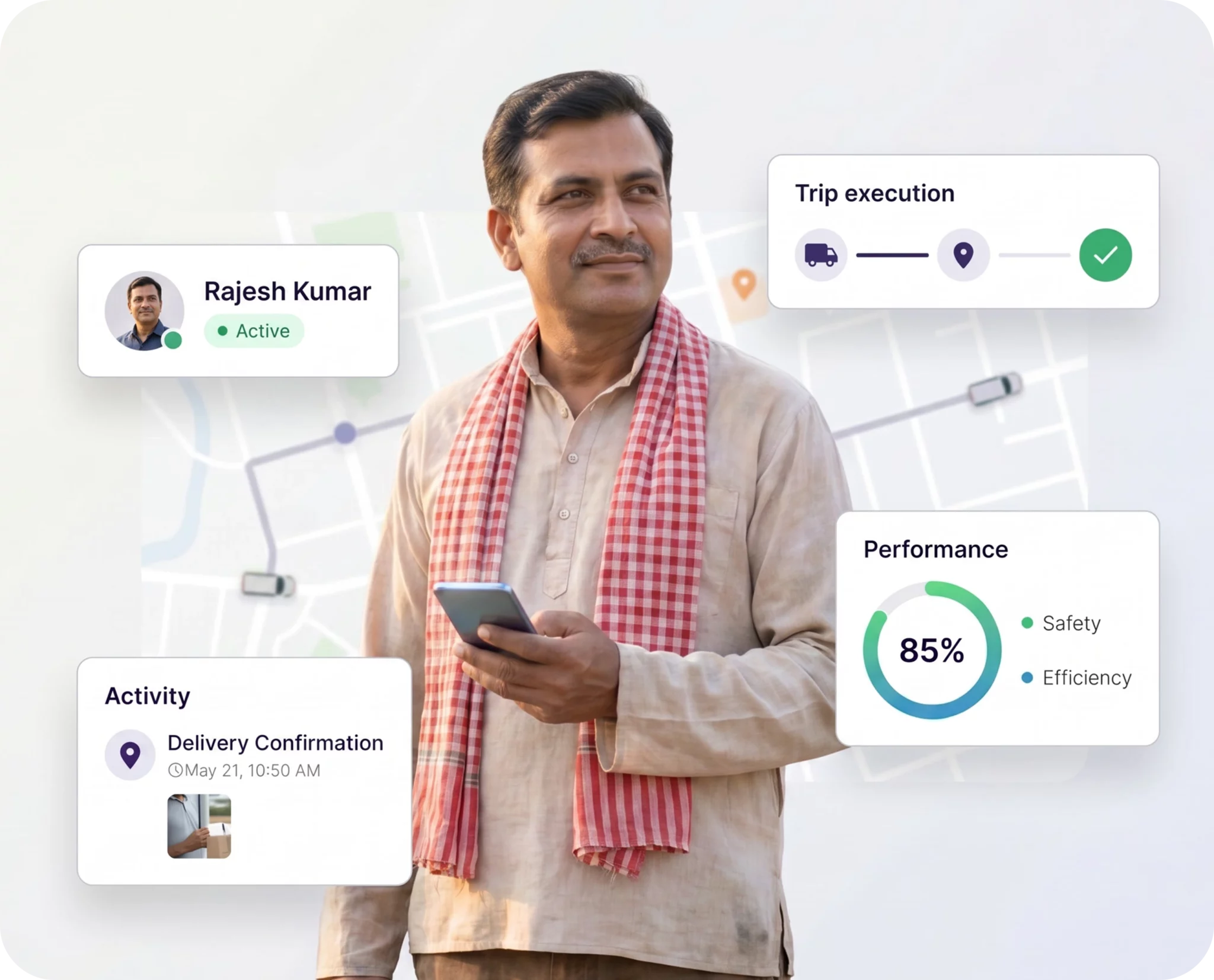
500,000+ Vehicles Managed
Structured trip execution with real-time visibility and control










What is a Driver App?
Know MoreA driver app is a mobile interface that connects drivers with a central fleet management system, enabling structured trip execution, real-time updates, and digital reporting. TrackoBit’s driver app acts as the execution layer of fleet operations, ensuring every trip is tracked, validated, and completed without manual coordination. It helps standardize driver operations, improve compliance across trips, and ensure every task follows a structured and accountable execution process with minimal operational gaps.
Why is a Driver App Needed?
Without a driver app, fleet execution depends on calls, assumptions, and manual tracking, leading to delays, errors, and poor visibility across operations.
- End driver-ops communication gaps
- Reduce delays caused by manual coordination
- Prevent data loss from unstructured updates
- Standardize trip execution across all drivers
- Ensure real-time visibility without follow-ups
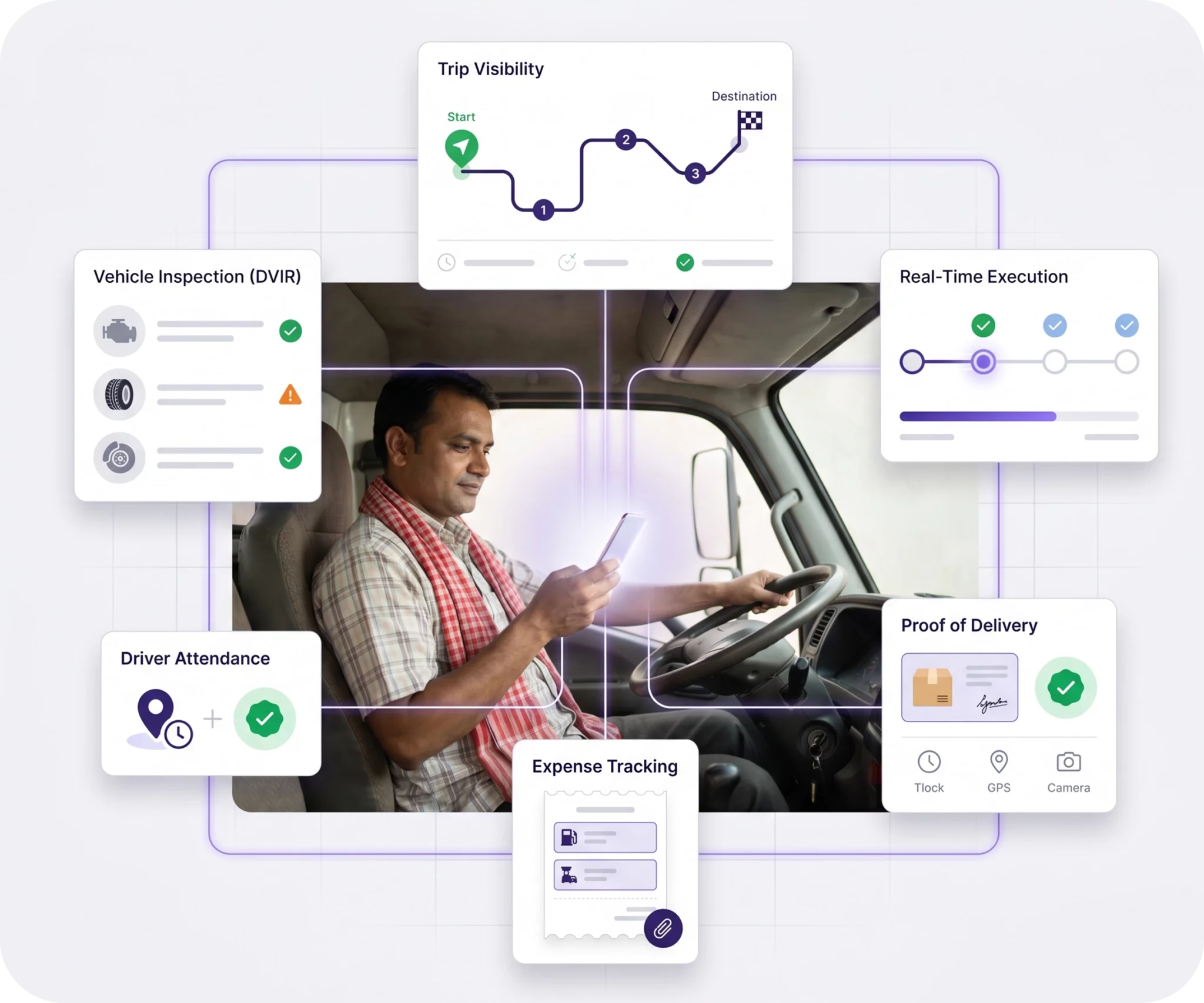
Still relying on calls and scattered updates for trip execution?
Bring drivers, trips, and operations onto one connected system with the TBDriver app.
Driver App Solutions for Seamless Trip Management
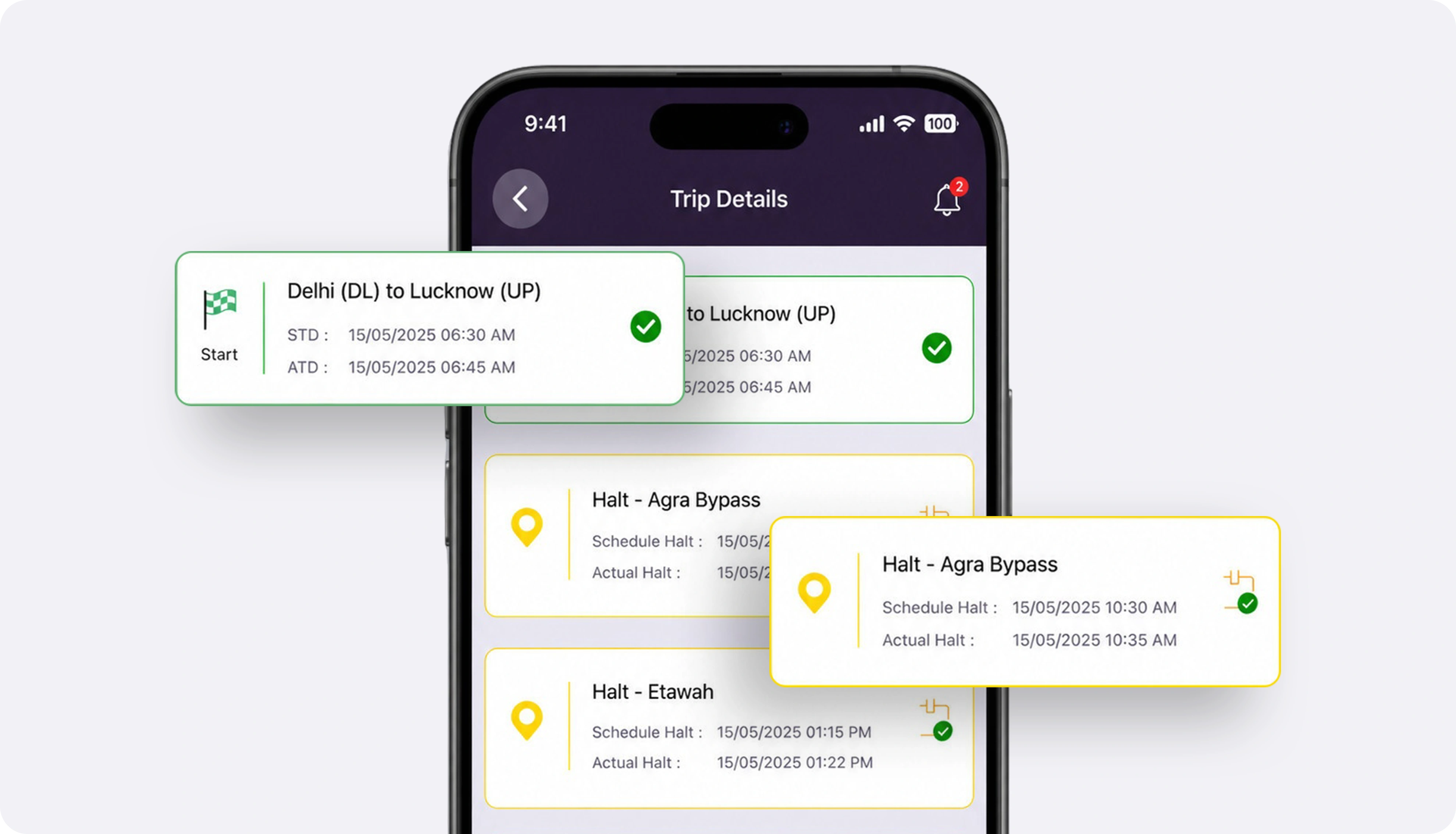
TrackoBit’s driver app is designed to digitize every stage of trip execution - from assignment to completion. It ensures drivers follow a structured workflow without relying on manual coordination.
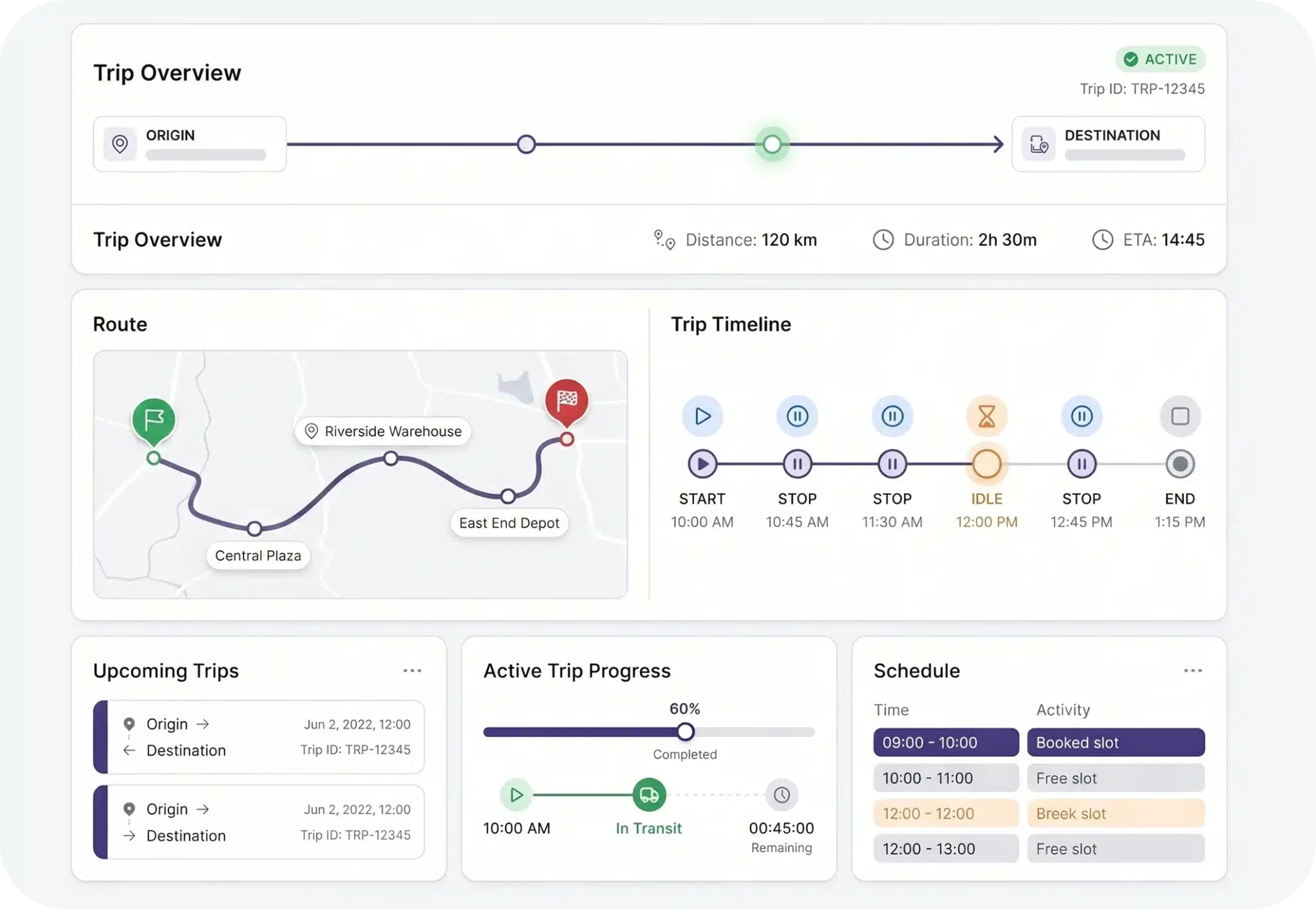
Trip Execution Dashboard
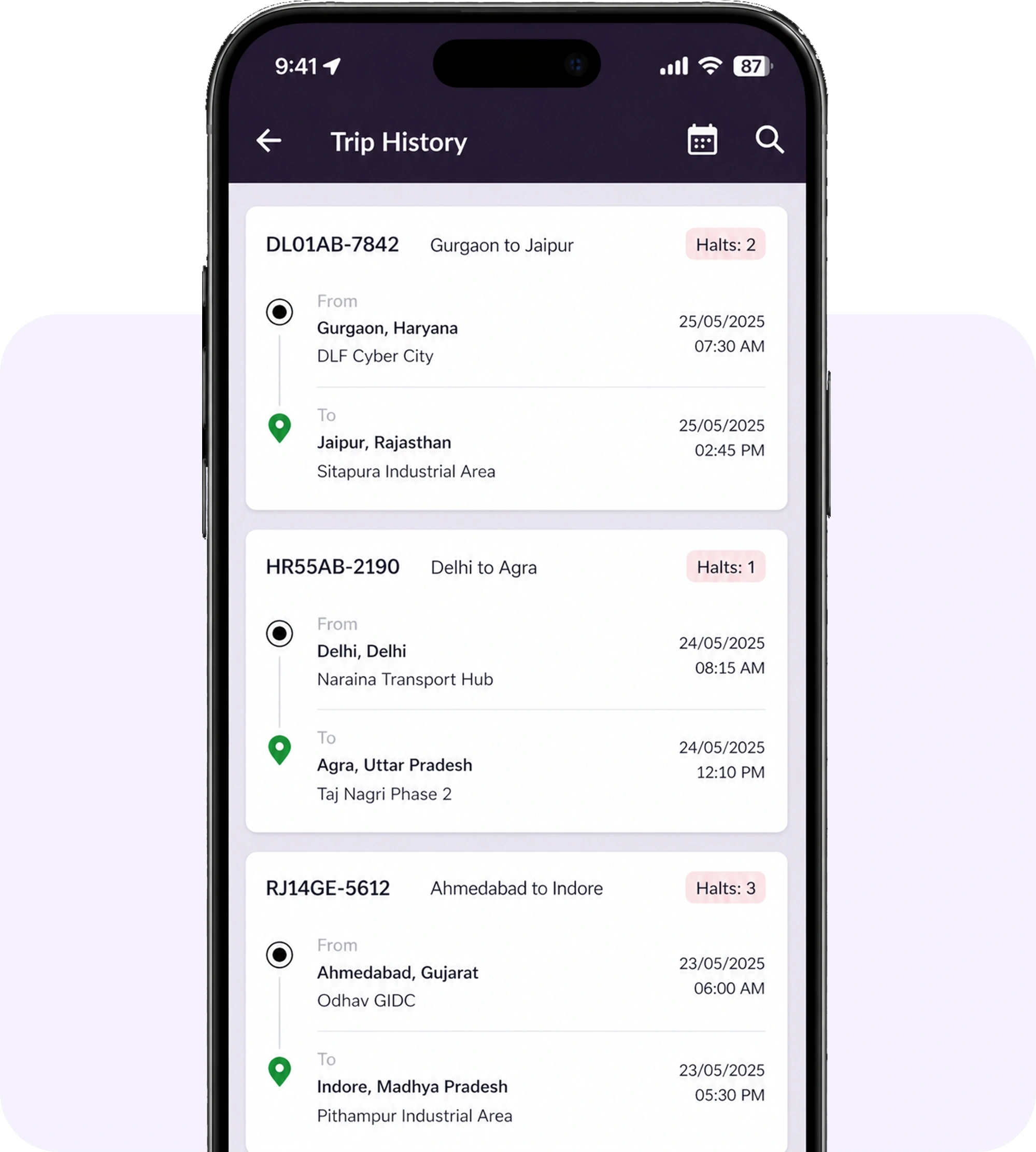
Drivers get complete trip visibility with routes, waypoints, schedules, and timelines. Structured trip data is assigned in advance, reducing manual briefings and improving trip readiness.
- View trip details with waypoints and schedules
- Access routes and expected duration
- Estimate fuel costs with fuel cost calculator
- Prepare for trips with structured data
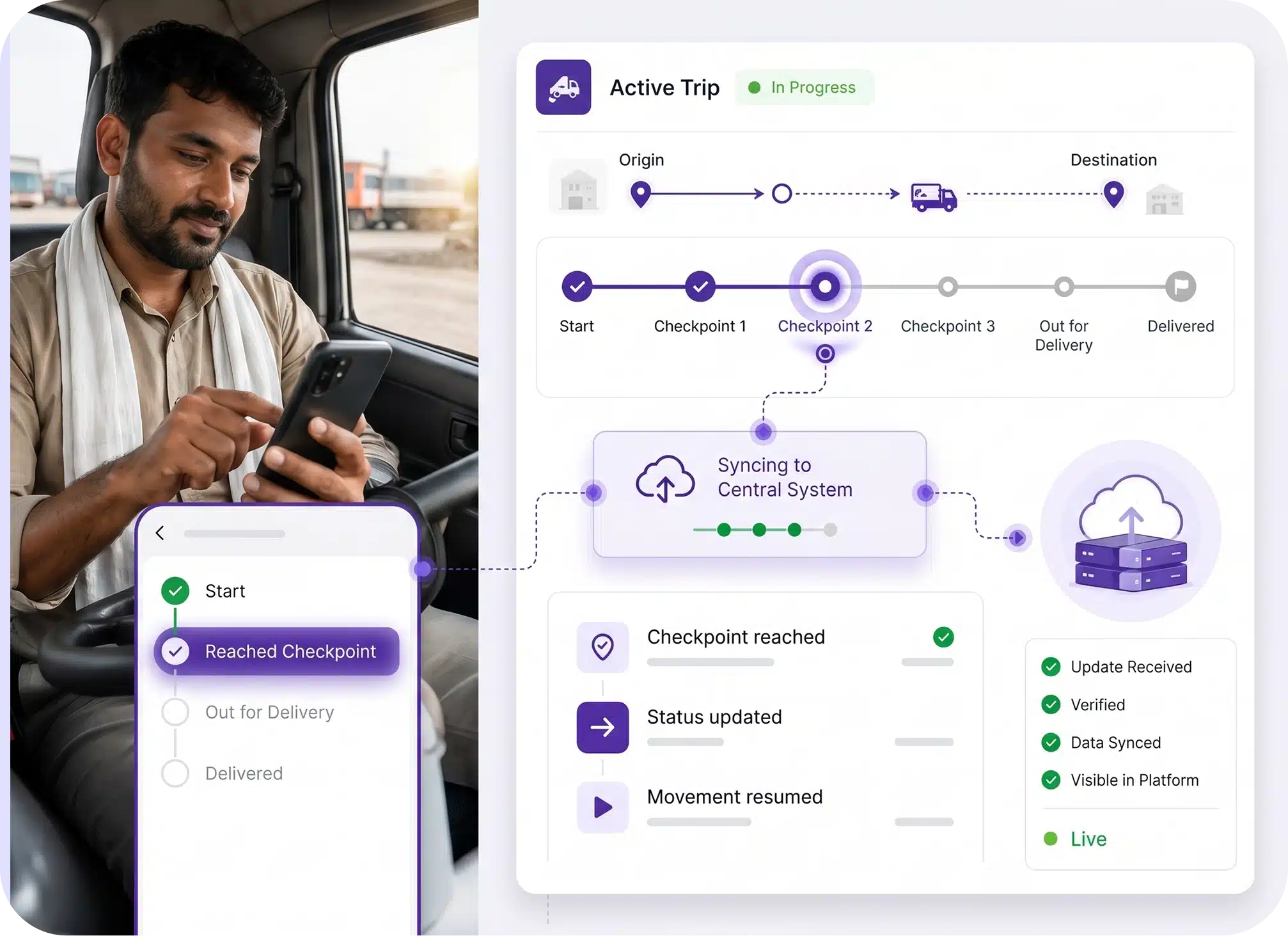
Trip Execution & Real-Time Sync
Drivers update trip status at every stage, enabling real-time sync with TrackoBit’s GPS platform. Updates flow directly into the system, improving trip tracking and operational alignment.
- Update trip status at each checkpoint
- Sync updates directly with the central system
- Reduce dependency on calls and manual inputs
- Ensure accurate and timely trip visibility
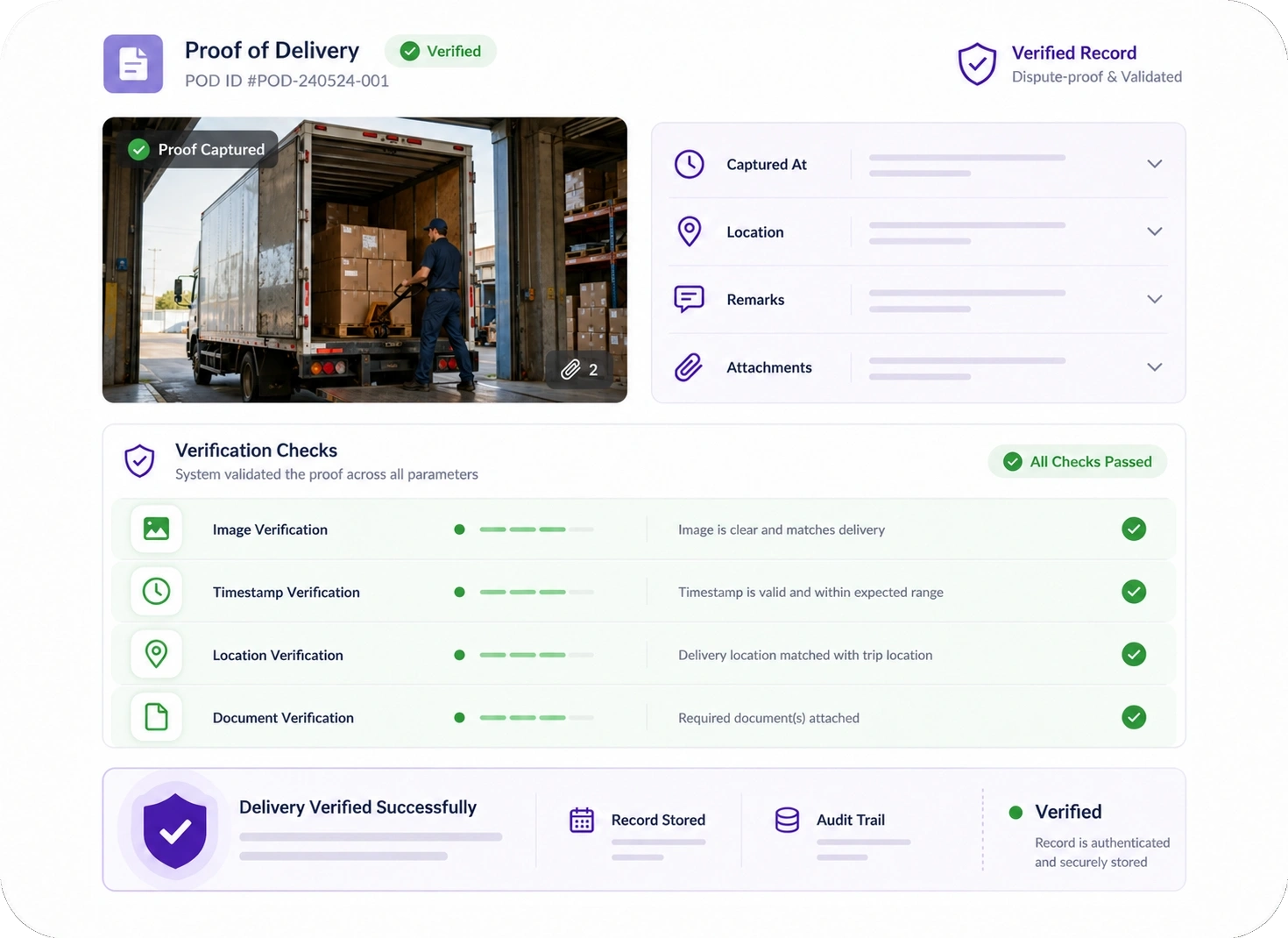
Verified POD System
TrackoBit’s GPS driver app offers advanced POD with timestamped data. Drivers submit proof via images, documents, and remarks, reducing disputes and improving accuracy.
- Submit POD with images, timestamps, and remarks
- Verify deliveries with accurate documentation
- Reduce disputes with validated proof records
- Maintain reliable delivery data for every trip
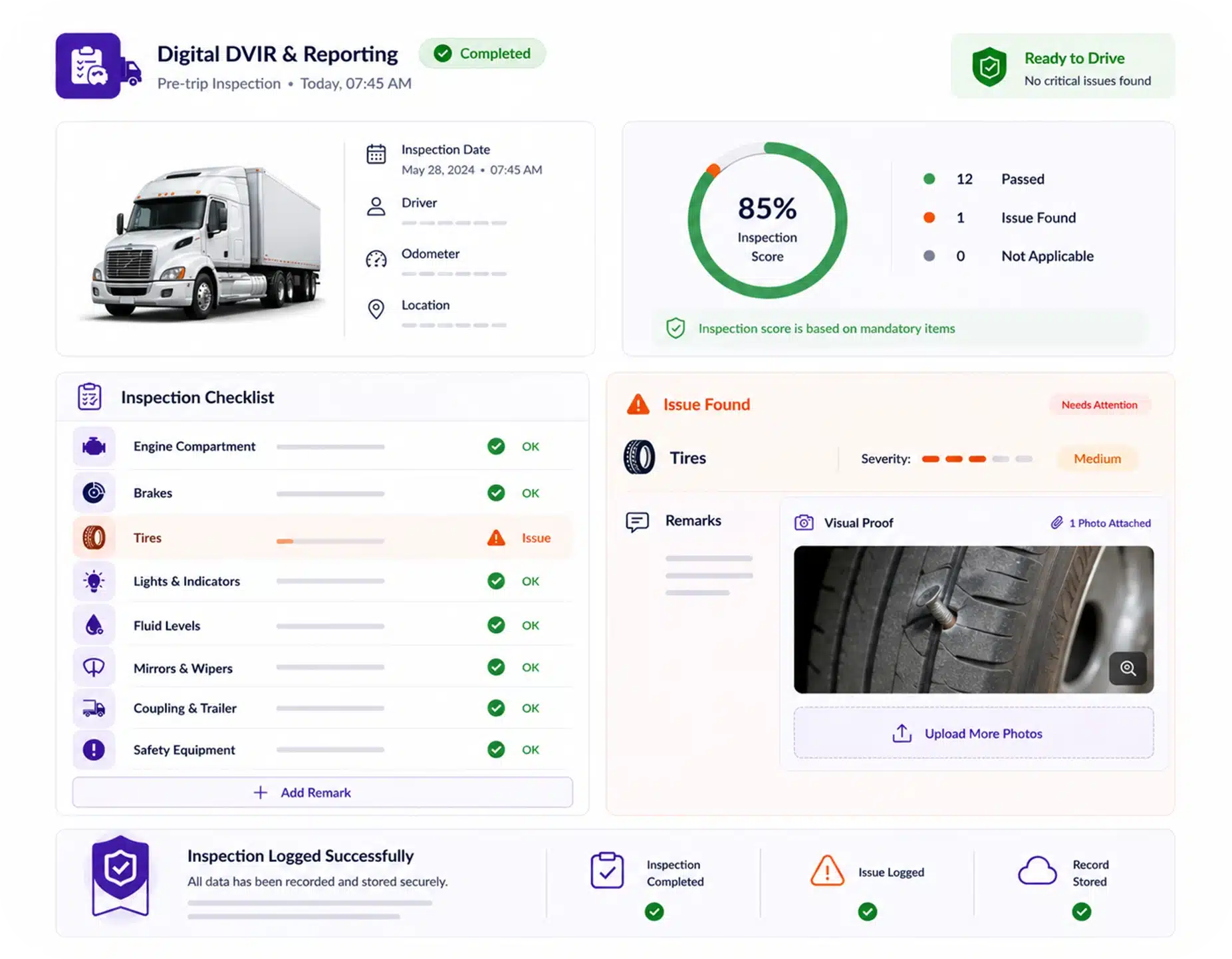
Digital DVIR & Reporting
Drivers can complete DVIR-based pre-trip inspections and log vehicle issues directly in the app. Each report includes remarks and visual proof for accurate validation. Improves vehicle health tracking and compliance.
- Perform DVIR inspections before trips
- Report issues with detailed remarks
- Upload visual proof for validation
- Maintain digital maintenance records
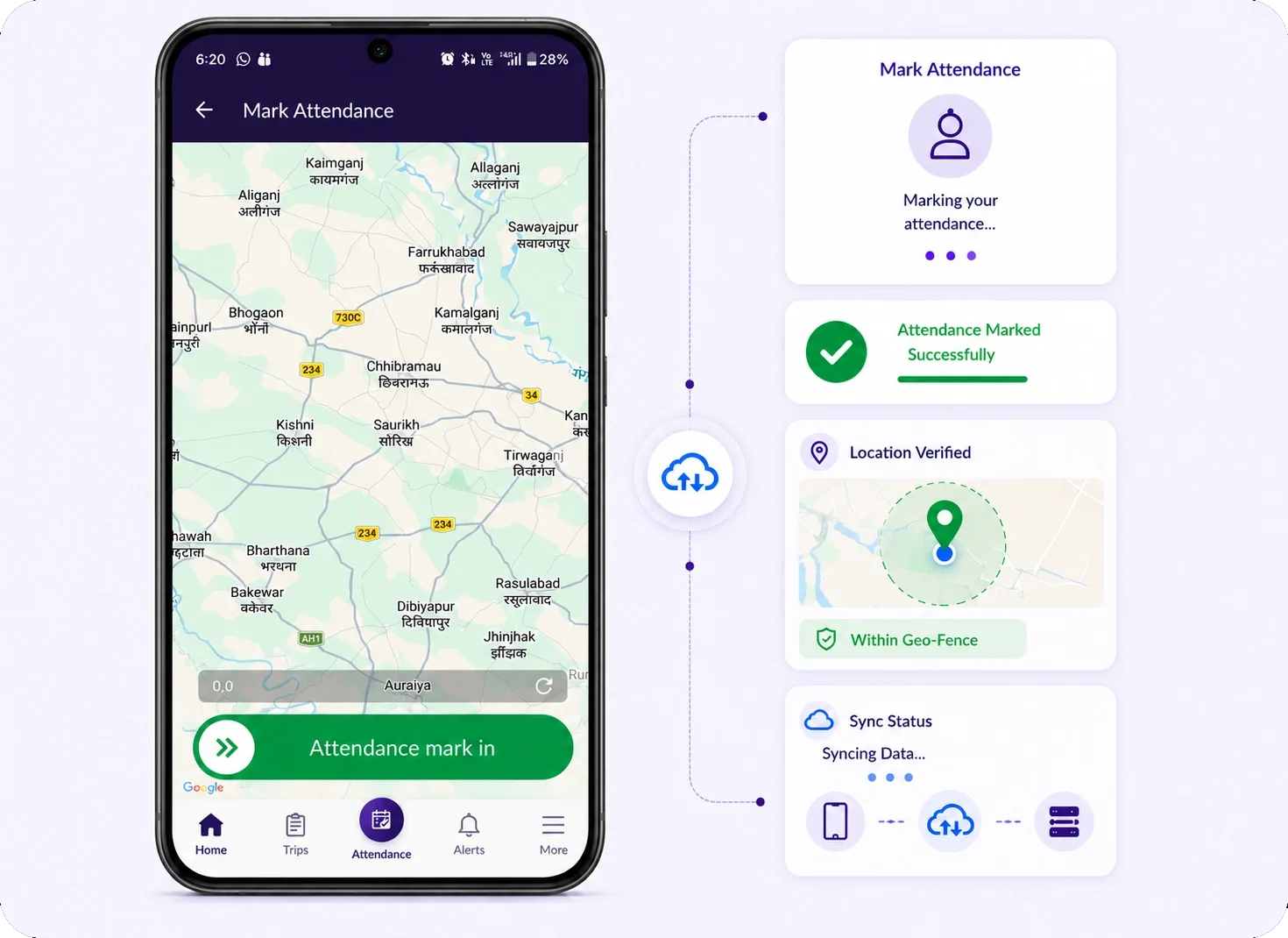
Geo-Verified Driver Attendance
TrackoBit records driver attendance through real activity and app usage. Data syncs automatically for accurate reporting, eliminating manual registers and ensuring reliable records.
- Mark attendance directly through the app
- Track activity based presence automatically
- Sync records with the central platform
- Maintain accurate attendance logs
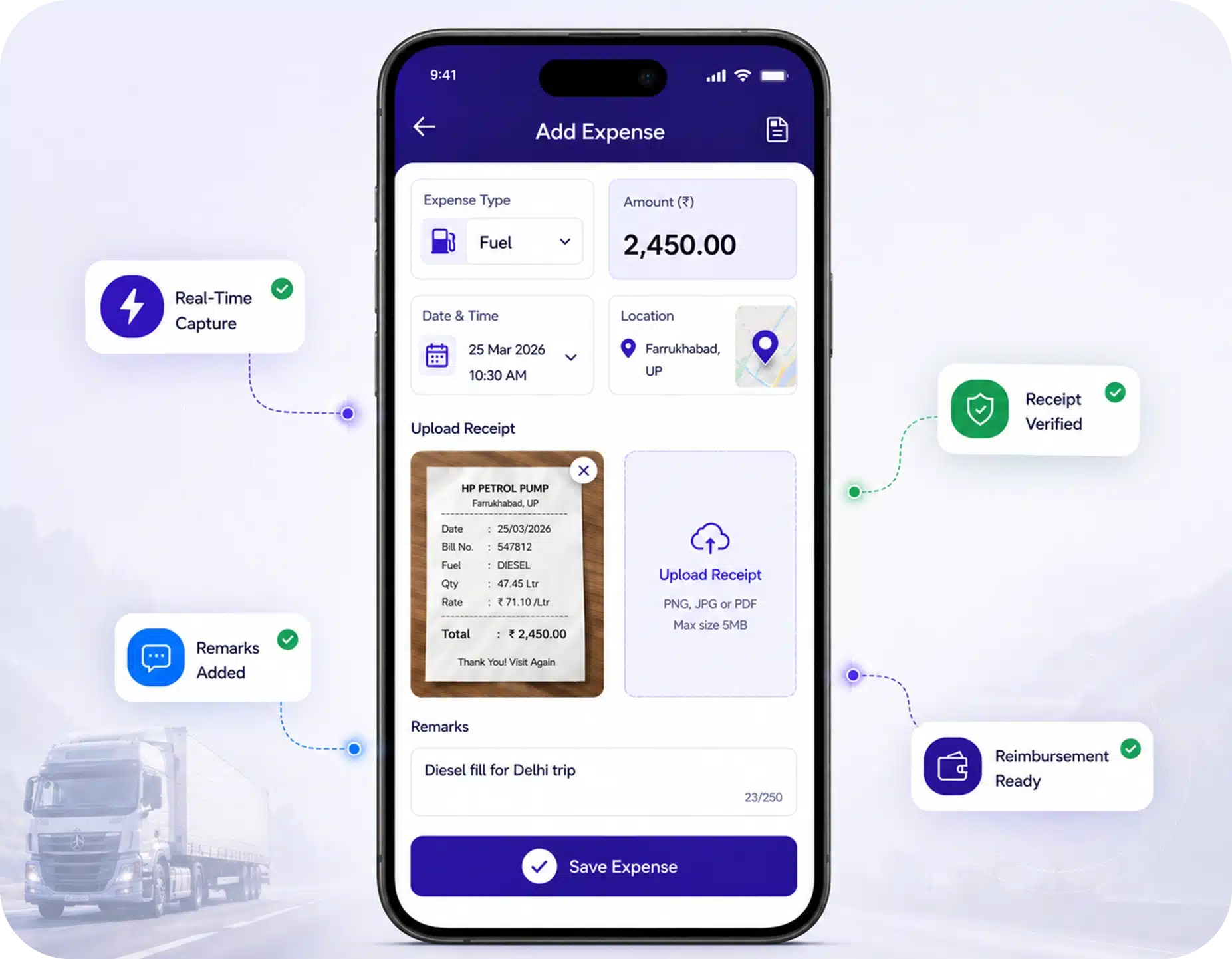
Real-Time Expense Capture & Control
Drivers can log trip expenses with receipts and remarks directly from the app. All data is recorded for accurate reimbursement and reporting. Supports better cost visibility and expense tracking.
- Capture trip expenses in real time
- Upload receipts for verification
- Add remarks for expense clarity
- Ensure accurate reimbursement records
How to Use TB Driver App?
TrackoBit’s driver app follows a structured execution flow that ensures every trip is tracked, validated, and completed without manual intervention.
-
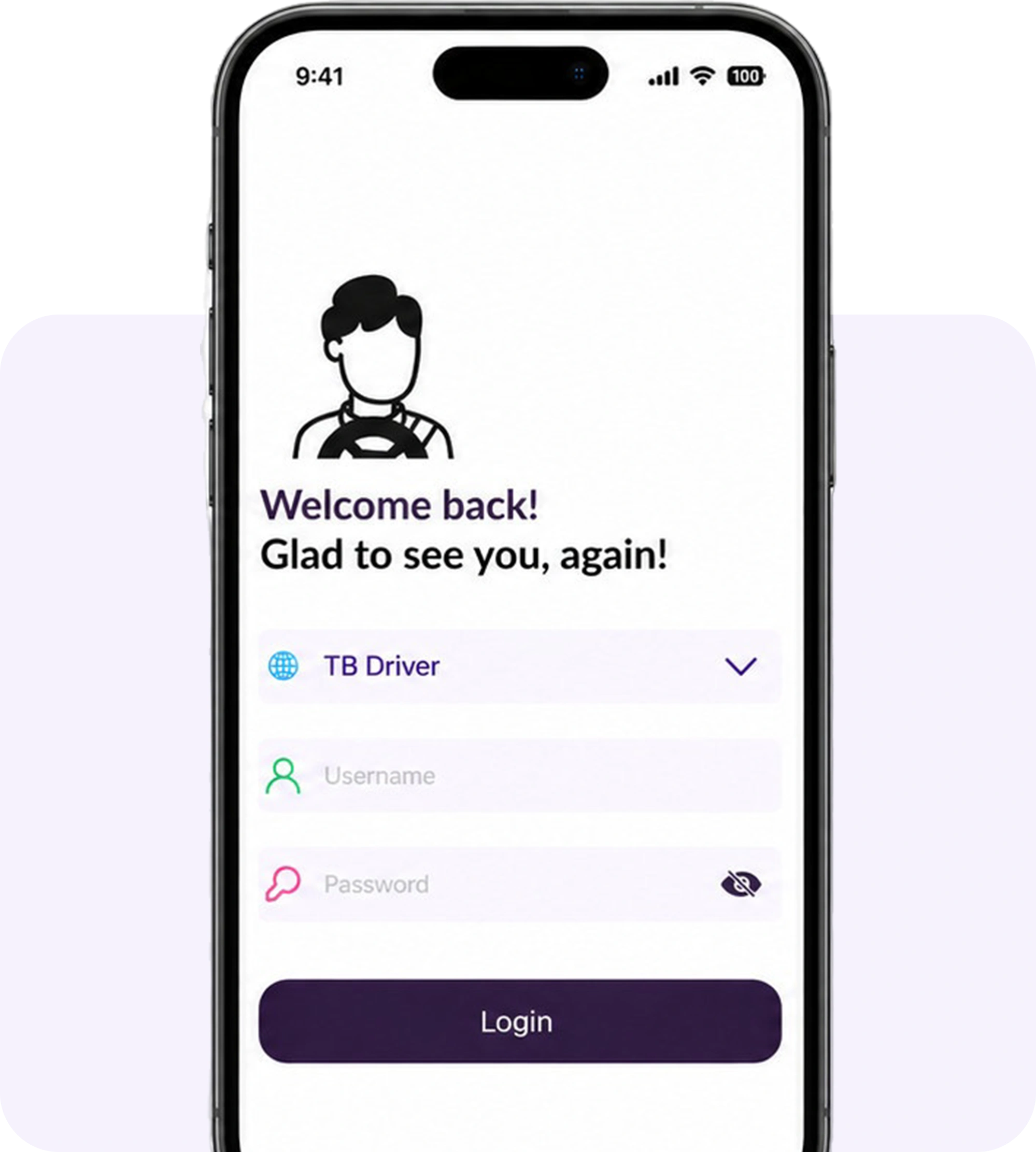
Step 1: Install & Login
Drivers install the TrackoBit Driver App and log in using assigned credentials. Access is pre-configured based on assigned vehicles and trips. This ensures a ready-to-use setup from the first login.
-
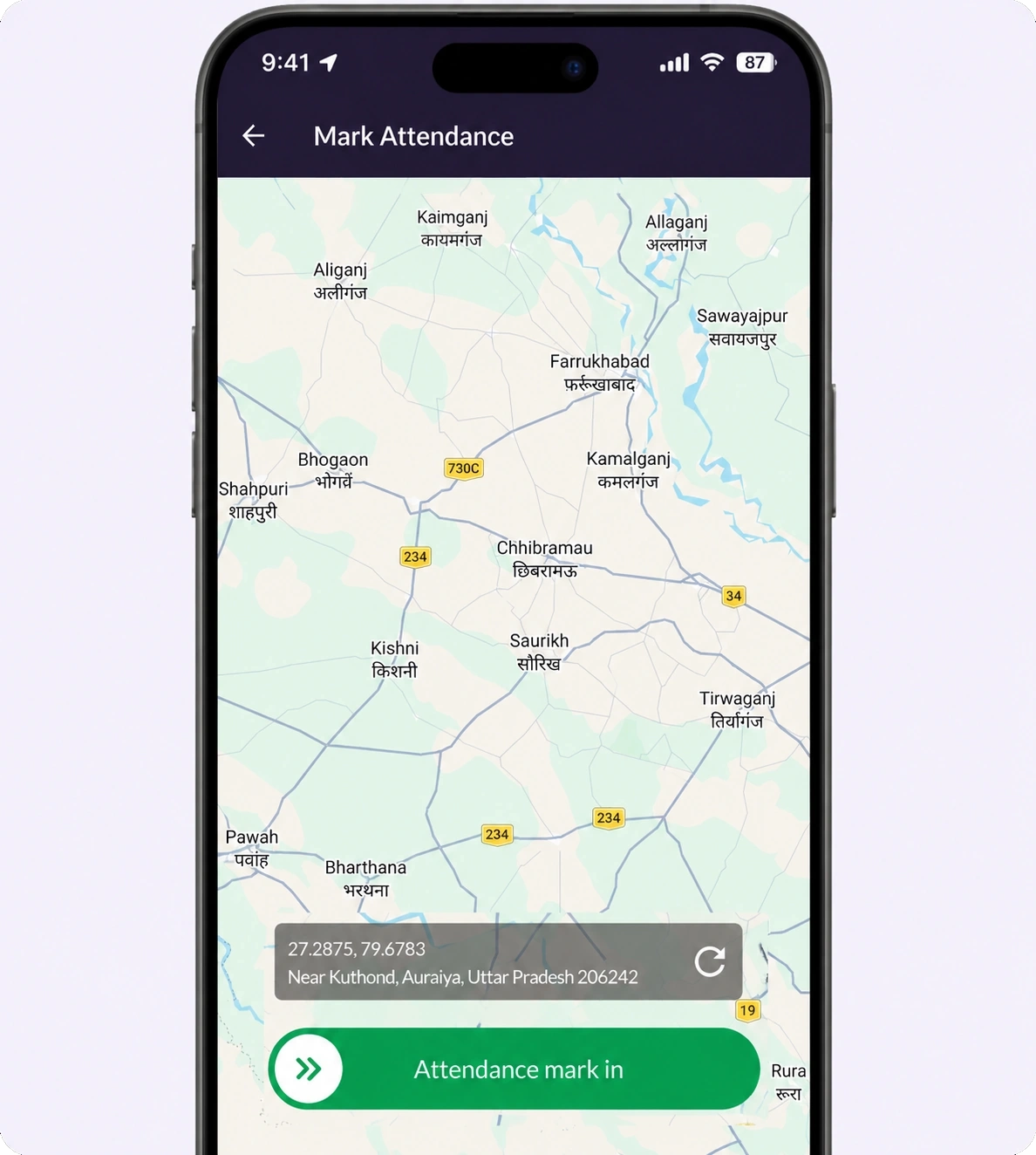
Step 2: Mark Attendance
Drivers mark geo-verified attendance to begin their shift. The system records location-based check-in and confirms availability. This replaces manual attendance tracking.
-
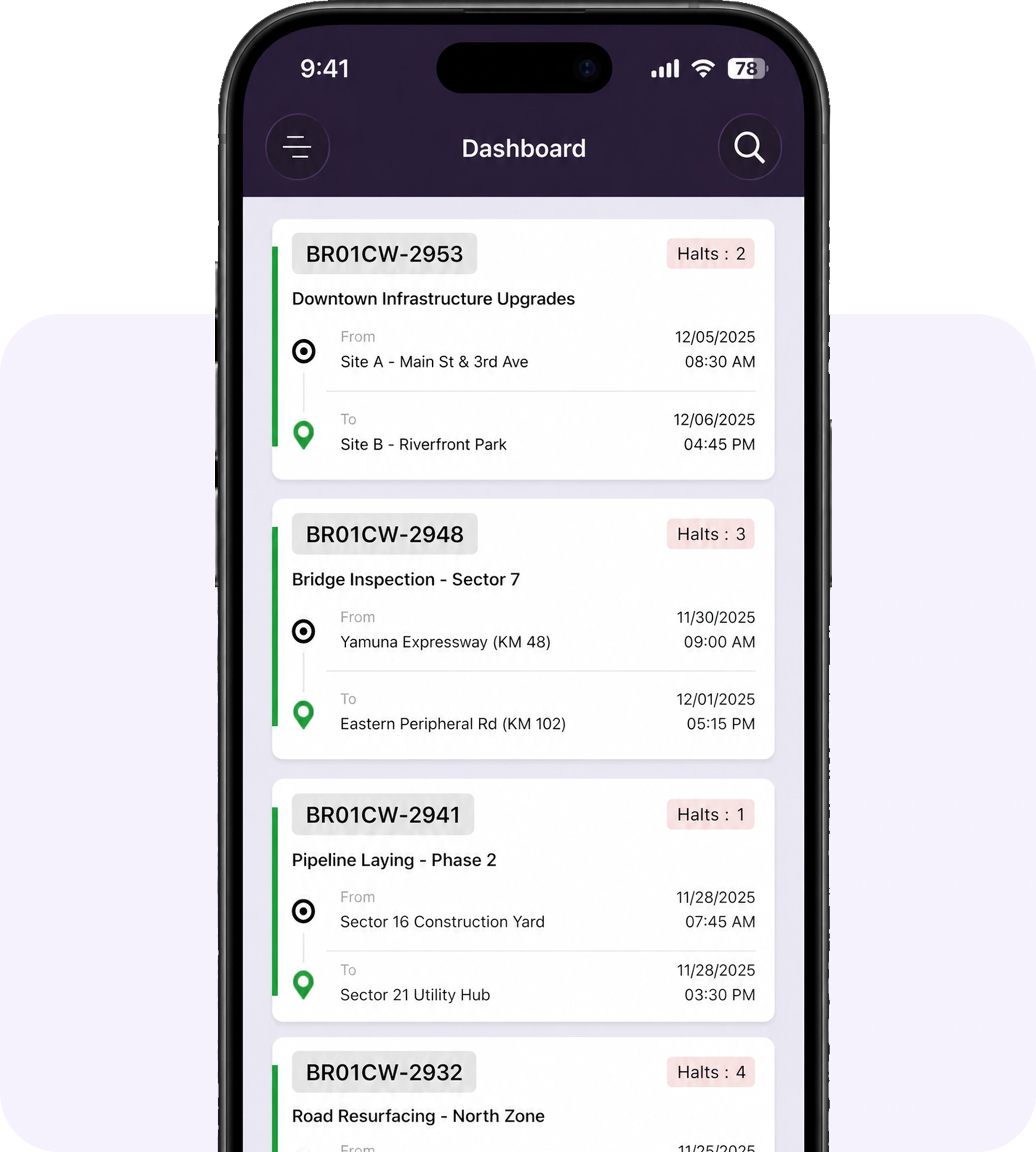
Step 3: Check Assigned Trips
Drivers access the trip dashboard to view assigned trips for the day. Each trip is already structured with routes, stops, and timelines. This removes the need for manual instructions.
-
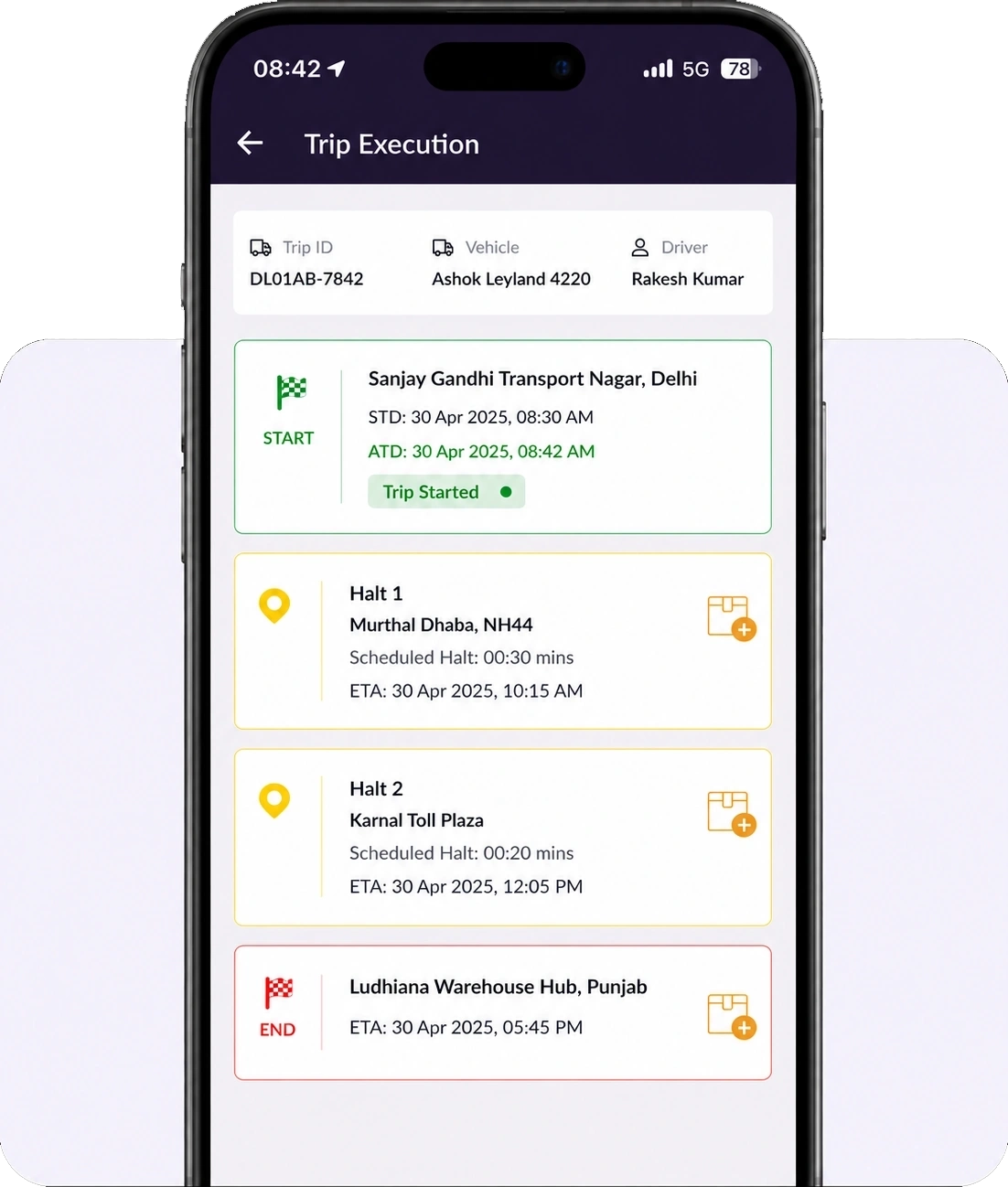
Step 4: Start & Follow the Trip
Drivers initiate the trip from the app and proceed through defined checkpoints. The app guides execution as per the assigned flow. This ensures consistency across all trips.
-
Step 5: Complete the Trip
Once all checkpoints are covered, drivers close the trip within the app. The system records completion and updates trip status. This ensures every trip is properly documented.
Why Choose TrackoBit’s Driver App
TrackoBit’s driver app is built for real-world fleet operations where delays, lack of visibility, and manual coordination directly impact business performance.

Faster Trip Execution
Enable drivers to follow a defined workflow and complete trips with fewer delays.
Reduced Follow-Ups
Minimize dependency on calls and manual follow-ups between drivers and operations.
Accurate and Verified Data
Ensure every update is recorded in the system and validated for reliable operational visibility.
Better Accountability
Capture every driver action with structured inputs to improve traceability and control.
Precise Reimbursements
Record expenses digitally to reduce errors and speed up reimbursement processing.

Consistent Trip Execution
Standardize trip workflows so every driver follows the same execution process.

Real Time Visibility
Access timely driver updates without waiting for manual reporting or status calls.
Easier Driver Adoption
Provide a simple, language agnostic interface with intuitive and easy to navigate UI.
Reduced Manual Errors
Eliminate manual mistakes with structured workflows and system-driven data capture.
TrackoBit Ecosystem for Connected Fleet Operations
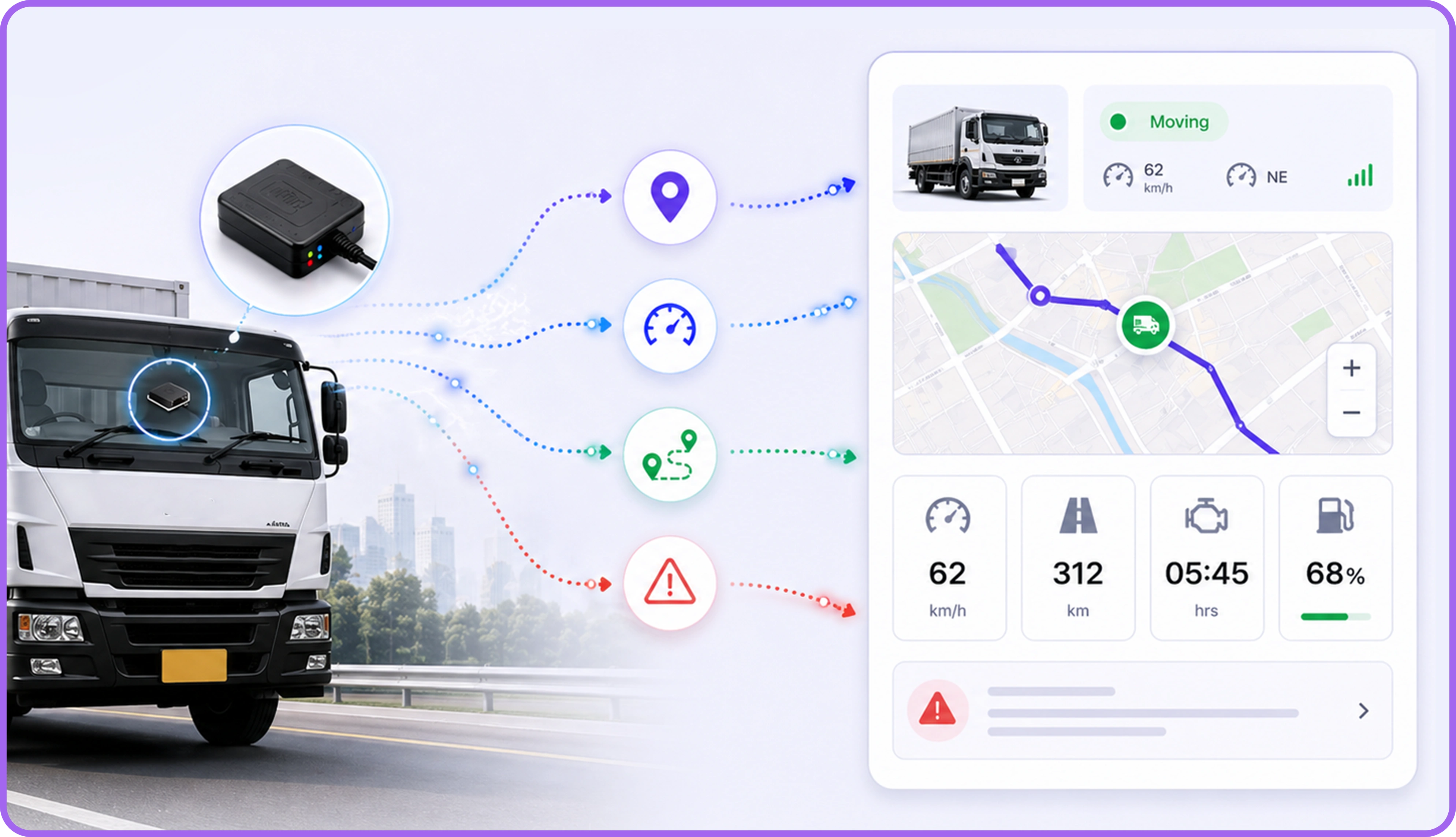
TrackoBit’s driver app is part of a complete fleet ecosystem. It connects drivers, vehicles, and operations on one platform for seamless data flow, better coordination, and full visibility.
Drivers manage trips, update status, log expenses, and submit proofs directly from the app, making it the execution layer.
Installed GPS devices automatically capture vehicle location, movement, and behavior as the data capture layer.
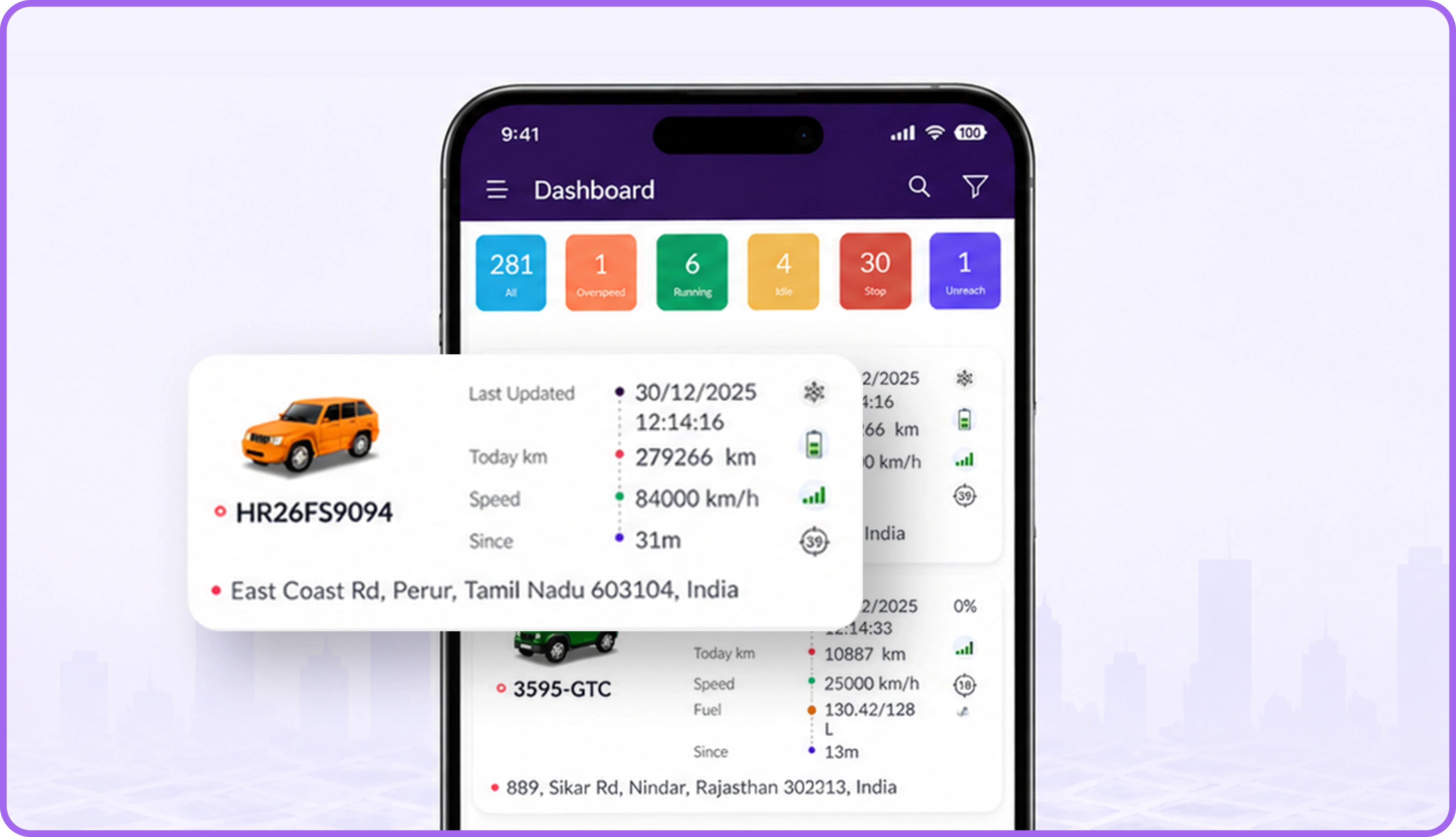
Managers track vehicles, view trip progress, and monitor driver activity in real time through the TB Track app, serving as the monitoring layer.
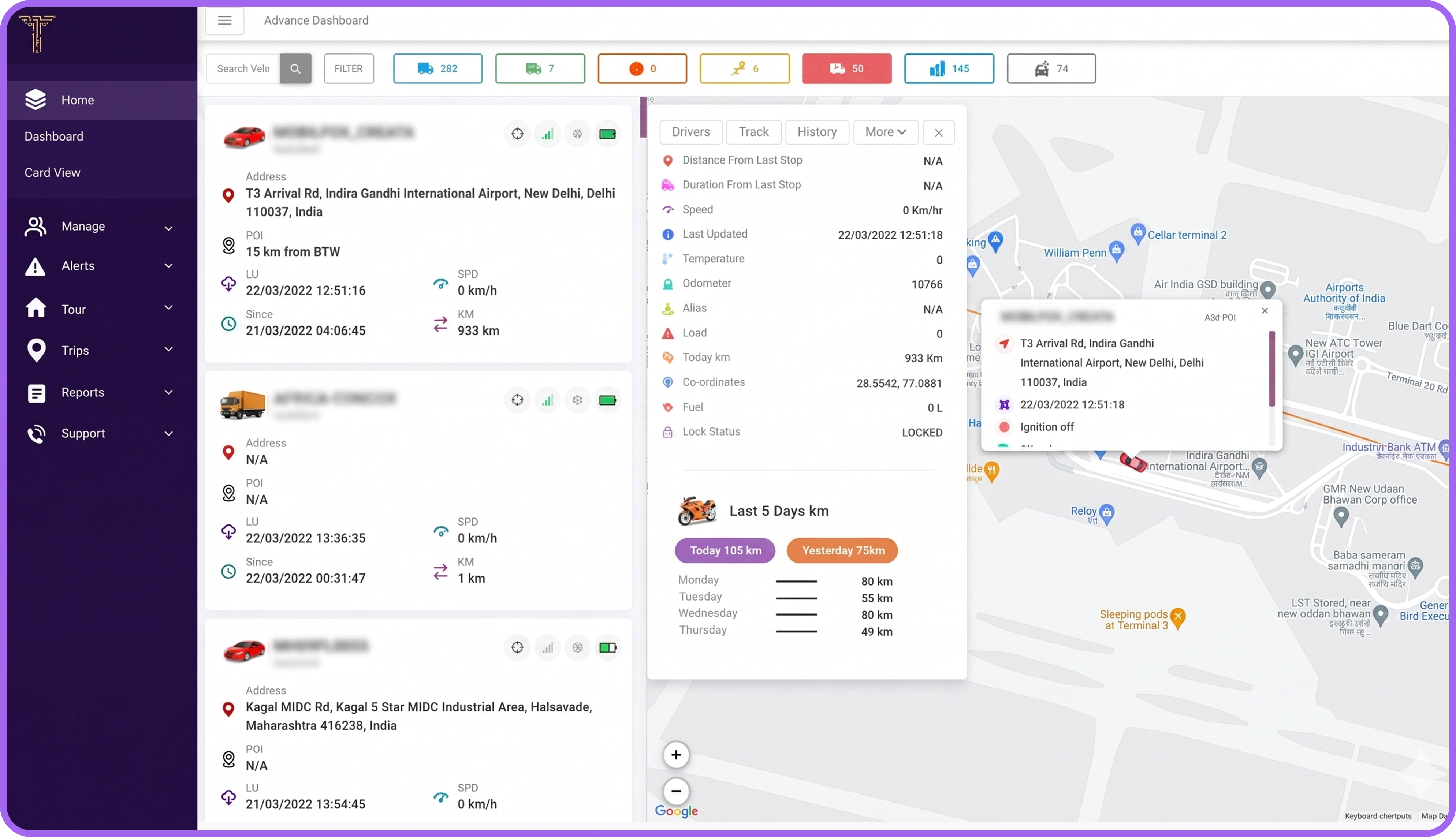
All data is unified into a single dashboard for monitoring, reporting, and decision making as the control layer.
Download the TB Driver App!

TrackoBit is a Recognized Leader in Vehicle Tracking




Frequently Asked Questions
-
Who can use a driver's app?
Any driver or vehicle operator in a fleet can make the best of TrackoBit’s driver app. This includes truck, van, bus, car drivers, and delivery staff. Drivers use the app to receive trip assignments, follow routes, log trips, capture proof of delivery, and check their own safety scores. Fleet managers and dispatchers stay connected through the web dashboard to assign jobs and track progress.
-
What is the pricing structure of TrackoBit driver app?
TrackoBit’s driver app offers flexible pricing based on fleet size, feature requirements, and operational complexity. Businesses can choose modules like trip management, expense tracking, and proof of delivery based on their needs. This ensures cost efficiency while delivering high ROI through improved execution and reduced operational overhead.
-
How does a driver app work?
The best driver app works by connecting drivers with a central system where trips, instructions, and updates are managed digitally. Drivers receive assigned trips, follow structured workflows, and update progress directly from the app. All actions are recorded in real time, ensuring accurate visibility and reduced dependency on manual communication.
-
What are the key features of the TrackoBit’s Driver App?
TrackoBit’s driver app includes features like trip dashboard, real time status updates, proof of delivery, expense logging, geo verified attendance, and vehicle inspection. These features are designed to simplify on road execution, ensure accurate reporting, and provide a seamless connection between drivers and operations systems.
-
How does TrackoBit’s Driver App help digitize trip and driver operations?
TrackoBit’s driver app digitizes trip execution by replacing manual processes with structured workflows inside the app. Drivers receive trips, update progress, log activities, and submit proofs digitally. This ensures all operations are recorded in real time, reducing dependency on calls, paperwork, and disconnected systems.
-
Why should businesses use a driver app for their fleet?
The best driver app helps businesses gain visibility into driver activity, trip progress, and operational performance. It reduces delays, improves coordination, and ensures data accuracy. With TrackoBit, businesses can move from manual tracking to system-driven processes, enabling better decision making and overall fleet efficiency.
-
Are driver app compliant with legal and privacy regulations?
Driver app like TrackoBit are designed to comply with applicable data privacy and operational regulations. They ensure that tracking and data collection are used for operational purposes such as safety, efficiency, and accountability, while maintaining secure handling of driver information within the platform.
-
How to choose the best driver app?
The best driver app should offer real-time updates, structured trip execution, driver usability, and seamless system integration. For example, TrackoBit’s driver app reduces manual coordination, provides accurate data, and supports scalability. It has a user-friendly interface and reliable support which is critical for long-term operational success.
-
What are the benefits of using TrackoBit’s Driver App?
TrackoBit’s driver app improves trip execution by reducing delays, minimizing manual coordination, and ensuring accurate data capture. It enables drivers to follow structured workflows while allowing operations teams to receive real-time updates. This leads to better visibility, improved accountability, and more efficient overall operations.
-
What can businesses achieve with TrackoBit’s Driver App?
Businesses can achieve faster trip execution, improved driver coordination, and accurate data visibility with TrackoBit’s driver app. It helps standardize workflows, reduce manual communication, and capture every driver update in real time. This leads to better operational control, reduced delays, and more reliable fleet performance.
-
How does TrackoBit solve common driver and fleet management challenges?
TrackoBit addresses fleet management challenges like lack of visibility, delayed updates, and manual coordination by centralizing driver activities within one system. It enables real-time updates, structured execution, and accurate data capture. This helps businesses improve accountability, reduce errors, and maintain consistent operational performance across fleets.
-
How does a driver app improve driver safety?
A driver app improves safety by monitoring driver activity and enabling structured trip execution. It reduces risky behavior caused by confusion or lack of instructions. With better visibility and system driven workflows, businesses can ensure drivers follow safe routes and maintain consistent driving practices.
Get In Touch
You Are Just One Step Away