
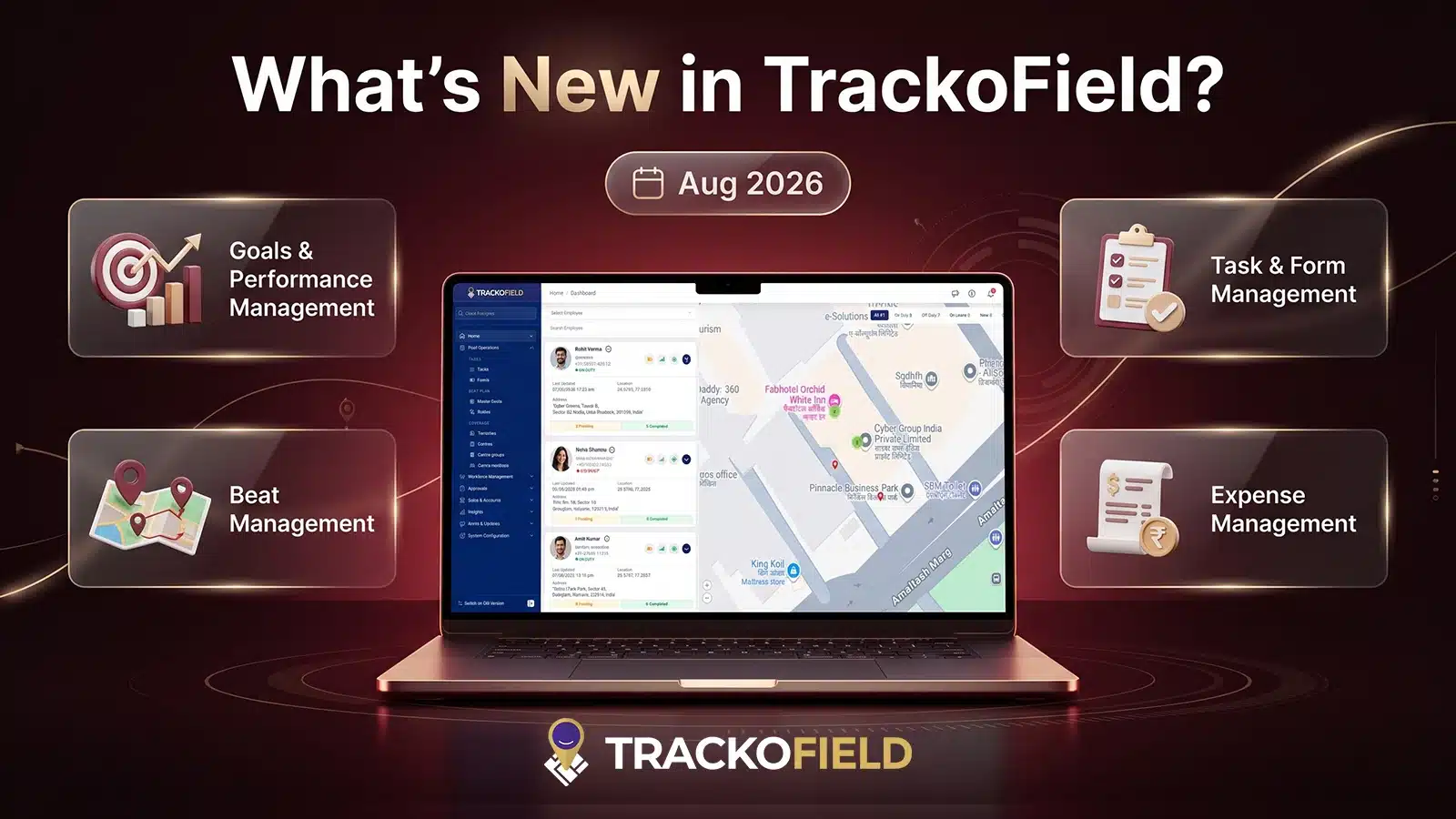
TrackoField’s August 2026 release brings a smarter way to manage field operations. These are designed to make field operations more connected and scalable. From smarter beat planning and advanced search to improved notifications, permissions and security, this month’s updates give managers and teams greater control over everyday operations.
As field teams grow across locations and territories, businesses need technology to keep up with increasing data volumes. The August release strengthens our field force automation software with scalability, stronger controls, and better experiences across Web, Android, and iOS. The release also introduces enhanced pagination, search, reporting, API performance, and encryption.
At TrackoField, we’ve been busy making field operations smarter, faster, and more scalable. Ready to see what’s new? Here’s a look.
Web Updates to TrackoField in August 2026
Navigation & UI Improvements
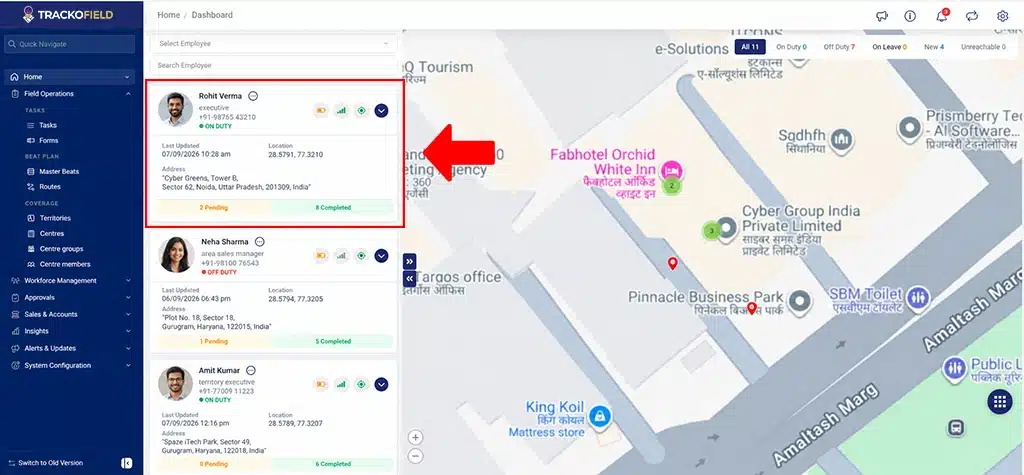
Revamped the sidebar with improved navigation controls and scrollbar behavior
- Improved territory management UI with consistent spacing, sizing, controls, and hierarchy display.
Language & Accessibility
Added app-wide language translation support across modules, including Notifications, Leave Settings, Goals, and Sales Order Settings.
Goals & Performance Management
- Added pagination to Goals Overview and User wise Goals.
- Added configurable page sizes.
- Improved search functionality for faster access to goal-related information
Beat Management
Beat Management has been enhanced with improved planning, scheduling, and administration capabilities:
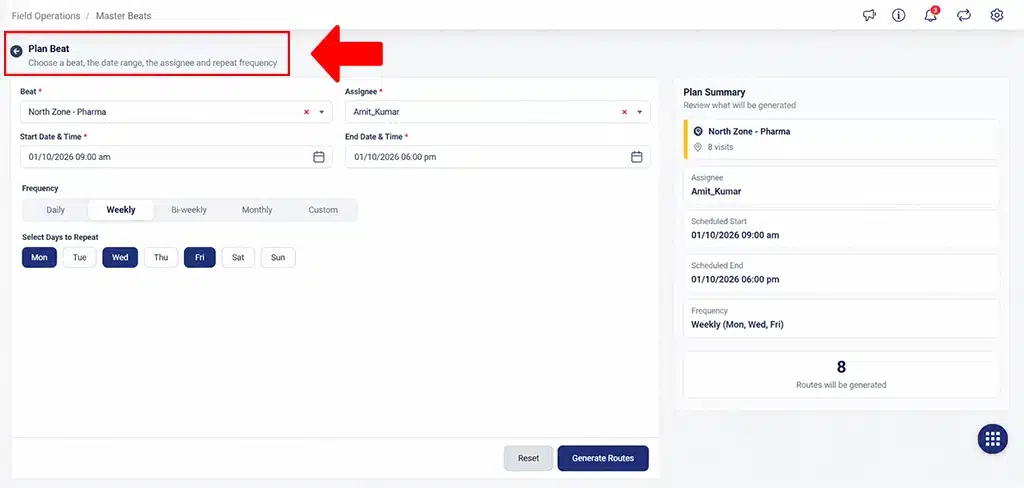
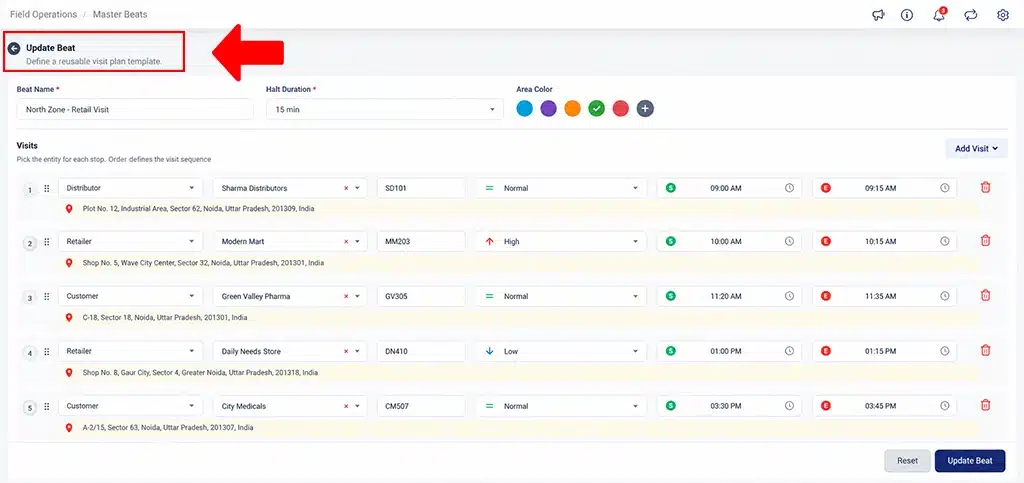
Enhanced Beat Management
- Beat/Route listing
- Search and filters
- Pagination
- Excel export
- Calendar view
- Dynamic frequency
- Conflict checks
- Active/Inactive management
- Bulk upload and Scheduling
- Manager role-based acces
Task & Form Management
- Added Task Type – Form linking and support for default forms.
- Added FO Settings-based mandatory validation.
- Enhanced Quick Task functionality.
- Added Restrict Past Date configuration.
- Added customer retention when changing task assignees.
- Added scheduled Manager Change.
- Enabled Child Manager customer task creation.
- Added controls to restrict task start based on scheduled time
Expense Management
- Enhanced Expense Approval Search with date-wise filtering and employee selection.
- Improved scalability for expense management for larger datasets
Facial Recognition & Member Visibility
Enhanced the Unrecognized Facial Report within face ai recognition software with
- Task-type records
- Centre, Group, and Task details
- Member-wise attachments
- Filters and Excel expor
Changed the Member POI structure to GeoJSON to support nearby-member functionality.
Territory Management
- Added Geo-area bulk upload.
- Added an Area Types reference sheet.
Reports
- Added pagination across reports.
- Improved report download handling.
- Added Google Maps hyperlinks for location data.
Enhanced Distance Reports with pagination, Excel downloads, search, and filters
API, Security & Platform Performance
- Optimized Employee Bulk Upload/Update APIs to reduce redundant API and database calls.
- Optimized database queries and indexing.
- Refactored encryption logic to improve reliability, environment handling, and timezone-related processing.
- Increased the Task Bulk Upload file size limit to 20 MB.
- Improved loading and timeout handling for bulk uploads.
Android Updates to TrackoField in August 2026
Notifications
The notification experience has been significantly enhanced:
- Notification inbox now loads recent notifications with pagination and supports loading additional records.
- Notifications are grouped into Today, Yesterday, and Earlier.
- Enhanced notification search.
- Improved Mark All as Read, Delete, Clear All, and Undo actions.
- Notifications now redirect users directly to relevant modules or approval tabs.
- Added a dedicated Notifications sidebar entry with real-time unread counts.
- Added an Undo Snackbar before permanent notification deletion.
Team & Field Visibility
- Added pagination and advanced search to Team Overview.
- Updated Team Overview refresh behavior.
- Added Centre/Member geofence permissions.
- Added Centre distance display on task cards.
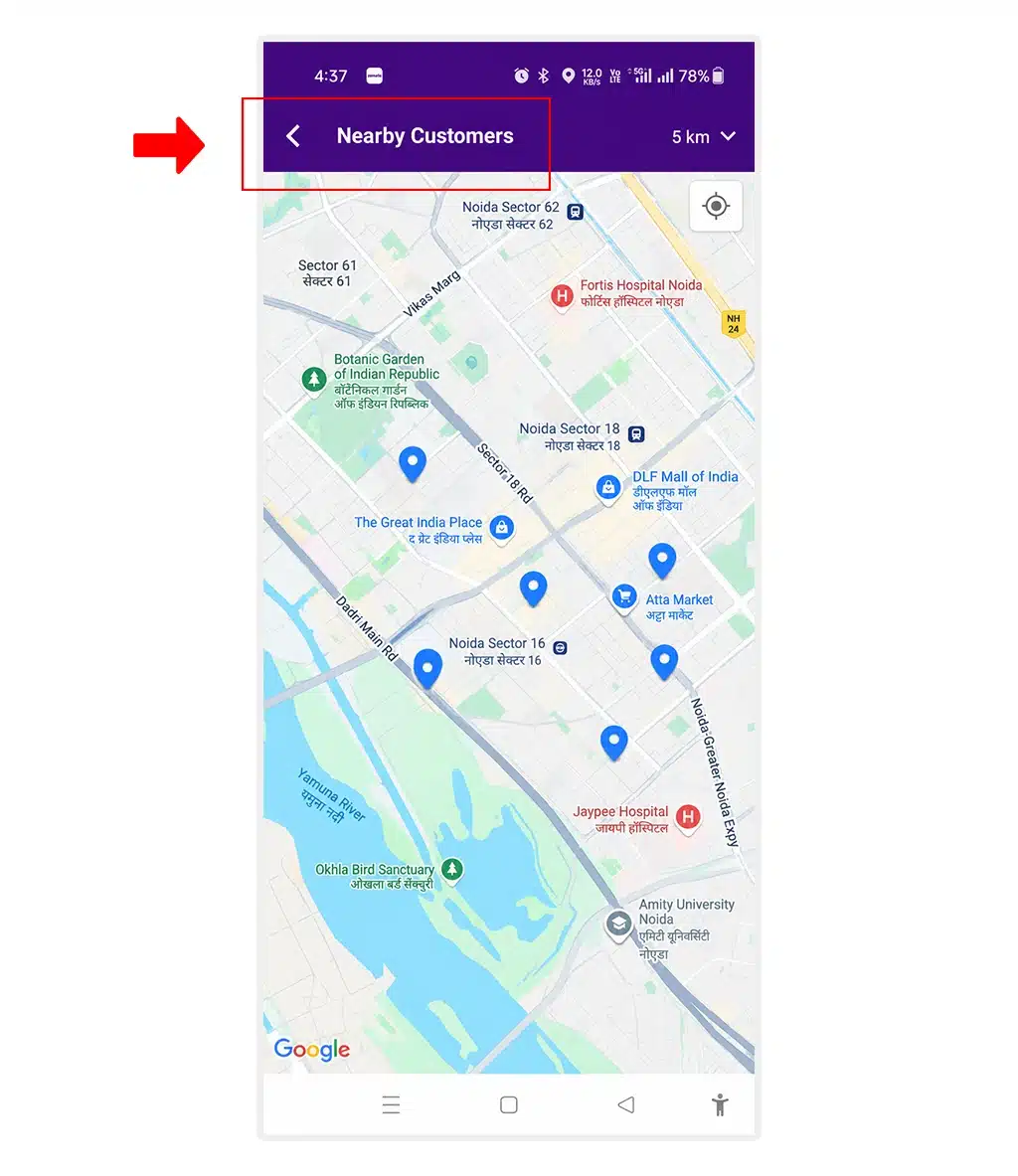
Added Nearby Member Customer functionality
- Updated Centre/Member task assignee handling for employees under the same manager
Task & Form Management
- Added linked forms based on Task Type.
- Added offline support.
- Enhanced Quick Task functionality.
- Added mandatory custom field handling.
- Added Restrict Task Start based on configured time.
- Added role and permission-based enforcement for Clone, Delete, and Cancel task actions
Enhanced task UI with:
- Reschedule modal
- Approval remarks tooltip
- Location text truncation
- Hidden empty custom fields
Tasks Report & Distance Tracking
- Enhanced Distance Travelled Within Task Report with Centre-related columns.
- Renamed Task Description to Task Title in applicable task reports.
- Added Member Distance to applicable task cards
Facial Recognition
- Enhanced Member Facial Recognition functionality.
- Added Centre/Member cross-functionality.
- Improved Unrecognized Member Photo Capture UI
Expenses
Expense titles can now be automatically populated based on the selected Expense Category.
Permissions & Employee Management
- Added Employee Bulk Action with Roles & Permissions.
- Added role-based controls for task actions including Clone, Delete, and Cancel.
Customer-Based Tasks
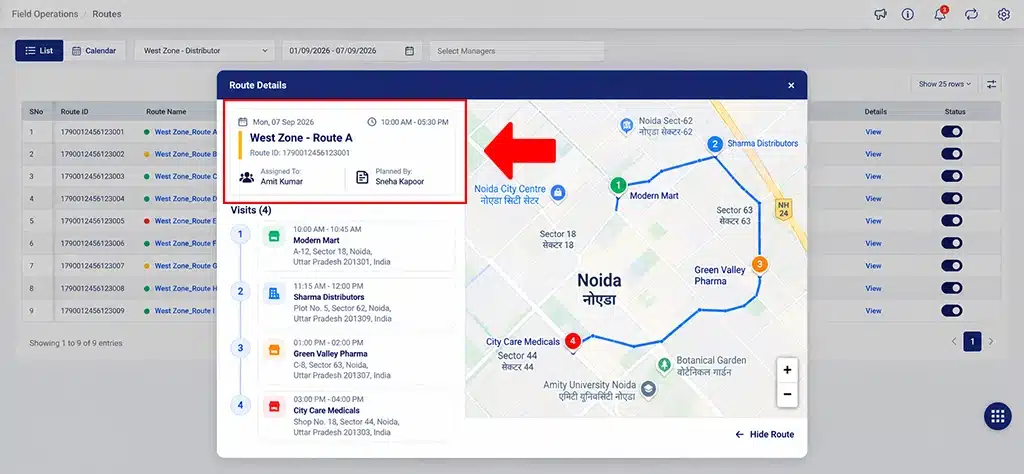
Non-Allocated Customer-Based Tasks now retain customers based on assignee visibility
Travel History
Travel history map activity markers are now clickable and display detailed activity information.
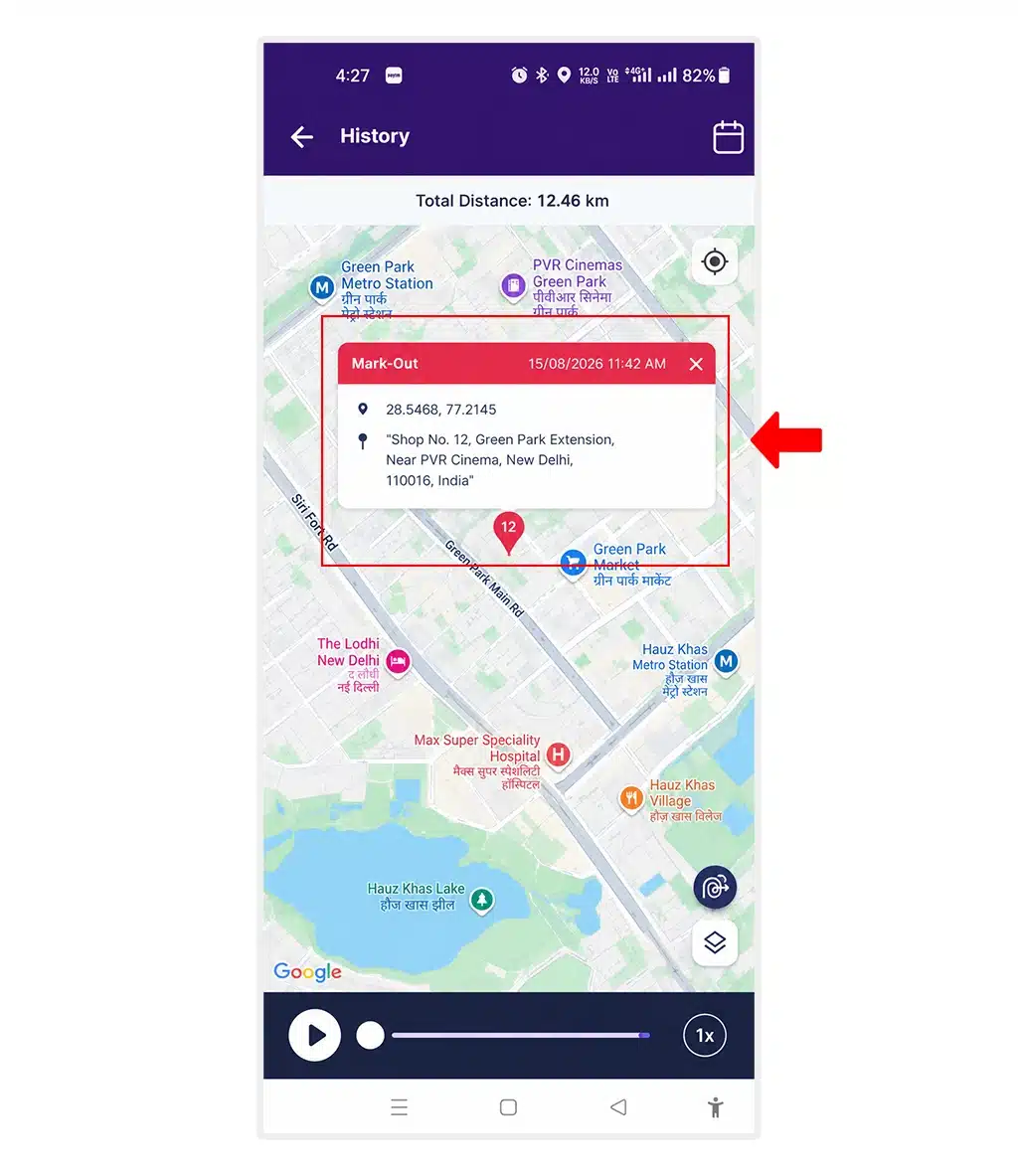
Detailed activity markers
App Updates
- Updated the application UI for compatibility with Android SDK 36 and new Google UI standards.
- Added in-app app-update notifications with Update Now and session-based dismissal options.
iOS Updates to TrackoField in August 2026
Notifications
- Notification inbox now supports pagination and loading additional records.
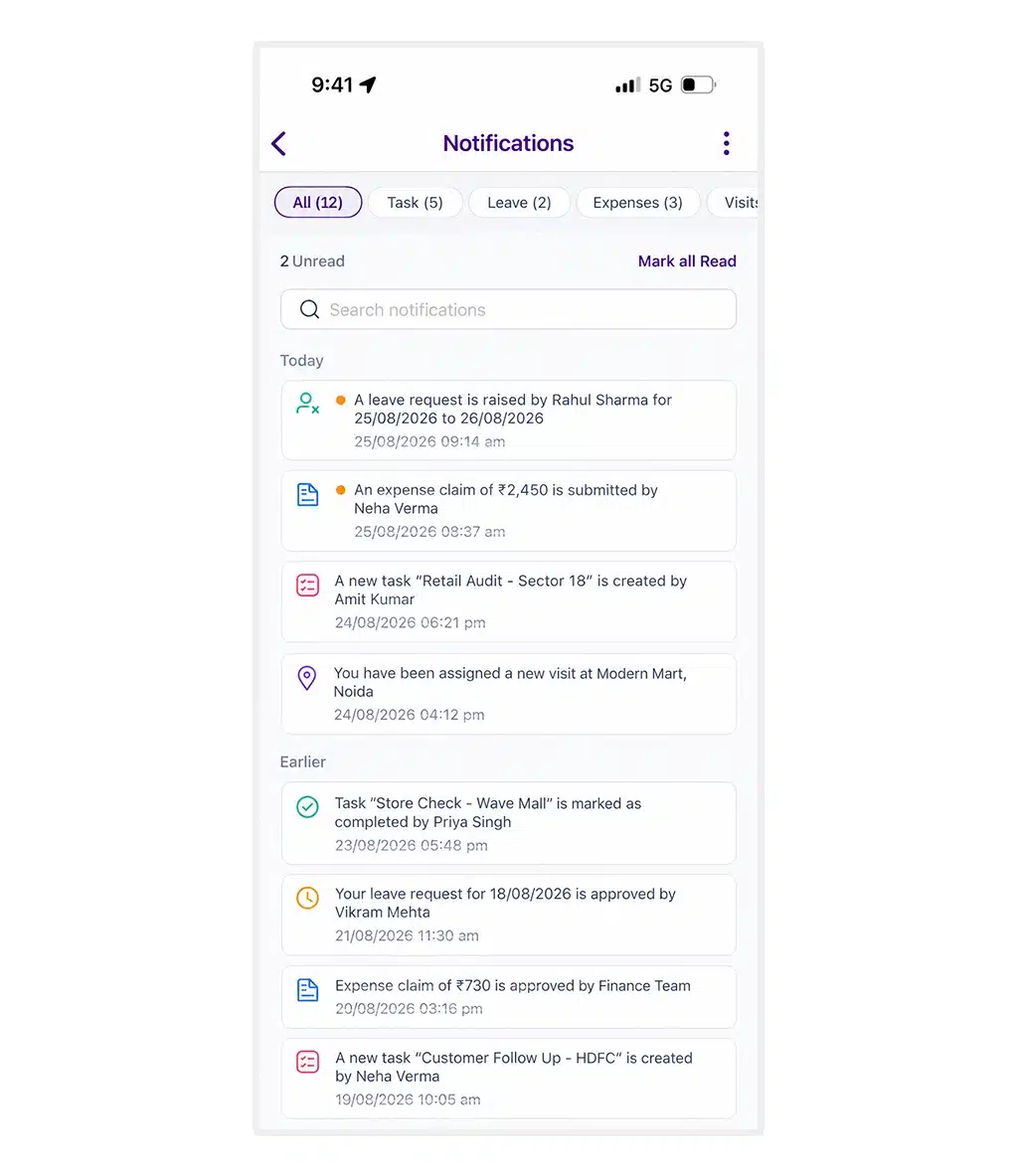
Notifications are grouped into Today, Yesterday, and Earlier
Team & Search
Added Team Overview pagination and advanced search.
Language & Accessibility
- Added language translation updates.
- Added Spanish language support for the Expense Module.
Task & Form Management
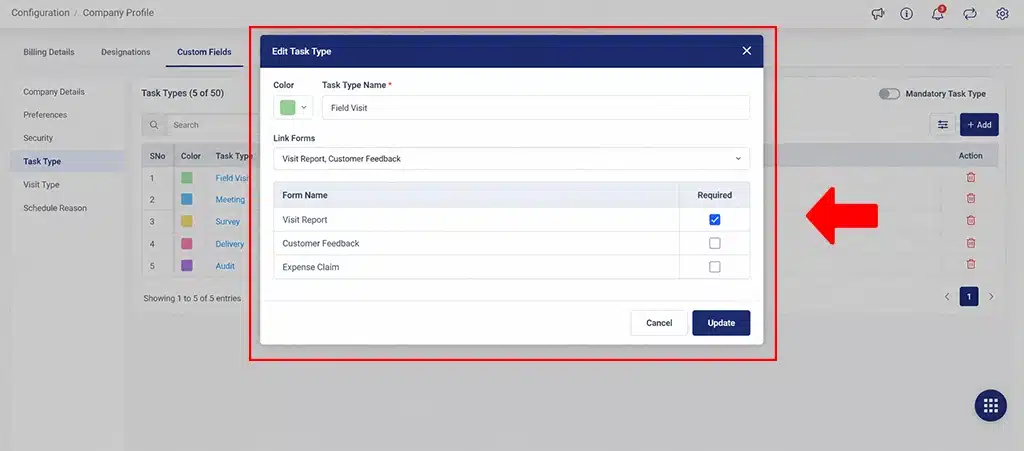
Added Task Type-linked forms
- Added offline support.
- Added FO Settings-based mandatory validation.
- Added Restrict Task Start based on configured time windows.
- Added a Phone Number field with country code and number input to Create and Edit Task.
- Added Customer Type to Mobile Sales Order creation based on configuration.
App Updates
Added in-app app-update notifications.
Important Updates
Team Overview: This no longer refreshes automatically every 30 seconds. The latest data is now fetched when users manually refresh the page
Shift-end notifications: These are not displayed when a user has not marked in or has already marked out before the shift ends.
Looking Forward
The August 2026 release reinforces TrackoField’s commitment to building smarter and more scalable operations. We have continued investing in platform scalability, multilingual accessibility, security, and reporting. As organizations expand their field operations, our team will focus on capabilities that improve visibility and complex workflows.
We hope these enhancements make your TrackoField experience more seamless and productive.