Key Takeaways

- Facial Recognition Attendance System automates time tracking, allowing employees to mark attendance remotely, enhancing convenience.
- The system reduces buddy punching by verifying unique facial features, ensuring accurate attendance records.
- It enhances security and productivity by providing managers with detailed reports on employee attendance and location-based marking.
- This Attendance System simplifies payroll integration, ensuring accurate timesheets and timely paycheck disbursement for employees.
The blog explains 9 benefits of facial recognition attendance systems, from preventing buddy punching to improving payroll accuracy, and field workforce visibility
Managing attendance of field employees is no longer just about recording who arrived at work. In 2026, businesses need accurate, reliable, and fraud-resistant attendance recording mechanisms that empower field employees and let managers easily monitor field operations.
Using an AI-powered facial recognition attendance system is the best way to achieve this. It reduces manual effort, improves attendance accuracy and eliminates fraud. All field agents have to do is open their mobile app and scan their face. The attendance is marked instantly. No chance of buddy punching or manual errors creeping in.
In this guide, we explain what face AI recognition attendance software is. Learn why businesses are adopting it, and how software like TrackoField make attendance management smarter.
What is a Facial Recognition Attendance System & How Does It Work?
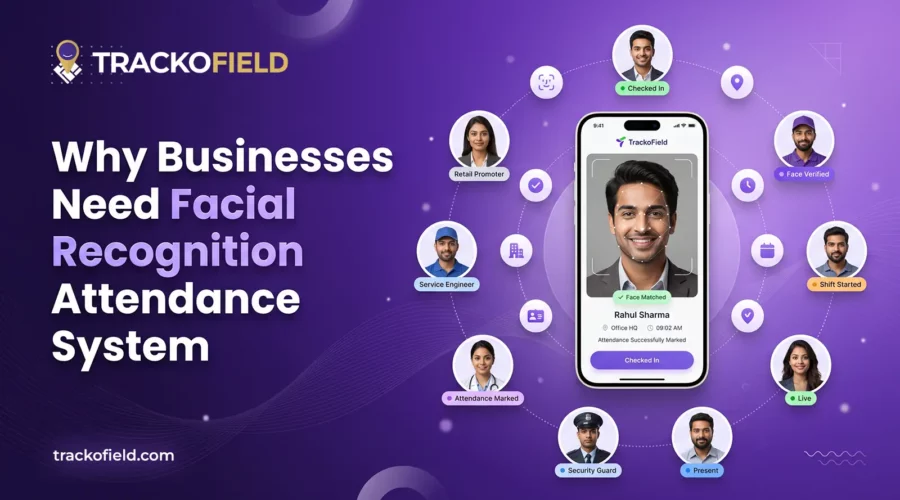
A facial recognition attendance system uses AI and GPS to verify employee identity and log attendance automatically. It allows employees to simply scan their face through their smartphone camera. The face is matched against a previously registered picture, and attendance is marked with a timestamp and location.
It requires no paperwork, fingerprints, ID cards or manual entries. The entire process is contactless and lightning fast. Plus, it works for both office and field staff. Field employees can mark attendance directly from client sites or job locations without visiting a branch office. Managers get accurate, verified records without chasing for updates.
How Facial Recognition Software Marks Attendance
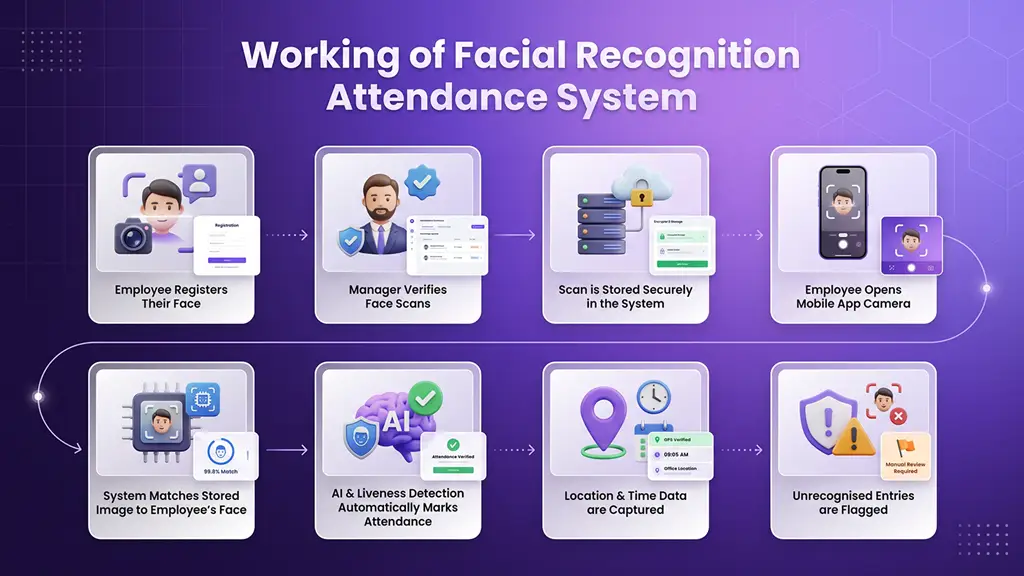
A typical face recognition attendance software works in 5 steps.
Step 1:
Employee registers his/her face which is then verified by the manager and stored in a secure database.
Step 2:
Using the scanned images, a reference of the face is drawn by the software.
Step 3:
When employee opens the mobile app camera, the system identifies the image with the stored profile.
Step 4:
Using liveness detection & AI, the software marks employee present with their login time and location.
Step 5:
Unrecognized entries are detected and flagged. Managers can allow select employees to mark-in in case of glitches.
Thus, face recognition combined with GPS tracking makes attendance records highly precise and reliable. It helps verify not only who checked in, but also where they checked in from. The result is stronger attendance control and better workforce visibility.
How Facial Recognition Attendance System Works
9 Reasons to Use Facial Recognition Attendance System
Facial recognition attendance systems eliminate buddy punching, automate time tracking, and give managers verified attendance data in real time. Here are 9 reasons businesses are making the switch.
1. Contactless Mark-In/Out
Facial recognition offers a fully contactless experience. Employees simply look at the camera and attendance is recorded within seconds. This improves attendance hygiene while also making the process faster.
2. Reduced Buddy Punching
Buddy punching is one of the biggest attendance problems in many businesses. It happens when one employee marks attendance for another. This is common with punch cards, manual registers, and a few biometric systems.
Facial recognition solves this problem because it ensures employees must be physically present at the task site. It scans their unique facial structure. Location info is also recorded. If anyone tries to record attendance on behalf of others, the system does not allow it. Thus, there is a reduction in significant potential threats like buddy punching.
3. Time Savings
Facial recognition automates processes like:
- Verifying attendance
- Correcting errors
- Handling disputes
- Analysing attendance reports
Managers gain access to attendance data in real time. Reports can be generated instantly. This allows them to focus on more valuable work. On the other hand, field employees no longer have to travel to mark their presence. They can directly mark their presence remotely.
With automation in place, organizations also remove the maintenance of Excel-based timesheets. There is no need for many biometric hardware and paper-based sheets. This helps save time, money, and resources. It is also an effective method for reducing employee absenteeism.
4. Remote & Offline Accessibility
Attendance reporting apps offer GPS-based facial attendance marking option that works even in remote locations. Employees can mark their presence by scanning their faces from anywhere. This could be the client’s location or a regional office. Attendance can be marked with or without internet. The data is synced one connectivity returns.
5. Transparency & Control
The system lets managers get control of defining geofences. The system will only record facial mark-ins based on when their staff enters the geofence. Managers can also view details of employees’ entry/exit time and task start/completion time with timestamps.
6. Improved Security & Accuracy
This technology identifies authorized personnel to grant access only to them. This results in increased authenticity and security within an organization.
Manual attendance systems are prone to mistakes. Employees may forget to sign in. Supervisors may enter incorrect records. Data may be lost or recorded late.
Facial recognition automates the entire process.
Attendance records are captured instantly and stored digitally. This reduces human error and improves record accuracy. For businesses with large teams, even small improvements in accuracy can save significant time and money.
7. Increased Productivity
Managers get daily, weekly, and monthly reports on employees’ availability. They can prepare strategies to deal with absenteeism and employees’ wasteful movements. This encourages the workforce to focus on their core tasks.
8. Improved Compliance & Audit Readiness
Many businesses need accurate attendance records for compliance purposes. This is especially important in industries such as:
- BFSI
- Logistics
- Phlebotomy
- Security services
- Agri-Input
Digital attendance records create a clear audit trail. Managers can access attendance history, timestamps, and employee verification records whenever required. This makes audits simpler and reduces compliance risks.
9. Simplified Payroll Management
Attendance data directly impacts payroll. When attendance records are inaccurate, payroll disputes become common. Employees may claim missing attendance and managers may struggle to verify records.
Facial recognition creates a reliable attendance trail. Every attendance event is linked to a verified face scan. This makes payroll calculations more accurate and reduces disputes. Facial recognition and payroll management systems are easy to integrate with each other. Software like TrackoField even offer both in a single platform.
How TrackoField Makes Facial Recognition Attendance Smarter
AI-Powered Attendance With TrackoField
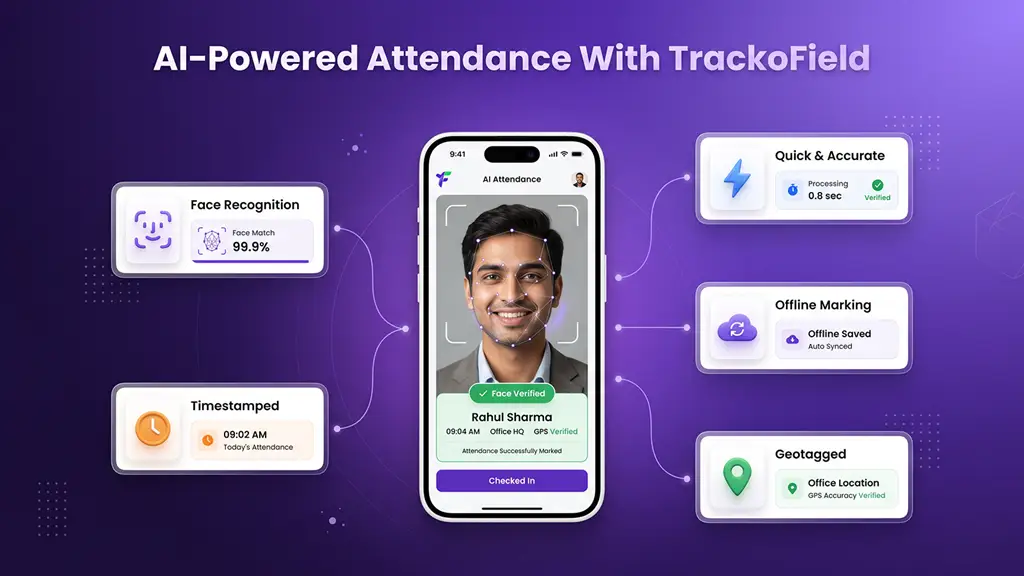
TrackoField combines AI-powered face recognition with GPS tracking, geofencing, and offline mode. This gives businesses a complete picture of every field employee’s day. Every mark-in is verified by face, tied to a location, and has an attached timestamp. Here is what sets TrackoField apart:
1. Secure AI-Powered Face Recognition
TrackoField’s system detects and rejects photos, videos, or masks used to fake attendance. Only a live, verified face gets through. This eliminates ghost entries and proxy attendance. The software also has group face attendance feature that lets MFI field agents mark attendance of several center members at once.
2. GPS-Tagged Attendance Logs
Every mark-in captures the employee’s real-time location. Managers can confirm field staff are exactly where they claim to be, without making a single phone call.
3. Geofenced Attendance Zones
Companies can restrict attendance marking to specific locations. If an employee tries to mark in from outside the defined zone, the system flags it.
4. Offline Attendance Sync
Poor network coverage should not stop attendance logging. TrackoField lets employees mark in without internet access. All data is synced automatically once connectivity is restored.
5. Direct Payroll Integration
TrackoField features a dedicated payroll module. Attendance data flows straight into payroll. Salaries are processed on accurate, verified data without manual timesheet errors.
TrackoField does not just record attendance. It makes every log verifiable, every timesheet accurate, and every manager’s job easier.
Conclusion
Face recognition attendance is no longer an afterthought; it’s a must-have. It is one of the most dependable methods for tracking field employee attendance in 2026.
A facial recognition attendance system eliminates time theft and offers managers precise data to work with. It saves the entire workforce’s time. Every mark-in/out is verified and all timesheets are accurate. With AI face recognition, businesses ensure there are no attendance frauds or payroll errors.
The best way to adopt face recognition attendance is to use AI-powered field force management software like TrackoField. It integrates facial recognition, GPS verification, geofencing, payroll management and workforce automation. This leads to better attendance tracking for field employees, increased accountability, and improved control of field operations.
TrackoField has been designed to handle a modern field workforce and ensures managers never have to about attendance issues.
Frequently Asked Questions
-
Is facial recognition attendance suitable for small businesses?
Yes. Numerous tools have per-user rates that are affordable or free for small businesses. The software is worth it because of all the benefits it brings to the table, such as fewer payroll mistakes, less fraud and increased efficiency.
-
Does facial recognition attendance require constant internet access?
Not really. Offline attendance marking can be done with software such as TrackoField. It allows staff to mark in/out without internet. Once a network is regained, this data is synced automatically. This is very helpful for the field teams out in remote or low network regions.
-
How secure is the stored facial data?
Facial data is securely stored and encrypted on cloud based servers. The majority of the face recognition applications abide by data protection rules. Employees consent is taken before tracking them and scanning their faces.
-
Is facial recognition attendance system expensive?
Not necessarily. Face recognition attendance software plans start as low as $1 per user per month. There are free trials and affordable choices available which can work for small businesses. The more expensive tools provide advanced features and are suitable for large teams.

Mudit is a seasoned content specialist working for TrackoField. He is an expert in crafting technical, high-impact content for Field force management software With years of experience rooted in the me... Read More


Related Blog

Field Worker Safety: Complete Guide to Protect Field Staff
Wondering how to ensure field worker safety? You are in the right place. This blog explores the key risks in…

Sales Territory Management: 6 Best Practices for High-Performing Teams
Poor sales territory management can quietly stifle sales growth. Understand how companies can create high-performing territories.
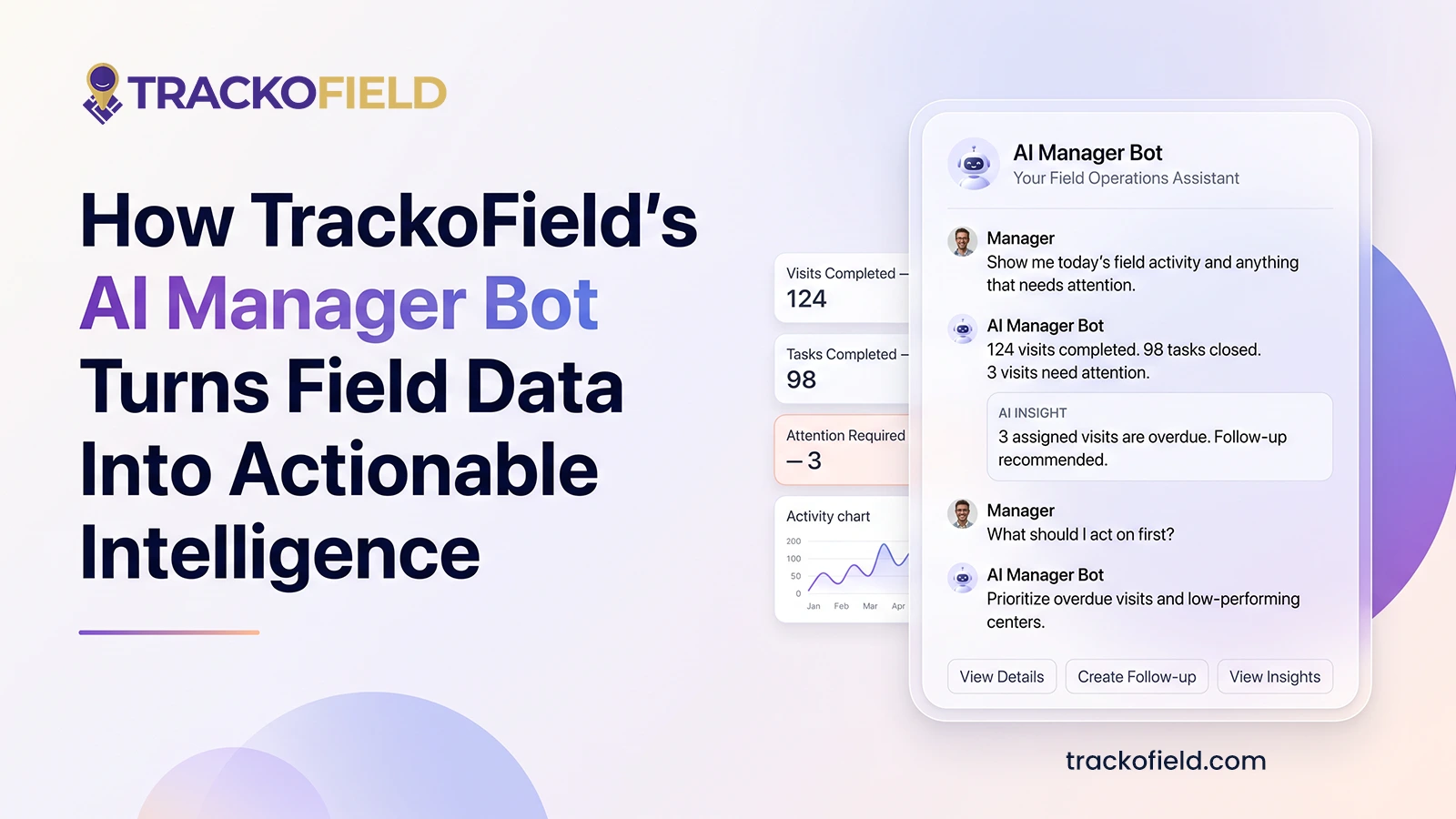
TrackoField’s Manager Bot: Bringing the Future of Field Force Intelligence to You Today
TrackoField’s AI Manager Bot transforms field force management into field force intelligence by turning operational data into instant AI-powered insights.
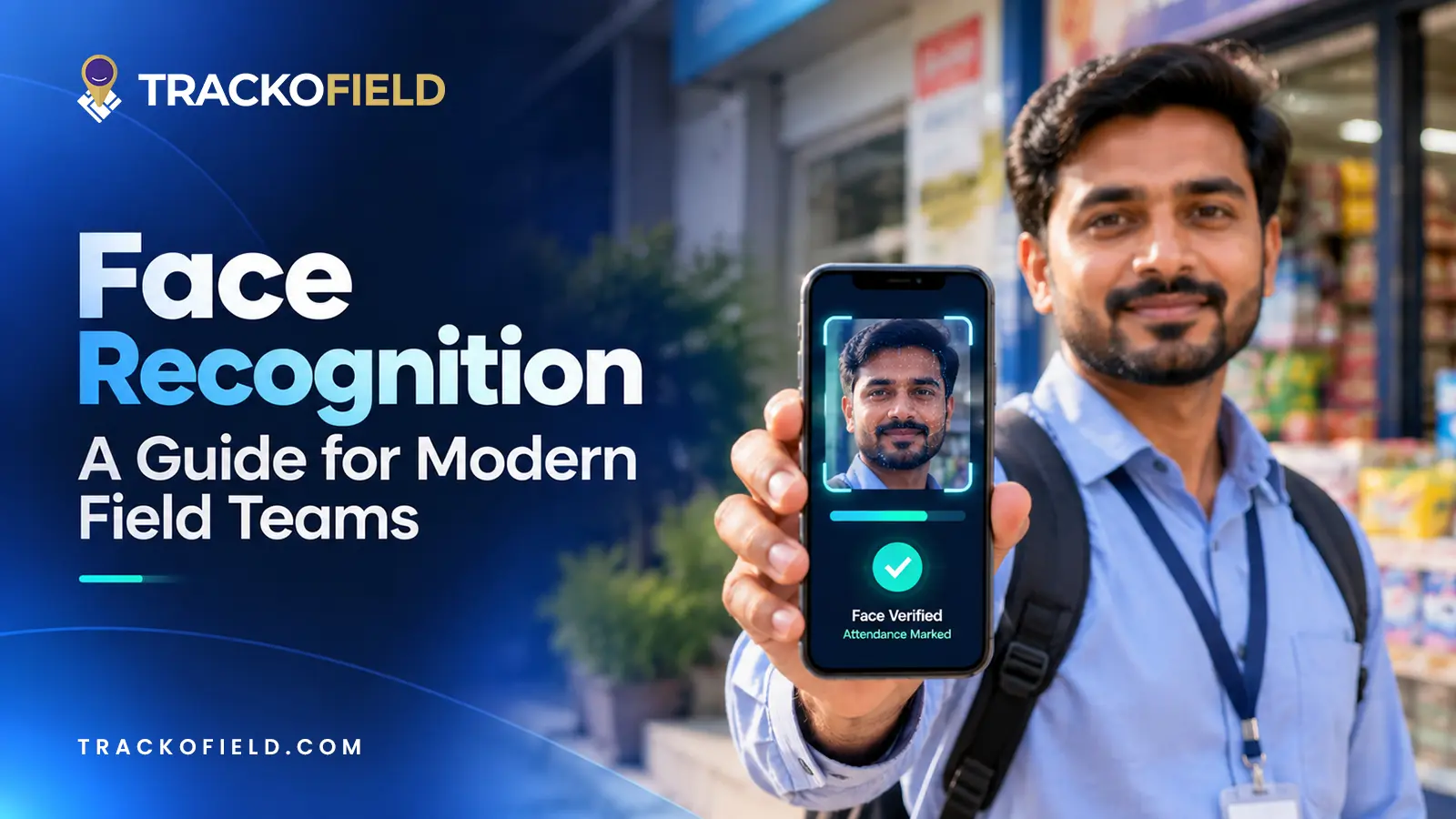
Face Recognition: What It Is, How It Works & Benefits for Field Teams
Facial recognition is a way of identifying or confirming an individual’s identity using their facial features. Read this guide to…


Your inbox awaits a welcome email. Stay tuned for the latest blog updates & expert insights.
"While you're here, dive into some more reads or grab quick bites from our social platforms!"Stay Updated on tech, telematics and mobility. Don't miss out on the latest in the industry.