
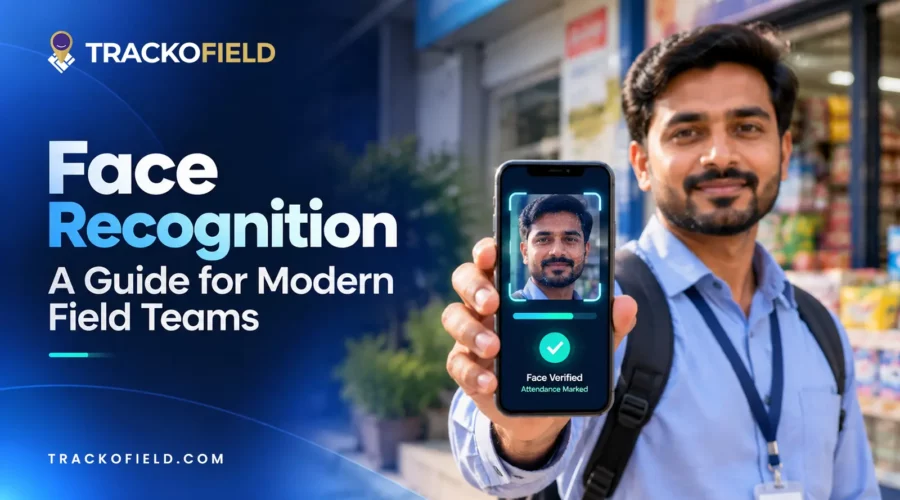
Facial recognition is a way of identifying or confirming an individual’s identity using their facial features. Read this guide to know in detail.
In the past, the process of verifying someone’s identity involved presenting an ID card, entering a PIN, or recalling a password. A mere look at the camera does the same job today in just seconds. This change is indicative of the progress of identity verification. Businesses first moved from paper-based records to digital credentials. Then came biometric technologies such as fingerprint scanning.
The next stage in this evolution is AI-powered facial recognition. It combines advanced image processing and artificial intelligence to verify identities quickly and accurately. So, businesses can improve field employee accountability. Continue reading this blog to know in detail.
What is Face Recognition?
Face recognition is an AI-based biometric technology that verifies the identity of a person using their facial features. It analyzes unique facial features. This includes the distance between the eyes, nose shape, jawline, and up to 460 ‘nodal points’.
In attendance systems, face recognition typically works as a one-to-one verification process. The system captures the employee’s face and compares it with the registered profile stored in the database. If a match is found, the employee’s identity is verified and attendance is recorded. Else, it shows an error message “face not matched”.
What Is the Importance of Face Recognition?
Face recognition matters as it helps businesses reduce fraud and improves efficiency. With businesses operating in different locations, verifying employees, customers, and visitors becomes difficult. Manual password checks, access cards, manual checks, and traditional methods can be time-consuming. Plus, these can also be forgotten, shared, and misused.
This can be addressed with face recognition. It verifies identities in seconds by scanning a camera. This increases security, reduces manual dependence, and offers accountability across your workforce.
Its value becomes more apparent in industries that rely on field teams. With face recognition, managers can add an extra layer of trust and accuracy to their field operations. The growing adoption across the glove also reflects this need. According to industry data, facial recognition technology is used in 40% of workplaces worldwide.
To know more why it matters, let’s look at the core features that power the system. Continue reading to know.
5 Key Features of a Face Recognition System
Liveness detection, secure mark-in/out, and offline capability are some of the main features of an advanced face recognition system.
1. Liveness Detection
Liveness detection ensures that the face being recognized is a live person and not a picture, a screen shot or a video recording. Therefore, businesses can prevent identity fraud. Not to mention, it brings an added layer of security to attendance, access control, and compliance.
2. Secure Mark-In
Secure mark-ins allow businesses to verify that the right person is checking in every time. By verifying the user’s face during check-in, it reduces identity misuse and improves the accuracy of workforce records. This is critical is security services, hospitality, and healthcare industries.
3. Offline Capability
Offline tracking capability allows face recognition modules to work even without an internet connection. This is especially useful for businesses like MFIs, where field teams operate in low or no network zones. So, they can ensure accurate verification. The data automatically syncs when the connection is restored.
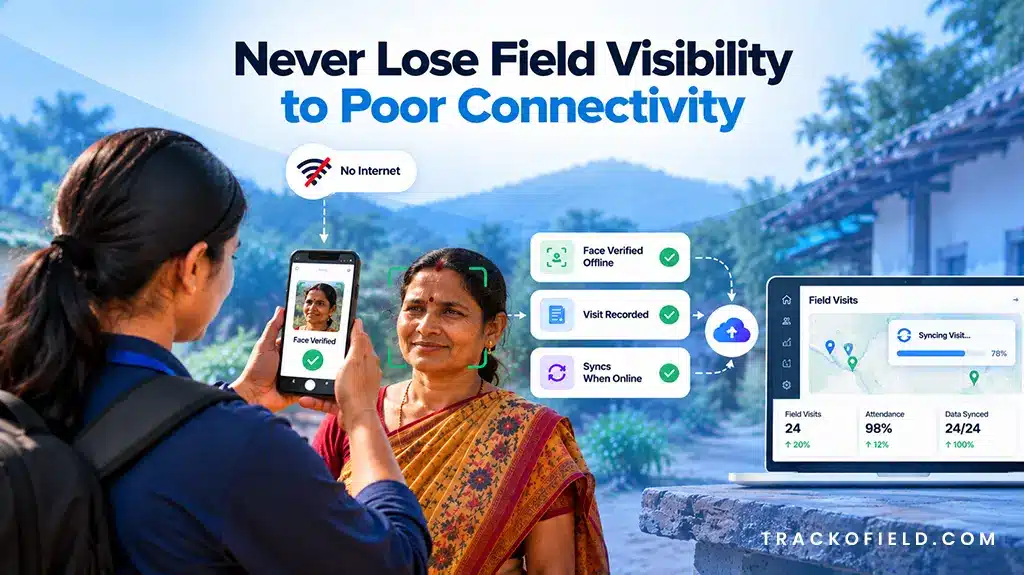
Offline Field Visibility
4. Unrecognized Face Reports
This feature records and flags fake face verification attempts. Managers can review these cases, take corrective action, and reduce buddy punching.
5. Instant Alert
Managers receive alerts when a verification attempt does not match the registered face. They can respond quickly, resolve issues, and maintain accurate verification records. For example, attendance can be marked on behalf of a co-worker in exceptional cases. This is allowed with the manager’s approval after an alert.
How Does Facial Recognition Work?
The face recognition process works by detecting a face, analyzing its unique features, and comparing this data with stored information to confirm the identity. Below, we have discussed in detail how the process actually works.
1. Face Detection
The software scans an image or live photo to find a human face. It identifies where the face is located and separates it from the background for the next step.
2. Facial Feature Analysis
The software then inspects key facial features, such as the distance between the eyes, nose, jawline, and other parts. This is to help to understand the uniqueness of each face.
3. Face Mapping
These facial features are then converted into a digital face map. This creates a unique facial profile that can be used for future verification.
4. Face Comparison
The generated face map is then compared with the facial data already stored in the system. The software checks whether both records belong to the same person.
5. Identity Verification
If a match is found, the person’s identity is verified. If the face does not match the stored record, the verification attempt is flagged for review.
This entire process takes only a few seconds. So, businesses can reduce the risk of fraud and identity misuse.
Where Is Face Recognition Used? Top Applications
Face recognition is now used for access control, verifying attendance, and fraud prevention. Keep reading to explore its top application.
1. Employee Attendance Management
Many businesses now use the face recognition process to manage employee attendance. Instead of using manual cards, registers, and messages, employees can simply scan their face to mark attendance. This is especially useful for businesses with field employees.
A face recognition attendance software helps them avoid buddy punching and reduce attendance fraud. For example, a sales representative can mark attendance from the first customer location, instead of reporting on calls. This gives managers confidence that the right agent is at the right location.
2. Access Control
Face recognition is used in many businesses to control access to offices, factories, and warehouses. Employees can enter without the need to scan ID cards or enter passwords, rather, they can simply scan their faces.
This enables enterprises to be aware of who is entering restricted areas. For example, only approved staff can access an inventory storage room or warehouse section.
3. Device & App Security
A common use case of face recognition is unlocking a smartphone. For example, iPhone users simply look at their phone screen to unlock it. They do not have to remember any passwords or PIN.
Businesses use the same idea to protect their apps and data. Employees can quickly log in with a face scan, while companies know that only the right person is getting access.
4. Banking & Digital Payments
You may have already used face recognition in a banking and UPI apps. Users don’t need to enter a password or answer security questions, you just scan your face and proceed.
This technology is used by banks to facilitate identity verification and make it more secure. It makes it easier for them to verify who is accessing the account. At the same time, customers can complete the process much faster.
How Different Industries Use Face Recognition for Field Employees?
Industries like NBFC, MFI, Agri-input, healthcare, and DSA use facial recognition to verify their field employees, reduce buddy punching, and ensure authentic mark-ins/outs. Continue reading to know in detail.
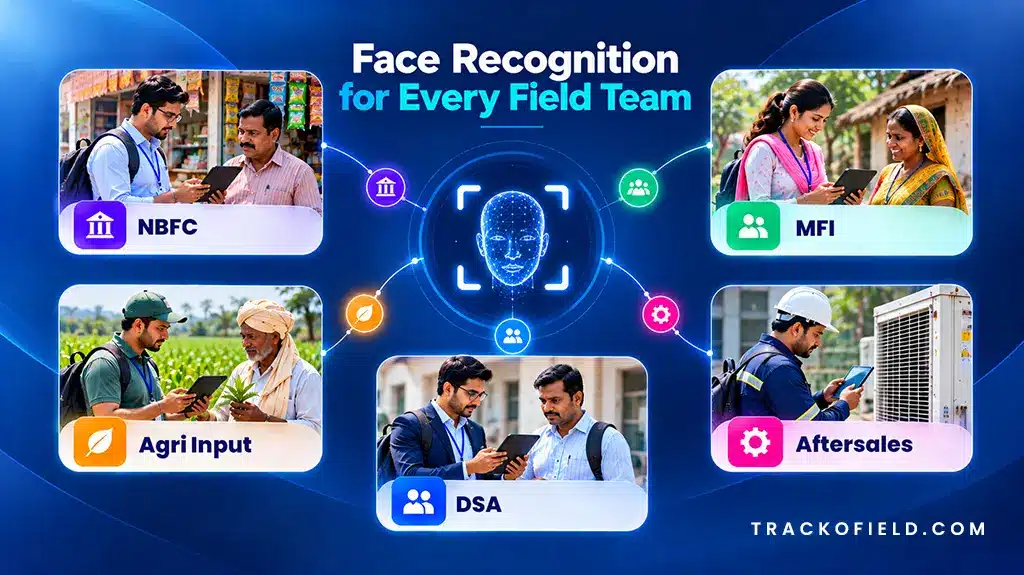
Face Recognition Across Different Sectors
1. NBFC
NBFC field teams spend most of their day visiting customers for loan verification and collection. Managers often have no easy way to confirm whether the right agent made the visit.
Face recognition helps them solve this problem. Managers can:
- Verify their employees during field visits.
- Reduce proxy attendance and buddy punching.
- Maintain accurate mark-in and mark-out records.
- Improve accountability across collection teams.
2. MFI (Microfinance Institutions)
MFI field teams work in rural villages. Their agents handle field collections, group meetings, and new member onboarding. Face recognition helps MFIs to:
- Verify agent and JLG member attendance during group meetings.
- Make sure planned BEATs and center visits are completed on time.
- Mark group attendance quickly by scanning multiple member faces.
- Track verified meeting records with time-stamped proof.
3. Agri-Input
Agri-input field teams work across villages, dealers, and farmer networks. Their work includes onboarding, sales visits, and order collection. With face recognition, managers can:
- Verify employee identity during attendance and dealer visits.
- Capture face-verified attendance even in low-network areas.
- Track real, verified field activity to reduce fake reporting and proxy visits.
4. After Sales & Services
Sales and service teams work in the field to install, maintain, repair and support customers. Face recognition process helps managers to:
- Check the presence of service engineer at the customer’s location by face recognition.
- Make sure the correct technician is called and available for each service call.
- Documentations of verified visits to enhance service accountability and tracking.
5. Direct Selling Agents (DSA)
DSA field teams visit customers regularly to generate leads, collect documents, and recover debts. Face recognition program to support DSA teams to:
- Check the identity of field agents on visits.
- Minimize “buddy punching” and fake attendance.
- Keep good mark-in and mark-out records.
- Build trust through verified field activity data.
Now that we know how different industries use AI-powered face recognition in field operations, it is also important to understand the challenges they face. Below we have broken them down with practical solutions.
What are the Challenges of Face Recognition and How to Overcome Them?
Network issues in remote areas, fake attempts, and privacy concerns are the major challenges of using face recognition. The good part is businesses can handle each of these by using the right software. Keep reading to know how.
1. Network Issues in Remote Areas
Field teams often work in remote or low-network zones. In such cases, face verification or data syne gets delayed.
However, you can solve this by using an AI-Powered facial recognition for attendance software with offline sync. It:
- Enables offline mode for data capture.
- Auto-syncs data when the network returns.
- Stores timestamp locally for accuracy.
2. Fake Access Attempts
Some users might try to get access using a photo, screenshot, or recorded video. This can lead to fake mark-ins or buddy punching.
However, an advanced software offers liveness detection to solve this issue. It can:
- Detect whether a real person is present.
- Block verification through photos or videos.
- Ensure only genuine check-ins are accepted.
3. Poor Lighting and Unclear Images
Field agents are frequently working in the field or in poorly lit areas. Face recognition may fail to recognize faces if they are blurry or unclear.
- Automatically adjust for different lighting conditions.
- Detect and reject blurry or unclear images.
- Capture a clear face scan before verification.
With features like offline sync, liveness detection, and smart image processing, businesses can overcome most day-to-day challenges.
Final Thoughts
Face recognition is quickly becoming a part of everyday business operations. Its future is being shaped by advancements in AI, automation, and contactless authentication. What started as a security technology is now helping companies verify identities, reduce fraud, and improve accountability.
Its impact is even more visible in businesses with field employees. A simple face scan can help managers know that the right person is marking attendance, visiting customers, or completing assigned work. Software like TrackoField takes this step further by combining AI-face attendance with offline capability.

Frequently Asked Questions
-
What are the differences between face recognition and face detection?
Face detection is just a simple process of determining if a human face exists in an image or video. It doesn’t recognize the person? Face recognition goes one step further. It examines the facial characteristics and matches them with information in the database to identify or confirm the identity of the individual. So that one can ensure the right person is accessing the service.
-
Can face recognition work without the internet?
Yes absolutely! Advanced face recognition software like TrackoField now offers offline mode. It allows you to mark attendance even in low-network areas. The data syncs once the internet is restored. This is especially useful for industries like NBFC, MFIs, and Agri-input. Their field staff often work in remote or low-network areas.
-
How does face recognition work in mobile phones?
Face recognition in mobile phones is a feature that involves the front camera of the mobile phone to scan the face. The phone scans the face when the person looks at the screen to see if there is a match with the face stored in the database. Else a message “face does not match” popped up.
-
Is face recognition data safe and private?
Yes. Face recognition is safe when businesses use reliable and trusted face recognition software. Most modern solutions encrypt facial data and allow access only to authorized users. Many also follow privacy rules and take user consent before storing data.

Parul is a content writer with 2+ years of experience in B2B and SaaS domains. She creates clear, actionable content for TrackoBit and TrackoMile, focusing on fleet management, last-mile delivery, and... Read More


Related Blog

Sales Territory Management: 6 Best Practices for High-Performing Teams
Poor sales territory management can quietly stifle sales growth. Understand how companies can create high-performing territories.

TrackoField’s Manager Bot: Bringing the Future of Field Force Intelligence to You Today
TrackoField’s AI Manager Bot transforms field force management into field force intelligence by turning operational data into instant AI-powered insights.
Field Operations Manager: Roles, Challenges & How to Optimize Performance
Field operations managers handle on-ground activities with challenges like visibility, control, and coordination. This blog covers their roles, key challenges,…
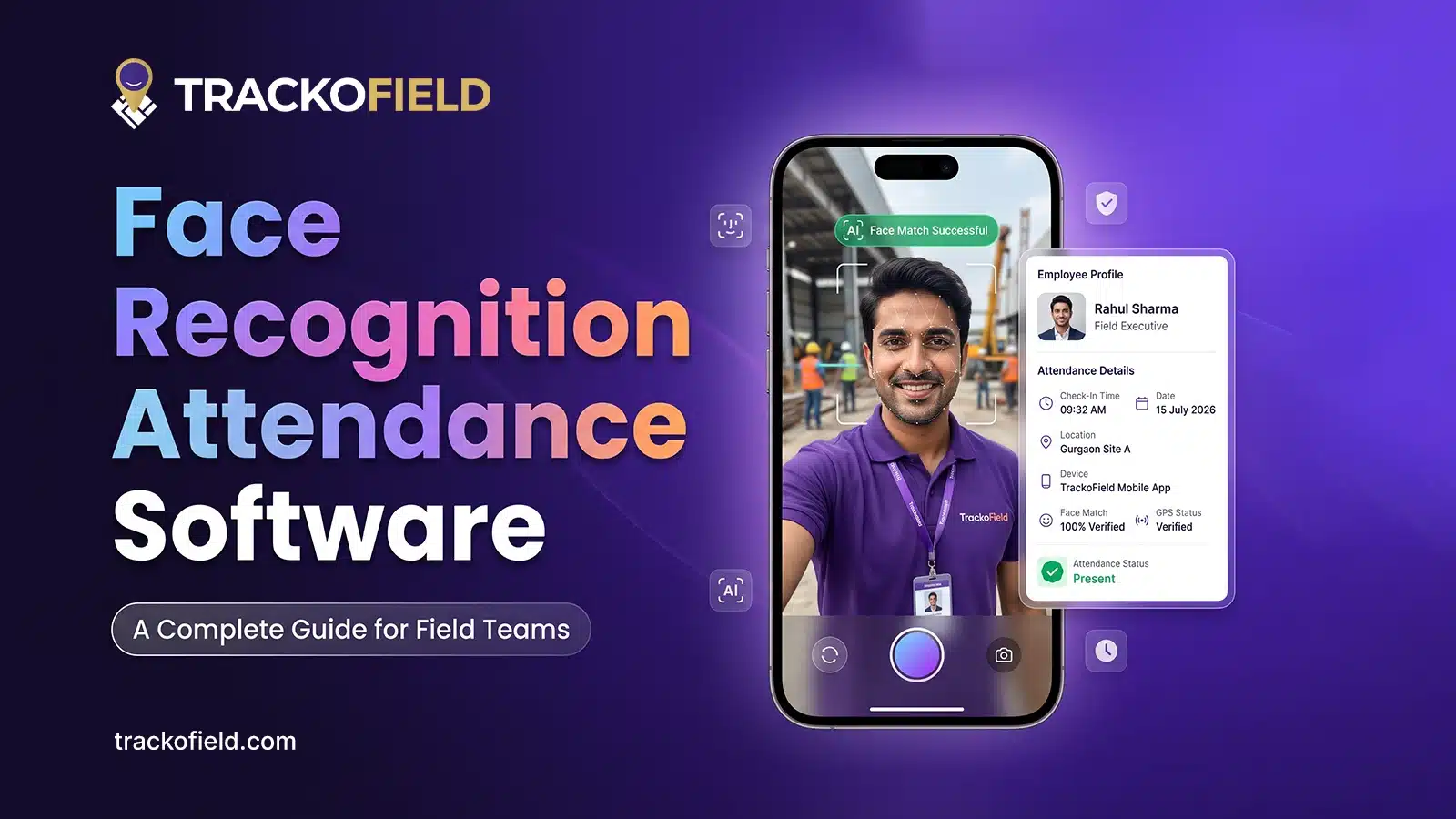
What is Face Recognition Attendance Software & How Does It Work?
This blog explains the concept of face recognition attendance software. We will also explore how it enhances attendance monitoring for…


Your inbox awaits a welcome email. Stay tuned for the latest blog updates & expert insights.
"While you're here, dive into some more reads or grab quick bites from our social platforms!"Stay Updated on tech, telematics and mobility. Don't miss out on the latest in the industry.