
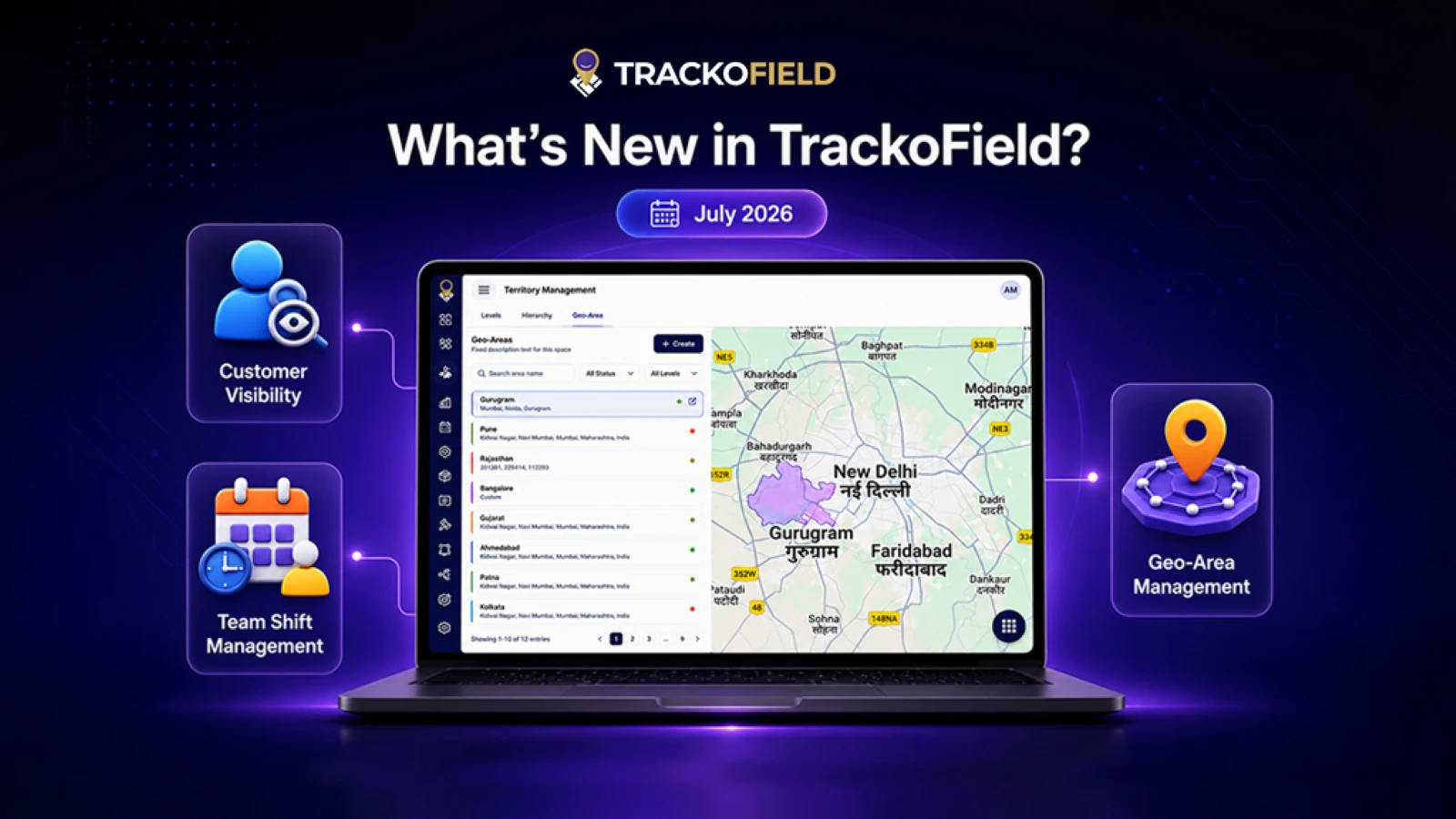
TrackoField’s July 2026 release is focused on providing enterprises with greater operational control and stronger governance. This month’s updates introduce powerful capabilities such as Geo-Area Management, Customer Visibility, Approval Workflow Enhancements, Team Shift Management, and Password Configuration. There are improvements across reporting, performance, and mobile usability, too.
As field operations continue to scale, businesses need intelligent controls that simplify complex workflows. They must also maintain 100% operational visibility. The July release strengthens our field force automation software with enterprise-ready capabilities. These improve customer management, approval process, and security administration across Web, Android, and iOS. They are designed to help teams work smarter while enabling managers to make informed decisions.
At TrackoField, we’ve been busy building smarter features for your teams. Let’s explore everything that’s new.
Web Updates to TrackoField in July 2026
Geo-Area Management
Managing geographically distributed operations is now more flexible with the introduction of the Geo-Area Management module. Businesses can now define operational boundaries more accurately while simplifying territory planning and employee assignments.
Key enhancements include:
- New Geo-Area Management module with map-based creation and editing.
- Interactive map visualization with search and filtering capabilities.
- Download Geo-Area reports directly from the module.
- Create Geo-Areas using Predefined Locations, Pincode, or Custom Map Drawing.
- Territory mapping support during Geo-Area creation.
- Bulk Upload Geo-Areas using Excel and CSV templates.
- Built-in validations and detailed error reporting during bulk uploads.
- Geo-Area permissions and authority management through Admin and Reseller.
- Bulk Territory Assignment support.
These enhancements enable organizations to organize operational regions with greater precision while simplifying large-scale territory administration.
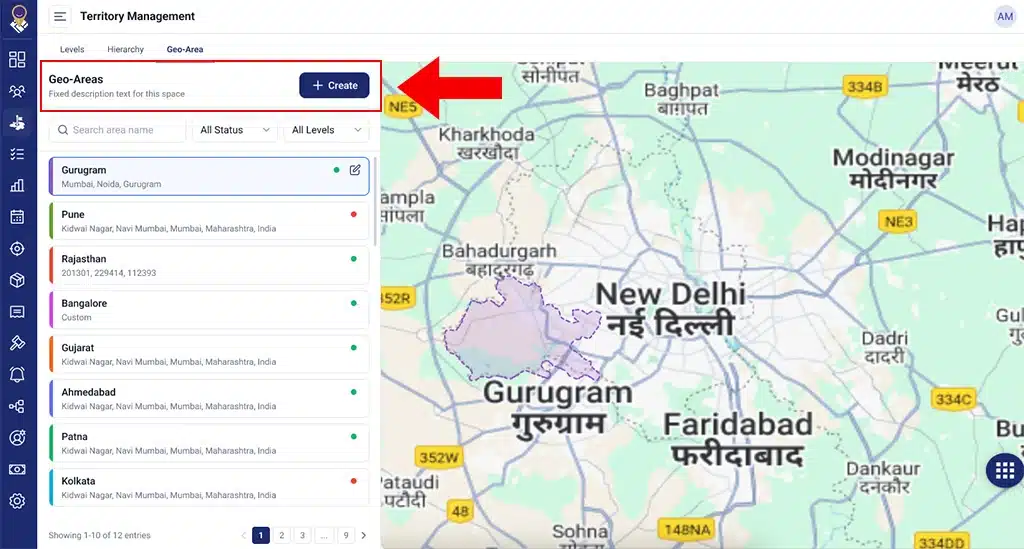
When Geo-Area territories are seen in list view
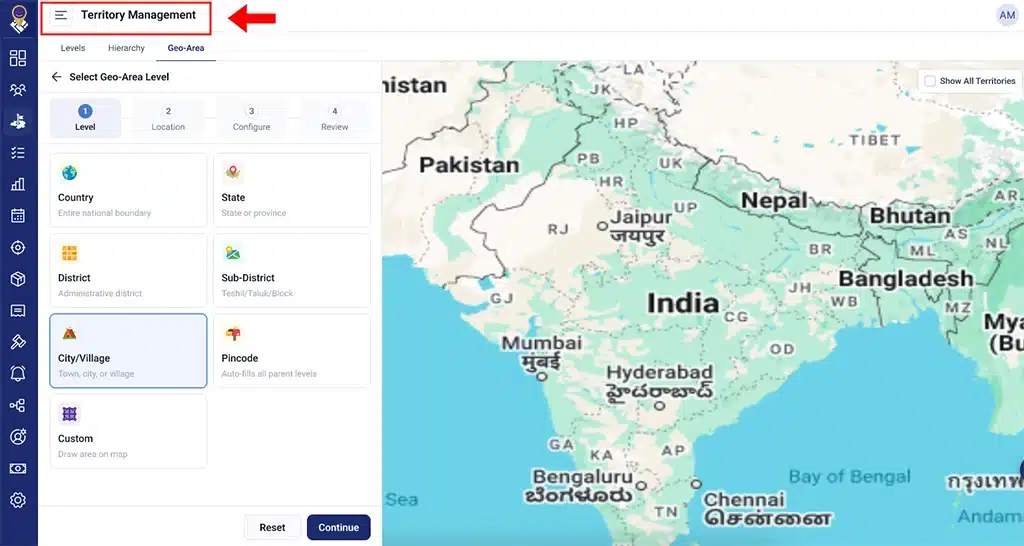
Step 1:
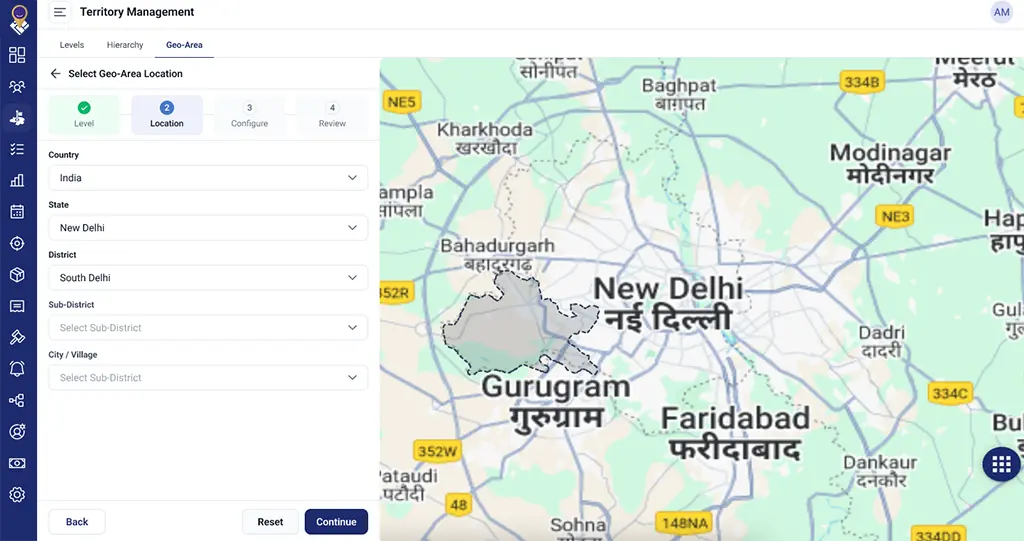
Step 2:
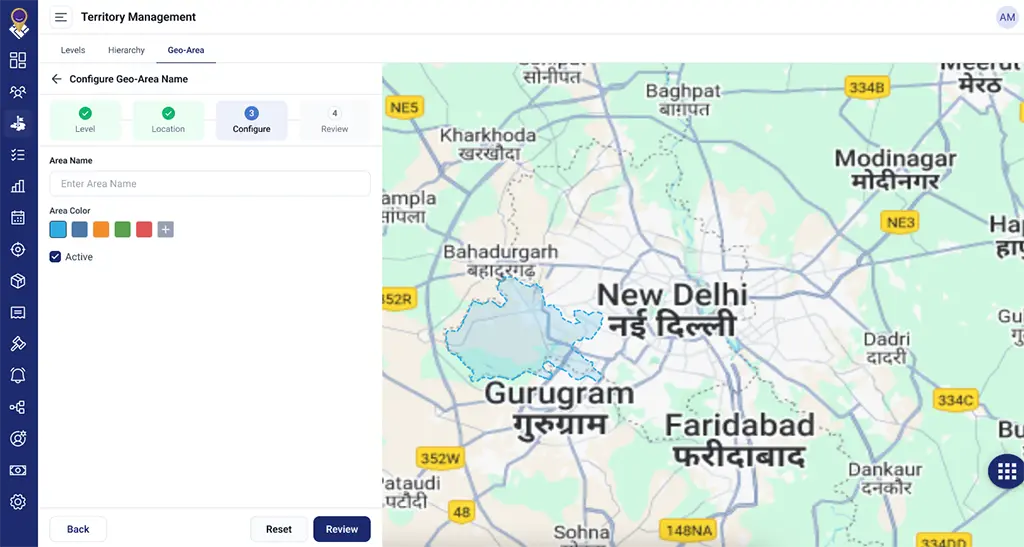
Step 3:
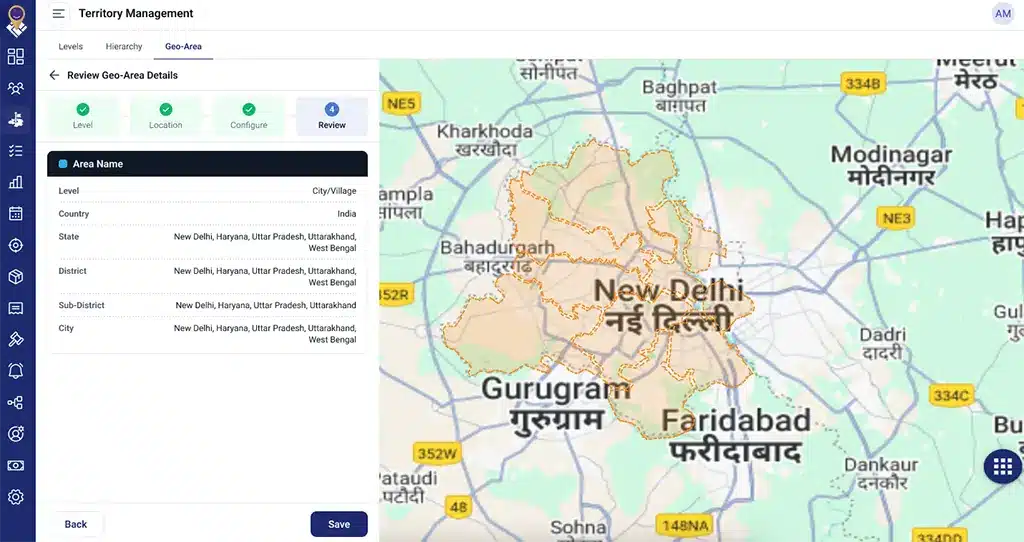
Step 4:
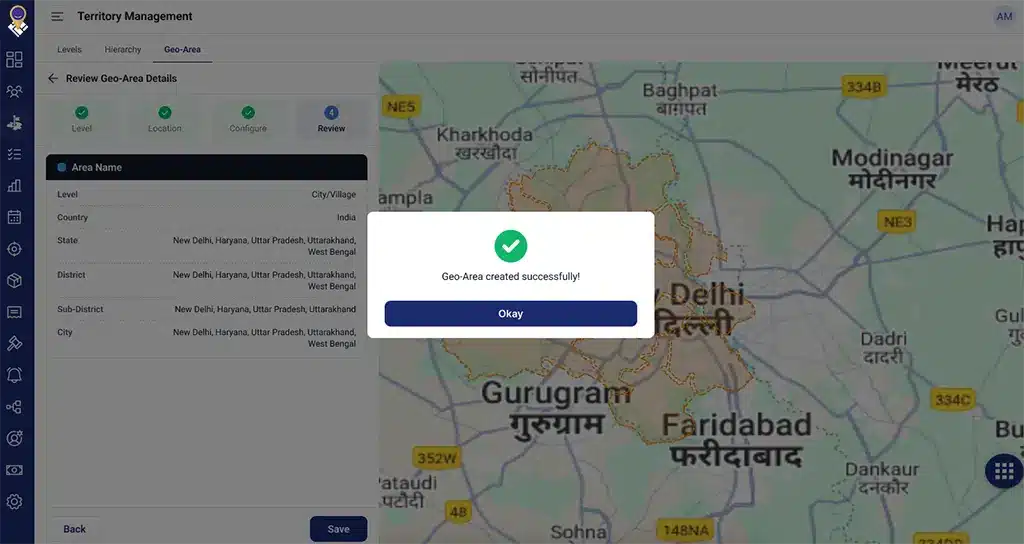
Step 5:
Territory Management Enhancements
Territory Management has been further strengthened with tighter integration across the newly introduced Geo-Area framework.
This release introduces:
- Geo-Area mapping support within Territory Management.
- Bulk Territory assignment capabilities.
- Enhanced APIs supporting Territory and Geo-Area relationships.
Together, these updates provide organizations with greater flexibility while managing geographically expanding field teams.
Approval Workflow Enhancements
Approval workflows are now significantly more powerful with a centralized approval experience designed for enterprise-scale operations.
Organizations can now access:
- New All Approvals module.
- Bulk approval actions.
- Enhanced search capabilities.
- Pagination support.
- Advanced filters.
- Pending Request tabs.
- Role-based approval visibility.
- Expense approval integration.
Additionally, override Request Re-raise is now supported with a complete Audit Trail, giving managers better transparency into approval history while improving governance.
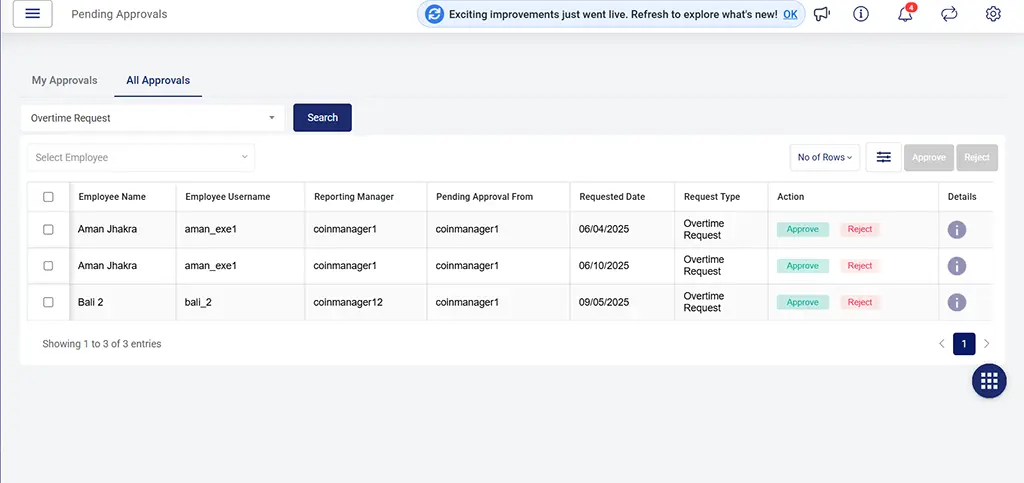
Under the Pending Approvals Module, a separate tab of All approvals is given: When the select dropdown is selected:
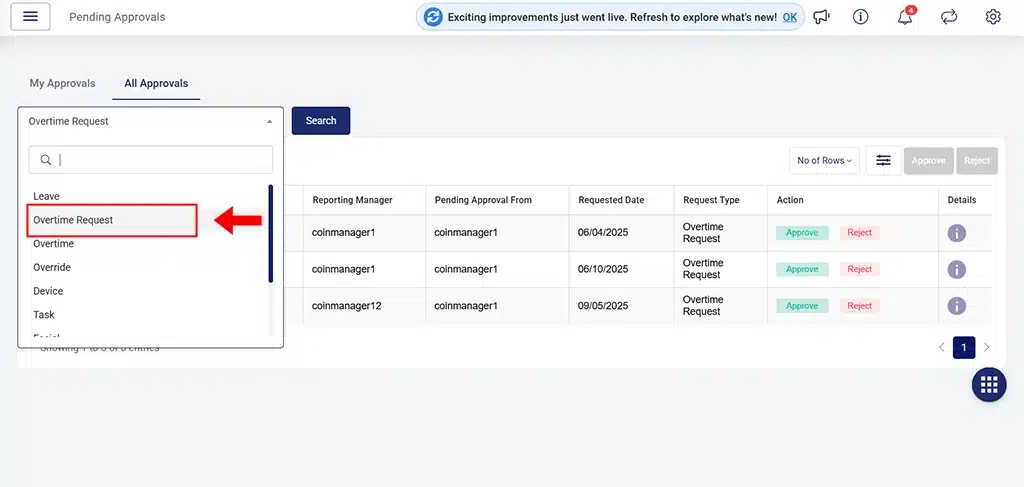
When the specific type is selected
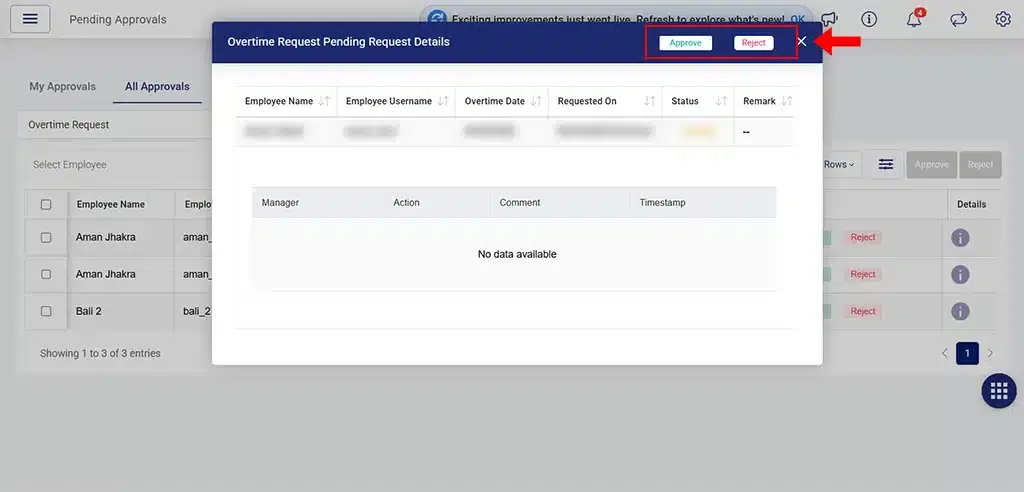
On clicking “i” button
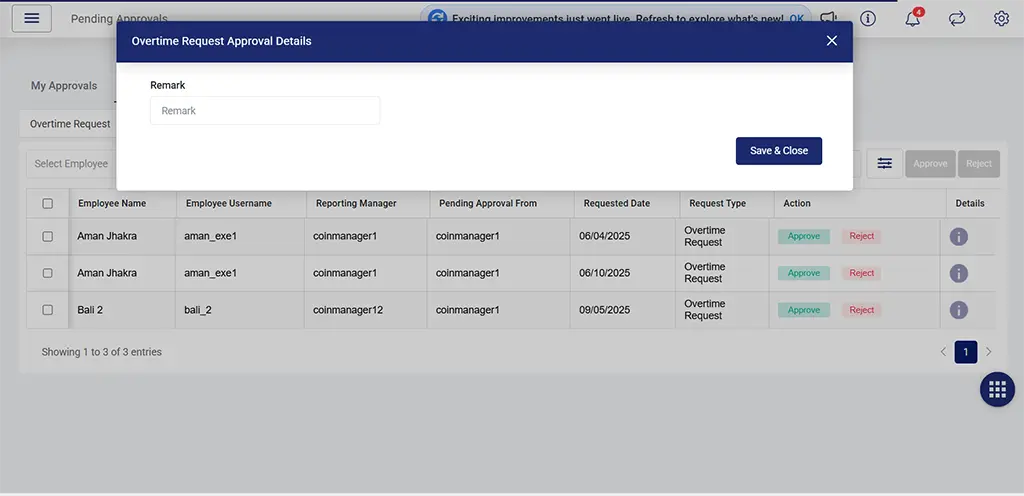
On clicking Approve/Reject button
Customer Visibility Enhancements
Customer ownership and visibility are now much more structured. TrackoField introduces Customer Visibility across the platform, allowing organizations to define customer access based on reporting hierarchy.
Visibility options include:
- Me
- Direct Team
- Downline Team
Customer Visibility is now supported across:
- Customer Listing
- Customer Management
- Customer Tasks
- Sales Orders
- Bulk Upload
- Bulk Update
- Task Save APIs
- Task Update APIs
- Customer APIs
- Excel Reports
Additional improvements include:
- Root Manager support during Bulk Customer Updates.
- Multiple Geofence support in Bulk Customer Updates.
- Customer edit restrictions based on hierarchy ownership.
These enhancements improve data security while ensuring employees only access customers relevant to their reporting structure.
For “Me” visibility customer:
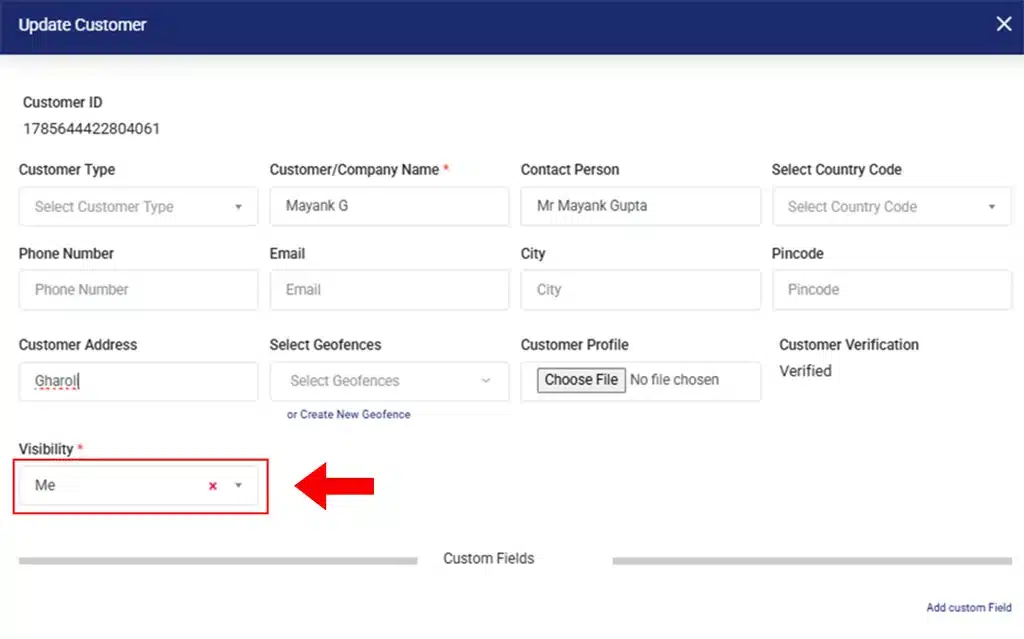
For “Me” visibility customer
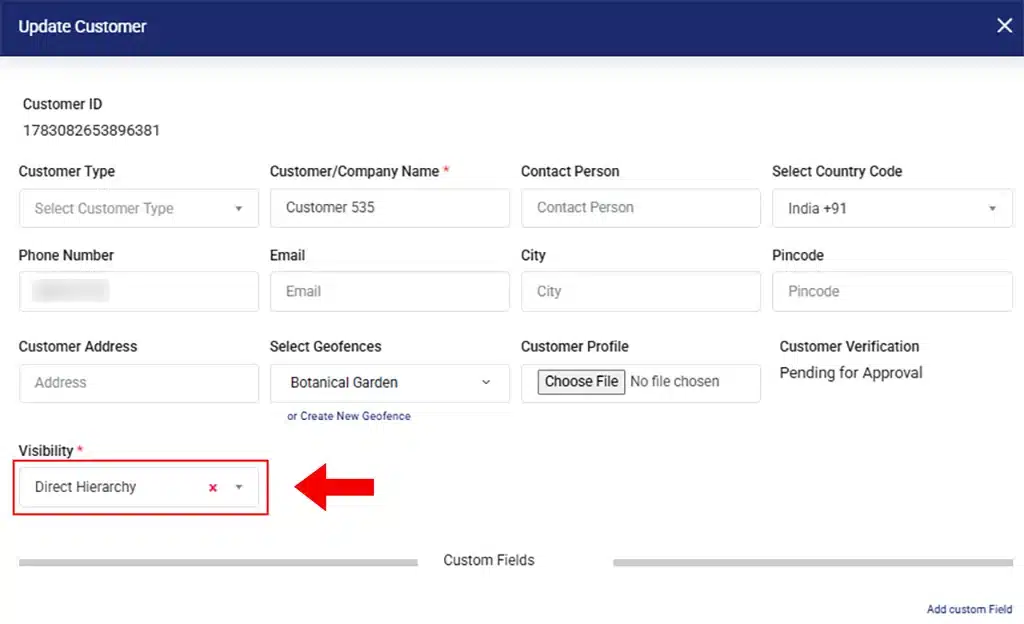
For “Direct Hierarchy” visibility customer
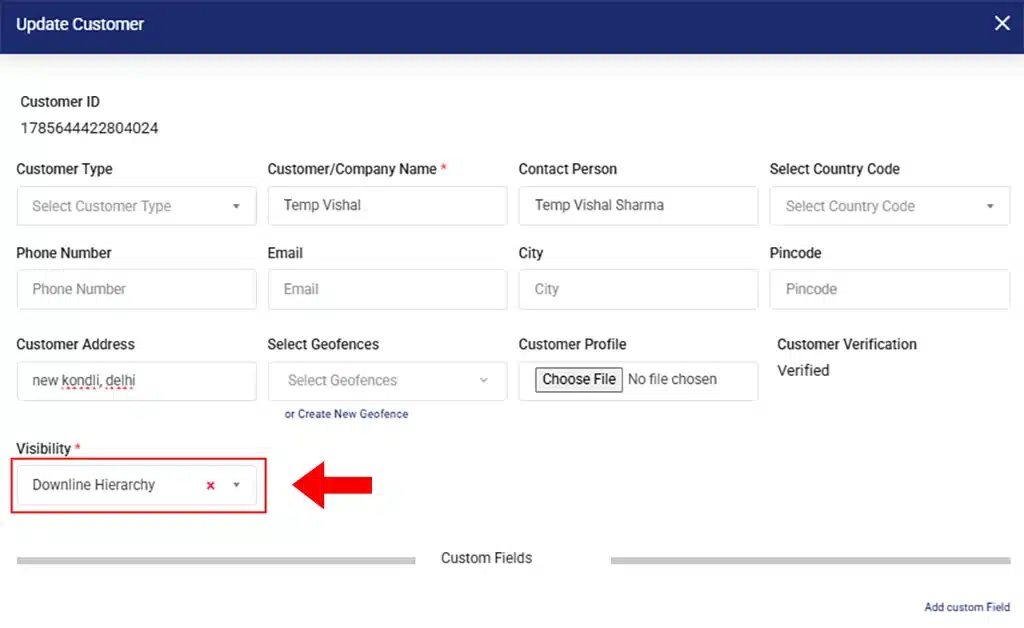
For “Downline Hierarchy” customer
Team Shift Management
Organizations managing multiple employee shifts can now configure Team Shifts directly within TrackoField.
The new functionality includes:
- Team Shift user interface.
- Team Shift APIs.
- Scheduler support.
- Manager’s assignment.
- Territory assignment integration.
This provides organizations with greater flexibility while managing complex workforce schedules.
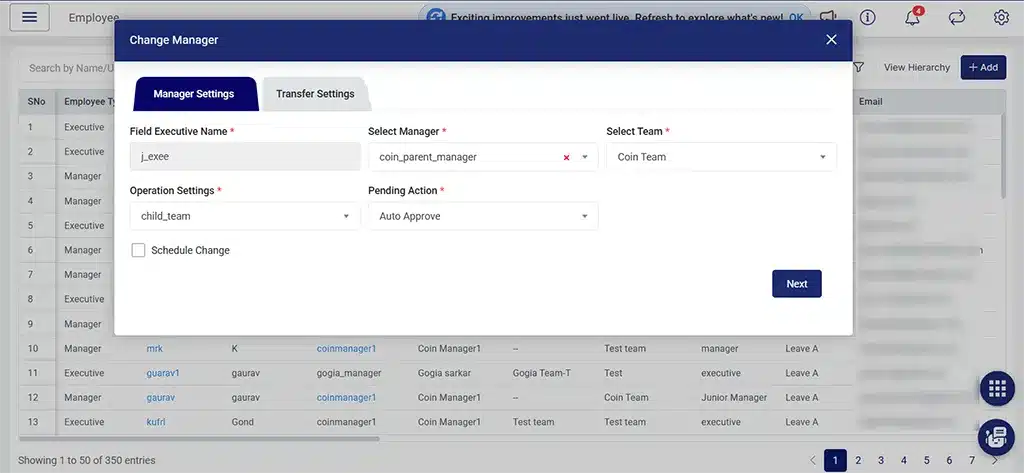
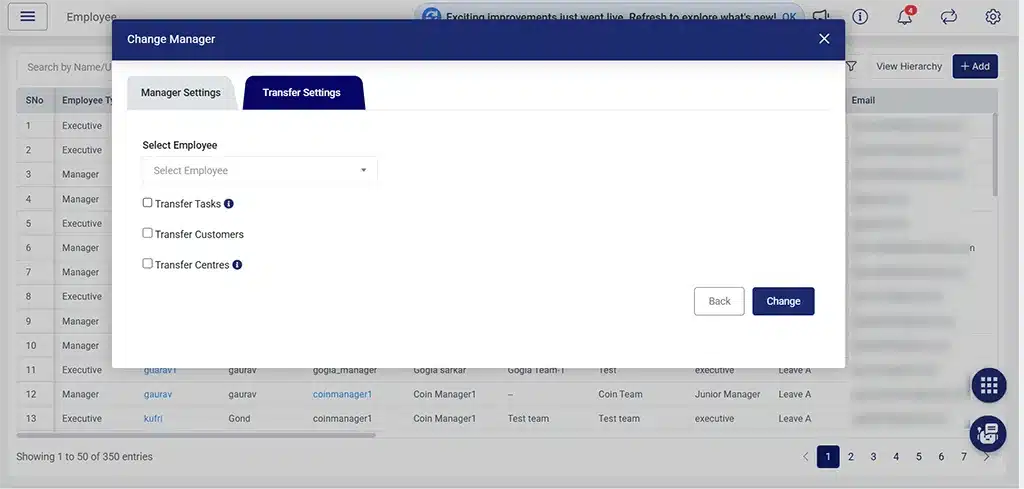
When team is shifted and we want the Tasks to be transferred
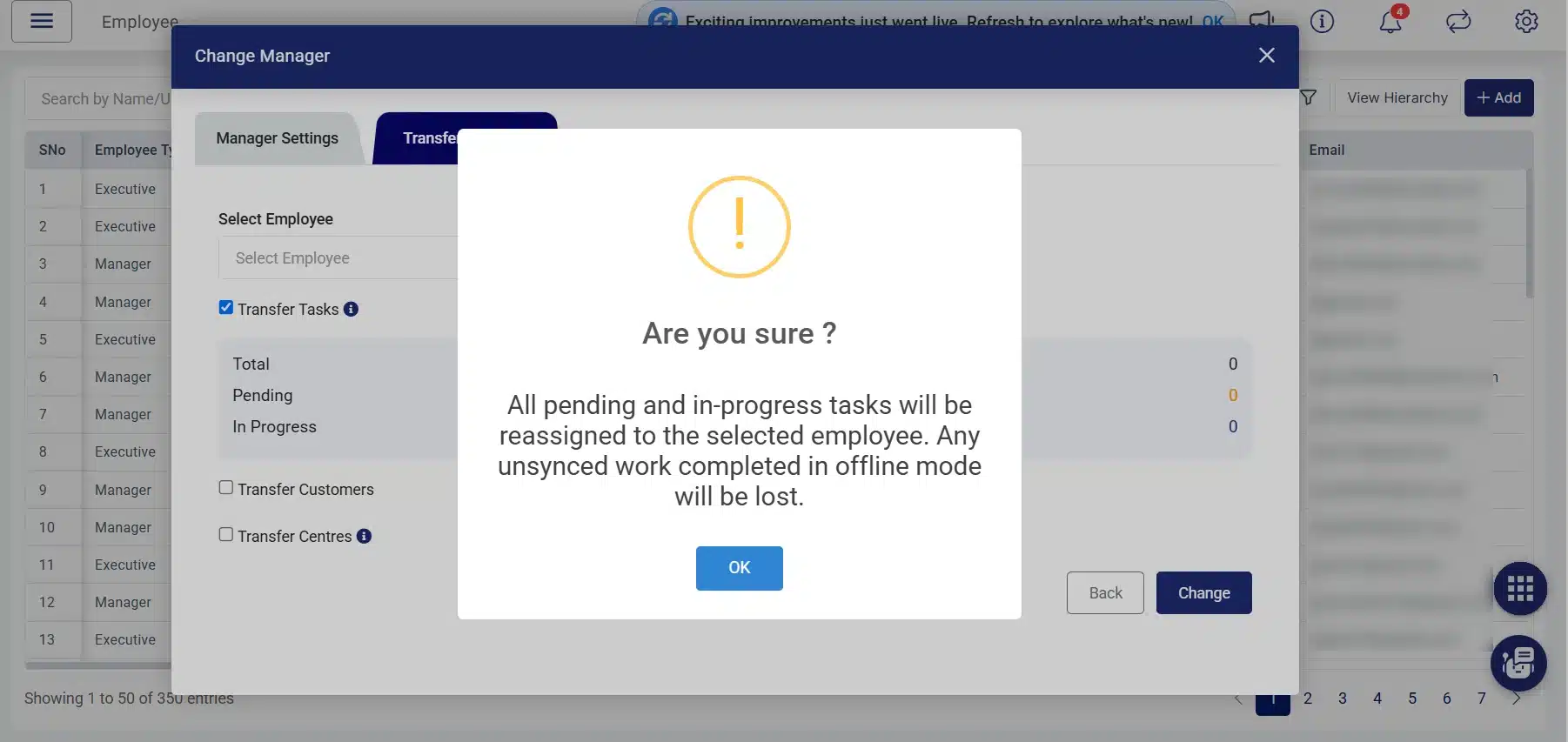
When team is shifted and we want the Customers to be transferred
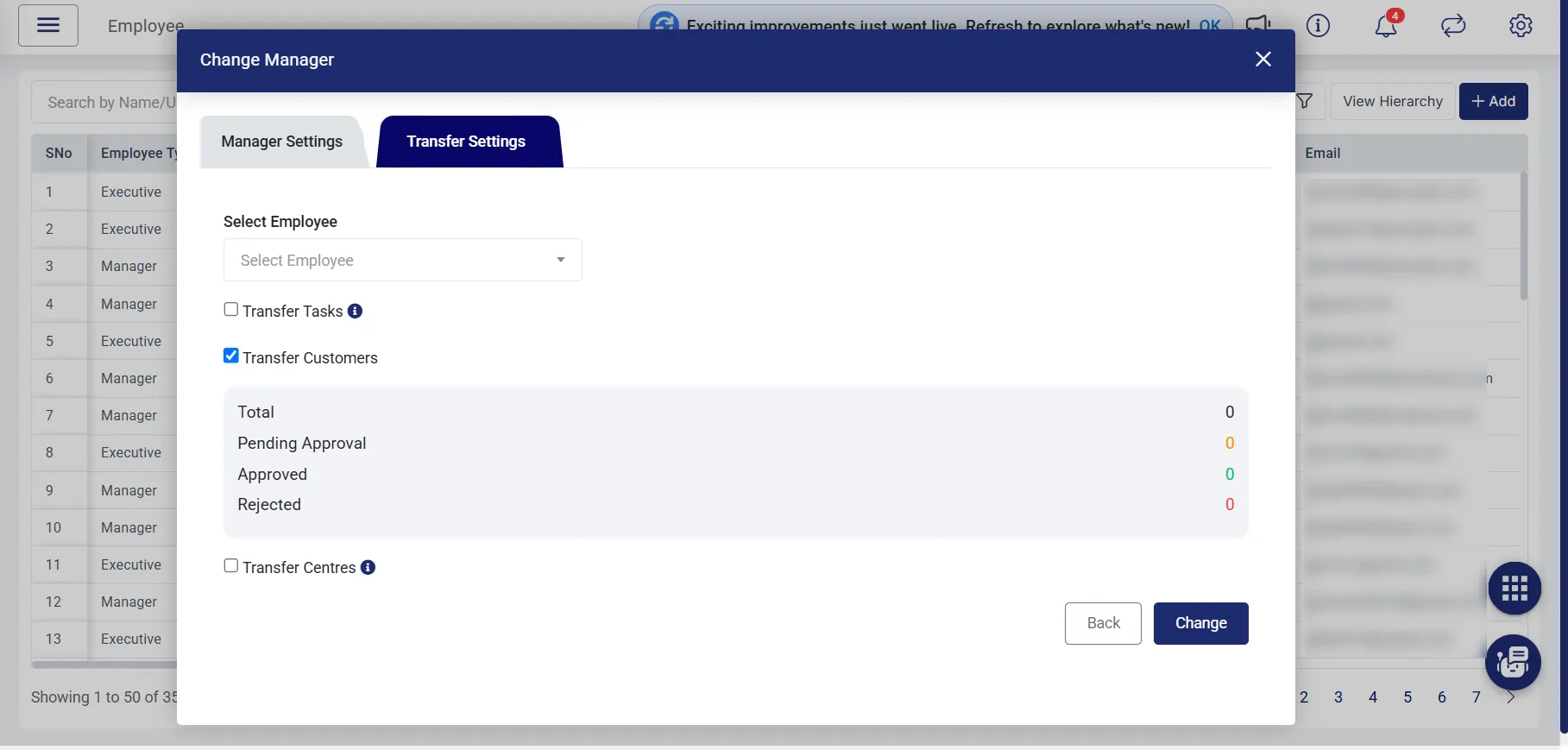
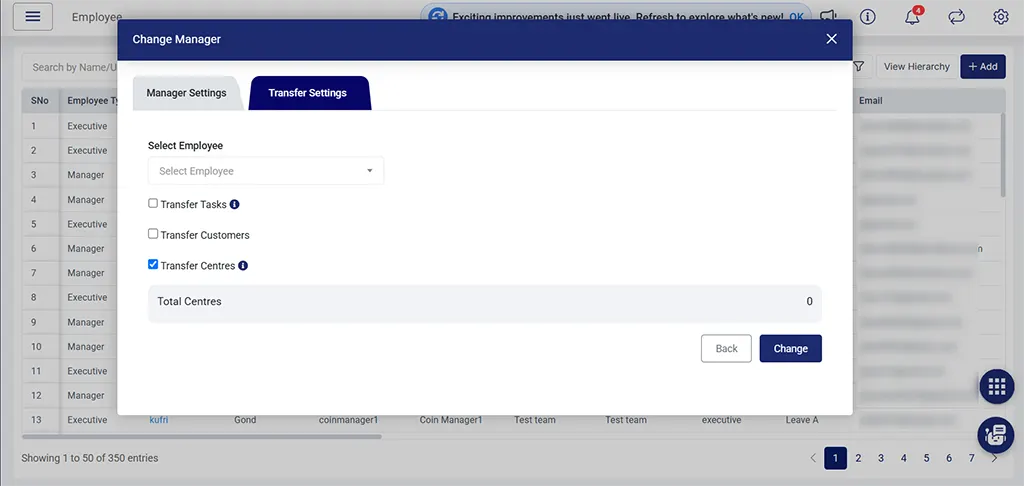
When team is shifted and we want the Centers to be transferred
Password Configuration
Enterprise security receives a major upgrade with centralized password policy management. Administrators can now configure organization-wide password policies directly from the Company Profile. Password validation is automatically applied across:
- Employee Creation
- Employee Bulk Upload
- Employee Sign-up
- Change Password
- Forgot Password
- Reset Password
Additional enhancements include:
- Default password policy for newly created companies.
- Updated password guidance throughout the application.
- Centralized enforcement across Web, Android, and iOS.
To further strengthen governance, Change Password Access has been removed from Roles & Permissions for Managers, HR users, and Executives.
Reporting and Dashboard Enhancements
Several reporting capabilities have been expanded to improve operational visibility.
Key enhancements include:
- Increased report download limits for Customer Reports.
- Increased report download limits for Sales Order Reports.
- Member-related columns added to Distance Travelled Within Task Report.
- Sales Order Reports enhanced with additional business fields.
- Improved default sorting within Unrecognized Facial Recognition Reports.
These updates make reporting more comprehensive while improving overall report usability.
Customer & Task Management Enhancements
Managing customers and tasks becomes even more efficient with several workflow improvements.
Notable updates include:
- Improved customer scalability during Task Creation.
- Renamed Task Description to Task Title for improved clarity.
- Company Profile Date-Time nomenclature updated.
Scalability & Performance Improvements
July continues TrackoField’s enterprise scalability journey with several backend and frontend optimizations.
Enhancements include:
- Filter-First Loading across listing modules.
- Customer scalability improvements during task creation.
- Employee scalability quality assurance enhancements.
- Optimized dashboard scheduling performance.
- Improved application responsiveness across enterprise datasets.
These improvements significantly reduce loading times while delivering a smoother user experience for organizations managing large volumes of operational data.
Language Translation Enhancements
TrackoField continues expanding multilingual capabilities. Language support is now completed across:
- Centre Management
- Territory Management
- Roles & Permissions
- Subscription Module
These improvements provide a more localized experience for global organizations while improving platform accessibility.
Android Updates to TrackoField in July 2026
Customer & Task Management
Android users now benefit from enhanced customer access controls and improved task management, ensuring better visibility while maintaining organizational hierarchy.
Key updates include:
- Customer Visibility support across Customer, Task, and Sales Order modules.
- Customer Site Task scalability improvements.
- Customer edit restrictions based on hierarchy ownership.
- Field Executives can now view Customer Visibility while creating, editing, and viewing customers.
- Member-related columns added to the Distance Travelled Within Task Report.
These improvements ensure field teams have access to the right customer information while strengthening data governance across organizations.
Approval Work Enhancements
Approval workflows are more transparent and efficient on Android.
Managers can:
- Re-raise Override Requests with complete Audit Trail support.
- View approval history for improved operational transparency.
Member Facial Recognition Approvals
Managers can now review and approve Member Facial Recognition requests directly from the Android application.
The new approval workflow includes:
- Approval List.
- Approval Details screen.
- Approve and Reset actions.
- Approval Remarks.
- Automatic refresh after every approval action.
This enables faster identity verification while reducing dependency on desktop workflows.
Password Management
Password management has been redesigned to align with organization-wide security policies.
Android users can now:
- Change Password using Company Password Configuration.
- Reset Password using OTP verification and password policy validation.
- Access Change Password irrespective of web role permissions.
This ensures password security remains consistent across all platforms.
Task and User Experience Improvements
Several usability enhancements have been introduced to improve everyday operations.
Highlights include:
- Refreshed Toast Message UI for a cleaner user experience.
- Task Report Download support.
- Multi-entry form data is now retained during task rescheduling.
These improvements help field employees work more efficiently without losing progress during task updates.
iOS Updates to TrackoField in July 2026
Customer Visibility & Task Management
Customer Visibility capabilities introduced on the Web are now fully supported on iOS.
Enhancements include:
- Customer Visibility across Customer, Task, and Sales Order modules.
- Customer Site Task scalability improvements.
- Member-related columns added to Distance Travelled Within Task Report.
- Customer edit restrictions based on hierarchy ownership.
- Managers editing Field Executive-created customers are restricted to ‘Me’ visibility.
Field Executives can now view Customer Visibility while creating, editing, and viewing customers.
These improvements provide better customer governance while ensuring secure access based on reporting hierarchy.
Approval Workflow Enhancements
Managers can now efficiently manage approval workflows directly from iOS.
Updates include:
- Override Request Re-raise.
- Audit Trail support.
- Tooltip for Task Approval remarks.
These additions improve approval transparency while making review processes more intuitive.
Member Facial Recognition Approvals
Member Facial Recognition approvals are now available on iOS with feature parity across mobile platforms.
Managers can now:
- Access Approval List.
- View Approval Details.
- Approve or Reset requests.
- Add Approval Remarks.
- Experience automatic screen refresh after every approval.
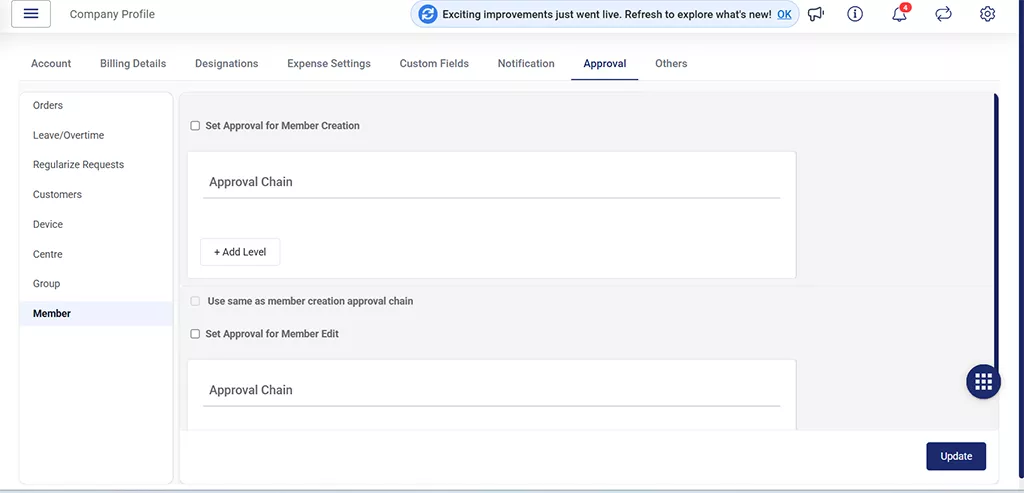
Setting the approval hierarchy from the web for the member facial recognition approval
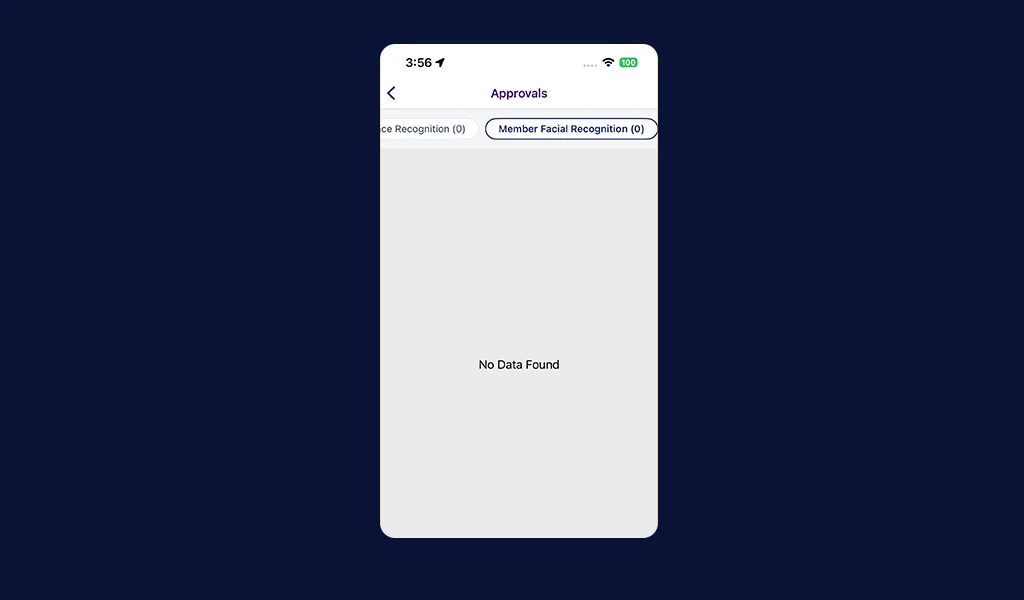
If the hierarchy is set and the approval is given, then a separate tab is visible under the approvals module
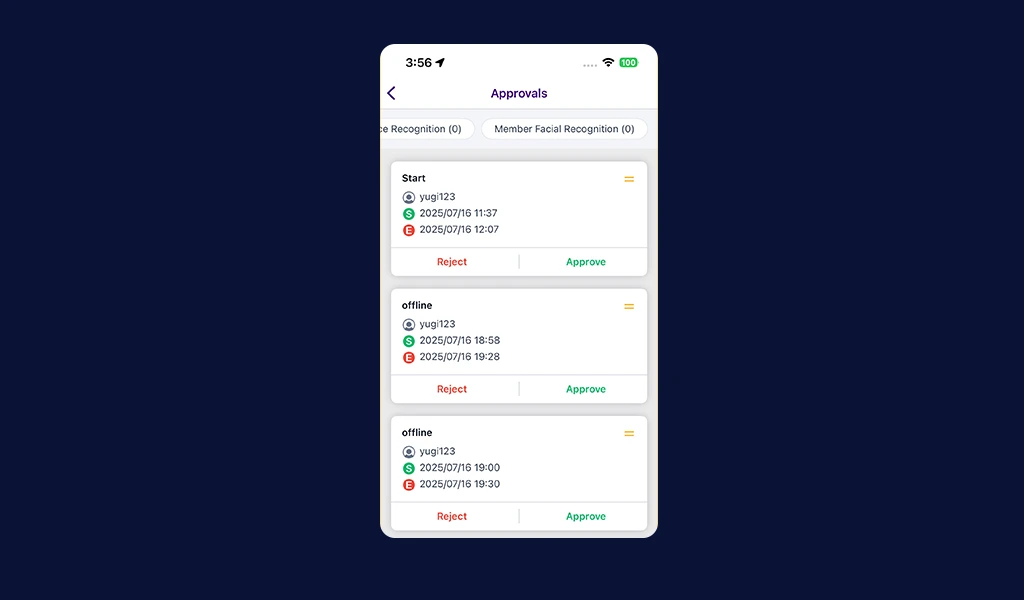
The individual’s member facial recognition is visible as separate cards for approvals
Password Configuration
Password management on iOS now follows the centralized Company Password Configuration.
Enhancements include:
- Change Password using organization-defined password policies.
- Forgot Password with OTP verification.
- Reset Password validation.
- Change Password remains available irrespective of web role permissions.
This creates a consistent password experience across Web, Android, and iOS.
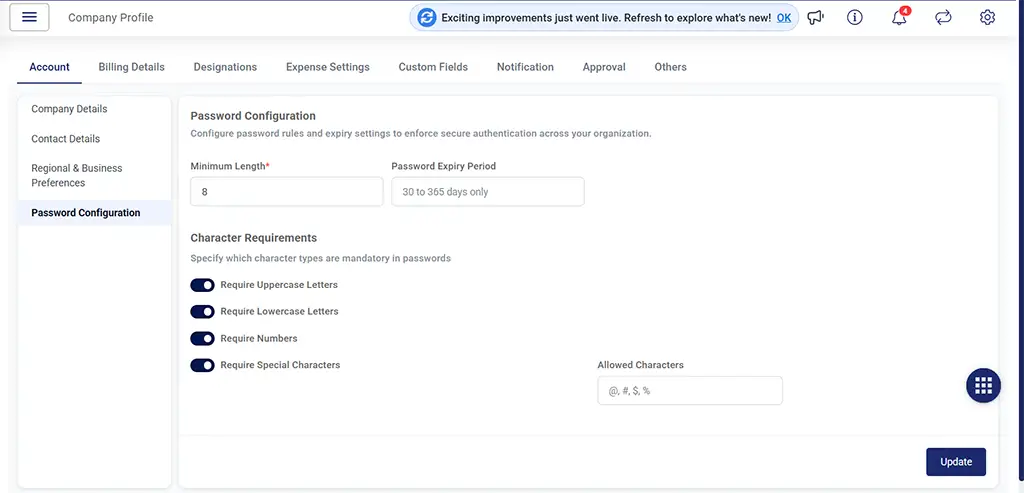
Rules and expiration date is set from the company profile for the password
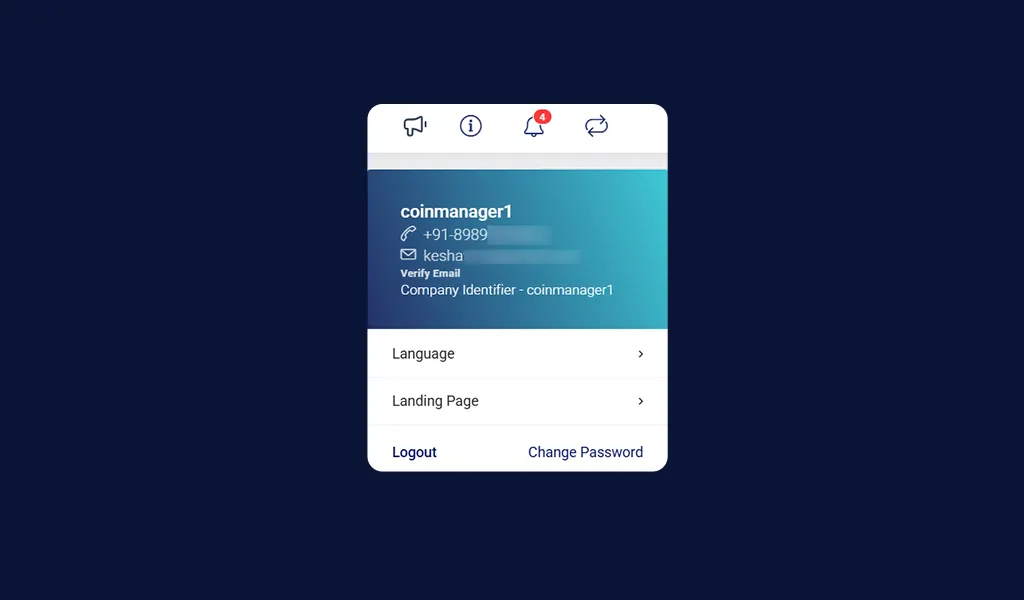
When Setting button is clicked
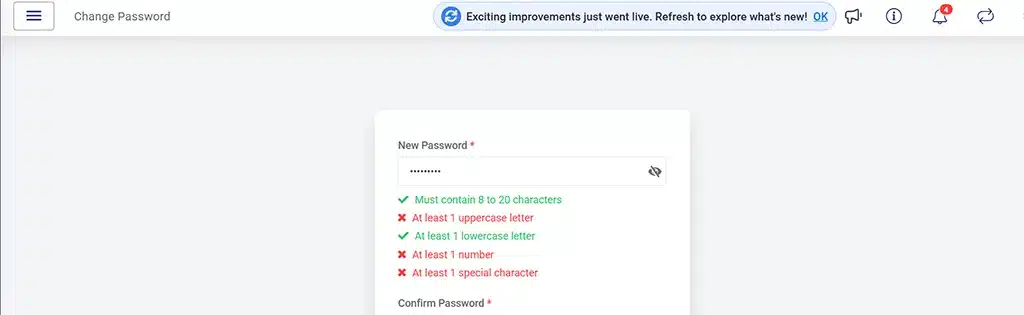
When the Change Password button is clicked
Mobile Experience Enhancements
Several usability improvements have also been introduced across iOS.
These include:
- Dynamic column widths for improved responsiveness.
- Long expense descriptions now wrap correctly for improved readability.
- Fixed Customer text fields hidden behind the keyboard.
These refinements make everyday navigation smoother while improving overall user experience.
Important Notes
Please keep the following in mind while using the latest enhancements:
- Geo-Area access is controlled through the new Geo-Area (Territory Management) authority.
- Existing Territory mappings remain protected during Geo-Area updates.
- Member Facial Recognition approvals are available only to authorized managers with the required permissions.
- Password policies are centrally managed through Company Profile and automatically enforced across Web, Android, and iOS.
- Customer Visibility is governed by organizational hierarchy and assigned permissions.
Looking Forward
The July 2026 release reinforces TrackoField’s commitment to building smarter, more scalable field operations. From introducing Geo-Area Management and Customer Visibility to strengthening Approval Workflows, Password Security, and Team Shift Management, every enhancement is designed to simplify large-scale operations without compromising flexibility or control.
We’ve also continued investing in platform scalability, multilingual accessibility, reporting capabilities, and mobile experiences to ensure organizations can confidently manage growing field teams and expanding territories.
At TrackoField, every release is driven by a single objective: helping businesses execute field operations faster, smarter, and at enterprise scale.