
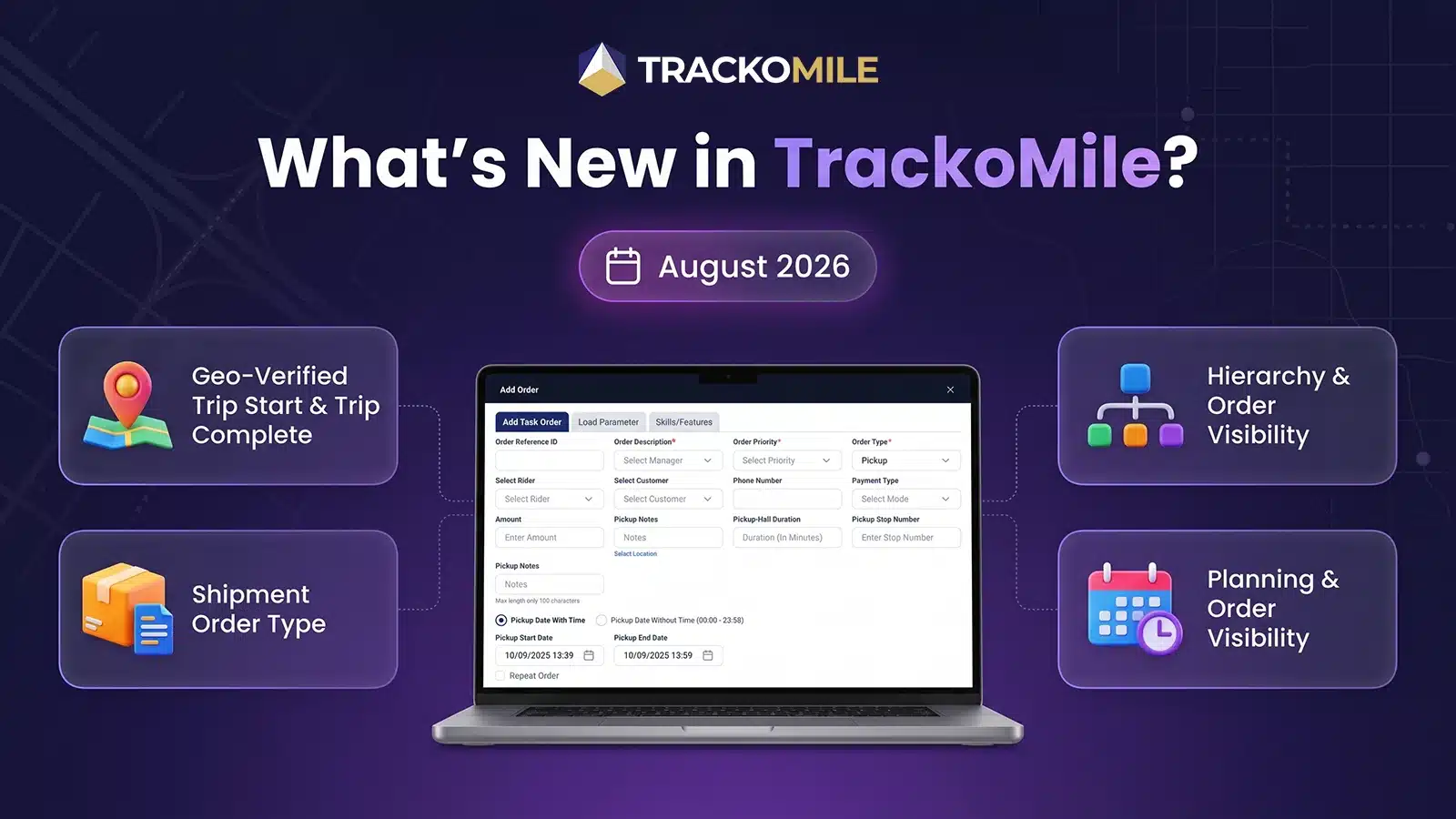
A trip marked “complete” from three kilometres away isn’t complete. A shipment that needs OTP at pickup but not at dropoff shouldn’t be forced through the same rigid flow as every other order. TrackoMile’s August 2026 release exists because these two problems, unverifiable trip completion and inflexible order tracking, quietly cost last-mile operations more than most dashboards ever show.
Most platforms measure last-mile performance by what riders report. This release measures it by what actually happened, where a trip genuinely started and ended, and how a shipment was actually verified at each stage of its journey. Geo-Verified Trip Start and Completion bring location truth to trip execution. Shipment orders now support stage-specific tracking configuration, independently for pickup and dropoff. Around both, reporting, planning, and customer management all get sharper across Web, Android, and iOS.
Let’s explore everything that’s new.
Web Updates to TrackoMile in August 2026
Geo-Verified Trip Start & Trip Complete
A trip’s status has always depended on a rider tapping a button. It rarely depended on where that rider actually was when they tapped it. This release closes that gap. Organizations can now configure Geo-Verified Trip Start and Trip Complete under F.O. Settings, enabling location-based validation that confirms a trip genuinely began and ended at the intended geofence, not wherever the app happened to be open.
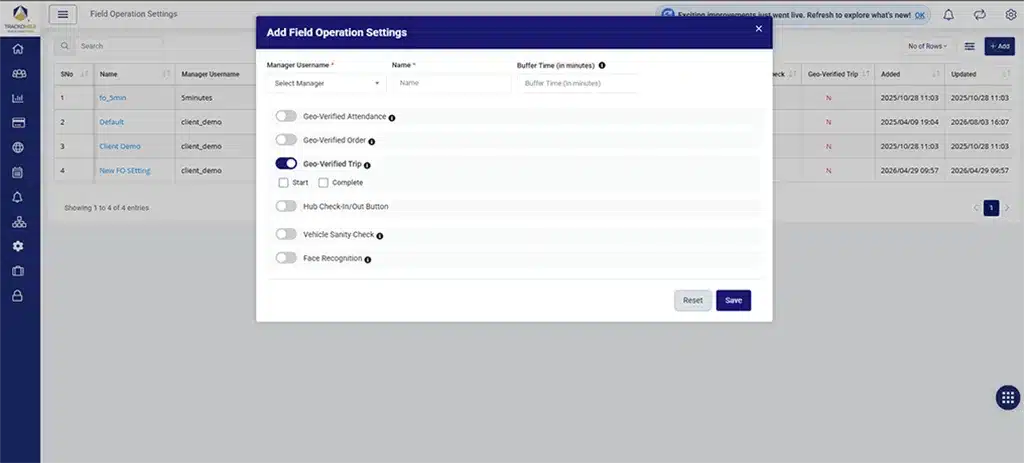
Configure Geo-Verified Trip Start and Trip Complete from F.O. Setting
Configuration is set on Web first. Once enabled, the same rule runs on mobile automatically, one policy, enforced everywhere a trip runs, with no room for a rider-side workaround.
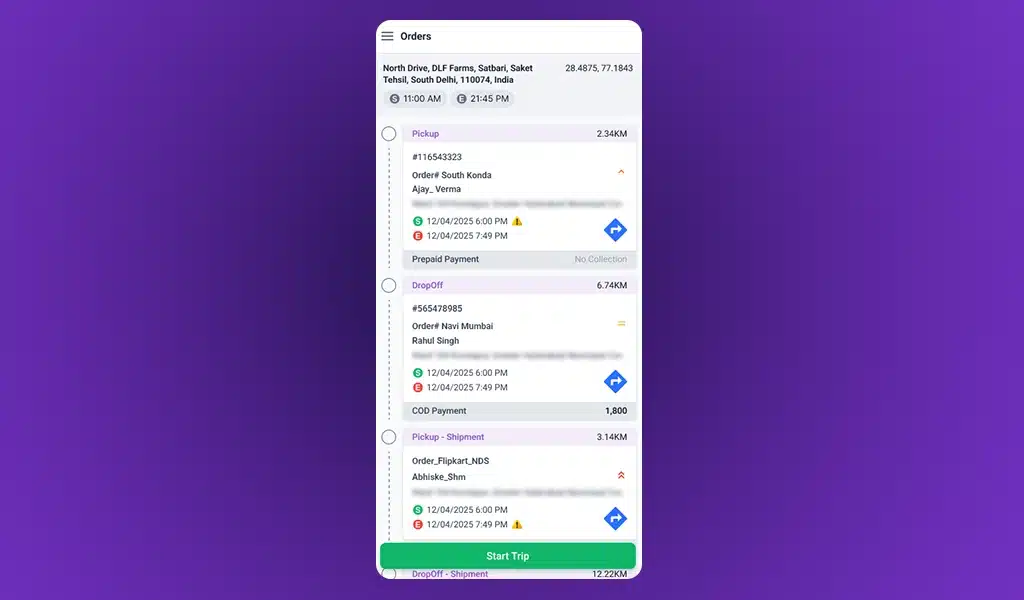
Geo-verified trip validation brings location-based checks to the field
This isn’t a tracking feature. It’s an accountability feature. “Complete” now means something verifiable, not just something reported.
Shipment Order Type
Every order type on most platforms gets treated the same way, one tracking flow, applied uniformly, whether it fits the delivery or not. TrackoMile’s new Shipment order type breaks that assumption. Managers can now configure OTP, Tracking Link, and Customer Feedback independently for pickup and dropoff, two separate stages, two separate sets of rules, so tracking can reflect the actual risk profile of each leg of the journey rather than a single rigid flow applied to both.
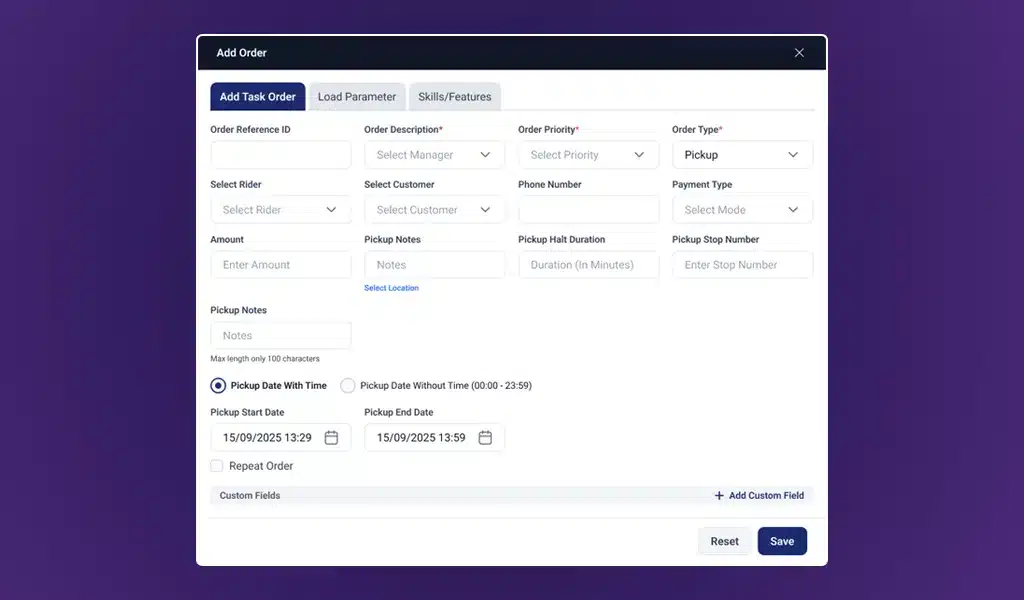
Configure Shipment orders with stage-specific pickup and dropoff settings
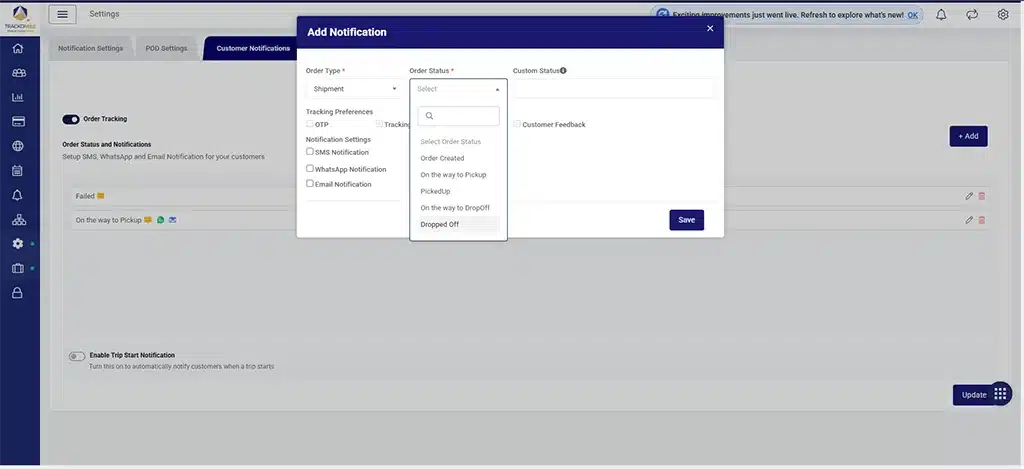
Configure tracking preferences independently for shipment stages
Every order type on most platforms gets treated the same way, one tracking flow, applied uniformly, whether it fits the delivery or not. TrackoMile now breaks that assumption for Shipment orders. Managers can configure OTP, Tracking Link, and Customer Feedback independently for pickup and dropoff, two separate stages, two separate sets of rules, so tracking can reflect the actual risk profile of each leg of the journey rather than a single rigid flow applied to both.
Customer Notification Enhancements
A phone number field is now available while creating, editing, cloning, or bulk uploading an order, so notifications can reach the intended recipient even when the customer’s registered number needs to be overridden, or when no customer is selected at all.
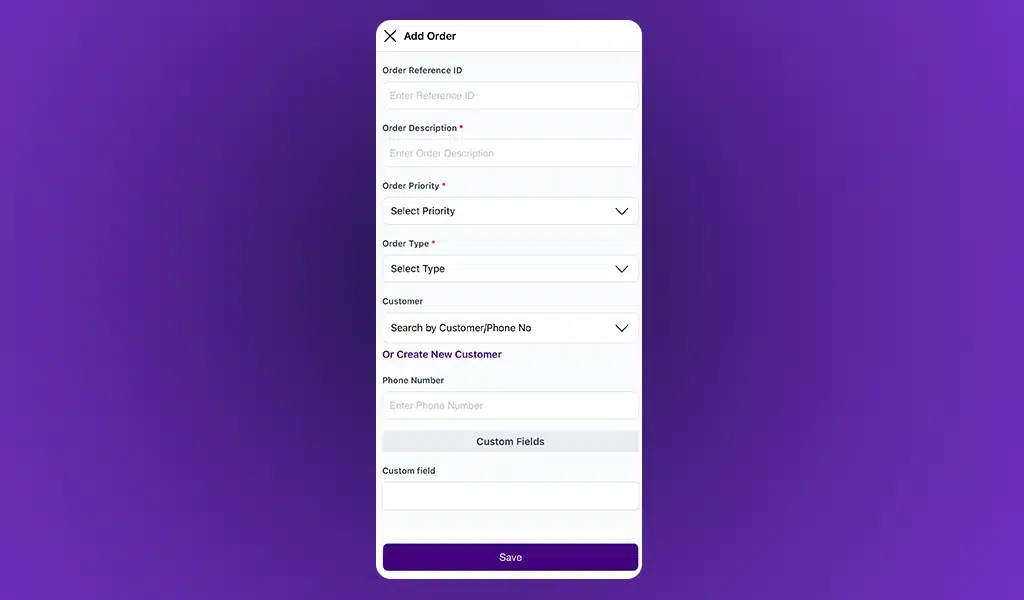
Add or override a customer phone number while creating an order
Customer Management
Geofence selection is now optional when creating or updating customers, giving teams flexibility where a geofence assignment doesn’t apply to every account.
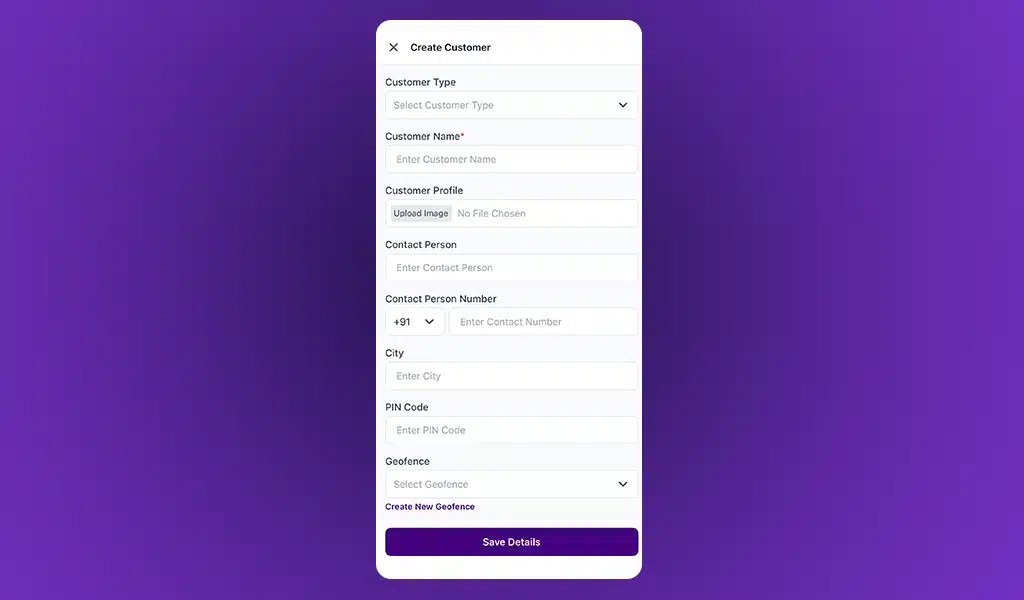
Create customers directly with flexible geofence assignment
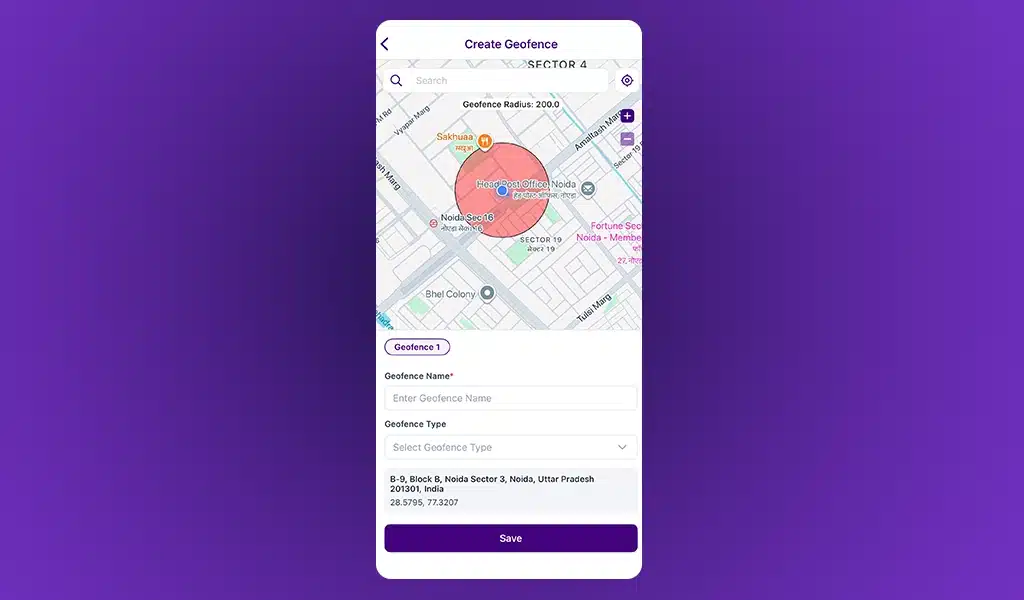
Create and define a geofence directly within the customer workflow
Hierarchy & Order Visibility
Root Managers can now view orders across the complete organizational hierarchy directly from mobile, closing a visibility gap that previously required desktop access.
Planning & Order Visibility
Vehicle Number now appears directly in the Planning page’s Order Table and in Excel exports, for faster trip and vehicle identification.
Order Creation Enhancements
The current date is now selected by default after an order is created or cloned, removing a small, repetitive step from the order creation flow.
Android/iOS Updates to TrackoMile in August 2026
Geo-Verified Trip Management
The same location-based validation configured on Web now runs natively in the field. Geo-Verified Trip Start and Trip Complete confirm a trip’s start and end points against the configured geofence, giving riders and managers a consistent, trustworthy record of trip execution on the ground.
Live View Enhancements
A map tells you where. A list lets you scan fast across a large rider base. TrackoMile now supports both. A new List View option joins the existing Map View on the Live View page, and the two are interchangeable, letting managers choose the format that fits the moment.
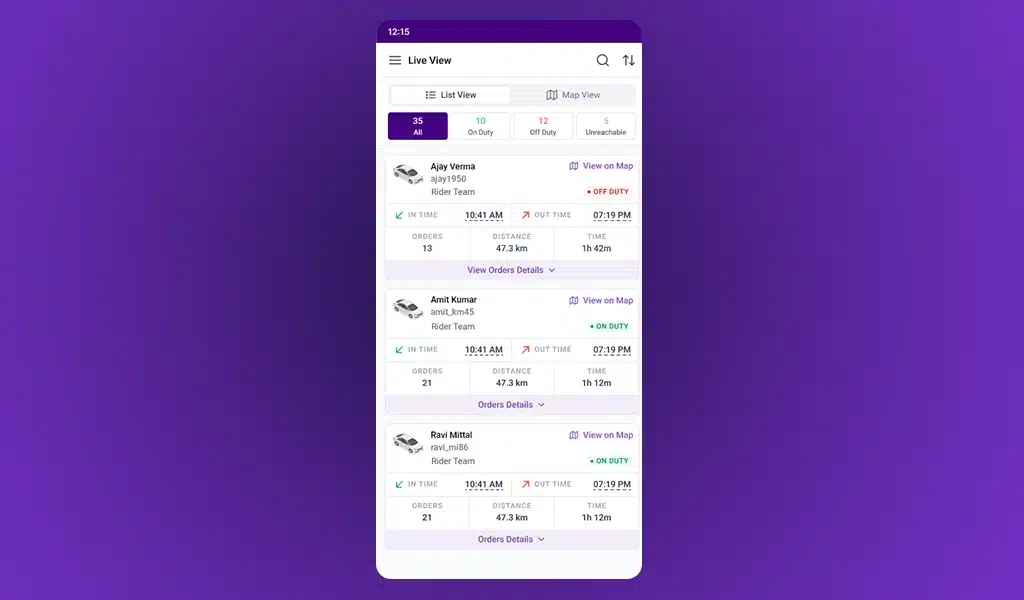
Scan rider activity quickly with the new List View
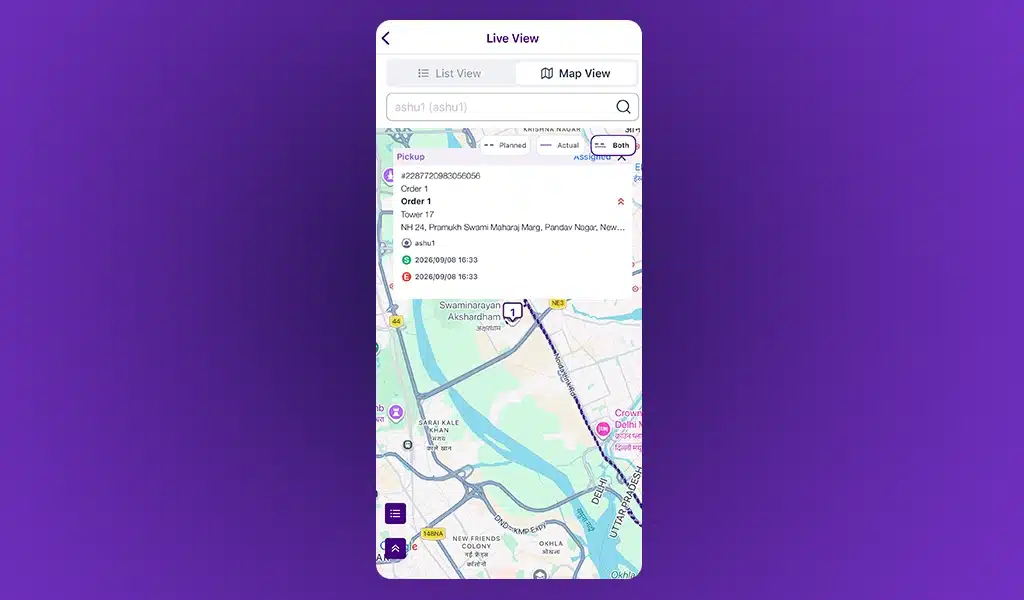
Switch to Map View for a real-time geographic view of active orders
Customer Management
A new popup modal lets teams create a customer, geofence included, directly from the Order Creation form and the Add Order screen, keeping the entire workflow in one place instead of routing through separate screens. Add and Update Customer screens are now standardized with consistent fields and layouts across Web and mobile.
Reporting Enhancements
A Scheduled Start Date column now appears across the Activity Timeline, Order Report, Order Fulfillment, and Distance Travelled reports, sharpening planned-versus-actual analysis. The Activity Timeline layout is standardized, rider-specific information is grouped and merged rows are removed, for a cleaner, more readable report. Approved full-day and half-day leave statuses are now integrated into the Punch In/Out report, and Return-to-Hub scheduled versus actual travel time and distance are now visible directly in reports.
On rider management specifically, mobile gains dedicated additions: a Punch In/Out Report to track attendance and working hours, a new Order Report on Android for order status, assignment, and payment visibility, and an Unproductive Days Report on iOS, built to surface rider inactivity early.
Operational Efficiency
Planning and Live pages now show real-time, status-wise order counts, Cancelled, Completed, In Progress, Failed, giving managers an operational pulse without opening individual orders. Managers can generate and copy tracking links directly from the Live page. Cancelled orders are now visible on Planning, with the option to clone them for fast reassignment. The Scheduled Timeline Drawer now displays Start and End location details, including Hub and Custom locations.
Important Notes
- Geo-Verified Trip Start and Trip Complete must be configured on Web under F.O. Settings before the feature becomes accessible on mobile; it cannot be enabled from the mobile app directly.
- Shipment tracking preferences, OTP, Tracking Link, Customer Feedback, are configured independently per stage; pickup and dropoff settings do not inherit from one another.
- Offline OTP verification for shipment stages requires the mobile app to sync once connectivity is restored; verification recorded offline is not final until sync completes.
Conclusion
Every feature in this release answers the same question: does the record match reality? A trip that says it’s complete, a shipment that says it was verified, none of that means anything if it’s just what the system was told, rather than what actually occurred.
August’s release closes that distance. Geo-verification makes trip completion mean something. Stage-specific tracking makes shipment handling fit the delivery instead of forcing the delivery to fit the system.
TrackoMile’s last-mile delivery software is built on that principle: adapt to how deliveries actually move, not the other way around. This release is that principle, applied again.
Book a free demo with us to see how these capabilities work together.