
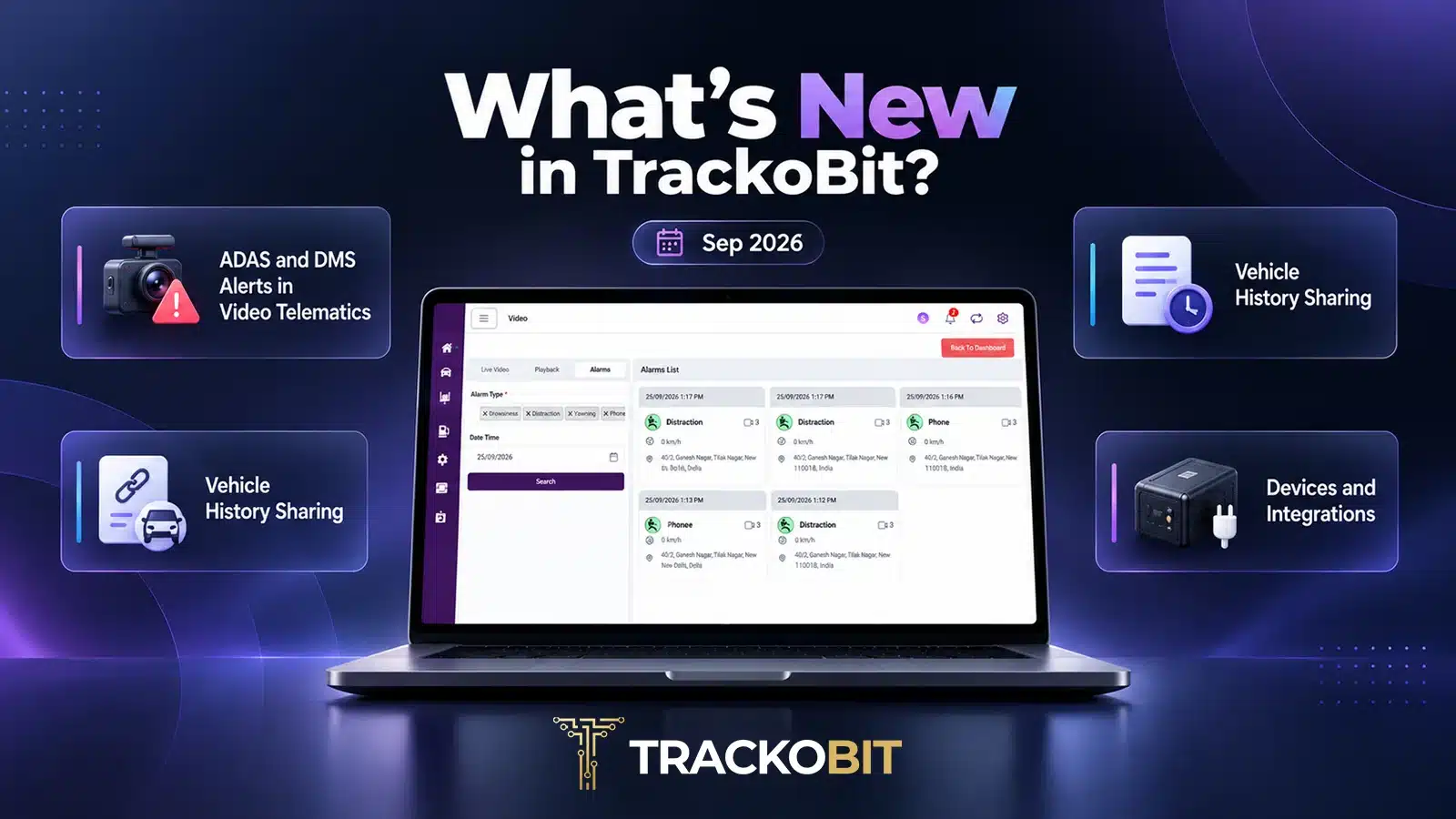
Fleet data earns its value when the right person can see it, share it and act on it. TrackoBit’s September 2026 release works on all three. ADAS and DMS alerts now carry better evidence handling and respect access authority. Vehicle history can be shared through a link. Maintenance records can be uploaded in bulk.
Around these, alerts can be configured per user, exported reports carry more complete data, and a wider set of devices is supported across TB Track and TB Global.
Let’s explore everything that’s new.
Major Updates in TrackoBit’s Web App for September 2026
Update 1 – ADAS and DMS Alerts in Video Telematics
An ADAS or DMS alert is a claim about what happened on the road or in the cabin. Fleets act on it, and drivers are held to it. The evidence behind it has to be reliable, and the access around it has to be controlled. This update strengthens both.
Evidence Model. ADAS and DMS alerts in video telematics rest on video evidence synced with telematics data such as speed, location and trip details. That evidence is what lets a fleet verify an incident accurately. The new Evidence Model improves how it is handled.
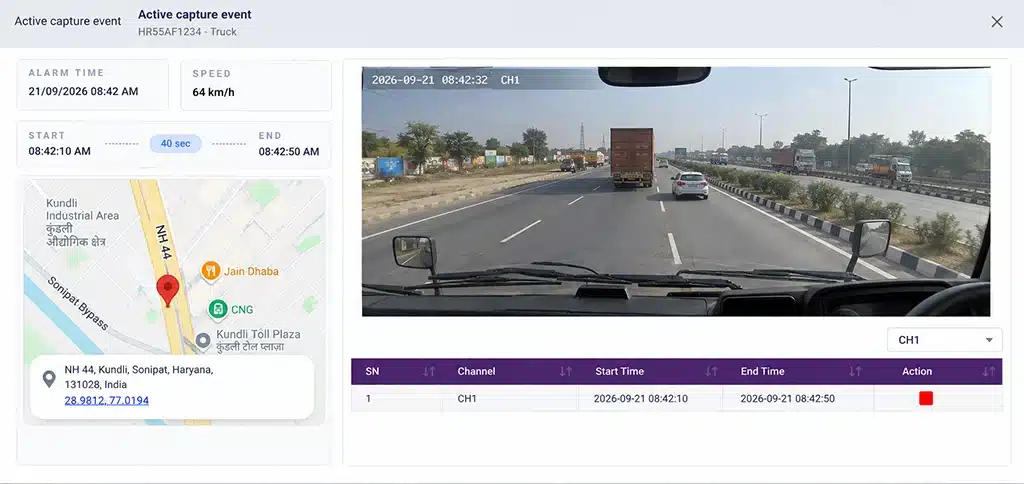
Review captured event footage alongside its timestamp, speed and location.
Alarm video playback. Alarm videos are now accessible in line with the playback duration the platform supports.
Access by authority. ADAS and DMS options are now visible only to users who hold the required authority. DMS monitors in-cabin driver activity, so limiting who sees these options keeps that monitoring with the people meant to use it.
Update 2 – Vehicle History Sharing
Vehicle history is the record of where a vehicle has been. This update makes that record easier to pass on.
Sharing by URL. Vehicle History Sharing URLs let a fleet share a vehicle’s history through a link, instead of exporting it and sending it on.
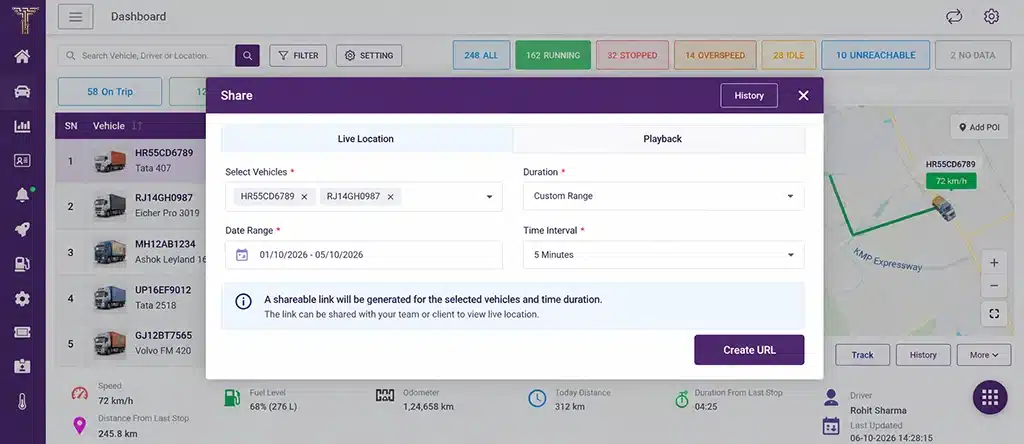
Generate a shareable URL for selected vehicles and time periods.
Iframe handling. An iframe embeds one page inside another. History Iframe handling has been enhanced across different customisations, so history embedded this way works across customised TrackoBit platforms.
Update 3 – Service & Maintenance: Bulk Upload
Maintenance records for a large fleet should not have to be entered one vehicle at a time.
Bulk upload. Service & Maintenance data can now be uploaded through Excel, so records for multiple vehicles go in together.
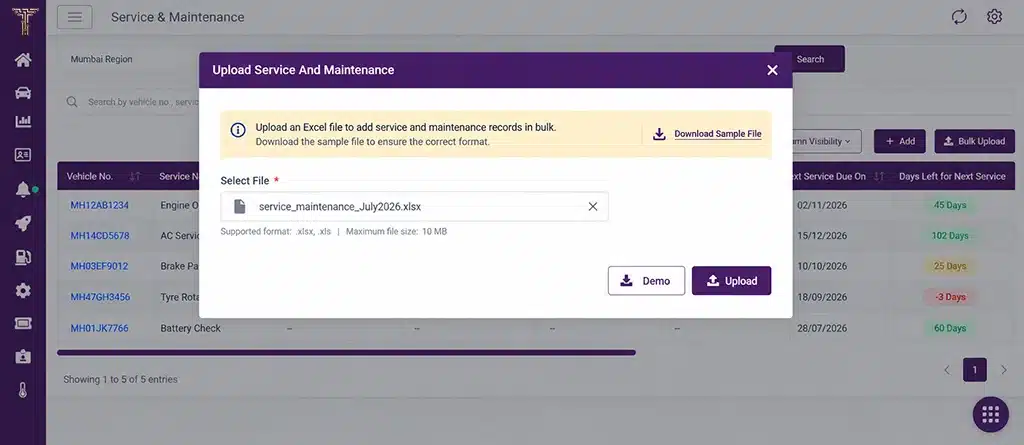
Upload service and maintenance records in bulk using Excel.
Three new columns. The module now shows Current Odometer, Kilometres Left and Days Left. Together they show how far each vehicle is from its next service, in distance and in time. Upcoming service requirements and maintenance status are visible at a glance.
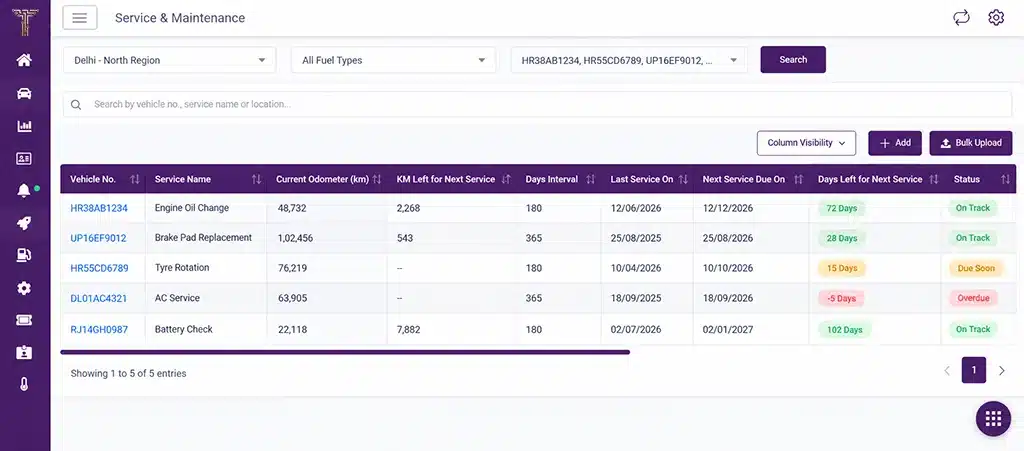
View current odometer readings, kilometres and days remaining, and upcoming service status in one place.
Web Enhancements
Alerts, Access and Configuration
- Push notifications were previously not specific to the user. Alert preferences can now be configured at three levels: Transporter, User or Sub-user, and Group.
This gives fleets more flexibility in managing alerts. - A Currency Preference is added to the User Profile, and invoices now show the currency symbol that matches the user’s selection.
- A new authority controls vehicle editing, restricting access to users who hold the required permission.
- The Driver module’s License to Drive field now supports multi-select, with additional licence class options.
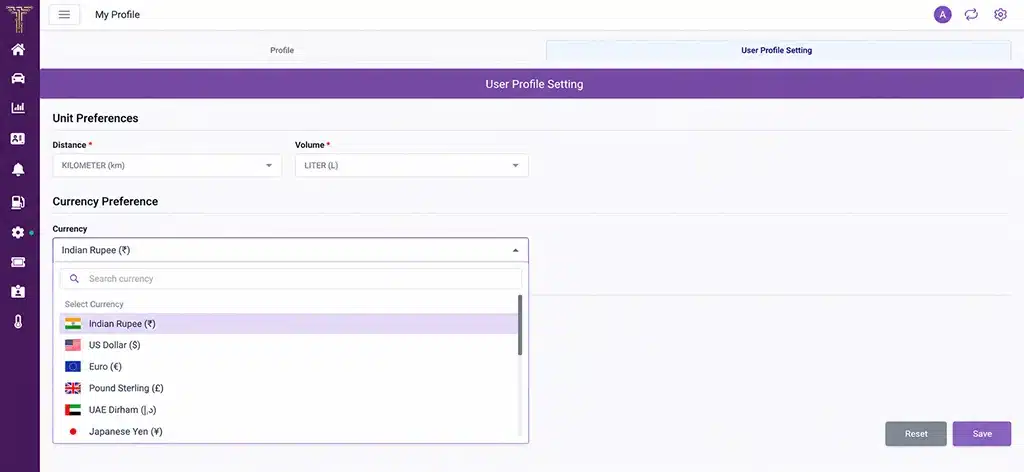
Set your preferred currency in the User Profile settings.
Reporting
- PDF and Excel downloads of the Driver Behaviour Report now carry the complete violation counts. Earlier, they showed only the idle count. See how reporting fits into driver behaviour monitoring.
- The Fuel Consumption Report now includes totals for individual columns and a new Average/100 km column, giving a fuller view of fuel use.
- Status Report Excel downloads carry clickable Google Maps links for latitude and longitude, so a vehicle’s position opens directly on the map.
- View access to the DPR and BRAG reports at User Group level now extends to temporary users as well.
Devices and Integrations
- Support is added for the FREEDOM140 device type on Port 8600, a new IO ID is mapped for Ruptela devices, and a new eLock-enabled device type is introduced for TB Track.
- A new protocol and device type are integrated for Transight.
- The ET10 Earthtrack ID Card device type is now supported on TB Track and NAVILAP Admin, along with its supported SMS commands.
- A new SIM operator is supported on TB Global.
- A device added successfully to Devices is now removed from Inventory automatically, keeping inventory aligned with device allocation.
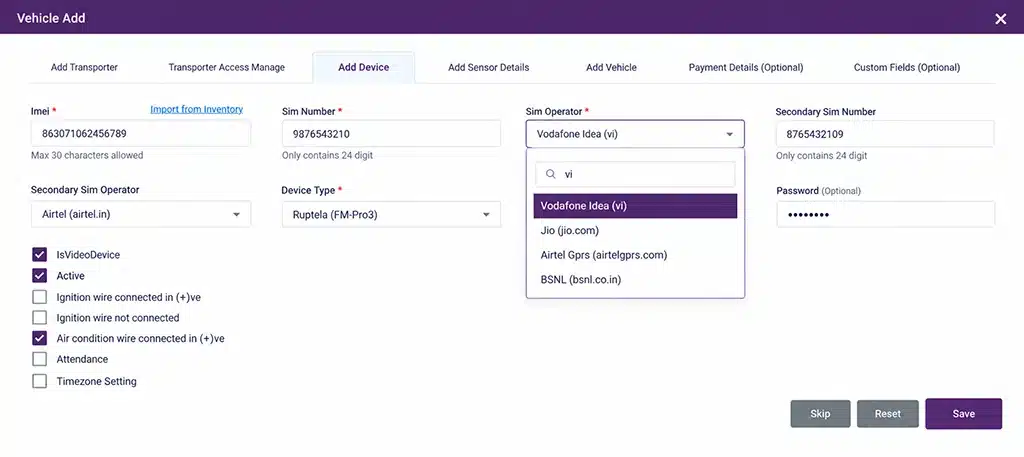
Select the SIM operator while configuring a vehicle’s device details.
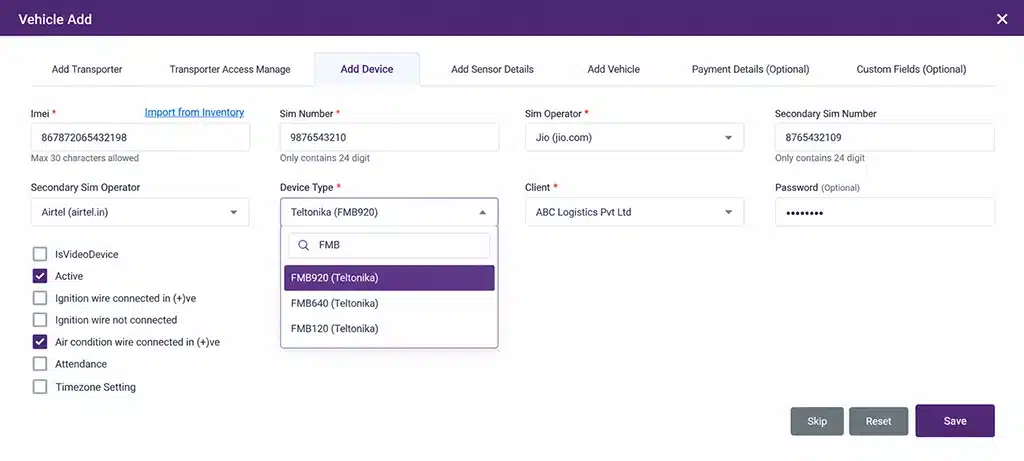
Select device types during vehicle configuration.
Conclusion
This release is about reach and reliability. Evidence handling and access control keep ADAS and DMS alerts dependable. Shareable history and bulk maintenance upload reduce the effort of getting data to the people who need it.
The supporting updates, from user-level alerts to fuller report exports and wider device support, close smaller gaps across daily fleet work.