
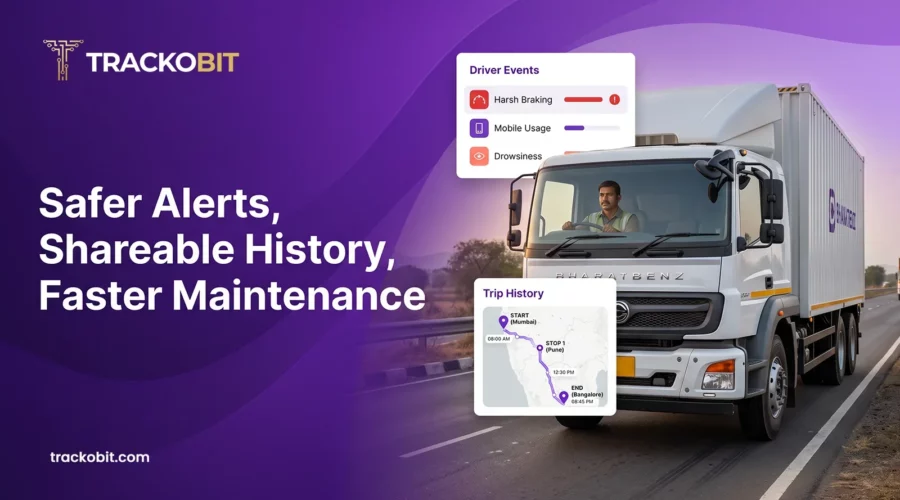
TrackoBit now adds an Evidence Model and authority-based access for ADAS and DMS alerts in video telematics, Vehicle History Sharing through a URL, and bulk Excel upload for Service & Maintenance, with Current Odometer, Kilometres Left and Days Left columns.
Fleets rarely lack data. What they lack is data they can defend, pass on and keep current. An alert gets disputed. A client asks where a vehicle went. A service date is missed because records were entered late, one vehicle at a time. Each is a small delay on its own. Across a large fleet, they become the slowest part of managing it.
TrackoBit’s September 2026 release works on all three problems. Three updates in the web app change how fleets handle alerts, history and maintenance:
- ADAS and DMS alerts now include an Evidence Model, access limited to authorised users, and alarm video aligned with the supported playback duration.
- Vehicle History Sharing lets a fleet share a vehicle’s history through a URL.
- Service & Maintenance accepts bulk upload through Excel and adds three columns that show service status.
Here is how each one works, and who gains most.
ADAS and DMS Alerts That Come with Evidence
What ADAS and DMS Each Watch
ADAS, or Advanced Driver Assistance Systems, monitors the road outside the vehicle. DMS, or Driver Monitoring System, monitors the cabin, where it identifies driver fatigue, distraction and unsafe actions. Both raise alerts. Both are only as useful as the proof behind them.
Why Evidence Decides the Outcome
An alert is a claim. A distraction alert says a driver looked away. A collision-risk alert says a vehicle came too close. When a driver contests the claim, the fleet’s answer is the evidence.
TrackoBit’s ADAS already syncs video with telematics inputs such as speed, location and trip details. Through video monitoring devices, fleets can also classify events such as distraction and accidents and receive visual evidence for each. This release strengthens how that alert-related evidence is handled in video telematics:
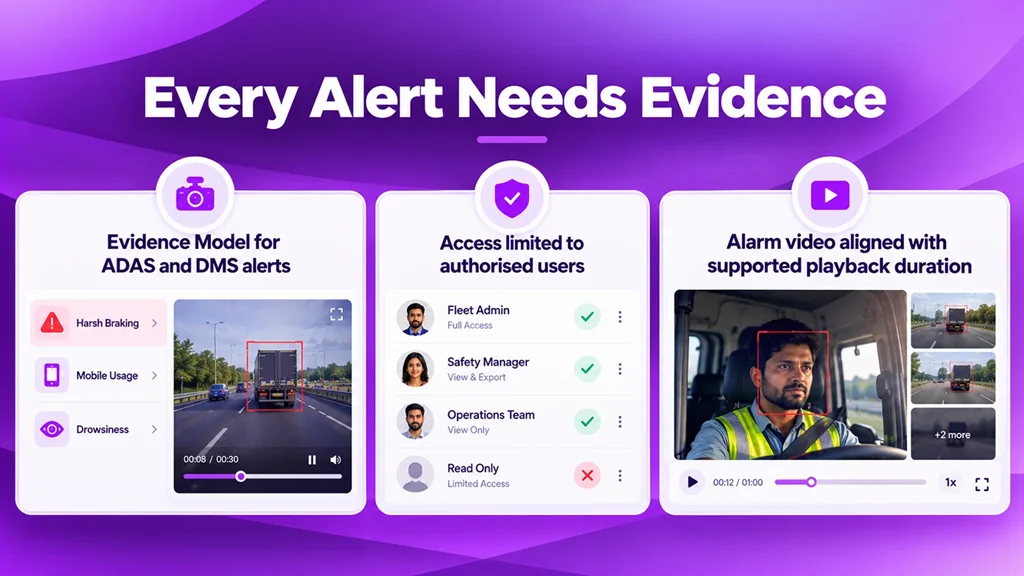
Verify driving alerts with video evidence and controlled access.
- Evidence Model: ADAS and DMS alerts now include an Evidence Model, which improves how the evidence attached to each alert is handled.
- Access by authority: ADAS and DMS options are visible only to users who hold the required authority. Because DMS monitors in-cabin driver activity, who can see it matters.
- Alarm video within playback limits: Alarm video accessibility is aligned with the supported playback duration.
Evidence is most useful when a fleet needs to:
- Verify an incident against video and trip data.
- Review fatigue and distraction alerts before talking to a driver.
- Keep ADAS and DMS visibility with the people authorised to review it.
A practical step: review which users hold the authority to see ADAS and DMS options, since only they will see them.
Together, these changes give a safety manager an alert worth acting on and give the fleet a record it can stand behind.
Vehicle History Sharing: One Link Instead of an Export
A vehicle’s history answers most questions about a trip: where it went, when, and for how long. Sharing it should be as simple as sending a link.
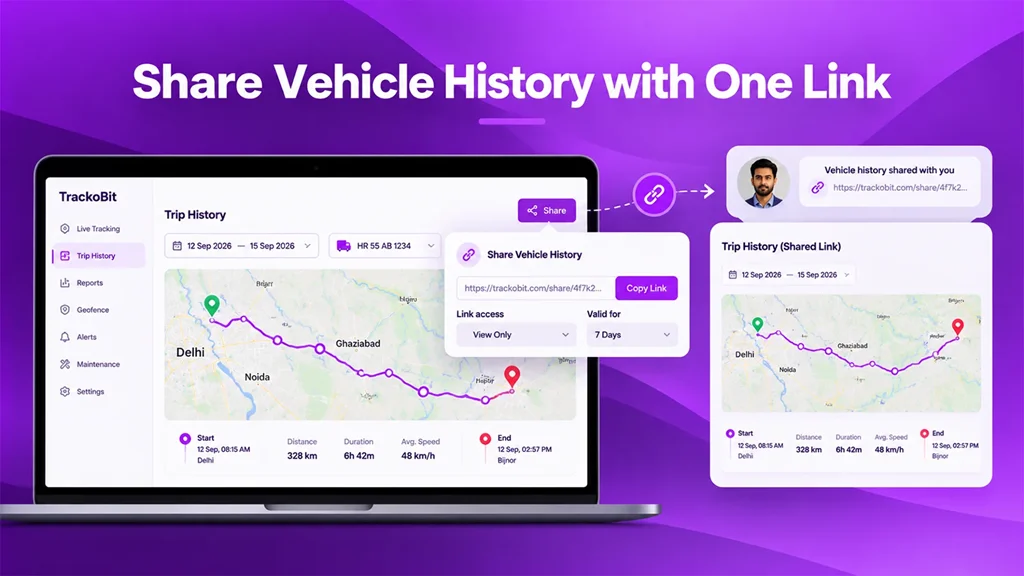
Share vehicle routes and trip history through a single link.
TrackoBit now supports Vehicle History Sharing URLs. A fleet can share a vehicle’s history through a link, instead of exporting it and sending it on.
Shared history helps when:
- A manager wants a colleague to review a trip.
- A fleet needs to show a client where a vehicle went.
- An operations team needs everyone looking at the same record.
History Iframe handling has also been enhanced across different customisations. An iframe embeds one web page inside another, so this matters most to aggregators and integrators who present TrackoBit views inside customised platforms. An aggregator serving several client-branded portals needs that embedding to hold up in every setup.
A practical step: if your platform embeds history through an iframe, check how it displays across your customisations.
Service & Maintenance Bulk Upload: A Thousand Vehicles, One Upload
Maintenance tracking only works when records are complete. For a fleet of a thousand vehicles, entering service data one vehicle at a time is slow, and slow steps get postponed.
Service and Maintenance in TrackoBit keeps a database of each vehicle’s service details. It also supports reminders for servicing appointments and renewals such as insurance and permits. Records for multiple vehicles can now be uploaded in bulk through Excel.
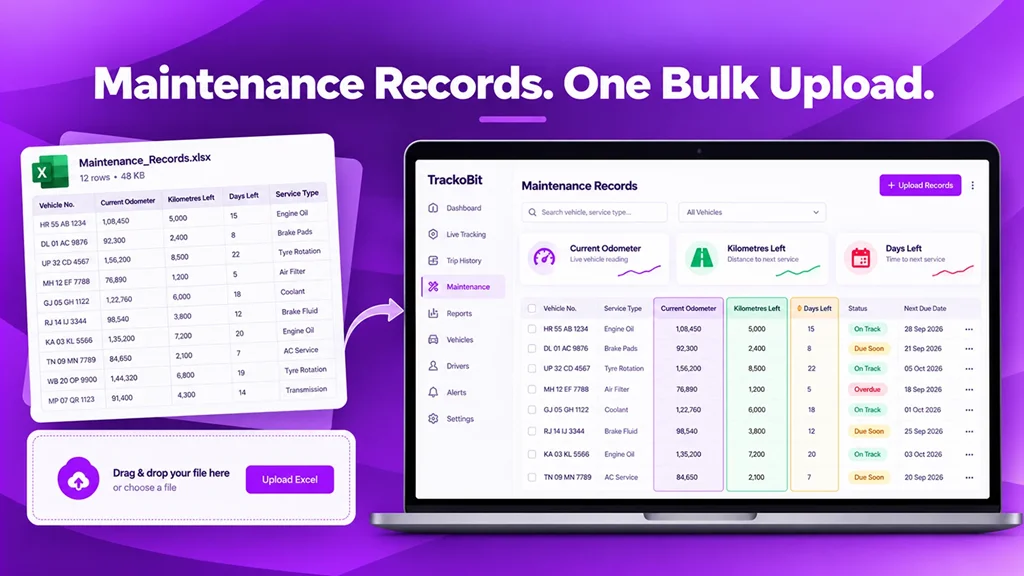
Upload maintenance records in bulk and track upcoming service needs.
Bulk upload helps when a fleet:
- Moves its maintenance records out of spreadsheets.
- Adds a batch of vehicles at once.
- Brings a large fleet’s records into TrackoBit for the first time.
The module also gains three columns:
- Current Odometer: The vehicle’s present reading.
- Kilometres Left: The distance remaining before the next service.
- Days Left: The time remaining before the next service.
Together, they show how far each vehicle is from its next service, in distance and in time. Upcoming service requirements are visible at a glance.
A practical step: after an upload, use Kilometres Left and Days Left to see which vehicles are closest to service.
Why This Matters as Fleets Scale
As a fleet grows, three things multiply: alerts, requests for vehicle history, and maintenance records. Each update meets one of them.
- Alerts need proof: Evidence handling and controlled access keep ADAS and DMS alerts dependable.
- History needs to travel: A shared link takes a vehicle’s record to the person who needs it.
- Records need to keep pace: Bulk upload and three status columns keep maintenance data current at fleet scale.
The common thread is trust: data that can be defended, shared and kept current.
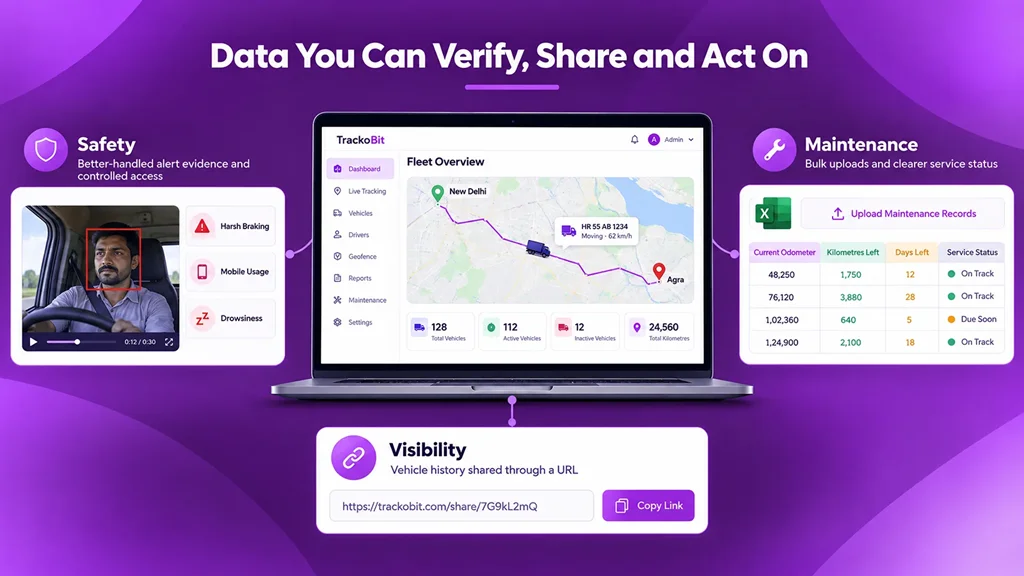
Connect safety, vehicle history and maintenance for better fleet decisions.
Who Gains Most from This Release
- Safety and compliance heads get alerts with better-handled evidence and controlled access to ADAS and DMS options.
- Operations teams can share a vehicle’s history through a link.
- Maintenance planners can load records for many vehicles together and read service status from three columns.
- Aggregators and integrators get stronger iframe handling across customised platforms, and a quicker way to bring a large fleet’s maintenance records in.
- Senior management gets a clearer record behind safety alerts and maintenance status.
Frequently Asked Questions
-
What is the Evidence Model in TrackoBit's ADAS and DMS alerts?
It is part of the ADAS and DMS alert functionality in video telematics. It improves how the evidence attached to an alert is handled.
-
Who can see ADAS and DMS options in TrackoBit?
Only users who hold the required authority.
-
What does Vehicle History Sharing do?
It lets a fleet share a vehicle’s history through a URL. History Iframe handling has also been enhanced across different customisations.
-
Can Service & Maintenance records be uploaded in bulk?
Yes, records for multiple vehicles can be uploaded through Excel. The module also shows Current Odometer, Kilometres Left and Days Left.
-
What is TrackoBit's Service and Maintenance module used for?
It keeps a database of each vehicle’s service details and supports reminders for servicing appointments and renewals such as insurance and permits.
-
Where do these updates sit in TrackoBit?
They are web app updates: ADAS and DMS alerts in video telematics, Vehicle History Sharing, and Service & Maintenance.

Apoorva Raizada is the Content Marketing Manager at TrackoBit. With over a decade of experience across media, advertising, and B2B SaaS, she brings a sharp editorial mindset to technology-led business... Read More


Related Blog
ADAS System in Cars: How It Works and Why It Matters
ADAS road safety system is a technology that uses sensors and software to detect danger and alerts the driver to…
Fleet Management Requirements: The Complete Guide for 2026
Every wondered what exactly fleet management requirements are? Or, why do they matter? This guide helps you understand in detail.
7 Fleet Management Best Practices Every Fleet Manager Needs
Learn 7 fleet management best practices to improve safety, vehicle utilization, efficiency, and fleet performance in 2026.
What Are the Roles and Responsibilities of a Fleet Owner?
Behind every well-run fleet is a fleet owner juggling tasks like vehicle maintenance and driver management without letting anything fall…


Your inbox awaits a welcome email. Stay tuned for the latest blog updates & expert insights.
"While you're here, dive into some more reads or grab quick bites from our social platforms!"Stay Updated on tech, telematics and mobility. Don't miss out on the latest in the industry.