
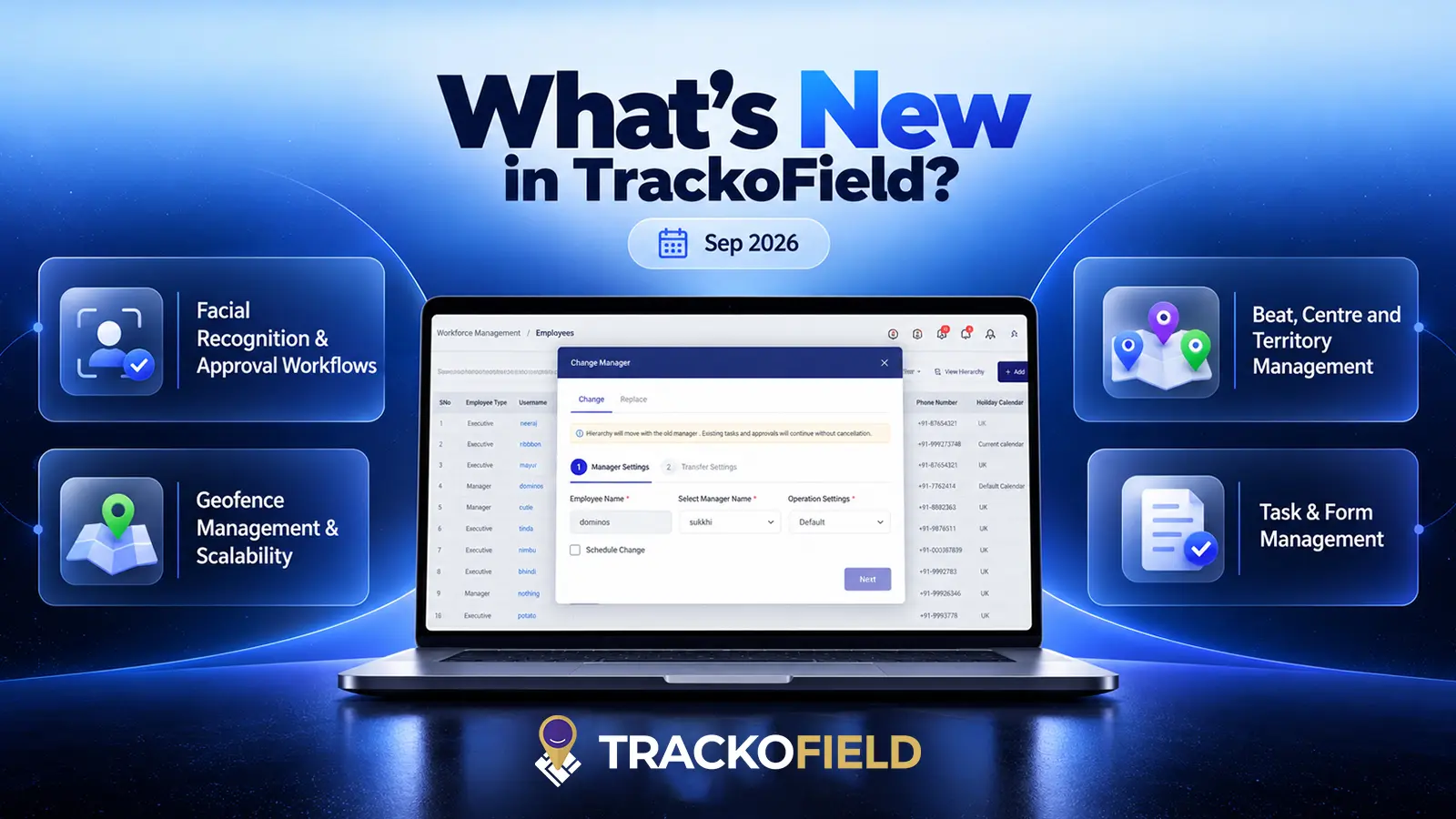
September brings a fresh set of updates to TrackoField. These are focused on expanding platform capabilities and making complex field operations easier to manage. This month’s updates introduce a more structured Facial Recognition approval workflow, stronger Geofence scalability, new Public APIs, and expanded Schedule Reports. There are several improvements across Task Management, Manager Change, Customer Management, and mobile applications too.
Besides these functional upgrades, our field force automation software also bring better search, pagination, data handling, approval controls, and mobile usability.
Here’s the full lineup of what’s new in September.
Web Updates to TrackoField in September 2026
Facial Recognition & Approval Workflows
Facial recognition approvals have been enhanced to support more flexible employee and member management.
- Added Pending Approvals and All Approvals views.
- Enabled Approve, Reject, and Reset actions.
- Introduced Approval hierarchy flow for Member and Employee Face recognition.
- Enhanced UI, notifications, Excel exports, and approval workflows.
- Extended facial recognition approval support to Manager Change, Replace Manager, and scheduled changes.
- Improved default approval-level configuration.
- Removed Face Recognition Status columns from Employee and Member modules.
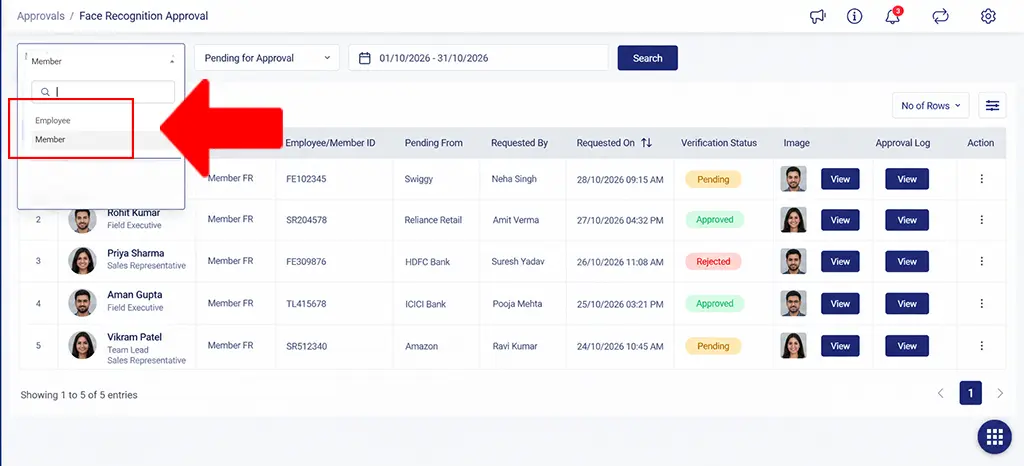
Employee and Member face recognition approvals added
Geofence Management & Scalability
Geofence functionality has been enhanced to support growing datasets and improve administrative efficiency.
- Added Current Page and All Records options for Geofence Excel downloads, with backend report processing.
- Added Latitude, Longitude, and Applicable For details to Geofence reports.
- Improved search, filtered results, duplicate-name handling, and pagination.
- Enhanced scalability across FO Settings and Customer modules.
- Optimized the Created By Geofence API for better performance and stability.
- Improved Geofence filter layout and spacing for a more consistent interface.
Beat, Centre and Territory Management
Beat and territory management now offer improved filtering, selection, and administrative controls.
- Added Active, Inactive, and All status filters to the Beat Route page.
- Added Select All options to Centre, Group, and Member pages.
- Introduced Centre Management Excel download limit with Select All filter support.
- Added warnings for territory hierarchy mismatches during Manager Change and Replace Manager.
- Enhanced Manager Change approval handling for Centre, Group, and Member Add/Edit operations.
- Introduced separate Manager Settings and Transfer Settings with scheduled change and transfer options.
- Disabled Pending Action for scheduled Manager Change and FE Promotion.
- Improved field executive task handling during Manager Change without transfer.
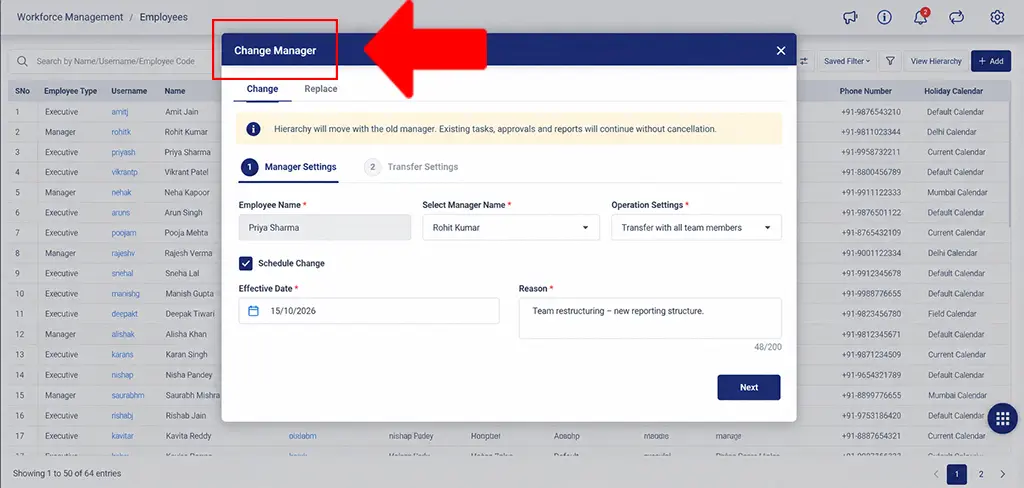
Manager change enhancements
Task & Form Management
Task creation and configuration have been enhanced to give administrators greater control over field workflows.
- Added configurable Task Type mandatory settings during task creation.
- Enabled Quick Task creation without Task Type when it is not configured in the template.
- Added restrictions for selected Site Types during task creation.
- Ensured at least one Site Type remains unrestricted.
- Enhanced the Mandatory Task Type label and information icon.
- Improved offline mark-out synchronization for employees syncing data the following day.
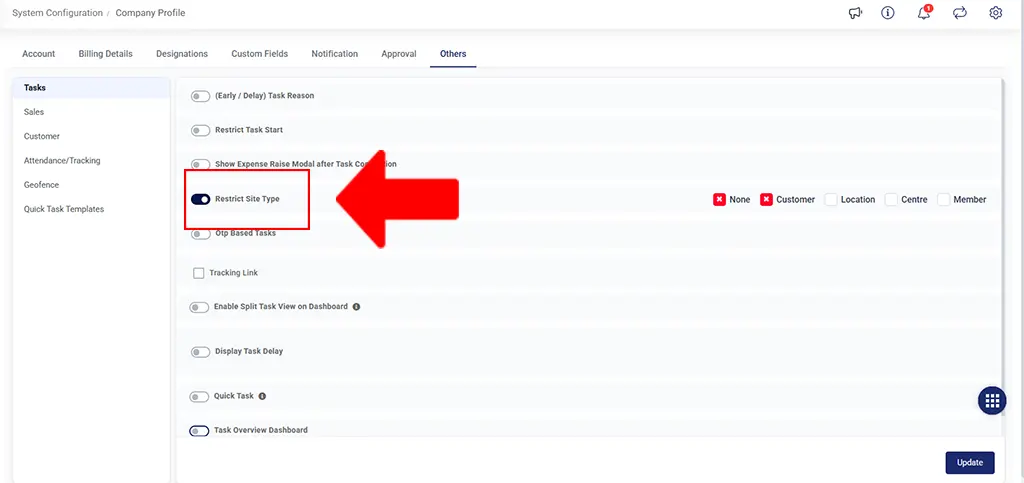
Site type restriction introduced
Expense Management & Scheduled Reports
Expense management and reporting now provide better visibility into field activity and employee claims.
- Enabled Month and Year-based criteria for Expense Claim data sent to mobile applications.
- Enhanced Expense Schedule Reports with Mark In, Mark Out, and Total Duration details.
- Added Stoppage Report and Unreachable Report to Schedule Reports.
- Added Packet End Time to the Stoppage Report.
- Updated the Activity Timeline Report to display Auto Mark Out time in the Last Mark Out cell.
Customer & Sales Order Management
Customer and sales order workflows have been improved to support better validation and approval visibility.
- Added case-insensitive duplicate validation for Customer Types.
- Updated Customer Verification labels to Verified, Unverified, and Pending Approval.
- Enabled Sales Order approval notifications for Web users and Field Executives.
- Added Customer Status to the Customer API response sent to mobile applications.
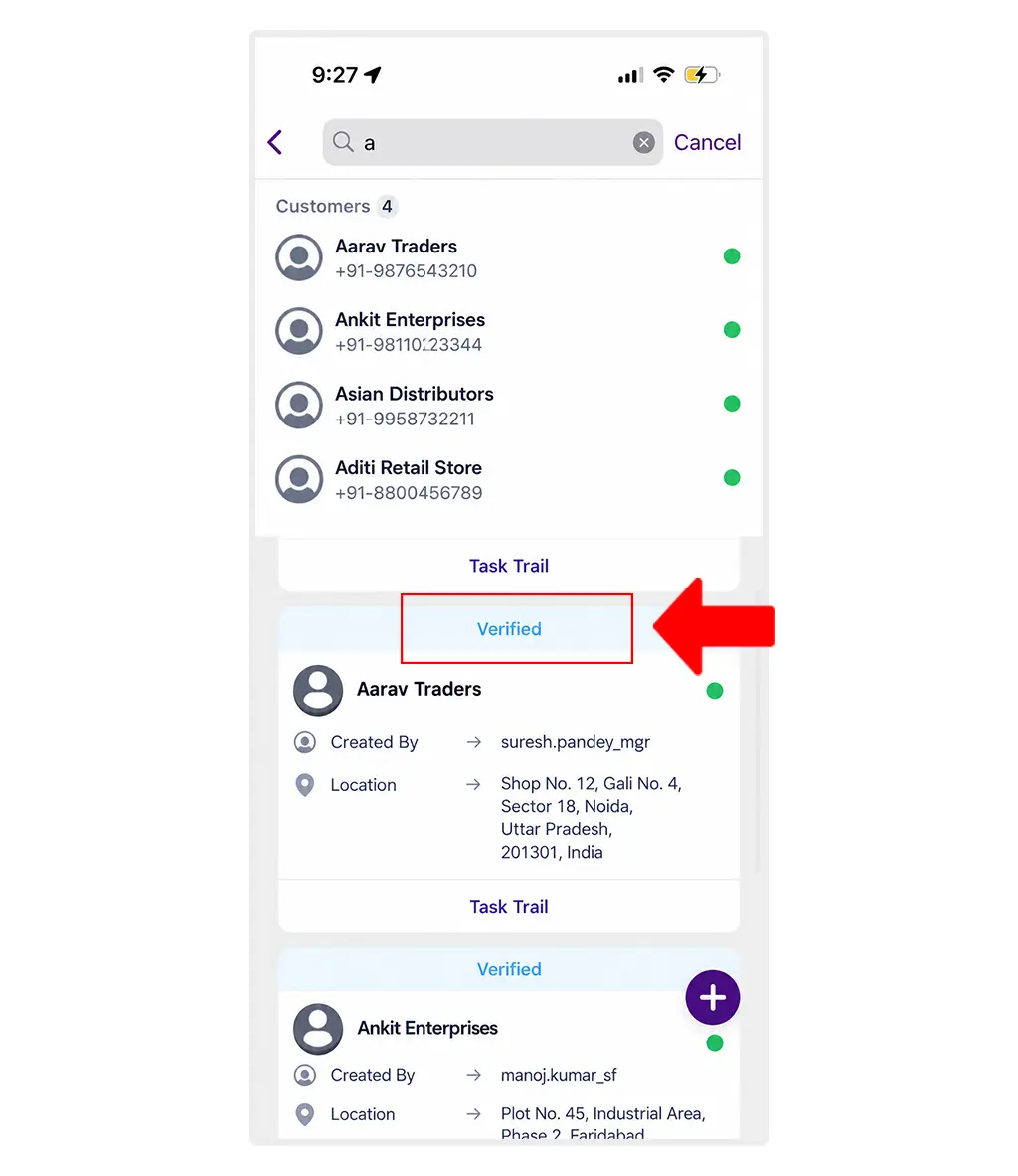
Verification labels added
Goals, Employee Management & Data Access
Enhancements across goals, employee management, and data access make it easier to manage large datasets.
- Improved search scalability for Goal Title in Goals Overview and Employee Search in user-wise Goals.
- Updated user-wise Goals management for User Promotion and User Transfer.
- Added Centre-Based Task, Member-Based Task, Centre/Member Deactivation, and Employee Creation public APIs.
- Implemented TOTP-based multi-factor authentication for the Task Delete Admin API.
UI & Platform Improvements
The Web grid tables have been revamped with improved layout, spacing, typography, sorting, and readability. Geofence filter spacing and layout have also been updated for a more consistent UI experience.
Android Updates to TrackoField in September 2026
Task & Form Management
- Enabled Quick Task creation without Task Type when the field is unavailable in the template.
- Aligned Task Type mandatory validation with Web company configuration.
- Updated Site Type options in task creation based on Web configuration.
- Improved keyboard behaviour across Create and Edit flows.
- Optimized MQTT-related functionality.
Customer & Member Management
- Enhanced Customer Listing pagination and search.
- Fixed the Save Details button on Add and Edit Customer screens.
- Improved Customer and Member task cards to display available names, locations, or phone numbers.
- Enabled phone number display and the existing action menu on None Site Type task cards.
Navigation & User Interface
- Enabled users to select their preferred navigation and dialer applications across Tasks, Customers, and Nearby.
- Improved Task screen scrolling by hiding the header and bottom action bar while scrolling down and showing them again while scrolling up.
Expense & Synchronization
Updated Expense Claim data retrieval to use the requested Month and Year. Sync Logs now include background task and attendance synchronization data.
Facial Recognition & Travel History
- Optimized facial recognition functionality.
- Added rescheduling and attendance details to Travel History.
iOS Updates to TrackoField in September 2026
Facial Recognition & Approval Management
Added facial recognition approval support for Member Add/Update workflows. Employee and member facial recognition reset for approved registrations is enabled too. Lastly, the overall facial recognition functionality has been optimized.
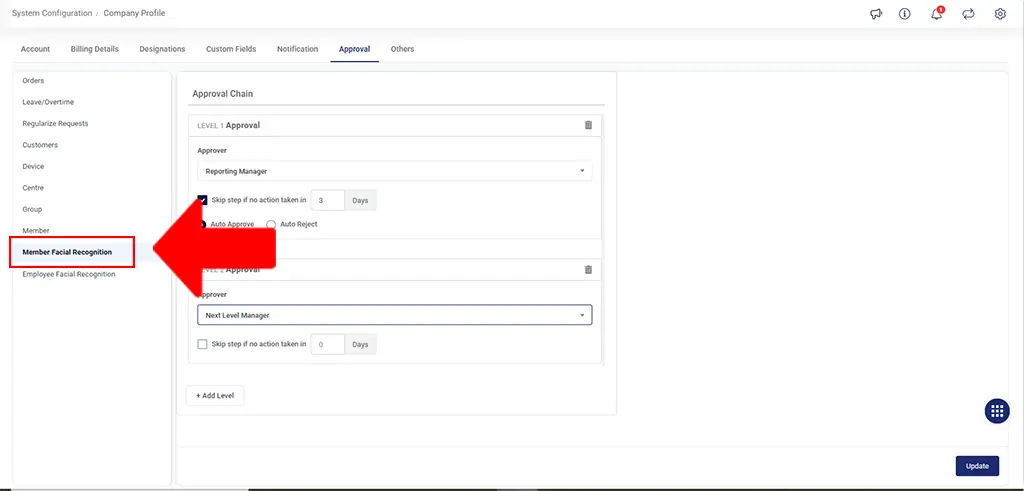
Member facial recognition added
Task & Form Management
- Merged and optimized multiple Task Management features in the New UI.
- Aligned Task Type mandatory validation with Web company configuration.
- Updated Site Type options in task creation based on Web configuration.
- Improved date selection and keyboard behaviour in forms.
- Enhanced task rescheduling with correct date handling for drag-and-drop actions.
- Updated tasks without an address to display a blank value instead of “–”.
Further, managers can now Mark Out while the Executive filter is applied, even when the selected executive has an In Progress task.
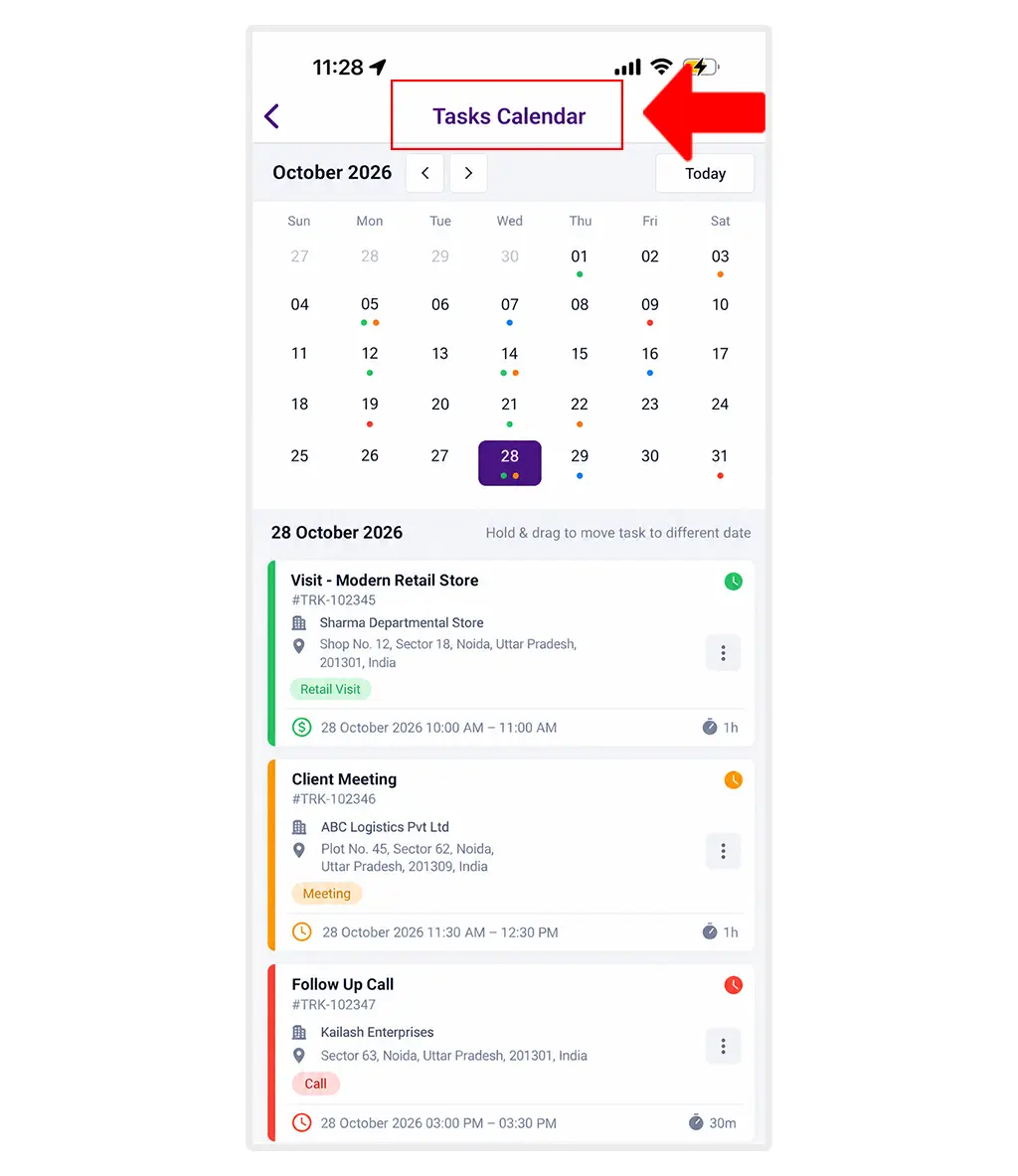
Improved Tasks Calendar functionality
Customer & Member Management
- Enhanced Customer Listing pagination and search.
- Improved Customer and Member task cards to display available names, locations, or phone numbers.
- Enabled phone number display and the existing action menu on None Site Type task cards.
Navigation & User Interface
- Enabled users to select their preferred navigation and dialer applications across Tasks, Customers, and Nearby.
- Improved sidebar navigation with updated overlays, spacing, icons, and typography.
- Enhanced the Task screen layout with improved cards, spacing, icons, and modal presentation.
- Updated scrolling behaviour to hide the Task screen header, bottom action bar, and Plus button while scrolling down and show them again while scrolling up.
- Optimized side panel navigation.
- Removed the “Select Form” placeholder from dropdown options.
- Updated the Add Expense screen label from “View Policy” to “View Rules”.
Expense, Attendance & Travel History
- Updated Expense Claim data retrieval to use the requested Month and Year.
- Added rescheduling and attendance details to Travel History.
- Updated Travel History path colours: Online paths appear in blue, Offline paths in black, and Unreachable paths in orange.
Notifications & Document Handling
- Improved approval push notification handling so users are redirected directly to the Task module when the app is in a killed state.
- Enabled users to select compatible applications for opening downloaded documents.
Version Details
- Web: Version 22.2.1.1-62 and Version 22.3.1.1-63
- Android: V2.81 and V2.83
- iOS: V2.0.0 and V2.0.2
Looking Forward
With the September releases, TrackoField takes a significant step forward in handling larger datasets and more detailed approval workflows. From Facial Recognition approvals and Public APIs to enhanced reporting, geofence scalability, and mobile improvements, the latest updates add greater flexibility to how teams configure, monitor, and manage their day-to-day operations.
As TrackoField evolves, these enhancements lay the groundwork for a more connected and scalable field management experience.