Fleet reports are only useful when the numbers are right and easy to read. TrackoBit’s October 2026 release works on both. Your fuel history now corrects itself when you recalibrate a sensor. Vehicle History Playback now shows what a vehicle was doing at every point of a trip, not just where it went.
The iOS and Android apps also catch up with Web on ADAS and DMS alerts, fuel reporting and expense management. Beyond that, the platform runs faster, reports export further back, and three more devices are supported.
Let’s explore everything that’s new.
Major Updates in TrackoBit’s Web App for October 2026
Update 1 – Fuel Data Recalculation
Until now, a calibration correction only applied to fuel data recorded after the change. Your earlier history stayed wrong.
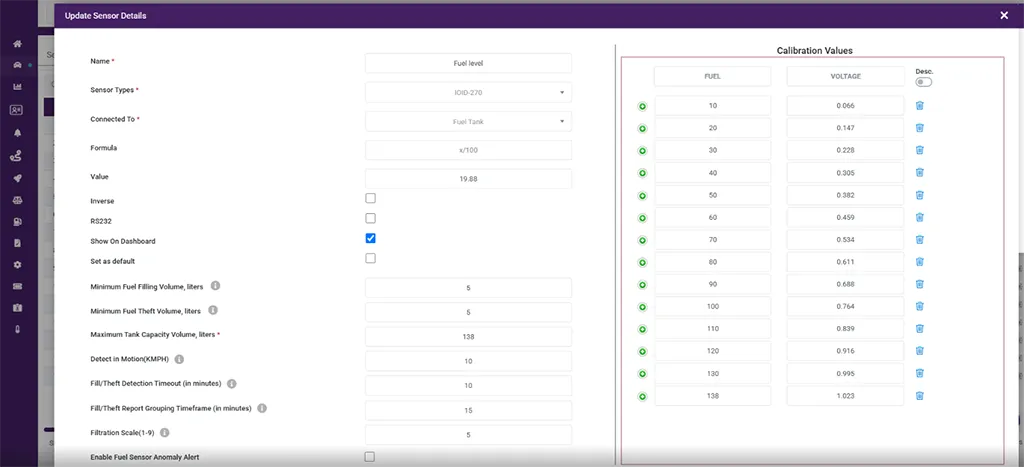
Configure fuel sensor calibration values.
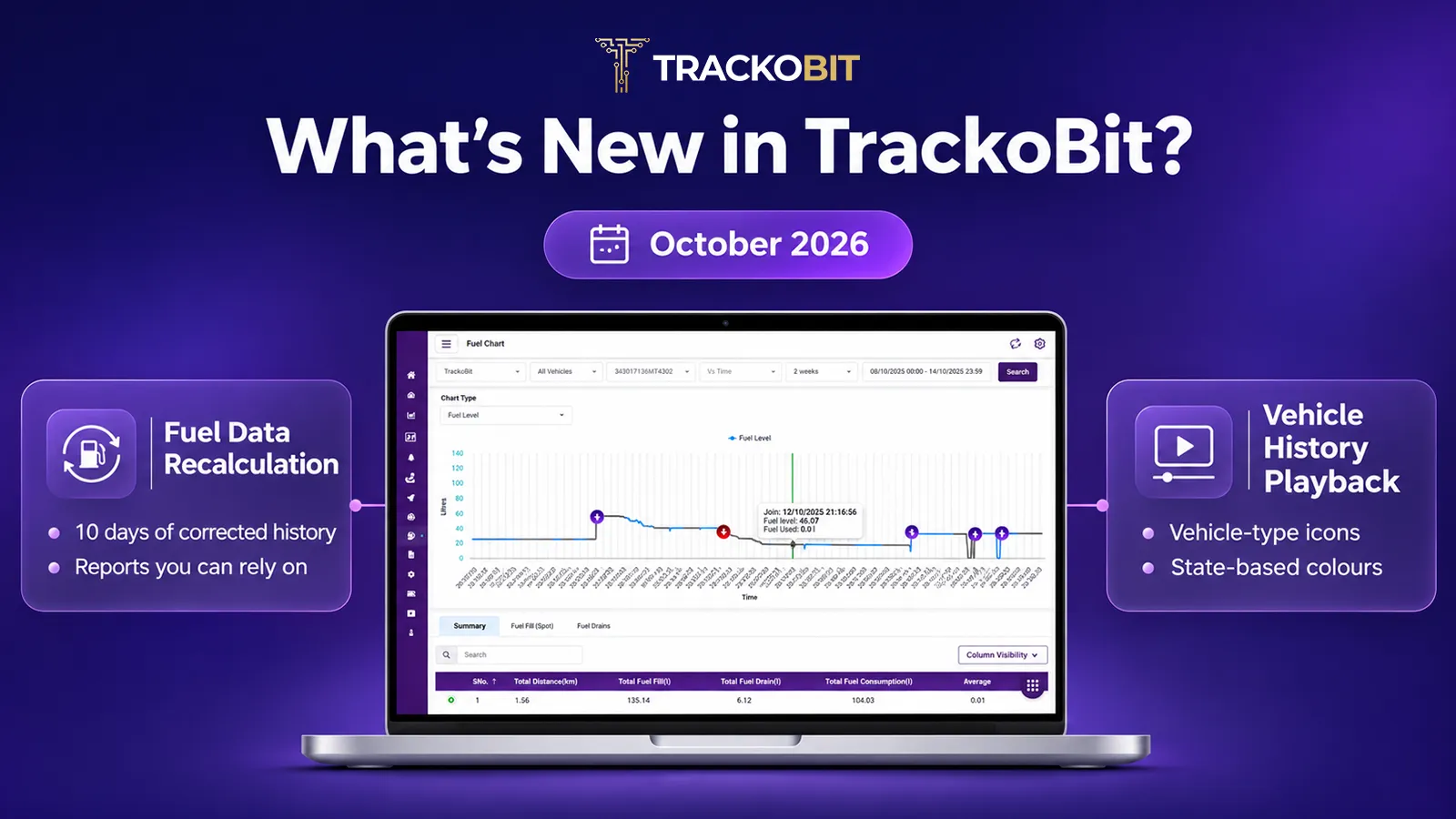
10 days of corrected history. When you update a calibration, TrackoBit now also recalculates fuel data for the previous 10 days. Your fuel reports show the corrected values for that whole period.
Reports you can rely on. You use this data to reconcile fuel spend, investigate drops and settle disputes. With recalculated history, those decisions are based on accurate numbers.
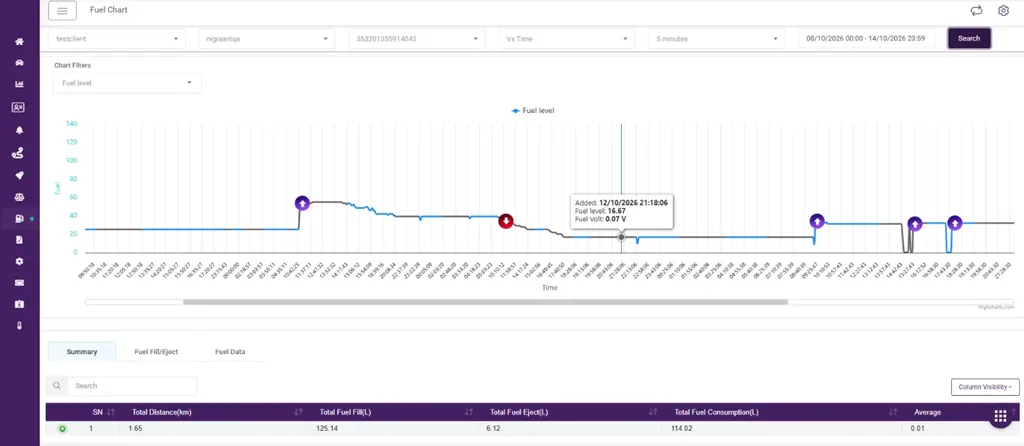
Review fuel levels and consumption history
Update 2 – Vehicle History Playback
You can now see what a vehicle was doing at every point of a trip, not just where it went.
Vehicle-type icons. Each vehicle appears with an icon for its type, so you can tell a truck, car or bike apart at a glance.
State-based colours. The vehicle changes colour based on its state. Running and halted stretches each have their own colour, so you can spot stops without checking timestamps.
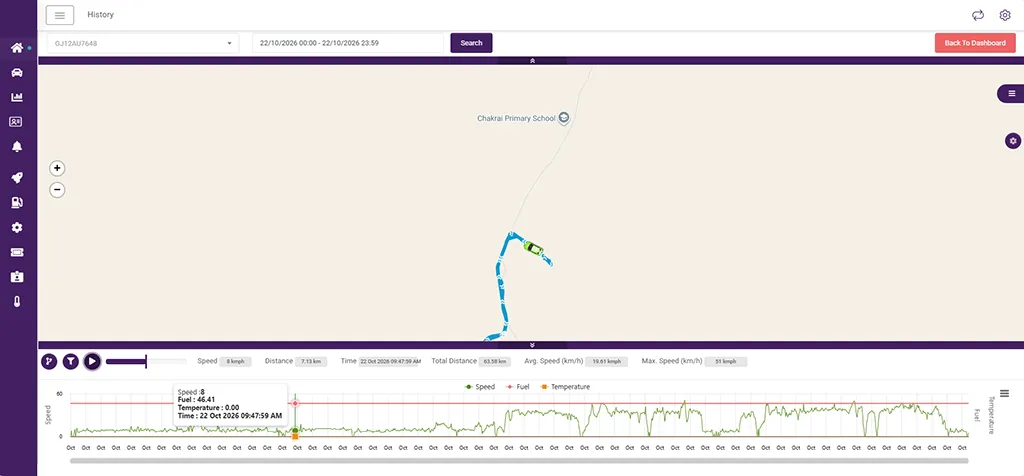
Identify vehicle movement and halts through playback.
Major Updates in TrackoBit’s iOS App for October 2026
ADAS and DMS Alerts – Evidence Cards
Every ADAS and DMS alert now comes with an evidence card that holds the supporting details for the event. You can verify an alert without leaving the app.
Fuel Report – Dual View
You can now view fuel data by time or by distance, the same way the Temperature Report works.
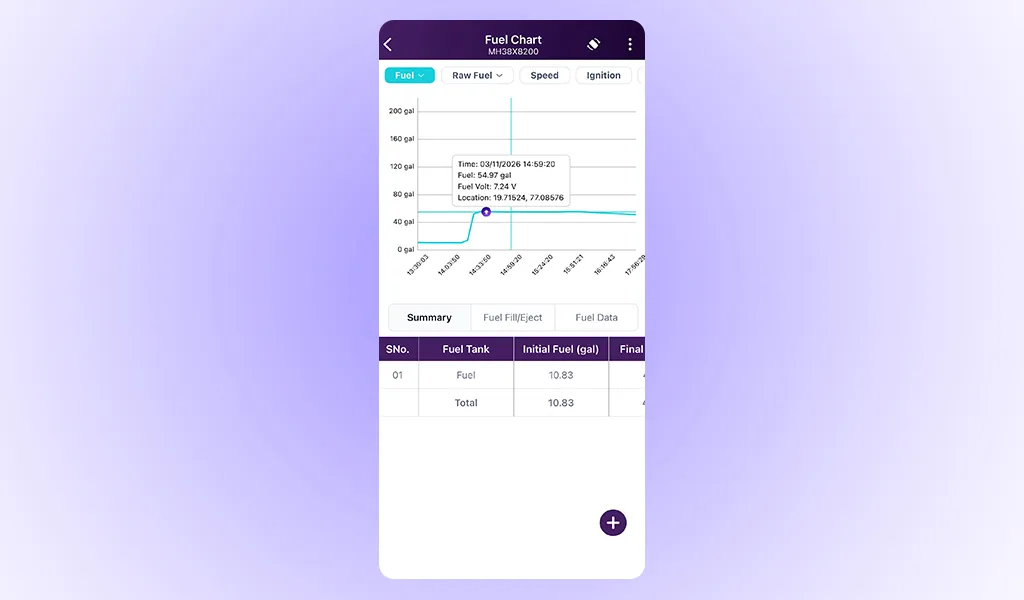
Analyse fuel levels against time intervals.
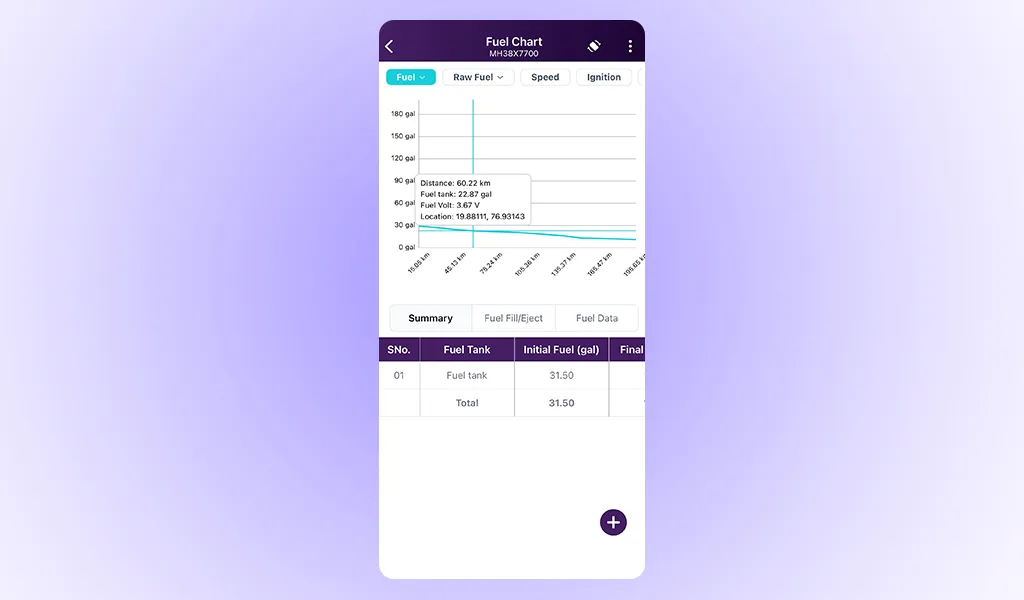
Track fuel levels across distance intervals.
Expense Management
You can now add and edit expenses in the TB Track and TB Global apps. Fleet owners can log expenses directly as well as drivers.
- The Expense Report is now in the side menu.
- Total Expense now shows in the Expense Report, matching Web.
- Transporter users with Delete Expense authority can delete expenses again.
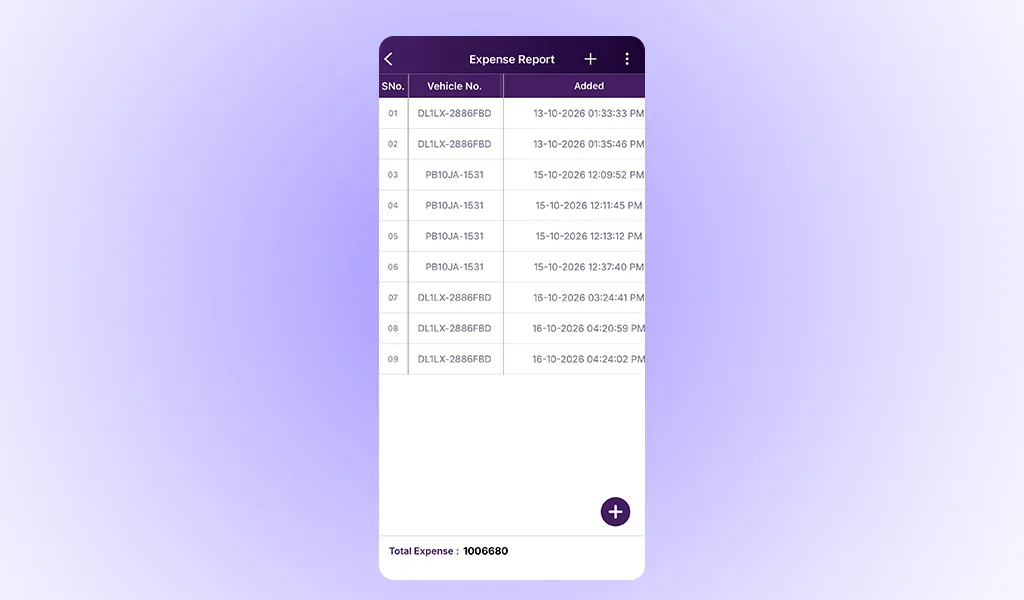
View and manage vehicle expense records
Video Modules – Date and Time Format
Video timestamps now follow your chosen date and time format, matching the rest of the platform.
Major Updates in TrackoBit’s Android App for October 2026
ADAS and DMS Alerts – Alarm List and Cards
You now get a dedicated alarm list for ADAS and DMS alerts, with a card for each event. Critical alerts are easier to find and act on.
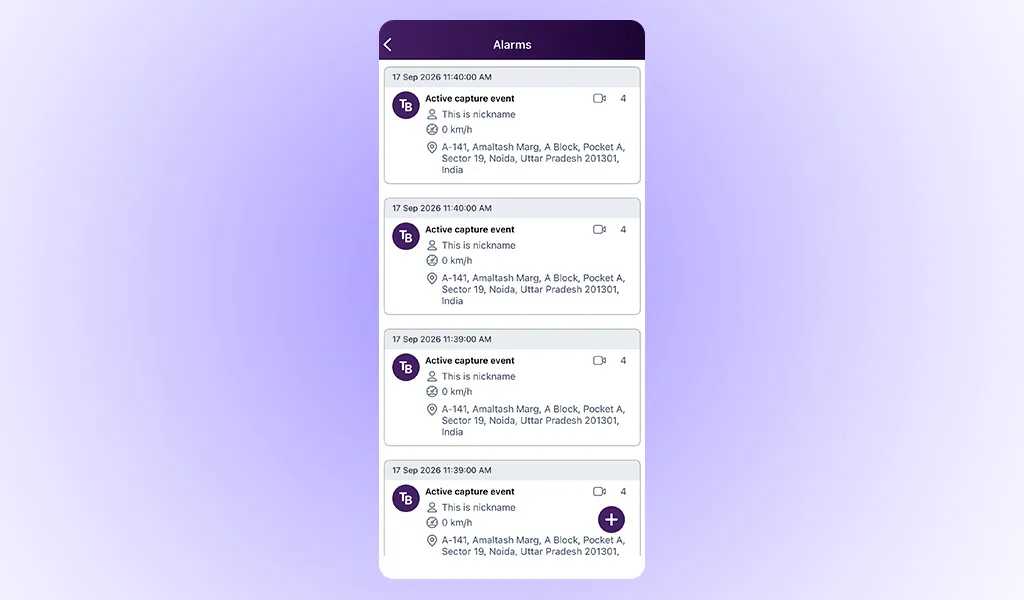
Access ADAS and DMS alerts in one list.
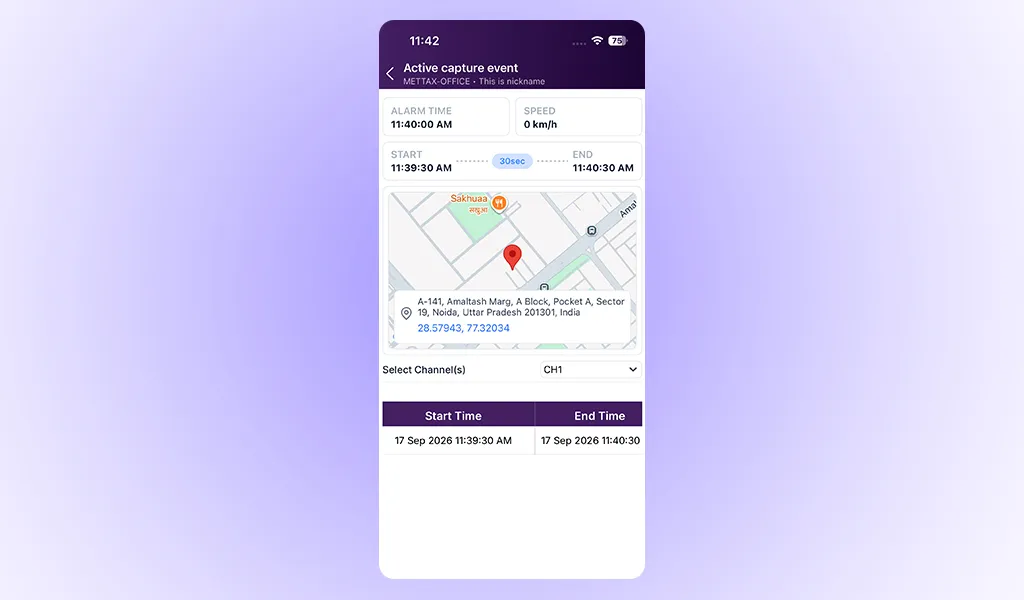
Review alert details, location and event duration.
Expense Management
The Expense module from the Driver app is now in the TB Track and TB Global apps, so you can log expenses there too.
- The Expense Report is now in the side menu.
- Total Expense now shows in the Expense Report, matching Web.
- Transporter users with Delete Expense authority can delete expenses again.
- Multiple date and time formats are supported across modules.
30-Day Alarm Video Access (METTAX-TB)
You can now access alarm videos for 30 days, the same playback window the Playback module supports.
Video Modules – Date and Time Format
Video timestamps now follow your chosen date and time format.
TB Driver – Target API Level 36
The TB Driver app now targets Android API level 36, so it stays compatible with the latest Android devices.
Web Enhancements
Performance
- HTTP calls now run asynchronously, so the platform stays responsive while it processes requests.
- Pagination has been reworked, so data loads faster.
- Thread management is optimised to prevent excess thread pools, which keeps the platform stable under heavy load.
Reporting
- You can now export 6 months or 1 year of data from the Coin Distribution Report on Navilap.
Devices and Integrations
Three new device types are supported:
- G184G on the TB Track and Navilap servers
- G114G on port 8631
- MERCYDA VTS-140 A
Conclusion
This release is about accuracy and parity. Recalculated fuel history keeps your reports correct after a calibration change, and the new playback makes every trip easier to read. On mobile, iOS and Android now have the alert, fuel and expense capabilities you already rely on in Web.
The supporting updates add a faster platform, longer report exports and wider device support for the everyday work of running your fleet.