
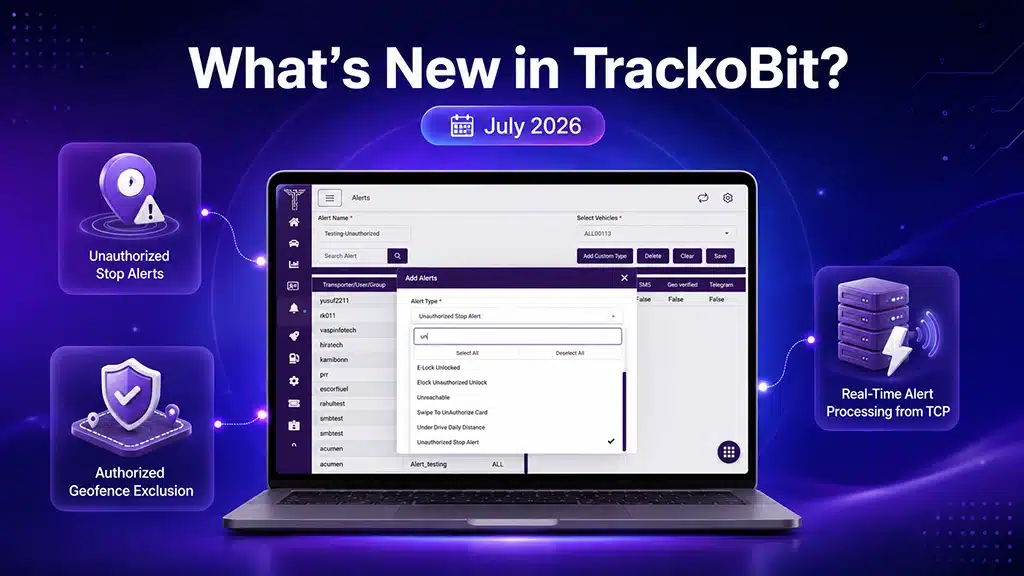
Fleet operations generate a constant stream of signals, stops, alerts, temperature readings, driver events, and not every signal deserves equal attention. TrackoBit’s July 2026 release addresses this directly, introducing Unauthorized Stop Alerts with Authorized Geofence Exclusion and Real-Time Alert Processing from TCP, so fleet managers act on what genuinely requires attention, without the noise of routine, pre-approved activity.
Reporting has also been extended across Web, Android, and iOS, with multi-format support, deeper temperature analytics, and platform-wide consistency improvements. Organizations operating across regions require alerting and reporting systems that scale without losing precision, and this release is built around that requirement.
At TrackoBit, we’ve been building toward exactly this. Let’s explore everything that’s new.
Major Updates in TrackoBit’s Web App for July 2026
Update 1 – Unauthorized Stop Alert with Authorized Geofence Exclusion
Unauthorized Stop Alerts can now be configured to exclude Authorized Geofences, allowing organizations to prevent unnecessary alerts for approved stoppage locations.
This capability includes:
- Configurable exclusion of Authorized Geofences from Unauthorized Stop Alert triggers.
- Improved alert accuracy for fleet managers monitoring stop-related events.
Alert feeds now reflect genuine operational deviations, not routine, pre-approved activity.
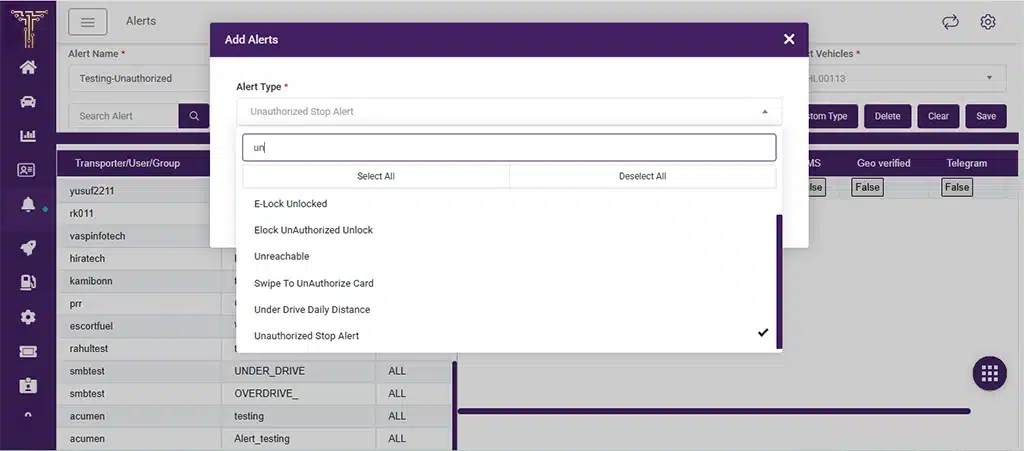
Configure Unauthorized Stop Alerts with authorised geofence exclusion.
Update 2 – Real-Time Alert Processing from TCP
TCP functionality has been enhanced to support real-time alert generation, improving both the speed and reliability of alert notifications delivered across the platform.
Fleet managers are notified closer to the moment an event actually occurs, strengthening operational responsiveness across the board.
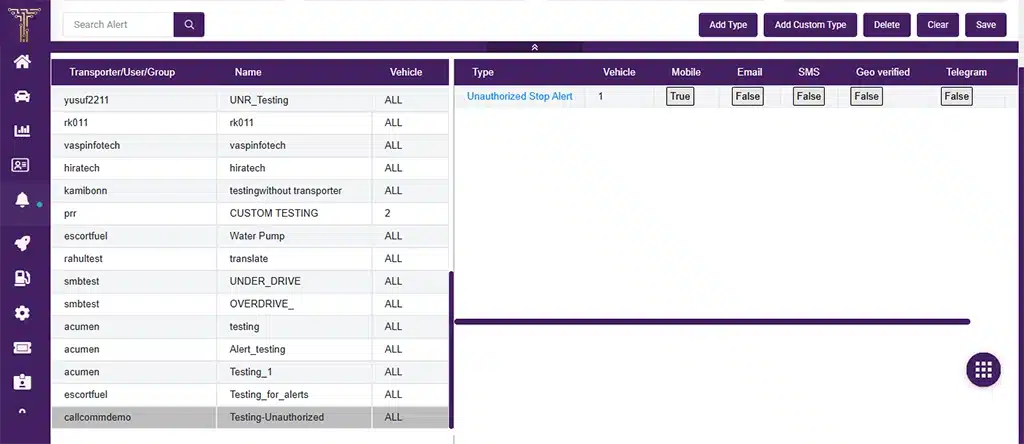
View and manage configured Unauthorized Stop Alerts in the dashboard.
Web Enhancements
This release also introduces the following across Web:
- A new Vehicle Towing Alert enables identification and monitoring of unauthorized vehicle towing events in real time.
- Support is added for a new Teltonika OBD IO parameter, capturing and displaying vehicle battery percentage data accurately on the platform.
- Dashboard history data processing is optimized for improved performance and reliability, including enhanced handling of scenarios where ADAS, DMS, or Driving Behaviour events are unavailable.
- A new configuration option is introduced for Vehicle Ignition Sensor Connection on Teltonika devices, providing enhanced flexibility in ignition status detection.
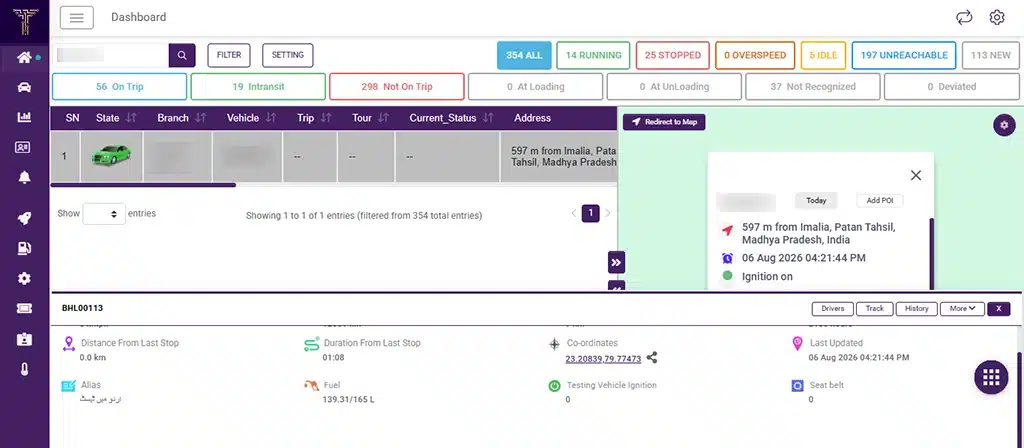
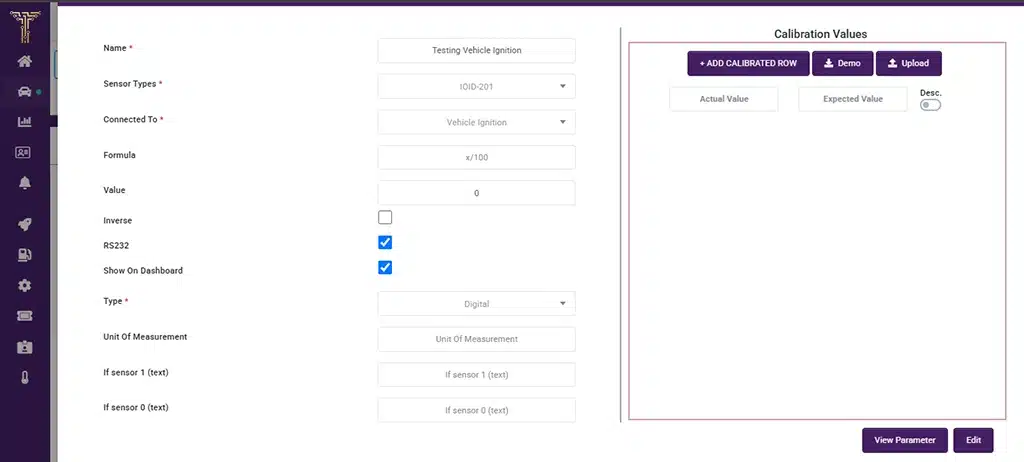
Monitor ignition status and seat belt information directly from the dashboard.
- An issue affecting the display of location details within the Temperature Chart tooltip has been resolved, improving report usability.
- Multiple date and time format support is extended to additional platform modules (Phase 3), allowing users to view information according to their preferred regional settings.
- Seat Belt Alert Count is now available within the Integrated Vehicle Report under Custom Report Configuration, enabling improved monitoring of driver safety events.
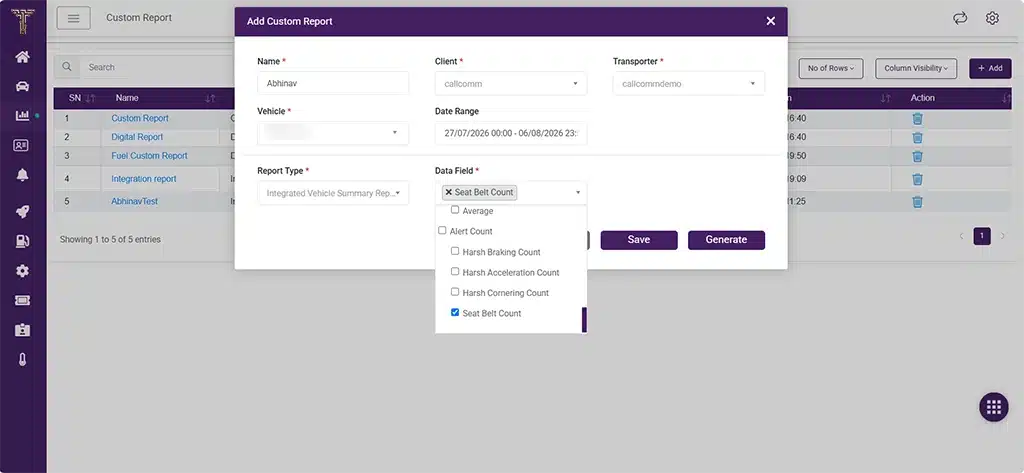
Generate Integrated Vehicle Summary Reports with Seat Belt Count.
- Client-specific modifications have been implemented during Gateway SMS API integration, improving compatibility and communication reliability.
- A unified API now supports Temperature Report generation across both mobile and web platforms, ensuring consistent report accuracy.
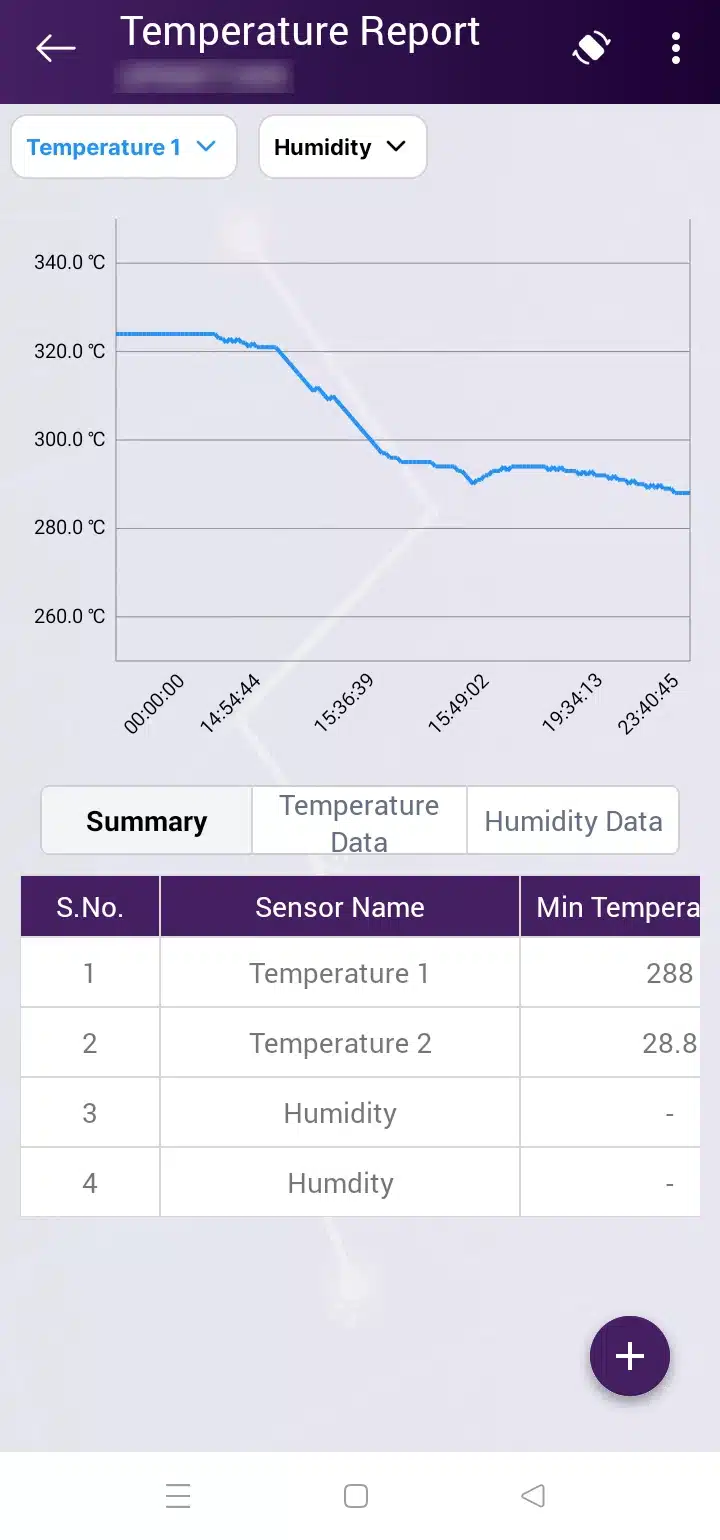
Analyse temperature and humidity trends with graphical reports and summaries.
Configuration flexibility and reporting accuracy both move forward together in this release.
Android Enhancements
Android users gain the following this cycle:
- Odometer information is now included in Android reports, supporting more comprehensive trip and vehicle tracking.
- Dashboard fuel data display has been enhanced for improved accuracy and consistency.
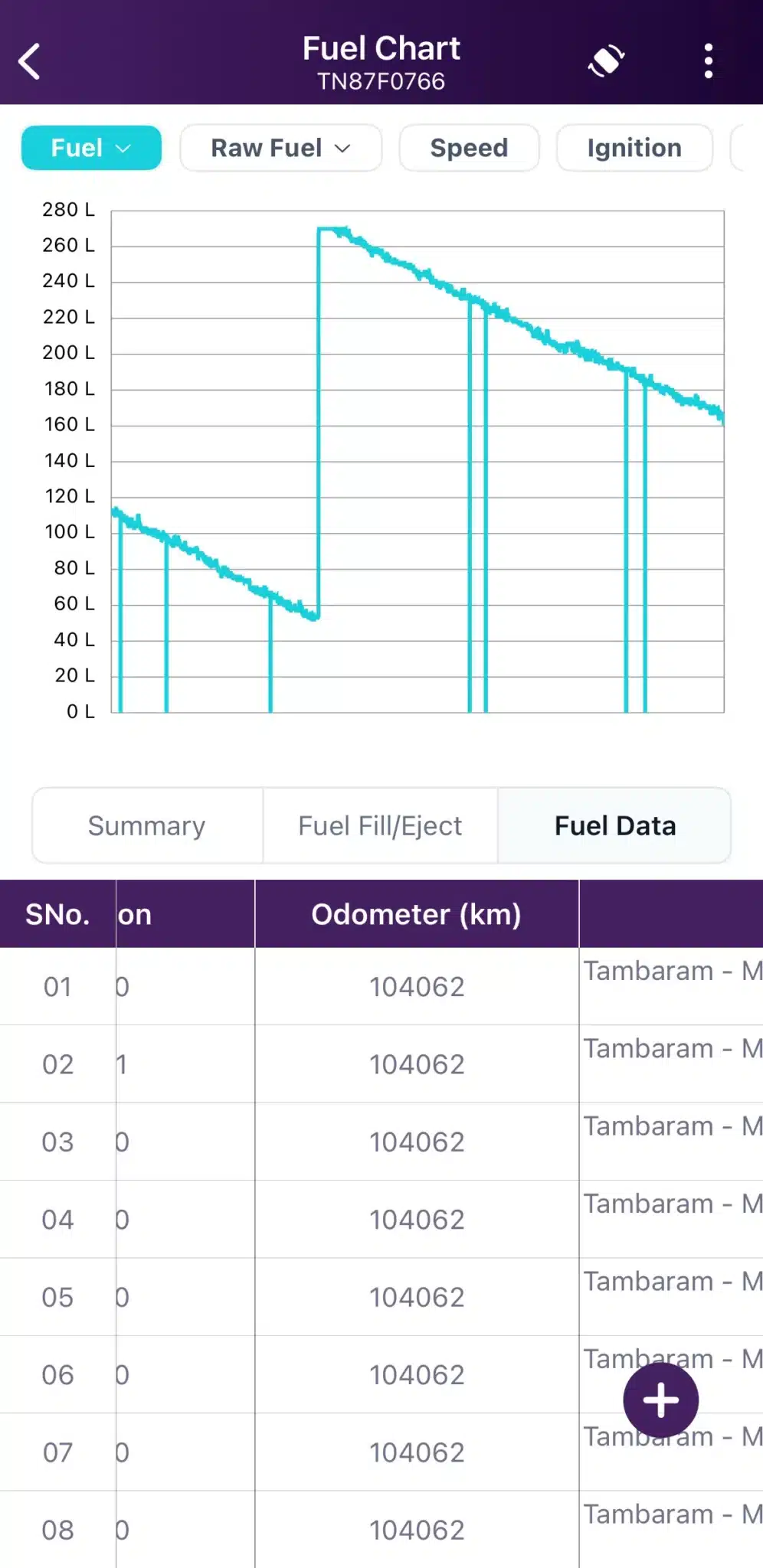
Visualise raw fuel data and consumption trends on Android.
- A Temperature vs Distance option is introduced within the Temperature Chart Report, extending this capability to Android and enabling analysis of temperature variation across travel distance.
- A Humidity column has been added to the Temperature Report, supporting more comprehensive environmental monitoring.
- Multiple date and time format support is added, allowing users to configure regional display preferences.
- Greek language support is introduced, extending platform accessibility to Greek-speaking users.
- Theme synchronization has been implemented between the web and mobile applications, ensuring a consistent visual experience across platforms.
Android now sits closer to feature parity with Web across reporting and monitoring.
iOS Enhancements
The following updates round out this release on iOS:
- Dashboard fuel data display has been enhanced for improved accuracy and consistency.
- Multiple date and time format support is introduced, allowing users to view information according to their preferred regional format.
- Odometer information is now included in reports, supporting more comprehensive tracking insights.
- A unified API now supports Temperature Report generation across both mobile and web platforms (see Web Enhancements above), ensuring consistent report accuracy.
- Greek language support is introduced, extending platform accessibility to Greek-speaking users.
Reporting depth and accuracy on iOS now match what Web and Android already deliver.
Minor Updates and Bug Fixes
- Query Optimization for Line Record and History Line Data Projections have been implemented in Line Record and History Line queries to optimize CPU and memory utilization, resulting in improved system performance and faster data retrieval.
- Image Rendering Compatibility for Latest iOS & Xcode 26 Image rendering compatibility issues introduced by the latest iOS and Xcode 26 update have been resolved, ensuring a consistent visual experience.
- Live Map Search Delay An issue causing delays in the display of searched vehicles on the Live Map has been resolved, improving search responsiveness.
Important Notes
Please keep the following in mind while using the latest enhancements:
- Unauthorized Stop Alert exclusion applies only to locations already configured as Authorized Geofences; new locations must be added before exclusion takes effect.
- Multiple date and time format support is being implemented in phases; this release covers Phase 3, with earlier phases already active across select modules.
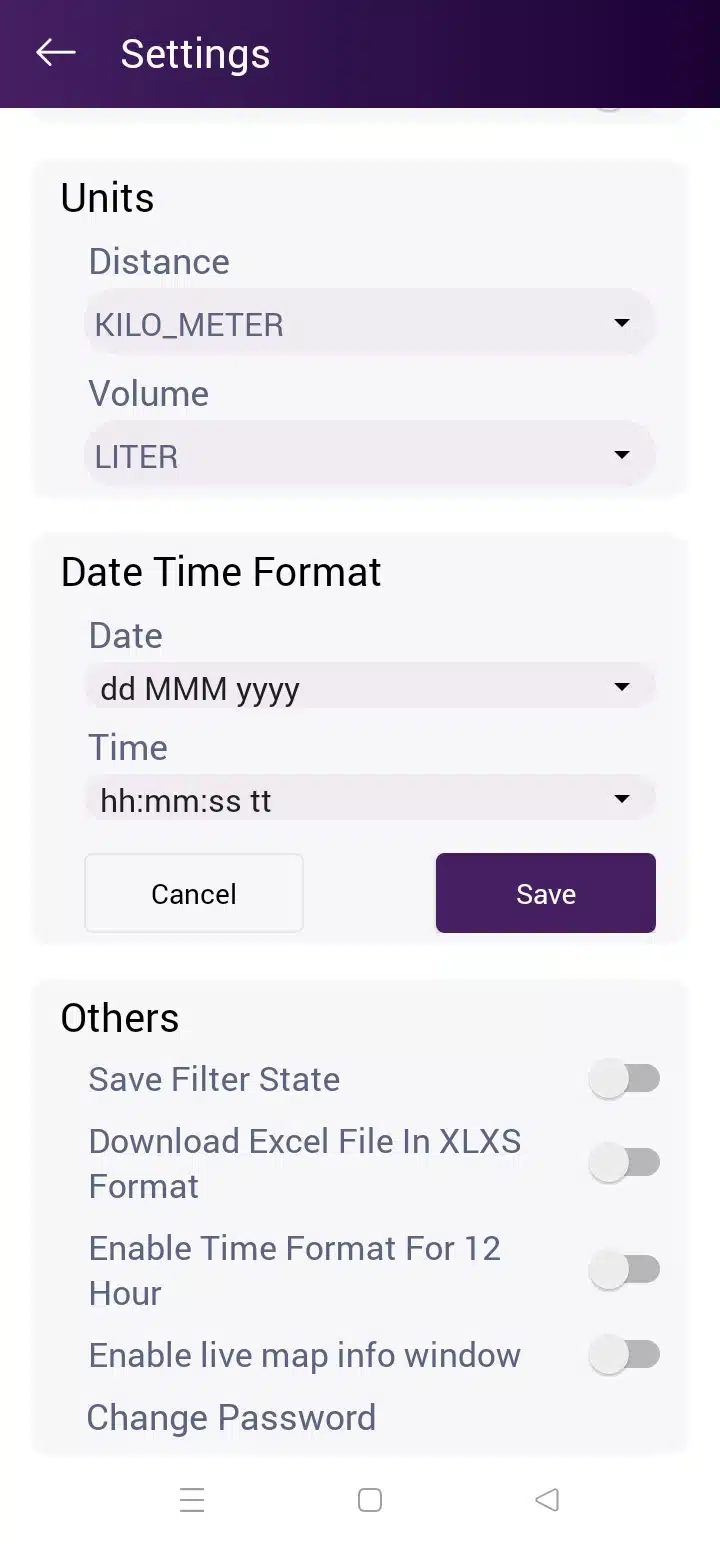
Choose preferred date and time formats across supported platforms.
(Web, Android & iOS) - The unified Temperature Report API applies across both mobile and web platforms, ensuring report data remains consistent regardless of access point.
Conclusion
The July 2026 release strengthens TrackoBit’s alert precision and operational visibility at enterprise scale. Geofence-aware alerting, real-time TCP processing, and platform-wide reporting parity all serve one purpose: making the data a fleet manager relies on more trustworthy than it was before.
Device configuration flexibility, multilingual accessibility, and reporting consistency across Web, Android, and iOS continue to receive equal investment, ensuring fleets scale with confidence.
At TrackoBit, every release is driven by a single objective: helping fleets execute with greater precision, at scale.