Tracking employees in offices, worksites, and field locations presents different tracking needs. Businesses must record their work hours while maintaining visibility in field activities and employee tasks.
Jibble is great for businesses that require basic time tracking software. However, business needs evolve over time. This is particularly true for those sectors with field teams. They must confirm staff attendance, keep track of field visits, monitor task progress, and ensure planned visits are completed. What’s more, compliance requirements are increasing.
That’s why exploring Jibble alternatives can help you compare available options and find one that fits your business needs and priorities. To help you pick the right one, we have listed 5 best jibble alternatives and competitors to consider in 2027 and beyond.
What is Jibble and Who Uses It?
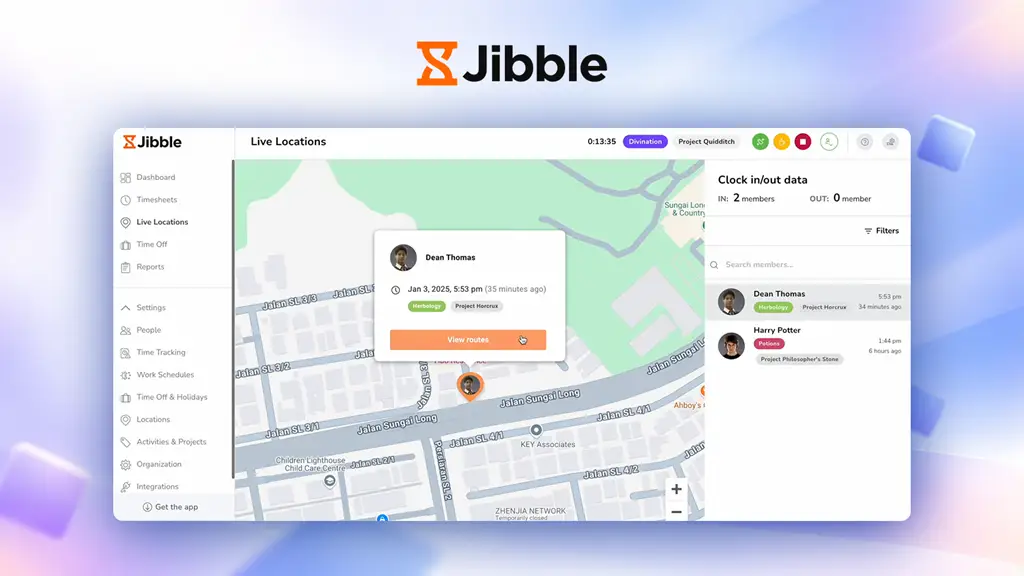
Jibble is a time tracking and employee monitoring software. It allows clock-in on various devices. It also supports features like GPS tracking, geofencing, offline mode, and shared kiosks.
Jibble provides seamless integration support. This allows employees to keep track of their time using platforms like Slack and Microsoft Teams. Jibble is used in industries such as construction, manufacturing, logistics, and healthcare.
Jibble’s Core Features
1. Time Tracking and Timesheets
Jibble lets employees’ clock in and out from any shared device and track their work hours in real-time. Its timesheets then can be reviewed and approved for each pay period. Employees can even clock in without the internet. Entries get synced once online.
2. GPS Tracking and Geofencing
Jibble adds GPS layer to every clock-in and clock-out. This gives managers a record of where attendance was marked. Businesses can also set approved locations. This restricts employees from clocking in outside them.
3. Face Recognition and Selfie Verification
Jibble helps businesses to enroll each employee using photos taken from four angles. The software then uses this data to recognize them during clock-ins and clock-outs. On supported kiosks, anti-spoofing checks can also detect attempts to use a photo or video instead of a live face.
4. App and Website Usage Monitoring
Jibble tracks the apps and websites employees use while they are clocked in. Managers can see where work time is being spent and identify activity patterns. This gives them a clearer view of how employees use their working hours.
Pricing
Jibble offers free plans for unlimited users.
Why Businesses Look for Jibble Alternatives
Jibble is a reliable choice for employee monitoring and time tracking. But as companies evolve, so do their needs. Businesses may require advanced features to manage employees, especially field teams, as they work at different locations.
Budget is another factor. So are integration capabilities, reporting needs, and the level of control managers need. Looking at Jibble alternatives helps you explore other solutions in the market.
Best Jibble Alternatives and Competitors in 2027
TrackoField and TrackOlap are the best Jibble alternatives in the market. Lystloc, Unolo, and Zoho shifts are also viable options for employee tracking.
These alternatives cover different workforce management needs. From employee attendance and time tracking to real-time field visibility, task management, and territory planning. The right choice depends on whether you need to track work hours, manage employees in the field, or oversee day-to-day field operations.
| Jibble Alternatives | Features | Pricing |
|---|---|---|
| TrackoField |
|
|
| TrackOlap |
|
|
| Lystloc |
|
|
| Unolo |
|
|
| Zoho Shifts |
|
|
Disclaimer: All information is gathered from publicly available sources and is subject to change.
1. TrackoField
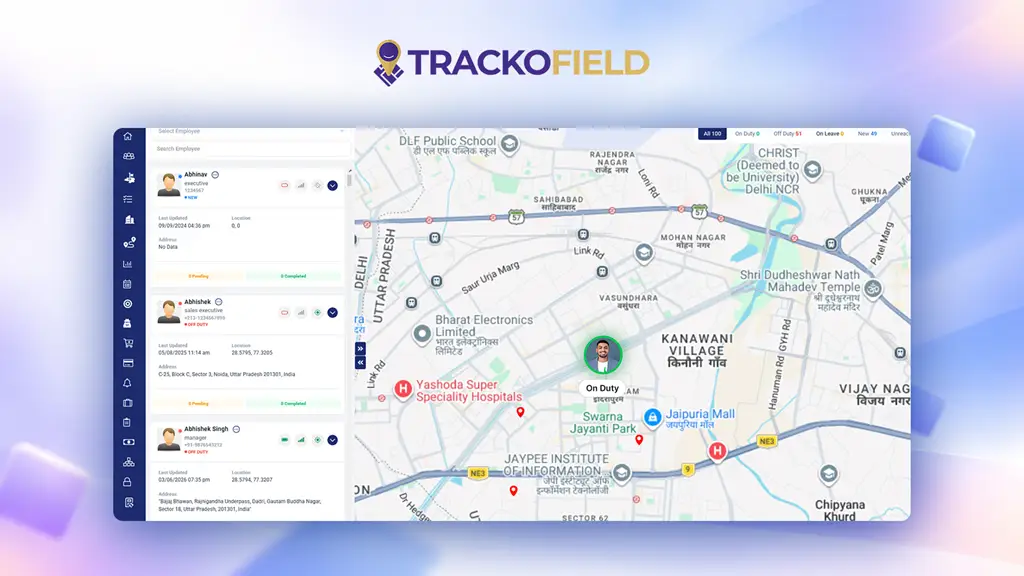
TrackoField is an AI-powered field force management software. It combines employee time tracking with task, attendance, leave, shift, goals, and expense management. TrackoField is an ideal choice for businesses of all sizes. Whether you have a small team of 10 or enterprises managing 1,000+ field employees, it scales as your business grows.
Key Features of TrackoField
1. Real-Time Employee Tracking
TrackoField gives field managers a live view on maps during working hours. It also supports offline mode for low-network zones. Data gets synced once the internet is restored. Managers can view employees’ live locations, routes, and task status. They can also check battery and network status.
2. AI Face Recognition Software
TrackoField’s AI-face recognition attendance software provides secure and reliable attendance with liveness detection. It helps prevent proxy attendance and buddy punching. GPS and time-stamped entries add another layer of accountability. Along with that, unrecognized faces are flagged for review. So, managers can quickly spot suspicious attendance entries.
3. AI Manager Bot
It’s an industry-first conversational bot. Managers can ask questions in natural language using text or voice. The AI manager bot gives them actionable insights related to employee attendance, task, and performance. It supports role-based access control for data privacy.
4. Expense Management
TrackoField brings employee expense claims, bill uploads, approvals, and reimbursements into one place. Employees can upload receipts, apply for reimbursements, and check claim status from the app. Managers can set multi-level approval. Mileage tracking and expense reports are also included.
5. Task Management
Create, assign, and track field tasks from one place. TrackoField supports calendar scheduling, ad-hoc task allocation, and self-allocation. Managers can also view target vs. achievement reports. Also, they can track the distance and duration for each visit.
Use Case
TrackoField is a good fit for businesses managing a multi-site workforce. Businesses who need real-time visibility with advanced features like BEAT planning and territory management, it’s a go to choice.
Industries It Serves
Case Study: How Seeds Fincap Uses TrackoField to Improve Field Visibility
Managing field teams in NBFCs requires clear visibility into employee visits and daily activities. Managers need a clear view of employee locations, completed field visits, and individual performance to keep daily operations on track.
Seeds Fincap Private Limited shares its experience with TrackoField and how the platform supports visibility and control in their field operations. Watch the customer story to hear directly from Seeds Fincap’s leadership.
Pricing
- Annual: ₹250/per user/month
- Half Yearly: ₹275/per user/month
- Quarterly: ₹300/ per user/month
TrackoField Vs Jibble: Key Differences
| Criteria | TrackoField | Jibble |
|---|---|---|
| Primary use | Field force management and workforce tracking | Time tracking and employee attendance |
| Time tracking and timesheets | Yes | Yes, with timesheet review and approval |
| Real-time GPS tracking | Yes, including live locations, routes, and task status | GPS location recorded at clock-in and clock-out |
| Geofencing | Supports location-based field monitoring | Restricts clock-ins to approved locations |
| Face recognition attendance | AI face recognition with liveness detection | Face recognition and anti-spoofing on supported devices |
| Offline functionality | Tracks field activity in low-network areas and syncs data when connectivity returns | Supports offline clock-ins and syncs entries when online |
| Task management | Task assignment, scheduling, ad-hoc tasks, and target-vs-achievement reports | Not listed among the core features provided |
| Performance monitoring | Employee-level performance dashboards and AI Manager Bot insights | Timesheets and app/website activity monitoring |
| Expense management | Expense claims, receipt uploads, approvals, and reimbursements | Not listed among the core features provided |
| App and website monitoring | Not listed among the core features provided | Tracks app and website usage during clocked-in hours |
| Industry focus | NBFC, MFI, Agri-input, DSA, Pharma, and BTL activations | Employee time tracking across different business types |
| Integrations | 200+ integrations | Verify current integration availability and plan limits |
TrackoField is a field force management platform that helps businesses manage employee attendance, live location, expenses, field visits, and performance. Jibble focuses on time tracking, attendance, and work-hour monitoring. It is a good choice for businesses that primarily need to track employee hours and productivity.
2. TrackOlap
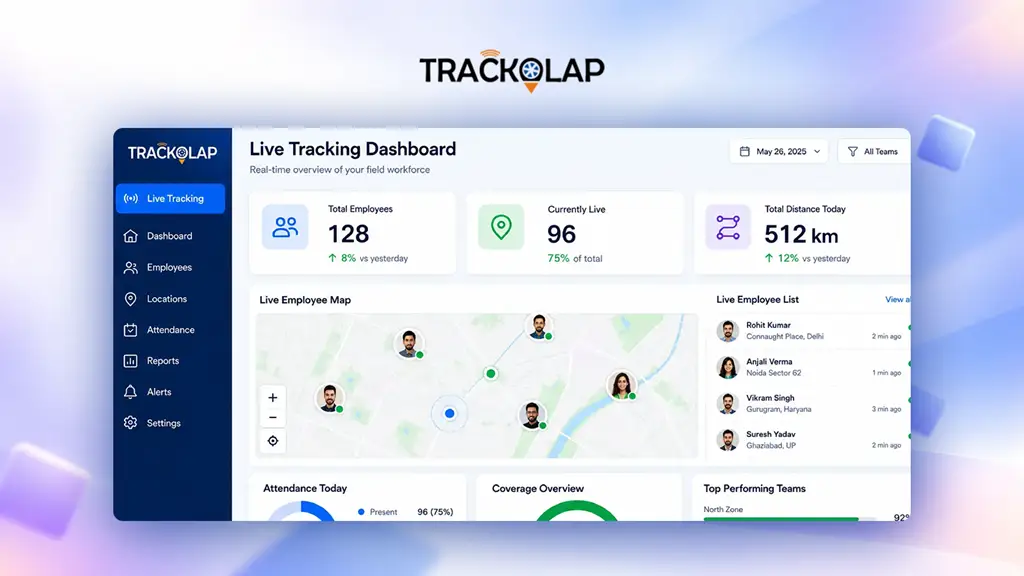
TrackOlap is a leading employee tracking software and top Jibble competitor. It combines sales CRM, HR, field team tracking, and remote workforce management in one platform.
Key Features of TrackOlap
1. Live Location Tracking
Track employees’ live locations and movement while also monitoring idle time and application usage. Managers get a clearer picture of where employees are and how their work hours are being spent.
2. Attendance and Leave Management
Record geo-verified check-ins, manage shifts and leave policies, and route regularization requests for approval. It keeps attendance records audit-ready and sends approved data directly to payroll.
3. Task Management
Assign tasks by territory, product, workload, and track updates from mobile app. Managers can verify task completion with location and photo proof. It also generates productivity reports.
Use cases
It is useful when managers need a clear view of daily work and task progress. Managers can track employee activity without relying on constant calls, messages, or manual updates.
Industries
- Finance
- NBFC
- Insurance
- EduTech
Pricing
Custom Pricing
3. Lystloc
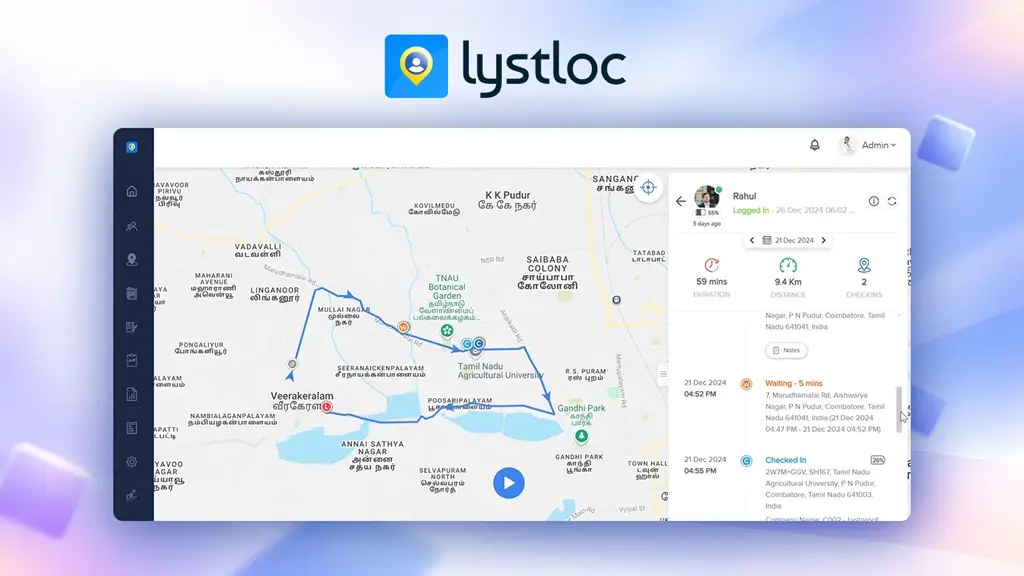
Lystloc is a field workforce tracking tool focused on location intelligence. It helps businesses monitor field teams, track movements, and manage location-based activities from a central platform.
Key Features of Lystloc
1. Real-Time Tracking & Attendance
Managers get a live view of field employees. This includes current location, travel routes, and distance covered. It combines real-time, location-based attendance with AI-powered facial recognition through Lystface.
2. Task Management
Tasks are assigned based on employee’s location to save fuel and travel costs. Geo-fencing keeps field visits tied to the right locations. It also supports custom forms to capture the information employees need to submit from the field.
3. Reports and Analytics
Lystloc offers detailed reports on field attendance, visits, working hours, and daily activities. The reports also give managers a view of sales performance and employee productivity.
Use Case
Lystloc is useful for managers who need to verify field attendance, track visits, and review employee activity without relying on manual reports.
Industries
- FMCG
- Pharmaceuticals
- Home services
- Healthcare
Pricing
Monthly
- ₹249/user/month (Standard)
- ₹449/user/month (Enterprise)
- ₹699/user/month (Suite)
- Custom price for Elite.
Annually
- ₹199/user/month (Standard)
- ₹349/user/month (Enterprise)
- ₹549/user/month (Suite)
- Custom price for Elite
4. Unolo
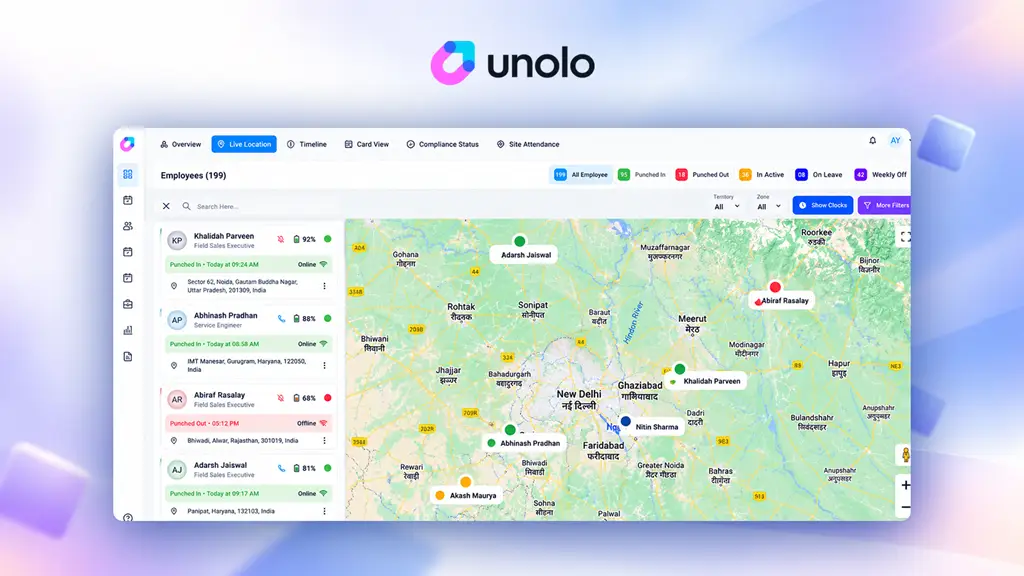
Unolo, a top alternative of Jibble, is an FFM software suite for businesses managing field sales and service teams. It covers the full cycle of field operations, from planning client visits and setting sales targets to booking orders and validating travel expenses.
Key Features of Unolo
1. Real-Time Location Tracking
Unolo track field employees’ live locations and historical data. Managers receive geofence alerts for entry and exit from designated areas. GPS spoofing detection flags attempts to fake location data.
2. Attendance Management
Record location-verified attendance and tracks employees’ working hours against custom shifts. Managers can restrict check-ins to approved locations.
3. Task Management
It supports BEAT planning, client visit verification, and task tracking. Employees collect field data through custom forms. At the same time, managers monitor delayed, ongoing, and completed tasks.
Use Case
Unolo suits businesses with field and service teams. It is particularly useful when managers need to verify client visits, track sales activity, and need accountable operations.
Industries
- Field Sales
- Field Operations
- Agri-Tech
- Finance
Pricing
Unolo offers custom pricing.
5 . Zoho Shifts
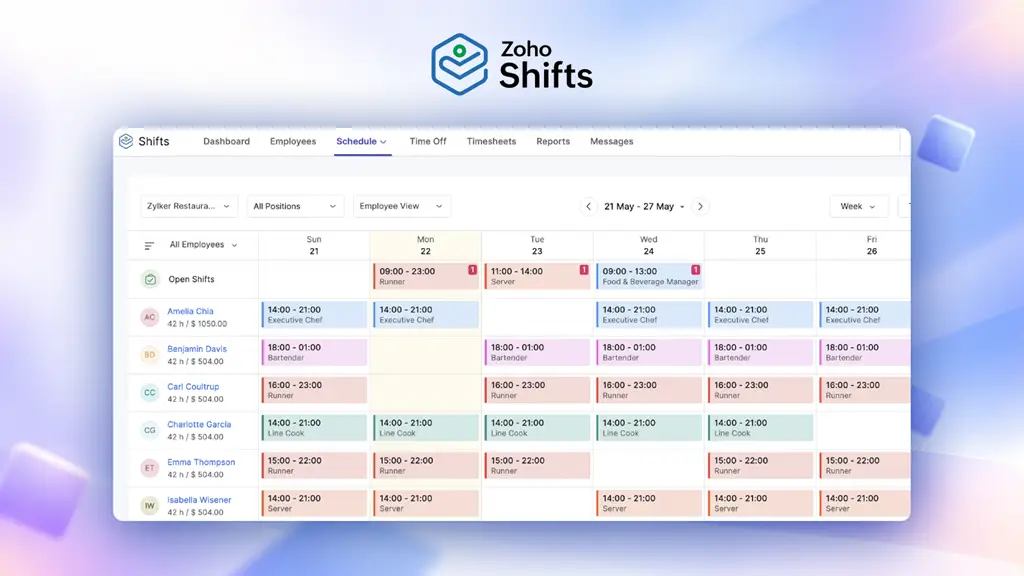
Zoho shifts focus on employee tracking, attendance, and work-hour management. Employees can clock in from their mobile devices or through the Shifts Kiosk app.
Key Feature of Zoho Shifts
1. GPS-Based Time Verification
GPS tracking via the mobile app is used to verify employee hours in Zoho Shifts. Managers can also track early check-in and late check-outs that can contribute to overtime expenses.
2. Missed Punch-In Notifications
Staff are automatically reminded to clock in and out. Employers can set up check-in notifications to alert them to missing attendance records prior to timesheet processing.
3. Timesheet and Payroll Management
Managers can set up weekly, bi-weekly, and monthly pay periods. Zoho Shifts also computes wages and overtime in accordance to the regional labor laws.
Use Cases
It’s one of the sensible solutions for teams operating from various job sites or locations. Perfect for managers who require correct timesheets for payroll and wage calculations.
Industries
- Healthcare
- Nursing
Pricing
- Free upto 25 users
- Basic ₹60/user/month (Minimum 10 users)
- Standard ₹120/user/month (Minimum 10 users)
Checklist for Choosing the Best Jibble Alternatives
Businesses must look for user reviews, pricing, and features. Below is a detailed buying checklist to choose the best Jibble alternatives.
1. User Reviews
Check user reviews on trusted platforms like G2 and Capterra. This will give you an idea of how the software performs daily operations. Pay attention to common feedback related to strengths and limitations.
2. Features
Compare the features of each Jibble alternative against your team’s daily needs. Some tools may focus on employee tracking, while others on attendance management. Many tools bundle features, so check what’s included.
3. Pricing
Compare the pricing of each Jibble competitor against your budget. However, do not rely on the upfront fees only. Ask for prices for advanced features. Also compare the ROI it delivers to your business. Best advice is to invest in software with custom pricing.
4. Ease of Use
Look for software that is easy to use for both your employees and managers. This will save you additional costs for training your team. Also, it must offer a clean interface on both the web and mobile.
Conclusion: Which Is the Best Jibble Alternative?
Jibble is a great employee time tracking software if you need to track the activities of your employees during working hours. Software like TrackoField, Lystloc, and TrackOlap are the best Jibble alternatives.
Among these options, TrackoField is worth considering. It is an AI-powered field force management software built for field-intensive sectors like NBFCs, MFIs, and Agri-input. Its performance dashboards show employee-level performance data in one place. This helps managers track individual productivity and identify gaps. Its location, analytical, and visual intelligence capabilities help managers verify field activities and monitor team performance. With 200+ integrations, it also connects with existing business systems.
Disclaimer: All information is gathered from publicly available sources and is subject to change.


Parul Choudhary writes for TrackoField and TrackoMile at InsightGeeks, covering field workforce operations and delivery management. Her work spans dispatch workflows, task allocation, driver SLA track... Read More


