
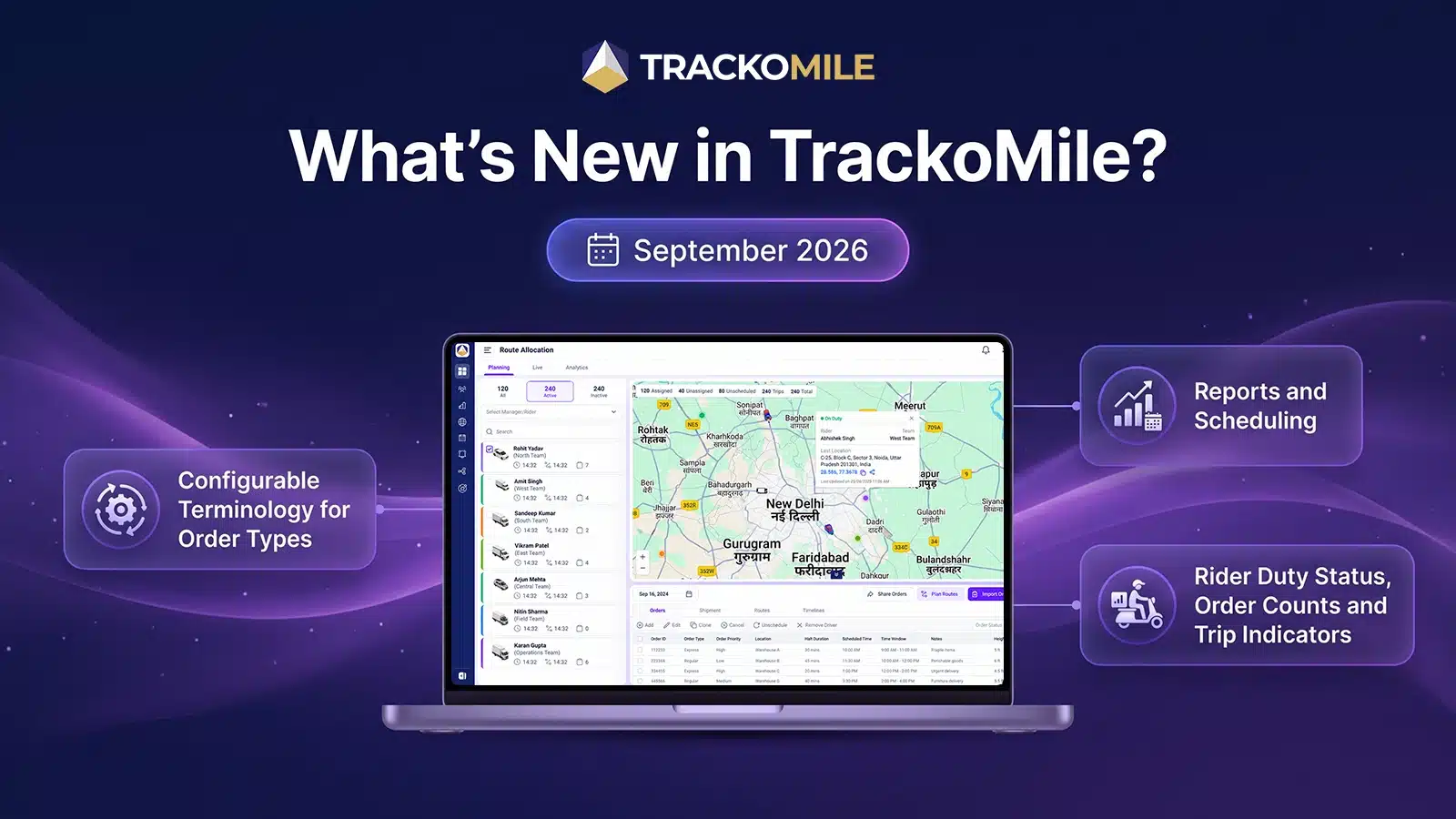
Every operations team has its own words. One team says Dropoff, another says Delivery. Software that insists on a single vocabulary leaves teams translating it. TrackoMile’s September 2026 release lets managers configure that vocabulary for Order Types, Order Status and Load Parameters, with no engineering change and no new release.
Alongside it, three Web updates give managers a clearer view of the day in dispatch management and tighter control over order creation. Managers can now view order counts by status on the Planning and Live pages for the selected date. Planning page rider cards now display each rider’s current duty status. Import Orders now follows the Add Order permission, restricting bulk order creation when order creation is disabled.
Let’s explore everything that’s new.
Web Updates to TrackoMile in September 2026
Configurable Terminology for Order Types, Order Status and Load Parameters
A platform used by dispatchers, riders, managers and customers will always meet more than one vocabulary. Until now, teams adapted to the platform’s words. This release reverses that.
Managers can now configure client-specific terminology for Order Types, Order Status and Load Parameters, based on the language their operational teams already use. The change needs no engineering work and no new release.
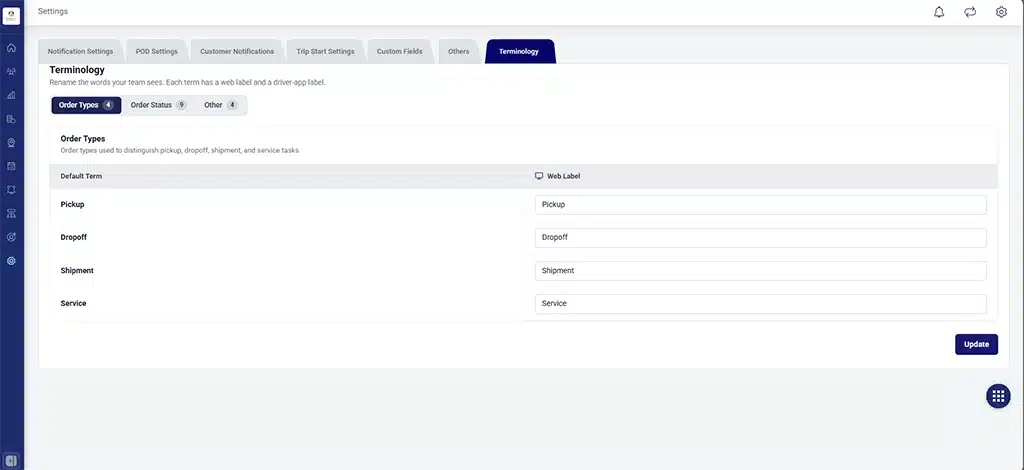
Customise order status labels to match your operations
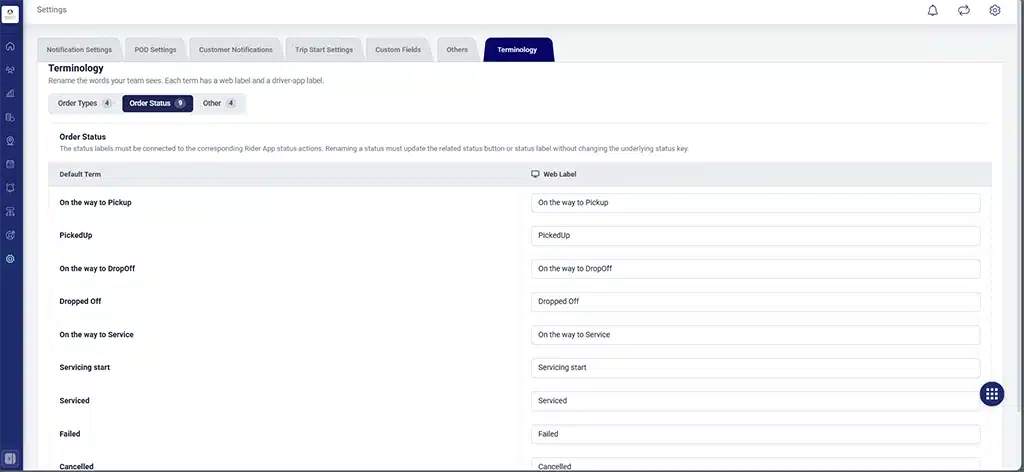
Customise order status labels to match your operations
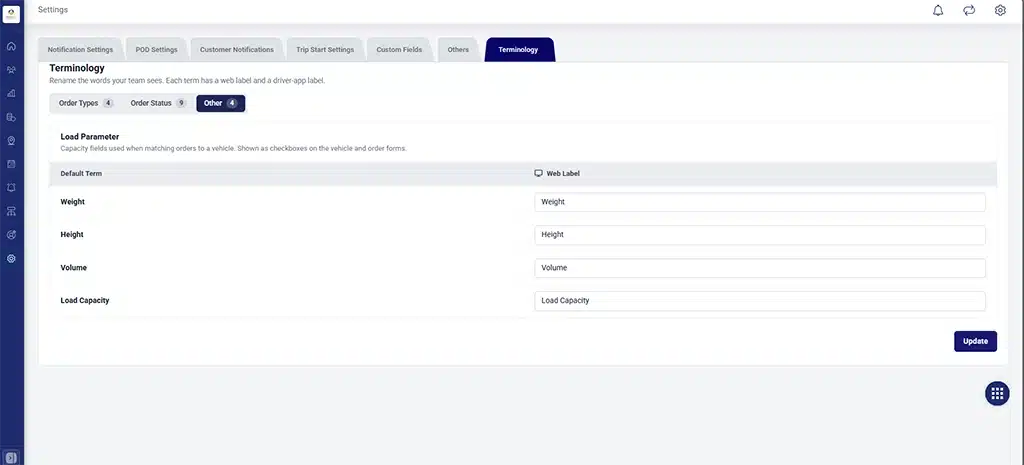
Customise load parameter labels for your workflow
The configured terms now appear across the platform:
- Planning, Live and Analytics display the configured Order Type and Delivery Status terminology, so trip allocation and monitoring use the same words.
- TM Settings and Trip Allocation-related configurations apply the same terms, giving the web console one client-specific vocabulary.
- The Customer and Trip Notification screens use the latest saved Order Type terminology. The Order Type label is consistent across the Trip Notification UI, the Order Notification UI, Trip Allocation and other relevant web modules.
- Order and Trip Notifications sent over WhatsApp, SMS and Email use the Order Type terminology the client has configured, so customers receive messages in the client’s own language.
- Reports reflect the latest terminology.
- The Rider App and Manager App on Android and iOS have been updated to support it, as covered below.
Planning and Live: Rider Duty Status, Order Counts and Trip Indicators
- Managers can now view order counts by status on the Planning and Live pages for the selected date, giving a clearer view of how orders are distributed.
- Rider cards on the Planning page now display each rider’s current duty status: On Duty and Off Duty.
- Trip Start and Trip End indicators are now clickable, taking users straight to the relevant trip information.
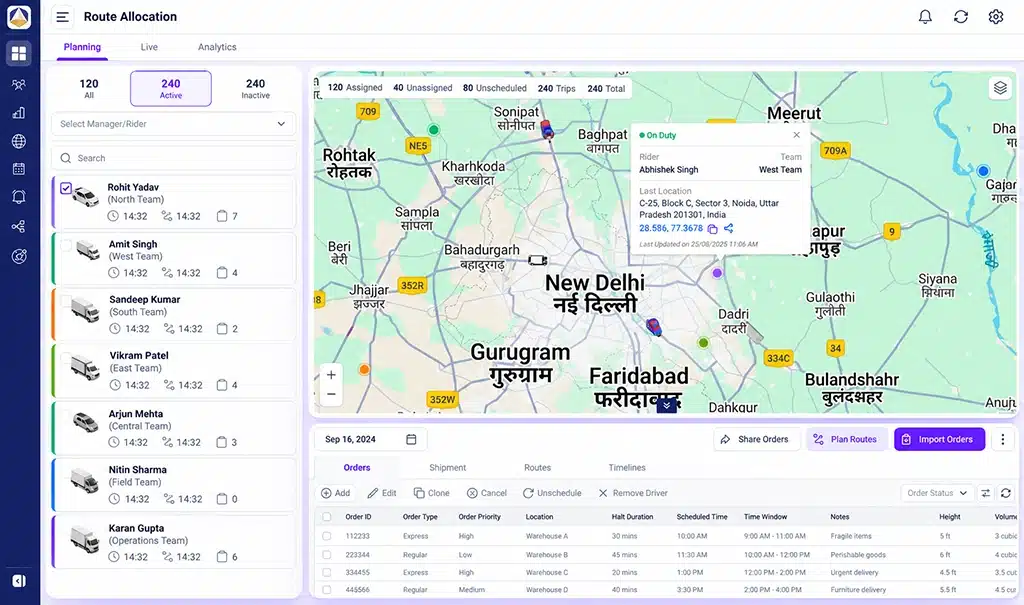
View active, inactive, and total orders in Planning
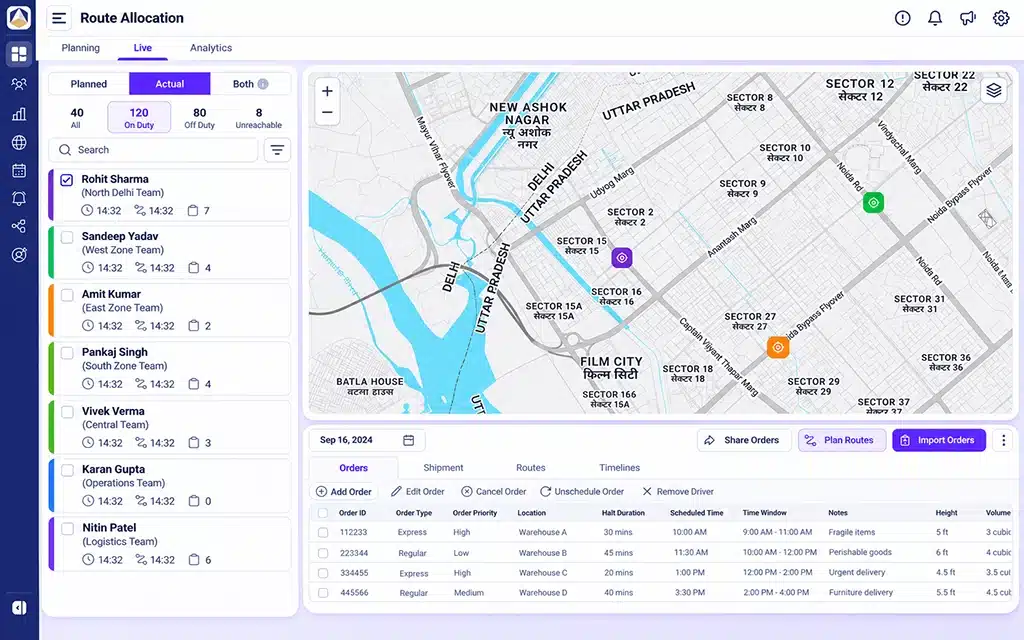
Monitor rider duty status at a glance in Live
Import Orders Now Follows the Add Order Permission
The Import Orders permission now follows the Add Order permission, restricting bulk order creation when order creation is disabled. A user who cannot create orders can no longer create them through bulk import. Bulk import no longer offers a route around Add Order.
Reports and Scheduling
- An Activity Timeline view is added to the Schedule Report, improving visibility of task and trip activities.
- Core operational reports now include Active, Inactive and All filters.
Web Enhancements
- The Approve and Reject actions in Device Approval now follow a standardised UI, for a more consistent experience.
- The API used for bulk uploading task orders has been optimised.
Android/iOS Updates to TrackoMile in September 2026
Terminology in the Rider App and Manager App
The Rider App has been updated to support the latest terminology and functionality changes, as the first phase of this work. The Manager App has been updated to align with the same terminology changes. Terms configured on the web now carry into the apps teams use in the field.
Important Notes
Terminology can be configured for Order Types, Order Status and Load Parameters. In the Customer and Trip Notification screens, Order Type terminology is applied and Order Status terminology is unchanged.
Import Orders follows the Add Order permission. Where order creation is disabled, bulk order creation is restricted as well.
Looking Forward
Software earns its place when a team can use it without translating it. September’s release puts the vocabulary under the team’s control, from the web console to customer messages and the mobile apps. Planners also get a clearer view of riders and orders, and reports can run on the schedule operations actually keep.
At TrackoMile, the software learns the team’s vocabulary. The team should not have to learn ours.
Explore how last-mile delivery software from TrackoMile fits your operation and book a free demo to see it in action.