
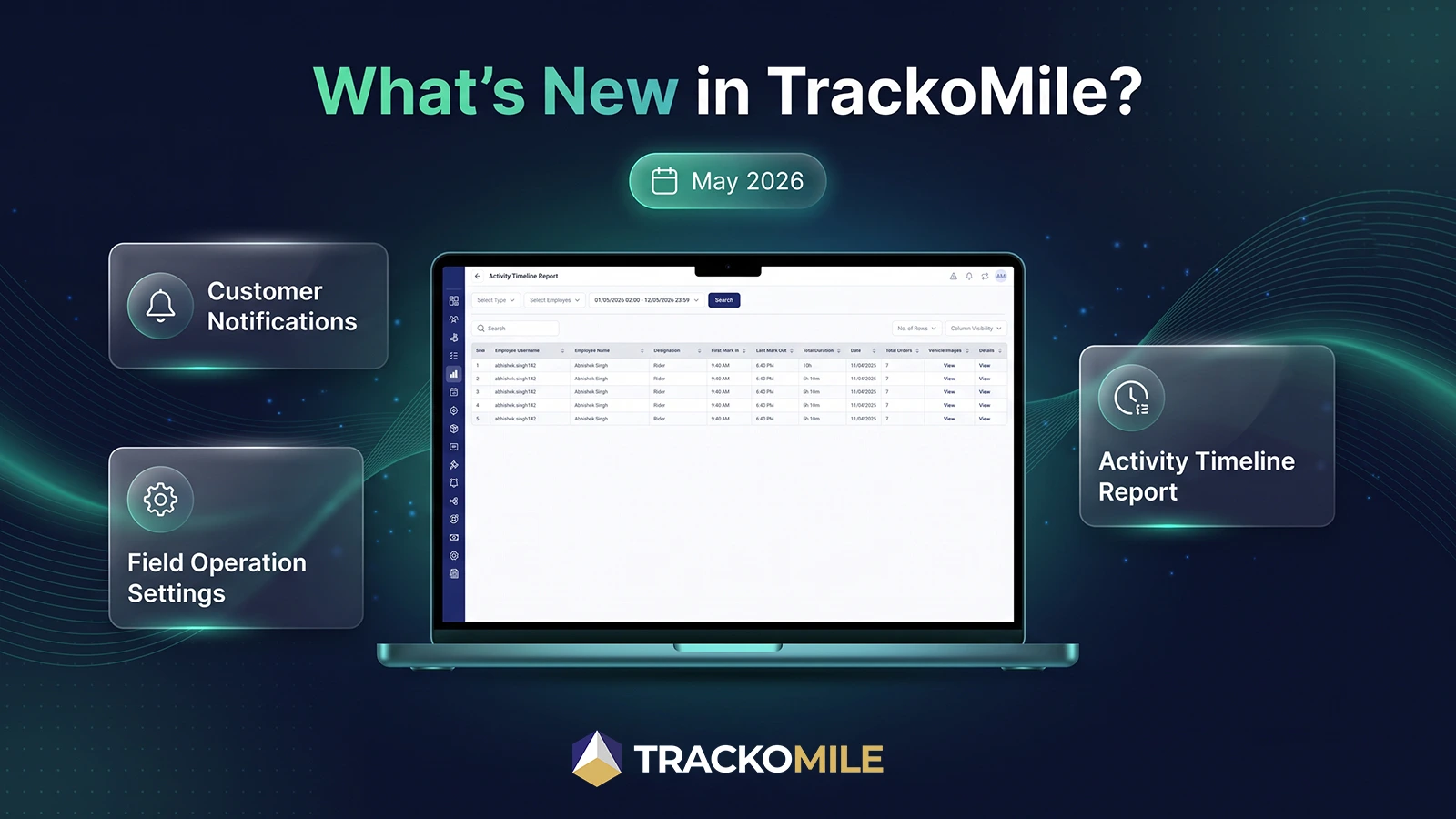
A trip notification that fires at the wrong moment, or a report that can’t tell a manager exactly when something actually happened, does more harm than sending nothing at all. TrackoMile’s May 2026 release addresses both directly, giving managers full control over trip start notifications and introducing a new Activity Timeline Report built for precision.
Communication and reporting only earn trust when they’re accurate down to the detail, the right notification, to the right customer, at the right stage, and a report that reflects exactly what happened, not an approximation of it. This release sharpens both.
Let’s explore everything that’s new.
Web Updates to TrackoMile in May 2026
Notifications
Trip start notifications are now fully configurable. A new Customer Notification settings section, renamed from Order Tracking & Status, allows managers to enable or disable trip start notifications, select applicable order types (Pickup, Dropoff, Service), and configure notification content, including OTP, Tracking Link, and Customer Feedback. A live template preview and info banner clarifying precedence rules help reduce configuration errors before they reach a customer.
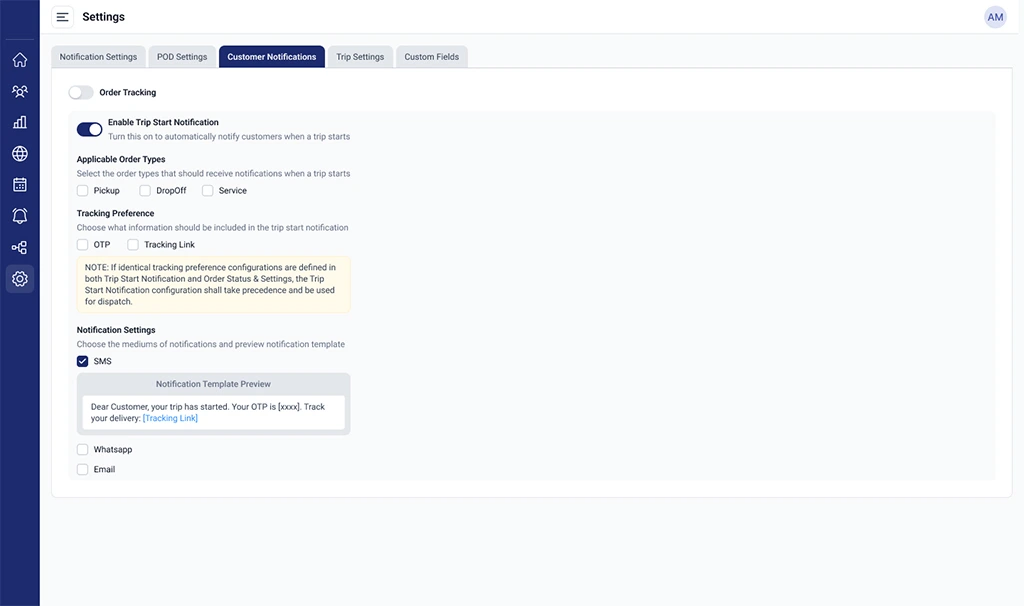
Configure customer notifications
Reports
An Activity Timeline Report is now available under Reports → Activity, with filter and search support by rider type, employee, and date range. The report includes a main data table showing mark-in and mark-out times with total duration, alongside a detailed timeline pop-up with order-level logs per rider.
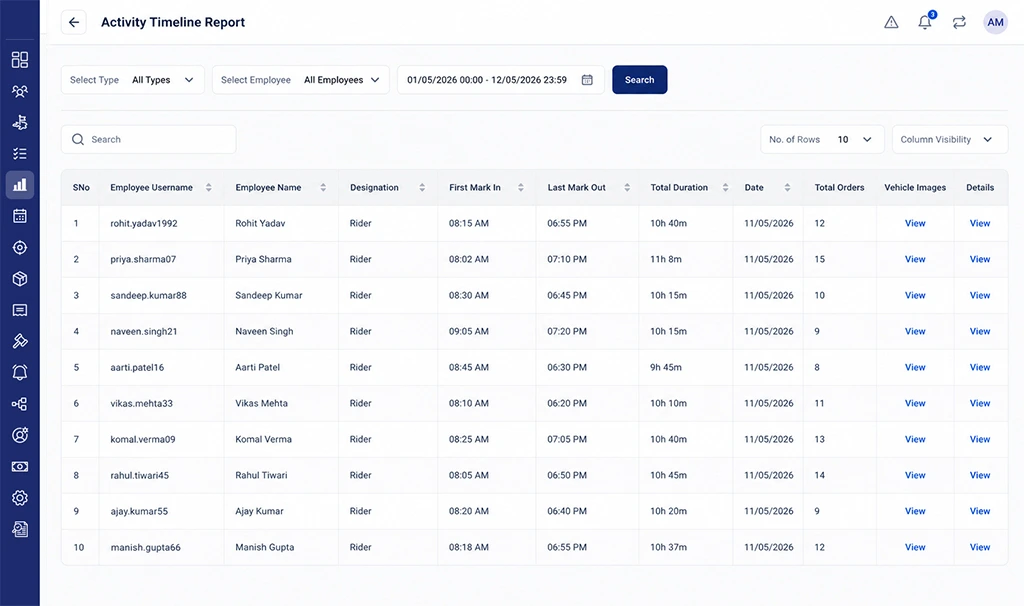
Activity Timeline Report
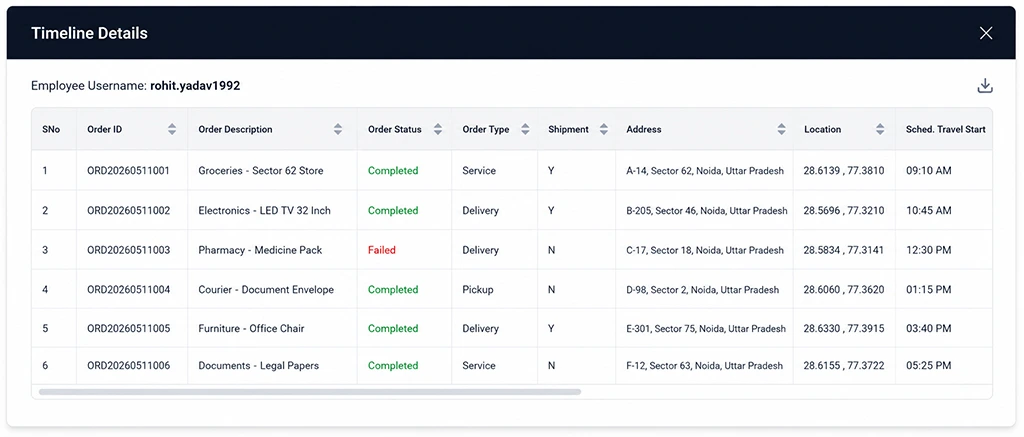
View detailed order timelines
Excel export is available for both individual rider timeline details, from the pop-up, and bulk export based on applied filters, combining flattened summary data with granular timeline data in a single report.
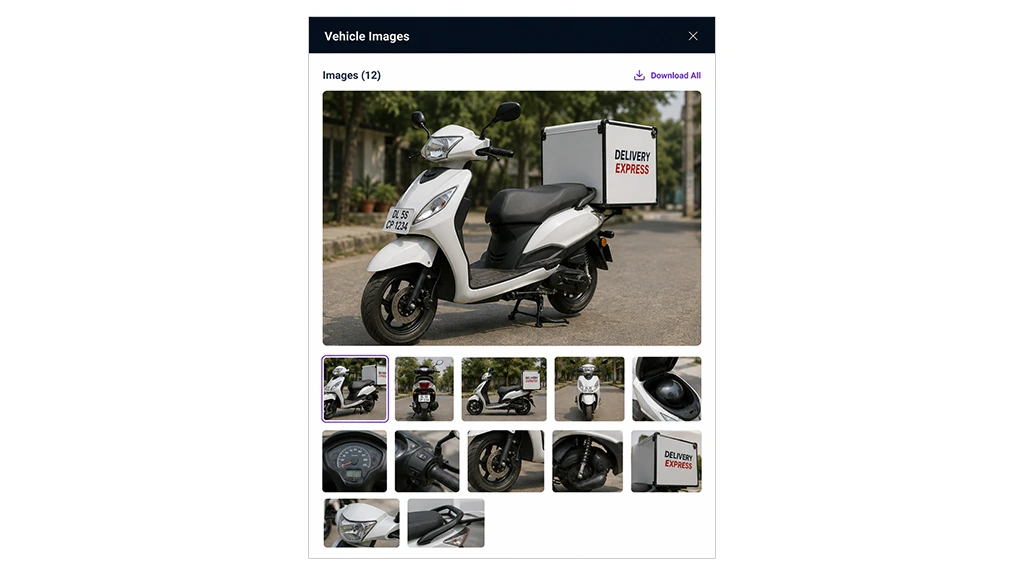
View rider vehicle images
Order Report time metrics have also been refined: the Actual End column now displays fail time for failed orders, Travel Start Time has been renamed to Schedule Travel Start Time, and Actual Travel Start Time is repositioned ahead of Actual Start Time. These changes apply consistently across both the interface and exported files.
Settings
A Buffer Time (in minutes) field is added to the add/edit operation settings modal under F.O. Settings, supporting mark-out buffer configuration, with an updated tooltip clarifying its use.
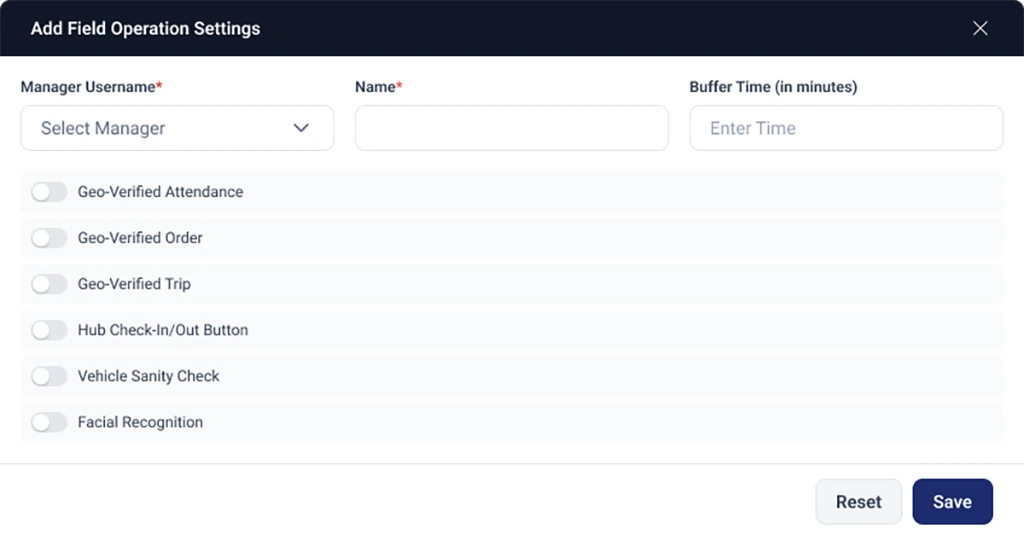
Configure mark-out buffer time
Important Notes
- Trip start notification precedence rules determine which configuration takes effect when multiple settings apply to the same order type; refer to the in-app info banner for the current precedence order.
- Order Report field renames (Travel Start Time → Schedule Travel Start Time) apply retroactively to historical exports generated after this release.
Looking Forward
Precision in communication and reporting isn’t a small detail, it’s the difference between a customer who trusts the process and one who doesn’t, and between a manager who can explain what happened and one who’s guessing. May’s release moves closer to certainty.
At TrackoMile, we’d rather be exact than fast and wrong.