
TrackoField’s March 2026 release brings significant enhancements across Web, Android, and iOS platforms. This update introduces the new Territory Management Module for greater control and clarity over territory planning. It also strengthens multi-location capabilities while improving hierarchy controls. Task workflows are more flexible, and dashboards are more insightful. System performance is more reliable than before.
With these, our field force management software now helps businesses manage teams and operations with greater precision.
Excited to see what’s new? Check out these powerful updates that simplify execution to enable faster decision-making.
Key Highlights of TrackoField in March 2026
Territory Management (New)
A powerful new Territory Management module has been introduced by TrackoField to help businesses structure and manage field teams more effectively.
- Dedicated Levels and Hierarchy tabs.
- Assign managers across territories.
- Improved team structure and visibility.
- Territory data now available in reports.
A structured Territory Management Module ensures better ownership and improved operational control across regions.
Web Updates (Version 18.1.0.5-49 & 18.2.0.1-50)
Multi-Location Customer & Task Management
- Support for multiple geofences (up to 5) per customer.
- Ability to associate multiple locations with a single task.
- Better bulk upload with geofence mapping and validation rules.
- Map geofences directly during customer creation (Web & Mobile).
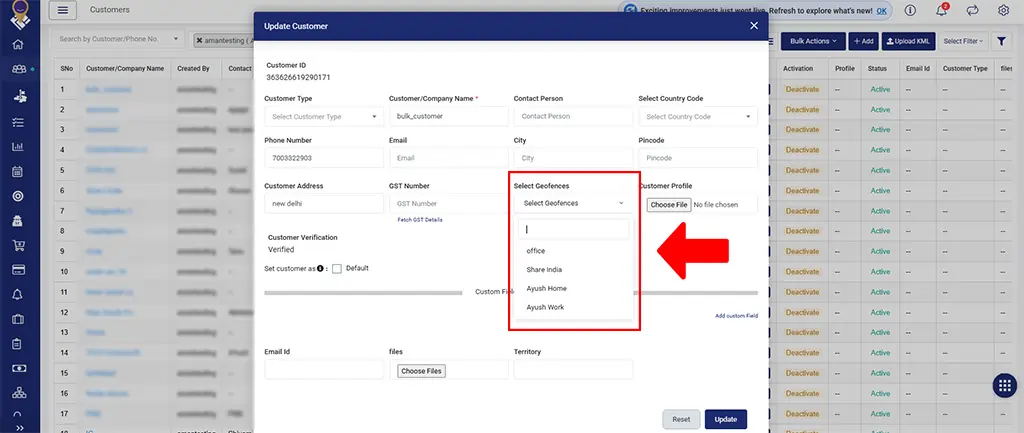
New Multiple Geo-Fences Support
Improved Reporting & Visibility
- Added Battery Saver Mode in Unreachable Reports.
- Stoppage records now visible on dashboard and reports.
- Attendance reports enhanced with Active/Inactive status indicators
- Retention of selected report tabs for smoother navigation
Hierarchy & Access Control Enhancements
- Role-based access for Travel History (Self & Hierarchy view)
- Hierarchy-based access to Expense Reports.
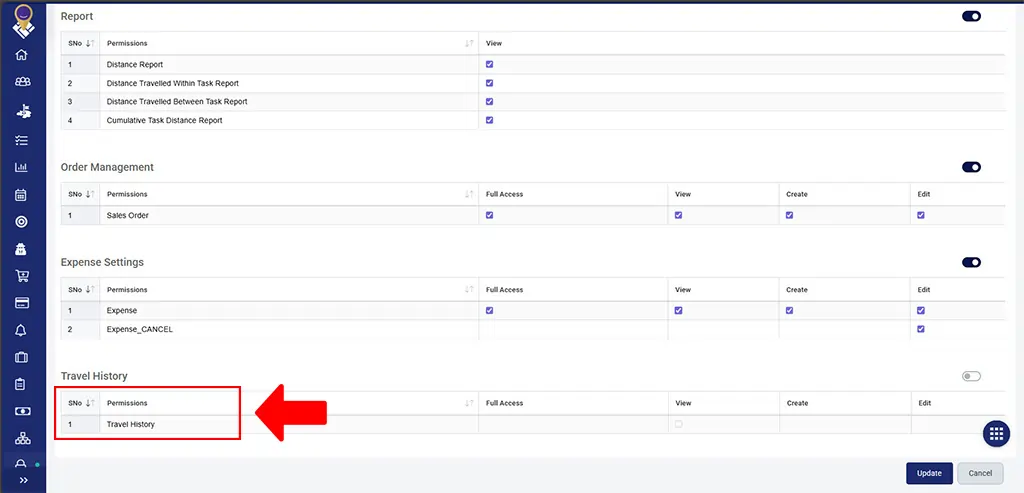
Role Based Travel History Access
Further, organization tree is improved with:
- Advanced employee search (name, username, or code).
- Hierarchy export options in PNG/SVG formats.
- Filter and display active employees only.
Task & Workflow Enhancements
- Task notifications via WhatsApp & SMS integration.
- Transfer tasks and customers during manager change.
- File upload restrictions added for better control.
- Improved task distance calculation logic.
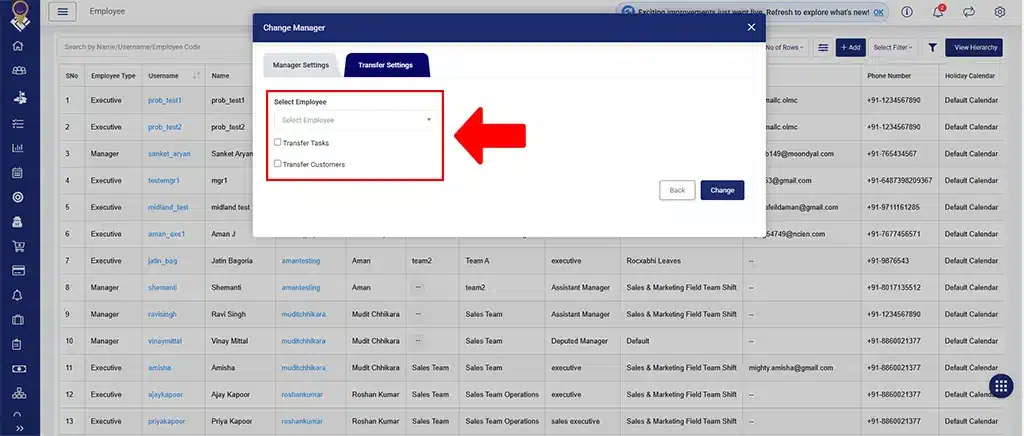
Updated Task and Customer Transfer Settings
UI/UX & Performance Improvements
- Login experience improved (credentials retained post session limits).
- Better responsiveness across modules.
- Cleaner customer profile and geofence UI.
- Stability fixes across Web, Android, and iOS.
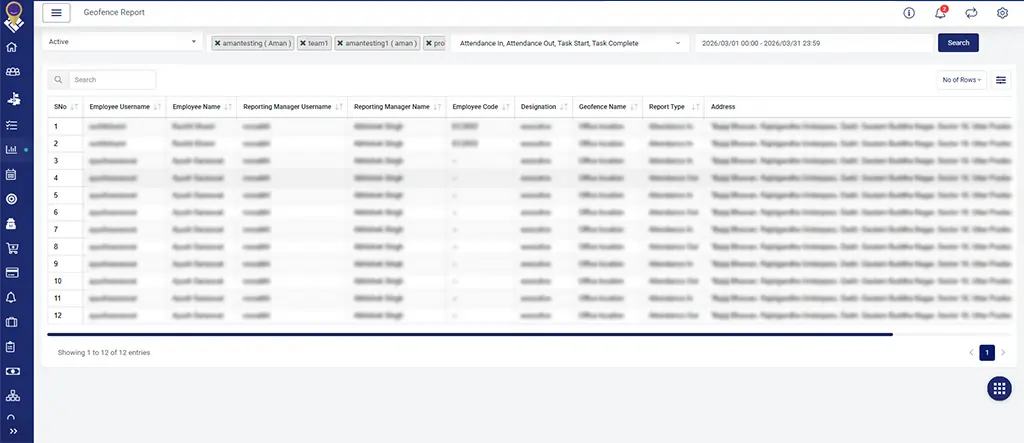
Enhanced UI of Reports
Android Updates (Version 2.50)
- Multi-geofence support (up to 5 locations per customer).
- Map redirect functionality for switching between task locations.
- Battery Saver Mode tracking in Unreachable Report.
- Role-based access control for Travel History.
- Team Overview enhancement with customer name visibility.
- Improved task assignment visibility across hierarchy.
iOS Updates (Version 1.7.3)
- Multi-geofence support during customer creation.
- Multi-location task creation for customer site type.
- Map navigation between task locations.
- Travel History with role-based access control.
- Battery Saver Mode tracking with detailed logs.
- Team Overview improvements with customer-based task visibility.
- Fixes in scheduler and auto mark-out functionality.
Other Notable Updates
- Shift start & end notifications for managers (15 minutes prior).
- Improved promotion workflow with pending action configuration.
- Attendance and employee monitoring enhancements.
Looking Forward
This release focuses on improving operational visibility and delivering a more reliable software experience across Web, Android, and iOS. With the introduction of Territory Management, enhanced reporting, and better task and location handling, teams can now operate with greater efficiency at scale.
In the coming months, we’ll be introducing the Center Management Module to further strengthen how MFIs structure and manage field operations. This will enable more defined ownership and streamlined coordination.
Watch this space for what’s coming next.