
Multi-tank vehicles have always posed the same quiet problem: which sensor does a fleet manager actually believe? TrackoBit’s August 2026 release settles that question directly, alongside a driver-level report built for scrutiny, not summary, and a new way to reach drivers and customers through a channel they already check.
Fuel was the anchor of this release. Configuration, accuracy, and analysis all moved forward together, fleets can now name their trusted sensor, trust that multi-tank readings reflect reality rather than noise, and study consumption against distance instead of the clock. Around that core, a dedicated Driver Trip Report and WhatsApp integration round out what fleet managers can see and how they reach the people running their operation.
Let’s explore everything that’s new.
Major Updates in TrackoBit’s Web App for August 2026
Update 1 – Fuel Intelligence: One Sensor to Trust, Platform-Wide
A vehicle with four tanks has four possible fuel readings, and until now, TrackoBit picked one for you. That changes with “Set as Default” Configuration for Fuel Sensors. Fleet managers choose which sensor counts, once, and that choice now governs every screen where fuel data shows up. Set Tank 3 as the default and the Vehicle Information Dialog reflects it correctly. Every report pulling fuel data honours the same choice. Even the marker card inside Vehicle Playback shows it right. One setting, enforced everywhere, rather than four separate corrections applied in four separate places.
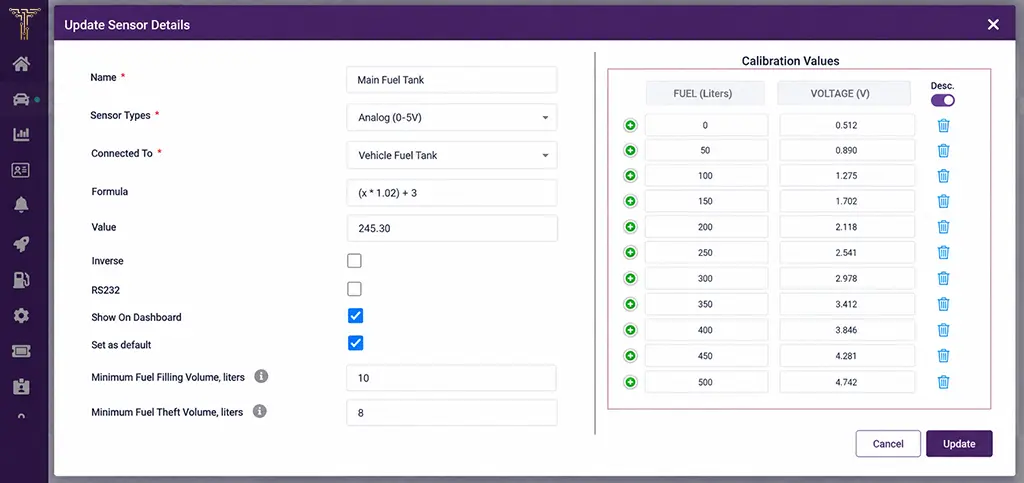
Set a default fuel sensor for consistent readings
Multi-Tank Fluctuation Handling tightens the data feeding into that decision. Multi-tank setups have long mistaken ordinary sensor drift for a real fuel event; refined logic now tells the difference, so what shows up as a fluctuation actually is one.
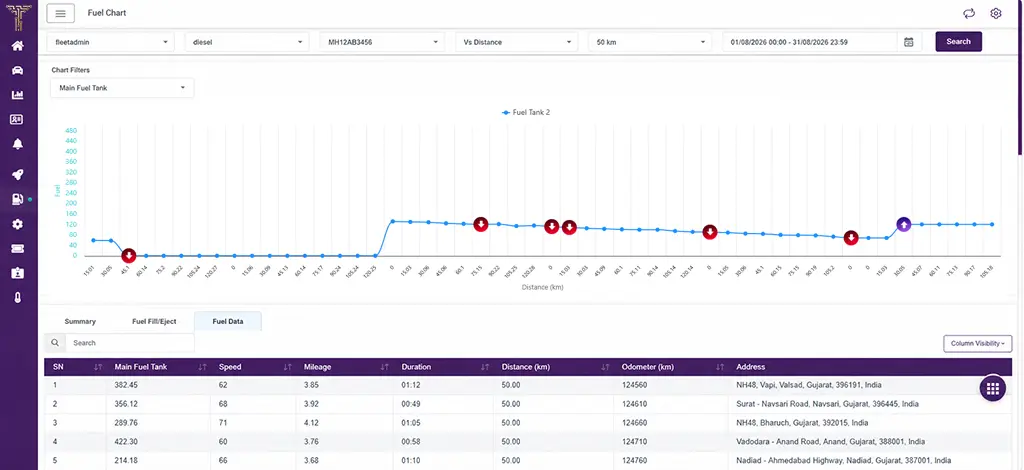
Analyse fuel consumption against distance
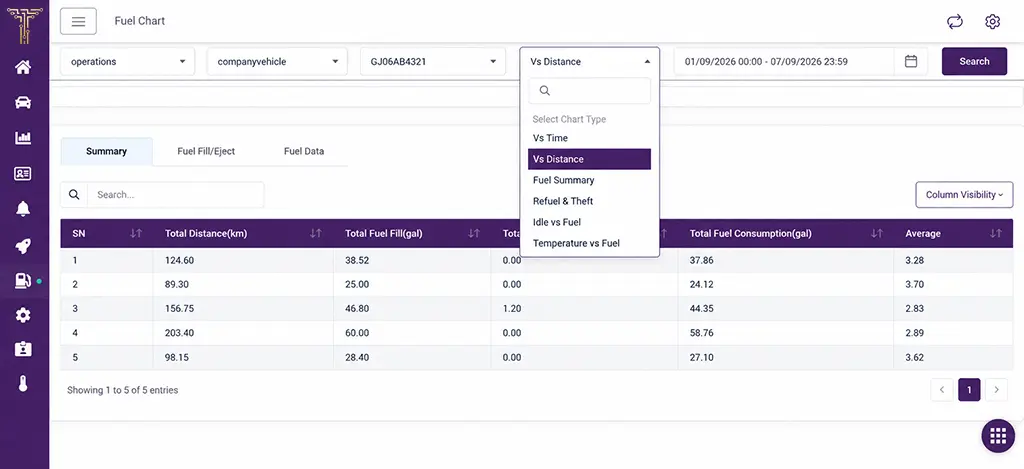
Switch between fuel analysis views
And once the data is trustworthy, Dual View in Fuel Report gives fleets a second way to read it. The Fuel Report now supports the same time-versus-distance comparison already built into the Temperature Report, letting fleets track consumption against kilometres travelled, not just minutes elapsed.
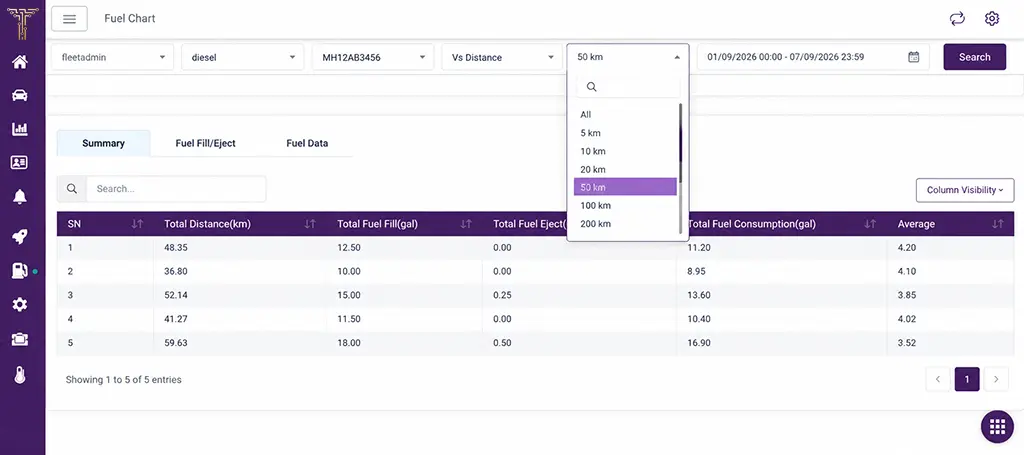
Compare fuel data across distance ranges
Configuration, accuracy, and analysis, three problems, solved as one connected fuel strategy rather than three disconnected fixes.
Update 2 – Driver Trip Report
Fleet reporting has always run through the vehicle, pull a report, and you get that vehicle’s trips. That view still holds, but it’s only ever told half the story the moment a driver moves between vehicles. The new Driver Trip Report adds the other half. Reports can now be pulled by driver as well as by vehicle, showing every trip a driver has run, across every vehicle they’ve operated, in one consolidated view. Data is available for a single driver or several at once, downloadable in Excel or PDF depending on how it needs to travel.
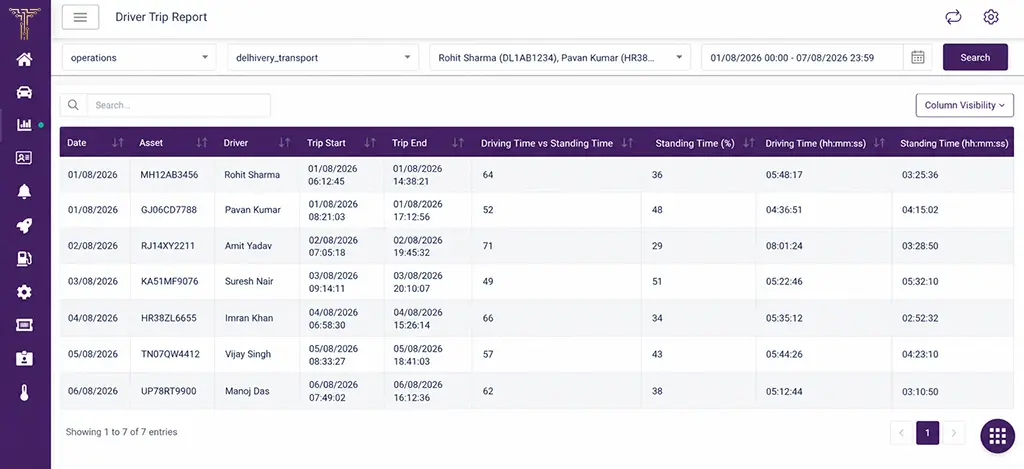
View trip history by driver across vehicles.
Update 3 – WhatsApp API Integration & Dynamic Provider Configuration
WhatsApp communication has always carried one shared identity; drivers and customers saw the same sender’s name regardless of which fleet they were actually working with. That changes with a new WhatsApp API Integration Module built on dynamic provider configuration, the same architecture already powering the Client SMS API module. Fleets can now set up their WhatsApp account under their own brand name, so every message reaches drivers and customers as coming from the business they recognise.
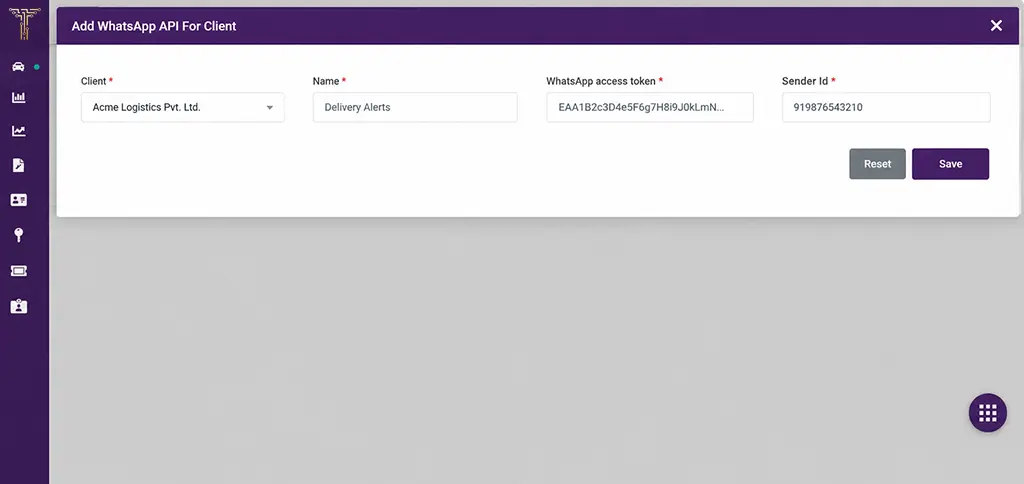
Configure WhatsApp API details for each client
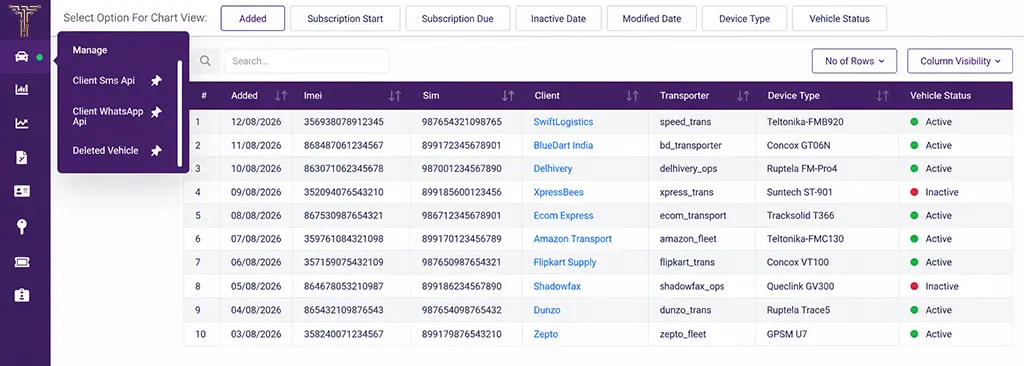
Manage configured WhatsApp API accounts in one place
Web Enhancements
Additional updates in this release include:
- A “Live Trip Dashboard Only” authority is introduced, giving restricted users controlled access to the Live Trip Dashboard while keeping the rest of the platform out of reach.
- Vodacom gains support for a new SIM operator under TB Global, widening SIM configuration and integration options.
- The Google Maps Drawing Manager now runs on an alternative implementation, keeping drawing functionality intact and improving platform flexibility going forward.
- A driver’s status change to inactive now automatically unassigns them from their vehicle, no manual cleanup required.
- Video playback has been strengthened for supported device types, ensuring recordings load and play without friction.
- The Sonographic icon issue for Srag on TB Track has been fixed, sharpening display and usability.
- The Driving Behaviour Report’s pie chart now reflects actual event counts instead of climbing with every search performed.
- History data processing on servers now runs more efficiently, improving performance when pulling historical vehicle data.
- The Demo07 account has been refreshed across all platforms, keeping it accessible for ongoing support use.
Conclusion
Fuel data and driver accountability sit at the centre of how a fleet manager actually runs their operation, and both got sharper this release. A fleet that can name its trusted sensor and see multi-tank readings behave the way they should, stops second-guessing its own numbers. A manager who can pull one driver’s trip history, instead of wading through everyone’s, moves faster and argues with better evidence.
Nothing here was added for its own sake. Set as Default exists because a fleet shouldn’t have to guess which number is real. The Driver Trip Report exists because a fleet-wide summary was never built to answer a question about one person. WhatsApp integration exists because fleets talk to their drivers wherever their drivers actually are.
Book a free demo with us to see how these capabilities work.