
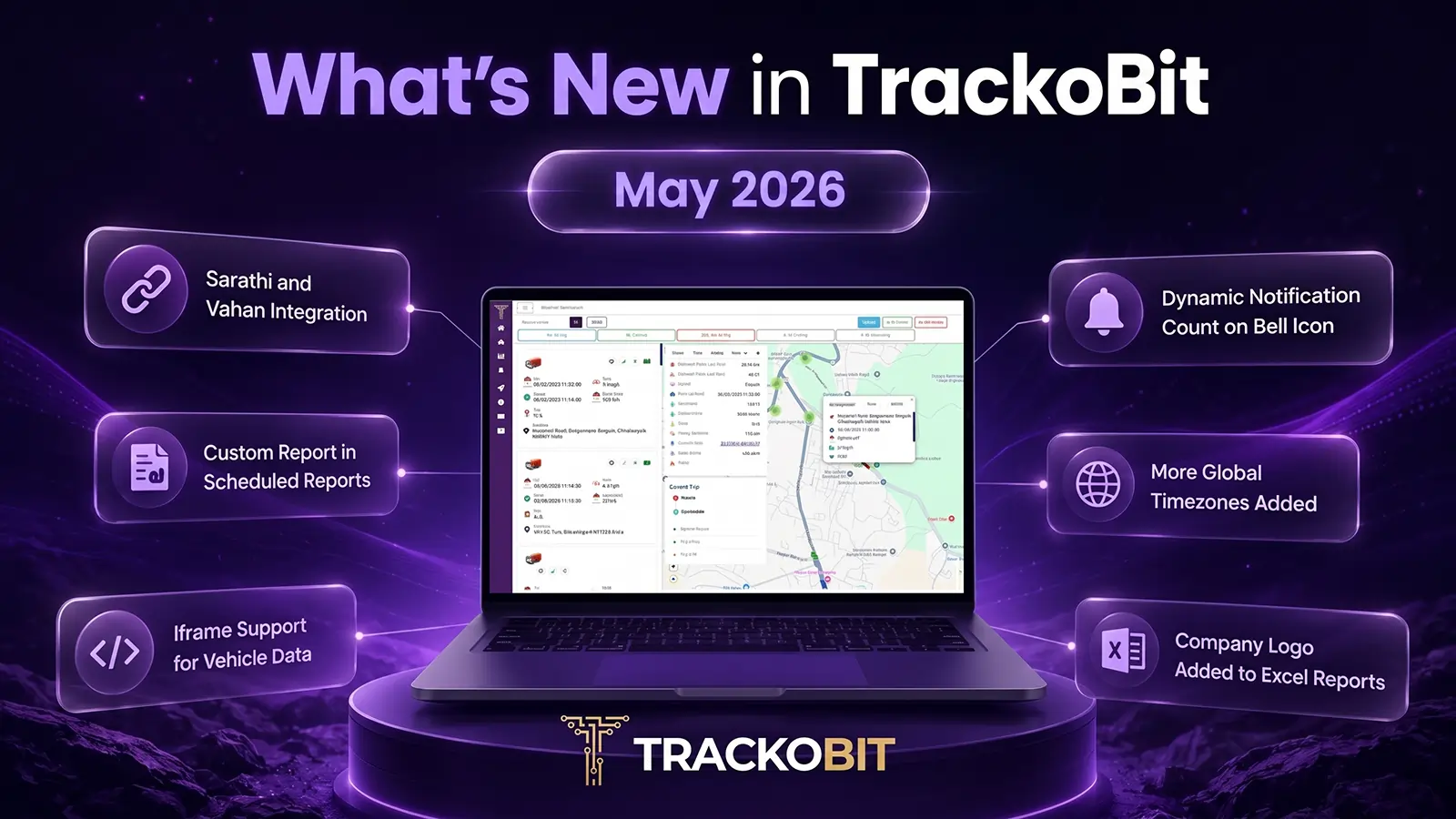
In TrackoBit’s May 2026, we’ve rolled out a variety of updates to make fleet operations simpler and more efficient. Key highlights include VAHAN and SARATHI integrations, along with enhancements across reporting, device support, and user experience. Explore what’s new and see how these improvements can help you get more value from TrackoBit.
Major Updates in TrackoBit’s Web App for May 2026
Update 1 – VAHAN & SARATHI Integration for Vehicle and Driver Verification
TrackoBit now integrates with VAHAN and SARATHI. While onboarding drivers and vehicles, businesses can verify information directly from government records.
With VAHAN integration, users can validate key vehicle details while adding them. For example, registration information, RC status, insurance validity, and pollution certificate status. This helps reduce incorrect entries and ensures that only verified vehicles are added.
With SARATHI integration, users can verify driver details. For example – license details and status and other information before onboarding them. This helps improve compliance and reduces the risk of using invalid driver records.
Users can also refresh and revalidate vehicle and driver information whenever required. Thus, ensuring records remain accurate and up to date over time.
Key Benefits:
- Verify vehicle details directly from VAHAN
- Validate driver license information through SARATHI
- Reduce manual errors during onboarding
- Improve compliance and record accuracy
- Revalidate information whenever required
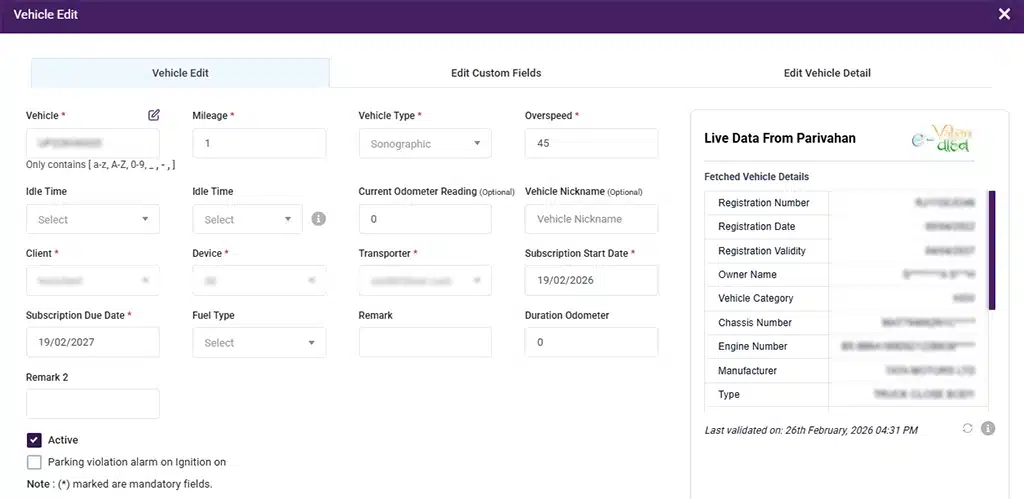
Verify Vehicle Data Directly Against the Government Platform
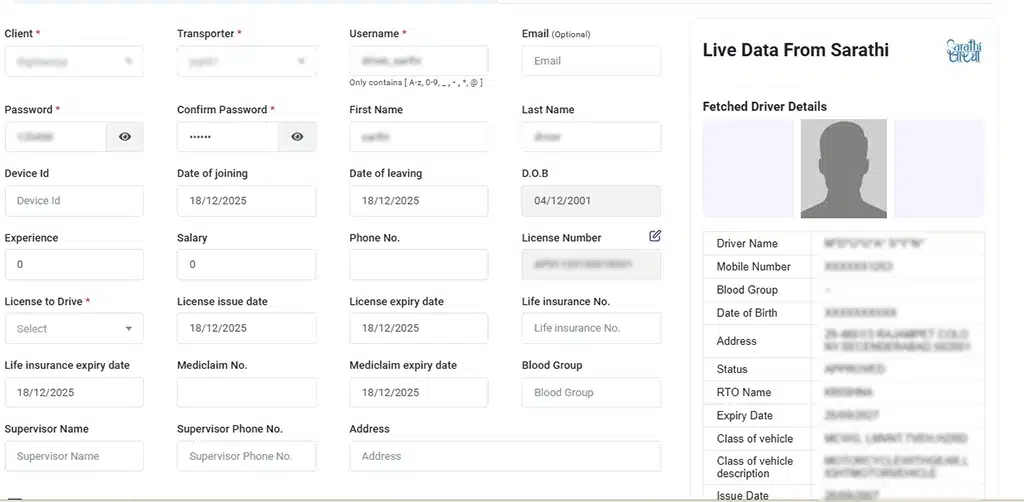
Verify Driver Data Directly Against Government
Update 2 – Custom Report in Scheduled Reports
Users can now schedule custom reports directly from the Schedule Report module. Previously, automated scheduling was available only for standard reports. But now reports created within the Custom Sensor ecosystem can be scheduled. Be it on a daily, weekly, or monthly basis. Ensuring timely delivery of customized insights without manual effort.
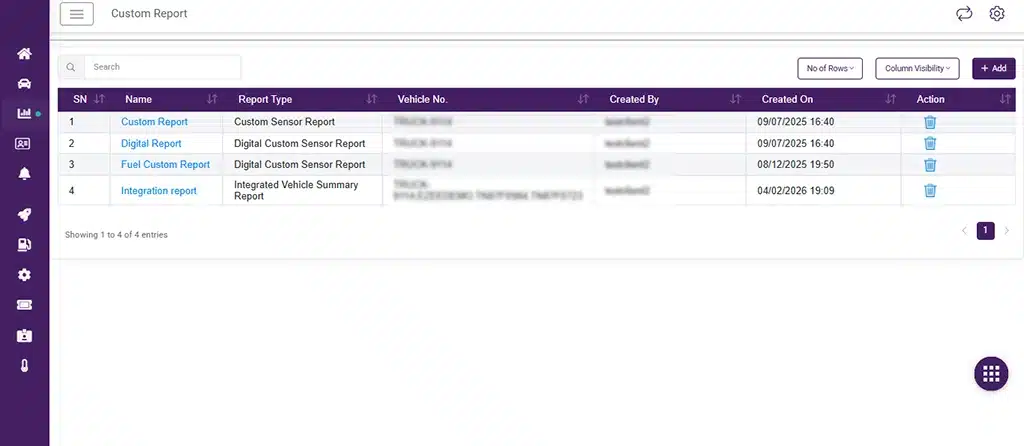
Schedule Custom Reports Now
Update 3 – Iframe Support for Vehicle Data, Dashboard & Trip Reports
TrackoBit now offers iframe support for Vehicle List, Dashboard, and Trip Report modules. These iframes can be embedded directly into external ERP or business systems. Users access fleet data, dashboards, and trip reports without a TrackoBit login. This enhancement simplifies integration. Also, provides a more seamless user experience across connected platforms.
Minor Updates and Bug Fixes
1. Dynamic Notification Count on Bell Icon
The notification bell icon on the web and mobile app will now display the number of unread notifications.
2. More Global Timezones Added
Additional timezones have been added to the platform. Users can now select from a wider range of timezones from around the world.
3. Trip Deletion Feature Added
Users with the required permissions can now delete trips from the web application. This provides more flexibility in managing trip records.
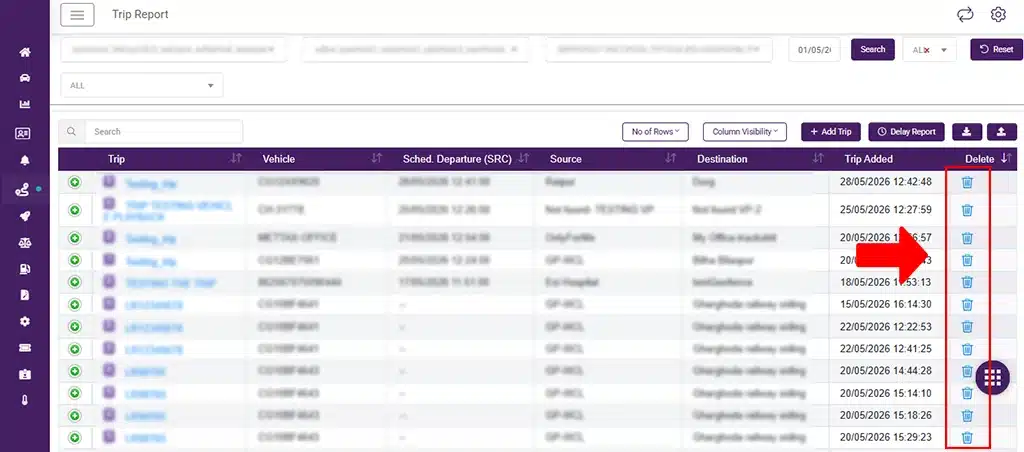
Feature to Delete Trips Added
4. Company Logo Added to Excel Reports
The company logo will now appear in downloaded Excel reports. Users can upload their logo from the profile settings and see it reflected in exported reports.
5. Greek Language Support Added
Greek language is now available across the TrackoBit platform, including the web application, Android app, and iOS app.
6. CelcomAfrica SMS Vendor Added
CelcomAfrica has been added to the SMS API module. This gives users another option for sending SMS notifications and supports more regions globally.
7. Access BRAG and DPR Reports for the Same Vehicle
BRAG and Driver Performance Reports for the same vehicle at the same time are posing using different configuration settings. This makes it easier to access and compare driver performance data. Users do not need separate vehicle mappings.
8. Navtelecom Device Support Added
Navtelecom devices are now supported in the View Parameters section. Users can view raw data parameters and access device data more easily within TrackoBit.
9. New Device Types Added
- Navi_140_lock device is now supported on the TrackoBit platform.
- Totarget device has been added and is supported using the existing HHD protocol.
- Acute device is now supported and can be integrated with TrackoBit.
Conclusion
That’s a wrap for this release! From smarter reporting and expanded integrations to improved notifications and global support, these updates are designed to make fleet management simpler and more efficient. We’re continuously working on new enhancements to help you get more value from TrackoBit. Stay tuned for what’s coming next!