
TrackoField’s February 2026 release is a serious power upgrade! It is packed with feature improvements that are designed for sharper executions and greater control. The release focuses on hierarchy governance, expense workflow accuracy, and bulk operations.
With this, our field force management software is all set to offer speed and scalability across all operations. The process becomes faster, cleaner, and more reliable than ever.
Excited to take a closer look? Let’s break down what’s new.
Major Web Updates to TrackoField in 2026
Organization & Hierarchy Enhancements
- Introduced role-based permission for Organization Hierarchy with controlled access to “Top of the Organization” view.
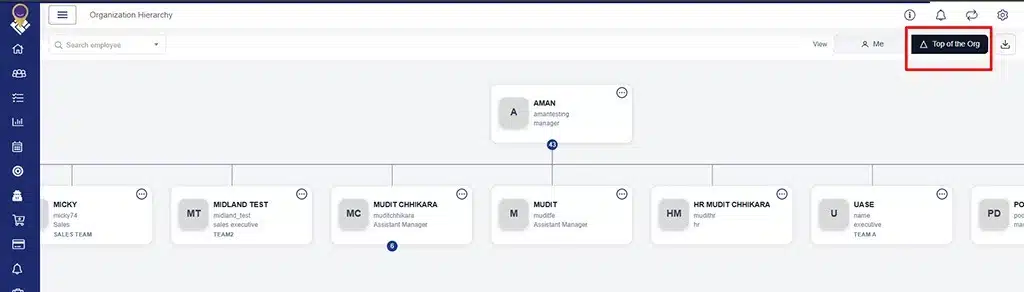
Controlled Access to ‘Top of the Org’ View
- Enhanced Organization Hierarchy module with search, zoom, PNG download, and CSV export support.
- Improved Manager selection logic to maintain consistent hierarchy structure.
- Enabled Root Manager to edit, cancel, and delete tasks across hierarchy levels.
- Renamed “Owner” to “Manager” across Employee modules and exports.
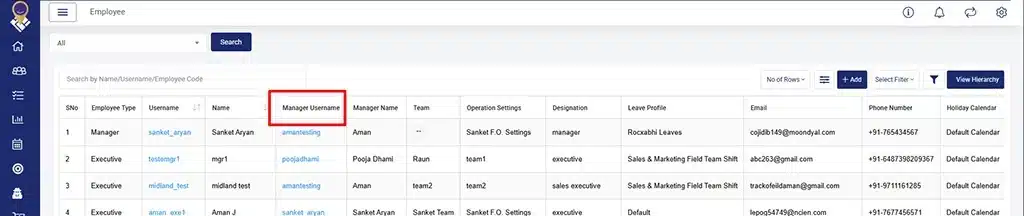
Renamed Owner to Manager
- Executed scripts to correct hierarchy and historical data issues.
- Added “View Organization Hierarchy” shortcut in Employee module.
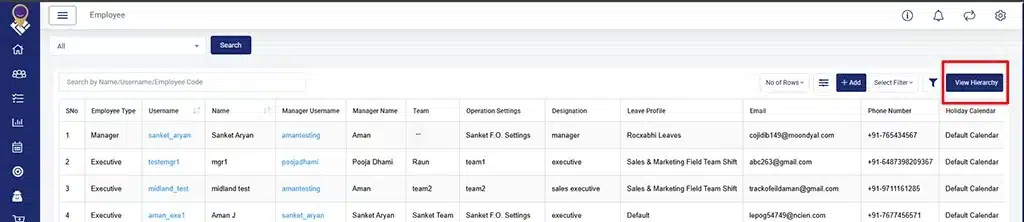
View Hierarchy Shortcut
Bulk Operations & Employee Management
- Added Team Bulk Upload and Team Bulk Update options under Bulk Action module with backend validation alignment.
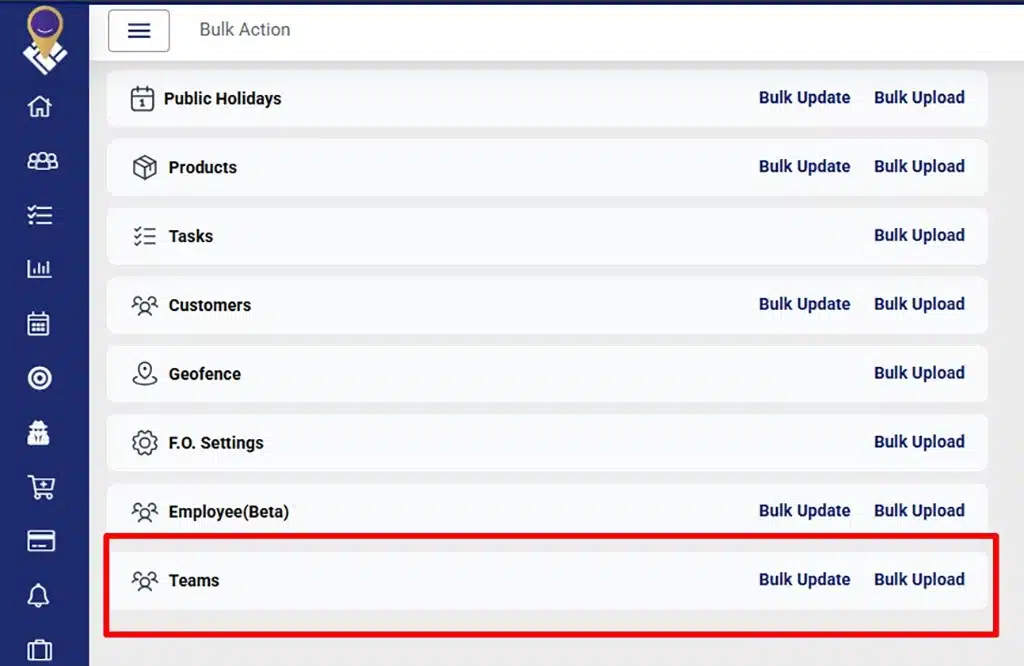
New Bulk Update and Bulk Upload
- Enabled Employee Bulk Upload to support bulk operations authority.
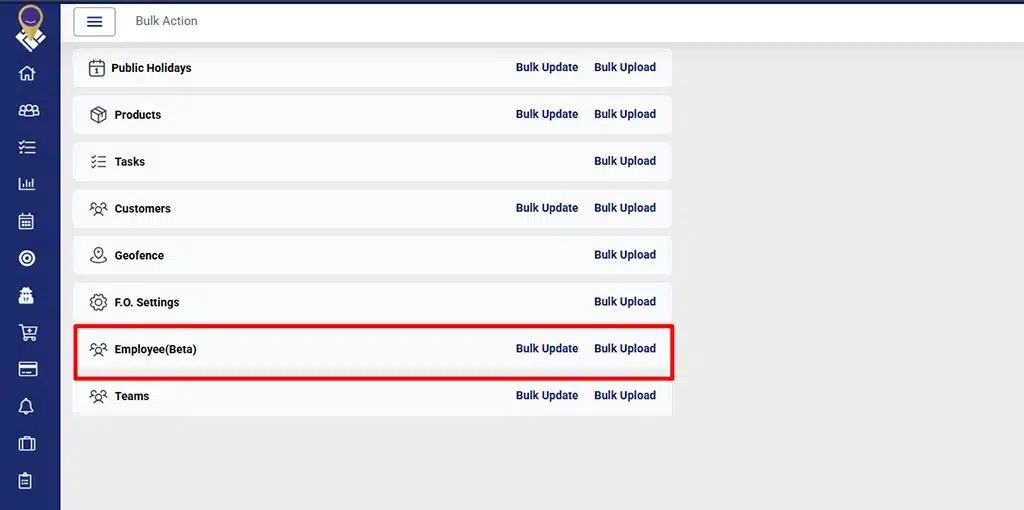
Employee Bulk Upload Enabled
- Updated Employee creation form with structured Account and Company Details sections.
- Reorganized Designations and Custom Fields into left-side navigation.
- Restricted inactive users from being selectable in customer transfer dropdown.
- Improved Transfer Customer flow during Field Executive deactivation with mandatory reassignment and validation checks.
- Restricted duplicate system and custom field name conflicts across modules.
- Updated Operation Settings label to “Field Operation Settings” in employee creation.
Expense and Attendance Enhancements
- Enhanced Expense Approval module with Odometer Reading Difference field.
- Displayed all standard expense category attributes during approval.
- Fixed missing Claim Date issue in Expense Date Wise view.
- Fixed Odometer images and reading visibility in Expense Approval.
- Removed Expense Policy selection from HR add/edit modal.
- Added the Inactive toggle button in the Attendance Summary.
- Resolved Attendance Summary showing Absent after override approval.
- Updated HRone integration to prevent syncing of auto mark-out attendance records. Manual mark-out data will continue to be synced.
Task & Validation Improvements
- Added “Form Count” column in Task listing with Excel export support.
- Displayed Task duration for rescheduled tasks.
- Added View Route button restriction based on approval hierarchy.
- Implemented Task Customer List validation logic.
- Restricted comma (,) usage across Geofence, Task, Customer, Bulk Upload/Update, APIs, and offline mode.
- Added role-based checks in Compliance and Override APIs.
Scheduler & Notifications
- Optimized Auto Mark Out scheduler and time zone execution for active company time zones only.
- Introduced Flexible Shift push notification with scheduler-based execution.
- Corrected SMS notification delivery to second-level managers and above.
- Merged FO Settings notifications into a single notification.
Dashboards & Reports
- Enhanced Dashboard Excel download to export all filtered records irrespective of pagination limits.
- Enhanced Dashboard search bar UI with improved employee search results.
- Enabled numerical sorting for duration fields across reports.
- Corrected Device Approval Report date range in Excel download.
- Fixed mismatch in “App Not Updated” counts between Analytics Dashboard and Compliance module.
- Fixed On-Off Duty report Manager Name blank issue in Excel (All).
- Resolved Excel download conflict when downloading multiple filtered sheets within the same minute.
UI & Platform Improvements
- Revamped Company Profile UI with structured Account, Others, and Settings sections.
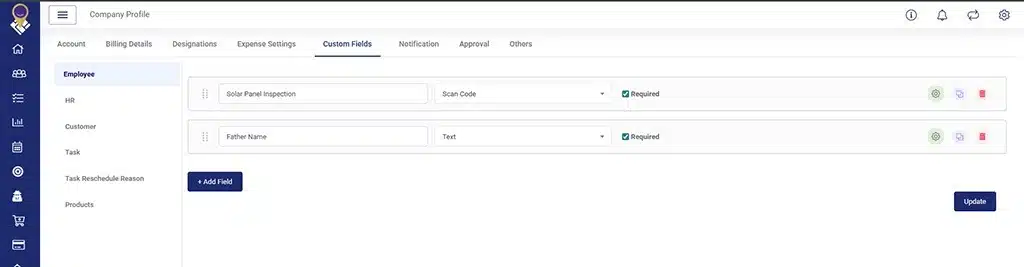
Revamped Company Profile UI
- Implemented upload restrictions on Leave Apply and Compliance (documents and images only).
- Updated Employee and Leave Profile error message UI styling.
- Disabled “Mark as Unrecognized” by default when Facial Recording is enabled.
- Executed scripts to correct attendance-related and manual distance data issues.
Major Android Updates to TrackoField in 2026
MQTT & Data Transmission (V2.45)
- Enabled MQTT-based data transmission support.
- Integrated MQTT for TPR/List/Save API.
- Implemented Firebase-based toggle to switch between MQTT and HTTP flow.
- Enabled TPR data transmission via MQTT during attendance and task actions.
Task & Validation Improvements (V2.48)
- Implemented Task Customer List validation logic during task creation.
- Fixed direct manager for non-default customers appearing in executive task creation.
- Enforced 31-day calendar restrictions across all reports.
- Reused Task List API for task details to reduce extra API calls.
- Enabled offline creation and auto-sync of customer-based tasks.
- Fixed phone number visibility for None and Location-based tasks.
- Added GPS permission to popup during location-based task creation.
- Resolved indefinite loader issue when GPS is disabled.
- Fixed icon visibility when no data is available in task details.
- Updated Google Map marker to custom marker for geofence validation.
- Fixed dual geofence display issue for single customer.
- Fixed MQTT path not generated.
- Fixed scroll issues in Task Details and Location Task creation on specific devices.
- Merged FO Settings notifications into single notifications.
Performance & Stability
- Improved AI facial recognition image syncing in low network conditions.
- Improved background handling and overall stability.
- Improved offline map behavior and task trail display logic.
Major iOS Updates to TrackoField in 2026
MQTT & API Optimization (V1.6.7)
- Enabled MQTT-based data transmission support.
- Integrated MQTT for TPR/List/Save API and attendance/task events.
- Implemented Firebase-based MQTT/HTTP switching logic.
- Merged Task List and Task Details API into single API call.
Task & Validation Enhancements (V1.7.0)
- Implemented Task Customer List validation logic during task creation.
- Enabled offline creation and auto-sync of customer-based tasks.
- Added location permission popup when GPS is disabled.
- Fixed phone number visibility for None and Location-based tasks.
- Fixed icons visibility when no data is available in task details.
- Fixed Manager-created task edit restriction in offline mode.
- Fixed direction icon missing in customer-based task details.
Bug Fixes & UI Improvements
- Fixed task creation issue in USA date format (MM/DD/YYYY HH:MM a).
- Resolved Travel History date filter flicker issue.
- Added blur effect when Nearby module is opened.
- Fixed parallel hierarchy visibility issue in distance report.
- Fixed Auto Mark Out toggle not updating on Mark Attendance page.
- Merged FO Settings notifications into a single notification.
- Improved overall stability and reporting accuracy.
Looking Forward
This release is a structural upgrade focused on governance, validation precision, offline readability, and enterprise-scale hierarchy control. TrackoField is now more resilient and operationally consistent than ever.
The best part? We are not slowing down. Expect smarter automations, deeper analytics intelligence, and tighter system integrations in upcoming releases.
Stay tuned. We’re building for scale, and the best is yet to roll out!